
HTML Emojis – Emoji Characters in HTML
Full Stack Web Development Courses with Real-time projects Start Now!!
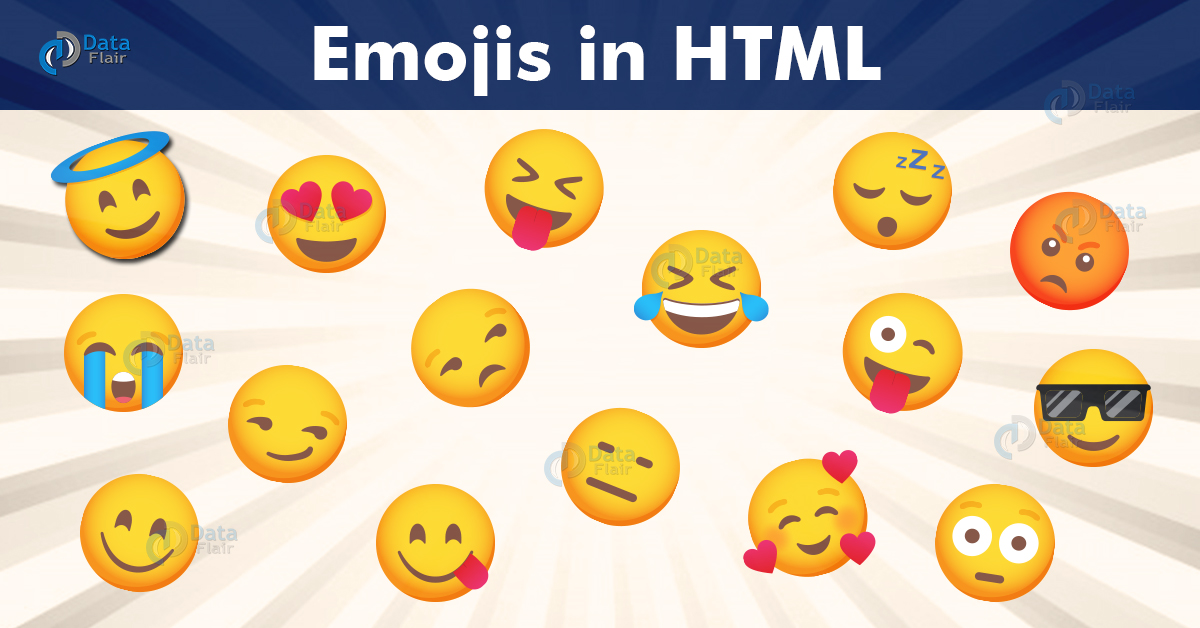
Emojis are digital icons or characters used to express specific feelings or emotions. They have become the medium of subtle communication in the past decade, and thus, HTML5 has new features of including them on our websites. HTML Emojis are not merely images but characters from the UTF-8(Unicode) character set.
It can therefore be stipulated that the incorporation of emojis in the communication systems has revolutionized both conventional and modern day communication systems. They add some other dimensions of communication that plain text does not contain. Thus, emojis used in web pages can add an element of reality and interaction to the feel of the web developers. This uses a sign language that is recognized by everyone; therefore, it can be used to improve communication in cultures and languages.
Also, correct HTML character encoding will make all Emojis to display proficiently on various browsers and devices. This is why the strokes should be consistent in order to keep the tone and meaning of the content as was intended. It was established that developers need to know the right numeral representations and direct specifications in order not to face any problems with the display of emojis.
The first prerequisite of displaying emojis is to add the character set of the HTML document. This is defined in the meta tag of the head.
<meta charset="UTF-8">
UTF-8 is the default character set of HTML and covers all the characters and symbols.
There are two ways of specifying emojis in an HTML document-
1. Direct Specification in HTML
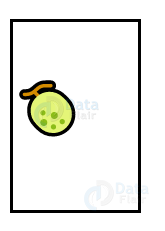
Emojis can be directly copied and pasted in an HTML document.
You can use https://emojipedia.org/ to get emojis.
<!DOCTYPE html>
<html>
<head>
  <title>Emojis</title>
  <style>
    div{
      height: 150px;
      width: 100px;
      border-style: solid;
    }
  </style>
</head>
<body>
  <div>
<p id="emoji" style="font-size: 40px;">🍈</p>
  </div>
</body>
</html>
Output-
2. Numerical Representation of UTF-8 Character in HTML
In the UTF-8 character set A is 65, B is 66, C is 67, and so on. These characters are displayed like entities, starting with #&.
Here is an example of displaying characters of UTF-8 charset.
<!DOCTYPE html>
<html>
<head>
<meta charset="UTF-8">
</head>
<body>
<p>Display A B and C</p>
<p>A B and C</p>
</body>
</html>
Output-
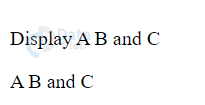
The codes for A, B, and C are 65, 66, and 67. Here the browsers understand these codes with the entity and renders it correctly.
HTML Emoji Characters
Emojis can also be displayed using the UTF-8 charset. For example,
😍 is 128525
💗 is 128151
😄 is 128516
<!DOCTYPE html>
<html>
<head>
<meta charset="UTF-8">
</head>
<body>
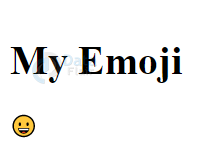
<h1>My Emoji</h1>
<p>😀</p>
</body>
</html>
Output-
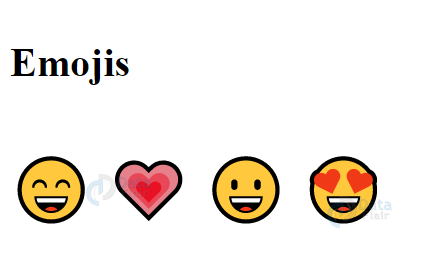
As we know, emojis are characters. Let us try to style them using CSS.
<!DOCTYPE html>
<html>
<head>
<meta charset="UTF-8">
</head>
<body>
<h1>Emojis</h1>
<p style="font-size:48px">
 😄 💗 😀  😍
</p>
</body>
Output-
Following is a list of some HTML Emoji Symbols-
| Char | Dec | Hex | Name |
| 😀 | 128512 | 1F600 | Grinning Face |
| 😁 | 128513 | 1F601 | Grinning Face With Smiling Eyes |
| 😂 | 128514 | 1F602 | Face With Tears Of Joy |
| 😃 | 128515 | 1F603 | Smiling Face With Open Mouth |
| 😄 | 128516 | 1F604 | Smiling Face With Open Mouth And Smiling Eyes |
| 😅 | 128517 | 1F605 | Smiling Face With Open Mouth And Cold Sweat |
| 😆 | 128518 | 1F606 | Smiling Face With Open Mouth And Tightly-Closed Eyes |
| 😇 | 128519 | 1F607 | Smiling Face with Halo |
| 😈 | 128520 | 1F608 | Smiling Face With Horns |
| 😉 | 128521 | 1F609 | Winking Face |
| 😊 | 128522 | 1F60A | Smiling Face With Smiling Eyes |
| 😋 | 128523 | 1F60B | Face Savouring Delicious Food |
| 😌 | 128524 | 1F60C | Relieved Face |
| 😍 | 128525 | 1F60D | Smiling Face With Heart-Shaped Eyes |
| 😎 | 128526 | 1F60E | Smiling Face With Sunglasses |
| 😏 | 128527 | 1F60F | Smirking Face |
| 😐 | 128528 | 1F610 | Neutral Face |
| 😑 | 128529 | 1F611 | Expressionless Face |
| 😒 | 128530 | 1F612 | Unamused Face |
| 😓 | 128531 | 1F613 | Face With Cold Sweat |
| 😔 | 128532 | 1F614 | Pensive Face |
| 😕 | 128533 | 1F615 | Confused Face |
| 😖 | 128534 | 1F616 | Confounded Face |
| 😗 | 128535 | 1F617 | Kissing Face |
| 😘 | 128536 | 1F618 | Face Throwing A Kiss |
| 😙 | 128537 | 1F619 | Kissing Face With Smiling Eyes |
| 😚 | 128538 | 1F61A | Kissing Face With Closed Eyes |
| 😛 | 128539 | 1F61B | Face With Stuck-Out Tongue |
| 😜 | 128540 | 1F61C | Face With Stuck-Out Tongue And Winking Eye |
| 😝 | 128541 | 1F61D | Face With Stuck-Out Tongue And Tightly-Closed Eyes |
| 😞 | 128542 | 1F61E | Disappointed Face |
| 😟 | 128543 | 1F61F | Worried Face |
| 😠 | 128544 | 1F620 | Angry Face |
| 😡 | 128545 | 1F621 | Pouting Face |
| 😢 | 128546 | 1F622 | Crying Face |
| 😣 | 128547 | 1F623 | Persevering Face |
| 😤 | 128548 | 1F624 | Face With Look Of Triumph |
| 😥 | 128549 | 1F625 | Disappointed But Relieved Face |
| 😦 | 128550 | 1F626 | Frowning Face With Open Mouth |
| 😧 | 128551 | 1F627 | Anguished Face |
| 😨 | 128552 | 1F628 | Fearful Face |
| 😩 | 128553 | 1F629 | Weary Face |
| 😪 | 128554 | 1F62A | Sleepy Face |
| 😫 | 128555 | 1F62B | Tired Face |
| 😬 | 128556 | 1F62C | Grimacing Face |
| 😭 | 128557 | 1F62D | Loudly Crying Face |
| 😮 | 128558 | 1F62E | Face With Open Mouth |
| 😯 | 128559 | 1F62F | Hushed Face |
| 😰 | 128560 | 1F630 | Face With Open Mouth And Cold Sweat |
| 😱 | 128561 | 1F631 | Face Screaming In Fear |
| 😲 | 128562 | 1F632 | Astonished Face |
| 😳 | 128563 | 1F633 | Flushed Face |
| 😴 | 128564 | 1F634 | Sleeping Face |
| 😵 | 128565 | 1F635 | Dizzy Face |
| 😶 | 128566 | 1F636 | Face Without Mouth |
| 😷 | 128567 | 1F637 | Face With Medical Mask |
| 🙁 | 128577 | 1F641 | |
| 🙂 | 128578 | 1F642 | |
| 🙃 | 128579 | 1F643 | |
| 🙄 | 128580 | 1F644 | |
| 🤐 | 129296 | 1F910 | |
| 🤑 | 129297 | 1F911 | |
| 🤒 | 129298 | 1F912 | |
| 🤓 | 129299 | 1F913 | |
| 🤔 | 129300 | 1F914 | |
| 🤕 | 129301 | 1F915 | |
| 🤠 | 129312 | 1F920 | |
| 🤡 | 129313 | 1F921 | |
| 🤢 | 129314 | 1F922 | |
| 🤣 | 129315 | 1F923 | |
| 🤤 | 129316 | 1F924 | |
| 🤥 | 129317 | 1F925 | |
| 🤧 | 129319 | 1F927 | |
| 🤨 | 129320 | 1F928 | |
| 🤩 | 129321 | 1F929 | |
| 🤪 | 129322 | 1F92A | |
| 🤫 | 129323 | 1F92B | |
| 🤬 | 129324 | 1F92C | |
| 🤭 | 129325 | 1F92D | |
| 🤮 | 129326 | 1F92E | |
| 🤯 | 129327 | 1F92F | |
| 🧐 | 129488 | 1F9D0 |
Summary
Emojis have become a prevailing mode of communication in recent times, so incorporating them into our web-page has become important. HTML 5, along with its UTF-8 charset, is used to display emojis in an HTML web-page. In this article, we’ve discussed the ways of inserting emojis and looked at some common codes for them. Emojis can be inserted in two ways, by directly copy-pasting and using the numerical representation of UTF-8 charset.
Your 15 seconds will encourage us to work even harder
Please share your happy experience on Google






“In the UTF-8 character set A is 65, B is 66, C is 67, and so on. These characters are displayed like entities, starting with #&.”
This is incorrect. It should be &#.