
Java HashMap | Constructors & Methods of HashMap in Java
Get Job-ready: Java Course with 45+ Real-time Projects! - Learn Java
Today, in this Java HashMap tutorial, we are going to learn about the HashMap in Java. First, we will start with the meaning of Java HashMap. Moreover, we will learn about constructors and methods in HashMap in Java. Also, we will discuss the Java HashMap example and the internal structure of HashMap in Java.
So, let us start the Java HashMap Tutorial.
Java HashMap | Constructors & Methods of HashMap in Java
What is a Java HashMap?
Java HashMap permits null keys and null values.
HashMap isn’t an ordered collection. You’ll be able to iterate over HashMap entries through the keys set; however, they’re not guaranteed to be in the order of their addition to the HashMap.
Do you know What is Inheritance in Java?
HashMap in Java uses its inner category Node for storing map entries.
Java HashMap stores entries into multiple one-by-one linked lists, which are called buckets or bins. The default range of bins is 16, and it’s always a power of 2.
HashMap uses hashCode() and equals() methods on keys to get and place operations. Therefore, the HashMap key object should offer a good implementation of those ways. This can be the reason immutable classes are more suitable for keys, for example, String and Integer.
Java HashMap isn’t thread-safe; for a multithreaded environment, you must use the ConcurrentHashMap category or get a synchronous map using the Collections.synchronizedMap() method.
Let’s discuss Methos Overriding in Java
Java HashMap Constructors
HashMap in Java provides four constructors. So, below we are discussing 4 constructors in the Java HashMap tutorial:
1. public HashMap(): Most commonly used HashMap constructor. This constructor can produce an empty HashMap with default initial capacity 16 and load factor 0.75
2. public HashMap(int initialCapacity): This HashMap constructor is used to specify the initial capacity and 0.75 ratio. This can helps in avoiding rehashing if you know the number of mappings to hold in the HashMap.
3. public HashMap(int initialCapacity, float loadFactor): This HashMap constructor can produce an empty HashMap with specified initial capacity and load factor.
4. public HashMap(Map<? extends K, ? extends V> m): Creates a Map having the same mappings as the specified map and with a load factor of 0.75
Example of Java HashMap Constructors
The code snippet is showing the constructor of HashMap in Java, exemplifying all the above constructors.
Map map1 = new HashMap<>();
Map map2 = new HashMap<>(2^5);
Map map3 = new HashMap<>(32,0.80f);
Map map4 = new HashMap<>(map1);
Methods of HashMap in Java
Important methods of Java HashMap
Let’s have a look at the important methods of Java HashMap:
1. public void clear(): This Java HashMap method will remove all the mappings, and the HashMap will become empty.
2. public boolean containsKey(Object key): This HashMap in Java method returns ‘true’ if the key exists, otherwise it will return ‘false’.
3. public mathematician containsValue(Object value): This Java HashMap method returns true if the value exists.
4. public Set> entrySet(): This HashMap method in Java returns a set view of the HashMap mappings.
5. public V get(Object key): This Java HashMap method returns the value mapped to the specified key, or null if there’s no mapping for the key.
6. public boolean isEmpty(): A utility method returning true if no key-value mappings are present.
7. public Set keySet(): Returns a set view of the keys contained in this map. The set is backed by the map, so changes to the map are reflected within the set, and vice versa.
8. public V put(K key, V value): This method associates the specified value with the specified key in this map, and if the map previously contained a mapping for the key, the old value is replaced.
9. public void putAll(Map<? extends K, ? extends V> m): Copies all of the mappings from the required map to the present map. Therefore, These mappings can replace any mappings that this map had for any of the keys currently within the specified map.
10. public V remove(Object key): This Java HashMap method helps remove the mapping for the required key from this map if present.
11. public int size(): This method in HashMap in Java helps return the number of key-value mappings in this map.
12. public Collection values(): This method of HashMap in Java helps return a collection view of the values contained in this map. Although the collection is backed by the map, changes to the map are reflected in the collection, and vice versa.
New Methods of Java HashMap
Many new methods in Java HashMap were introduced in Java 8, let us have a look at them –
1. public V computeIfAbsent(K key, Function<? super K, ? extends V> mappingFunction): If the specified key is not already associated with a value (or is mapped to null), however, this method tries to compute its value using the given mapping function and therefore enters it into the HashMap unless it is Null.
2. public V computeIfPresent(K key, BiFunction<? super K, ? super V, ? extends V> remappingFunction): In this method, if the value for the required key is present and non-null, it, therefore, tries to reason a replacement mapping given the key and its current mapped value.
3. public V compute(K key, BiFunction<? super K, ? super V, ? extends V> remappingFunction): This HashMap method attempts to compute a mapping for the required key and its current mapped value.
4. public void forEach(BiConsumer<? super K, ? super V> action): This method performs the given action for each entry in this map.
5. public V getOrDefault(Object key, V defaultValue): Same as get except that defaultValue is returned if no mapping is found for the specified key.
6. public V merge(K key, V value, BiFunction<? super V, ? super V, ? extends V> remappingFunction): If the required key is not already related to a value or is associated with null, associates it with the given non-null value.
7. public V putIfAbsent(K key, V value): In this method, if the specified key is not already associated with a value (or is mapped to null) associates it with the given value and returns null, else returns this price.
8. public boolean remove(Object key, Object value): This removes the entry for the specified key only if it’s currently mapped to the specified value.
9. public boolean replace(K key, V oldValue, V newValue): RIN This method it helps to replace the entry for the specified key only if currently mapped to the specified value.
10. public V replace(K key, V value): In this method, it helps to replace the entry for the specified key only if it currently maps to some value.
11. public void replaceAll(BiFunction<? super K, ? super V, ? extends V> function): In this method, it helps replace every entry’s value with the result of invoking the given function on that entry.
Java HashMap – Internal Structure
The internal structure of Java HashMap contains these four nodes of the array, and further, each node is represented with the help of a class.
- int hash: it contains the integer type value. However, it keeps the hash code of the key. Hash code contains an address where the object is stored.
- K key: Just like the variables are the identifiers, Keys also act as identifiers for the values. Although it allows the null value to be added, the key must be different.
- V value: The value is the element or data stored in it.
- Node next: It refers to the next block where the value is kept.
A node contains a reference to its own object, and hence it is a linked list.
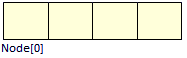
Hashmap in Java – Internal Structures
Node
HashMap in Java
Performance of HashMap in Java
Performance of Java HashMap depends on these two factors –
i. Initial Capacity
ii. Load Factor
In a Java HashMap, the capacity is simply defined as the number of buckets, while the Initial capacity of a HashMap in Java defines when it is created initially. Further, we multiply capacity by 2.
In a Load Factor, a measure of how much rehashing is to be done. Therefore, it is also a measure of how much rehashing to do. It is initially kept higher so rehashing doesn’t take place, but this also increases the iteration time. The most common load factor value is 0.75. It varies from 0 to 1.
Let’s learn about Abstract Class in Java
Example of Java HashMap performance–
import java.util.HashMap;
import java.util.Map;
public class DF
{
   public static void main(String[] args)
   {
       HashMap<String, Integer> map = new HashMap<>();
       print(map);
       map.put("vishal", 10);
       map.put("sachin", 30);
       map.put("vaibhav", 20);
       System.out.println("Size of map is:- " + map.size());
       print(map);
       if (map.containsKey("vishal"))
       {
           Integer a = map.get("vishal");
           System.out.println("value for key \"vishal\" is:- " + a);
       }
       map.clear();
       print(map);
   }
   public static void print(Map<String, Integer> map)
   {
       if (map.isEmpty())
       {
           System.out.println("map is empty");
       }
       else
       {
           System.out.println(map);
       }
   }
}
Output:
map is empty
Size of map is:- 3
{vaibhav=20, vishal=10, sachin=30}
value for key “vishal” is:- 10
map is empty
Read: Java Data Structures
So, this was all about the Java HashMap tutorial. Hope you like our explanation of HashMap in Java.
Common Use Cases for Java HashMaps
HashMaps are versatile data structures with a wide range of applications in Java programming. Here are some common use cases:
1. Caching: HashMaps are ideal for caching data retrieved from databases or APIs. Thus, by storing frequently accessed data in a HashMap, you can significantly improve application performance by reducing redundant database calls or API requests.
2. Configuration Settings: Applications often rely on configuration settings loaded from files or user input. Therefore, HashMaps provide a convenient way to store and manage these settings using key-value pairs.
3. In-Memory Databases: For small-scale applications or temporary data storage, However, HashMaps can act as simple in-memory databases. They offer fast retrieval and insertion of data based on keys.
Conclusion
Hence, in this Tutorial, we discussed the complete concept of HashMap in Java. Moreover, we saw the Java HashMap example, the constructor, and its internal structure. Still, if any query regarding HashMap in Java, ask in the comment tab.
See also –
Did you like this article? If Yes, please give DataFlair 5 Stars on Google





