
Command Line Arguments In Java | Clone() Method In Java
Get Job-ready: Java Course with 45+ Real-time Projects! - Learn Java
In our last chapter, we talked about how to read Java Console Input. Now, we are ready to discuss Command Line Arguments in Java Programming. In addition, we will learn the clone() method in Java and deep copy and shallow copy. At last, we study the advantages of clone methods.
So, let’s start with Command Line Arguments in Java.
Command Line Arguments in Java
Command line argument is mainly used to control your program from the outside. When a command is sent to the JVM, it wraps them and sends them to args[]. The args[] array here actually wraps the arguments by checking the length of the argument using args.length.
Clone() Method in Java
No operator is meant to create a copy of the object in Java, which is unlike C++. In Java, we use the assignment operator to create a copy of the variable and not the object.
Clone() is a built-in method of Java that is mainly used to create a copy of an object in Java. By using the clone method, all the attributes of the referenced object are inherited by the cloned object. There are certain ways of cloning an object using the clone method. We will discuss it further.
Example of clone method in Java –
package com.dataflair.commandlineargument;
class Test
{
  int variable1, variable2;
  Test()
  {
    variable1 = 10;
    variable2 = 20;
  }
}
public class CloneMethodInJava
{
  public static void main(String[] args)
  {
    Test ob1 = new Test();
    System.out.println(ob1.variable1 + " " + ob1.variable2);
    Test ob2 = ob1;
    ob2.variable1 = 100;
    System.out.println(ob1.variable1+" "+ob1.variable2);
    System.out.println(ob2.variable1+" "+ob2.variable2);
  }
}
Output: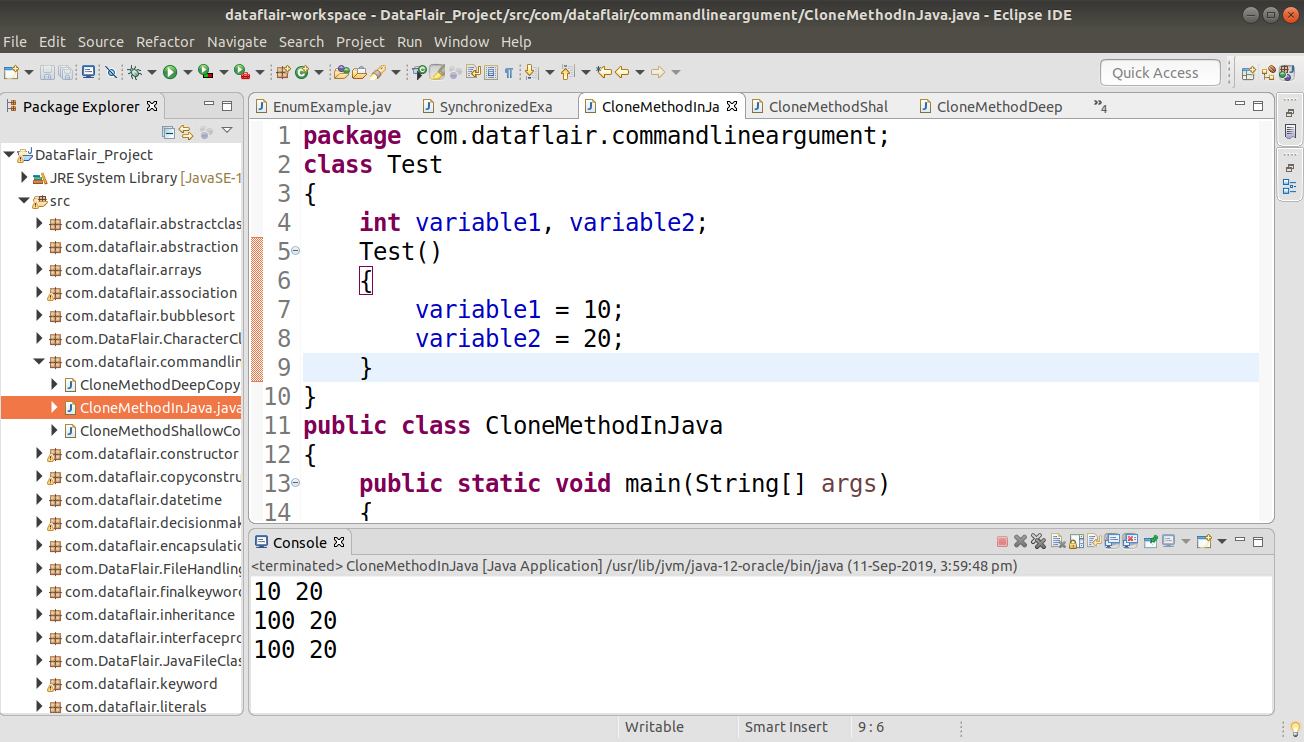
Creating a Copy using the Clone() Method
The class must have a public clone method in it or in one of its parent classes.
- Each class that instantiates clone() should call super.clone() to get the cloned object reference.
- The class should likewise execute java.lang.Cloneable interface whose object clone we need to make, else it will throw CloneNotSupportedException when the clone method is approached in that class.
Syntax –
protected Object clone() throws CloneNotSupportedException
Usage of Clone() Method – Shallow Copy in Java
Cloning an object using a shallow copy is generally faster than using a deep copy. Shallow copy also consumes less memory because if a change is made in the nested part of the program, then it also inherits those changes in the copied object.
Let’s learn Shallow Copy with the help of an example-
package com.dataflair.commandlineargument;
class Test1
{
  int variable1, variable2;
}
class Test2 implements Cloneable
{
  int testVar1;
  int testVar2;
  Test1 testObject = new Test1();
  public Object clone() throws
  CloneNotSupportedException
  {
    return super.clone();
  }
}
public class CloneMethodShallowCopy {
  public static void main(String args[]) throws
  CloneNotSupportedException
  {
    Test2 testObject1 = new Test2();
    testObject1.testVar1 = 10;
    testObject1.testVar2 = 20;
    testObject1.testObject.variable1 = 30;
    testObject1.testObject.variable2 = 40;
    Test2 testObject2 = (Test2)testObject1.clone();
    testObject2.testVar1 = 100;
    testObject2.testObject.variable1 = 300;
System.out.println(testObject1.testVar1 + " " + testObject1.testVar2 + " " +
    testObject1.testObject.variable1 + " " + testObject1.testObject.variable2);
System.out.println(testObject2.testVar1 + " " + testObject2.testVar2 + " " +
    testObject2.testObject.variable1 + " " + testObject2.testObject.variable2);
  }
}
Output: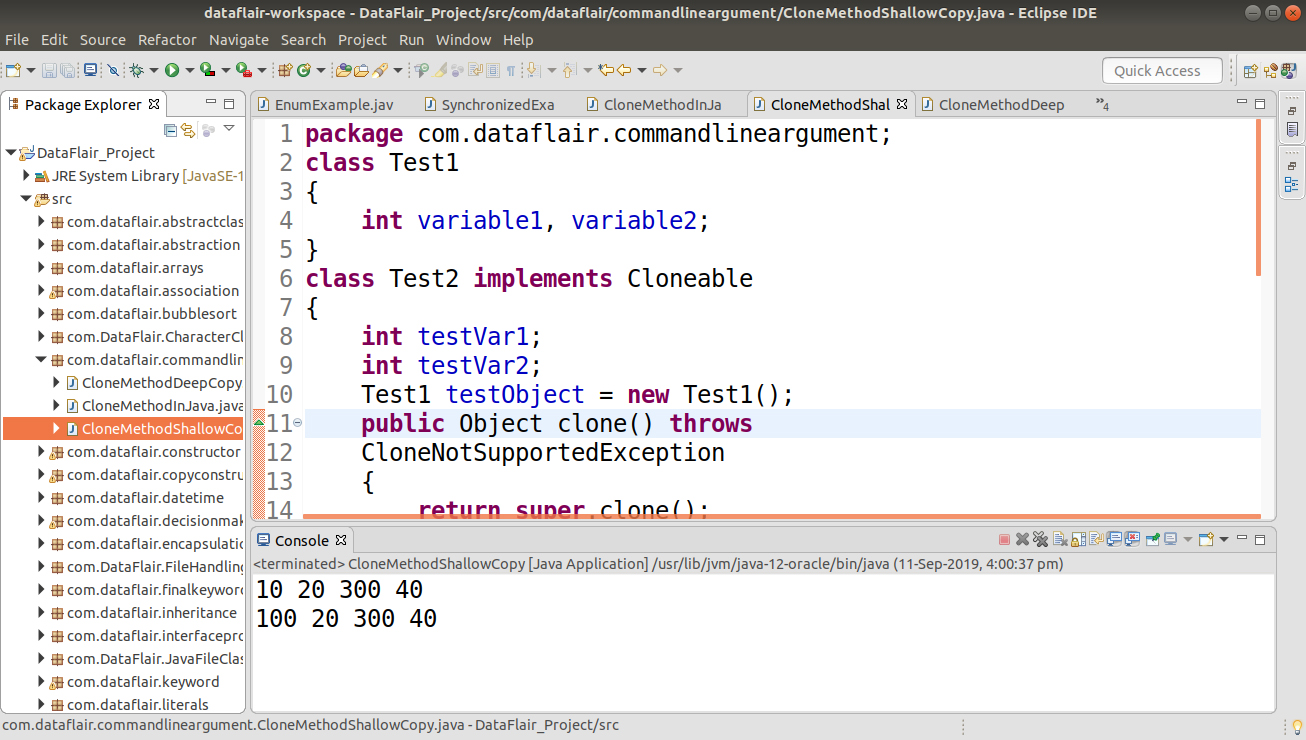
Hence, in the above illustration, t1.clone restores the shallow clone of the object t1. Basically, to get a deep clone of the objects, certain alterations must be made in the clone method for getting the duplicate.
Importance of Implementing Cloneable
The clone() method relies on the implementation of the Cloneable interface. If a class attempts to call its own clone() method without implementing Cloneable, a CloneNotSupportedException will be thrown. This interface serves as a marker, indicating that the class’s objects can be safely cloned. By implementing Cloneable, you explicitly signal your intention to allow object cloning for this class.
Deep Copy Vs Shallow Copy
- A shallow copy is a method for replicating an object and follows a default in cloning. In this method, the fields of an old object are replicated to the new object. While duplicating the question, the reference is replicated, i.e., the object will point to the same area as pointed out.
- In this way, any changes made in referenced objects will be reflected in other objects.
Usage of the Clone Method – Deep Copy in Java
- On the off chance that we need to make a deep copy of object X and place it in another question Y, then a new duplicate of any referenced article fields is made, and these references are set in object Y. This implies any progressions made in referenced question fields in object X or Y will be reflected just in that question and not in the other.
- A deep duplicate duplicates all fields and makes duplicates of powerfully apportioned memory indicated by the fields. A deep duplicate happens when a protest is replicated alongside the articles to which it alludes.
package com.dataflair.commandlineargument;
class Demo
{
  int variable1, variable2;
}
class Demo1 implements Cloneable
{
  int testVar1, testVar2;
  Demo testVar3 = new Demo();
  public Object clone() throws
  CloneNotSupportedException
  {
    Demo1 t = (Demo1)super.clone();
    t.testVar3 = new Demo();
    return t;
  }
}

public class CloneMethodDeepCopy {

  public static void main(String args[]) throws
  CloneNotSupportedException
  {
    Demo1 demoObj1 = new Demo1();
    demoObj1.testVar1 = 10;
    demoObj1.testVar2 = 20;
    demoObj1.testVar3.variable1 = 30;
    demoObj1.testVar3.variable2 = 40;
    Demo1 demoObj2 = (Demo1)demoObj1.clone();
    demoObj2.testVar1 = 100;
    demoObj2.testVar3.variable1 = 300;
    System.out.println(demoObj1.testVar1 + " " + demoObj1.testVar2 + " " +
        demoObj1.testVar3.variable1 + " " + demoObj1.testVar3.variable2);
    System.out.println(demoObj2.testVar1 + " " + demoObj2.testVar2 + " " +
        demoObj2.testVar3.variable1 + " " + demoObj2.testVar3.variable2);
  }
}
Output: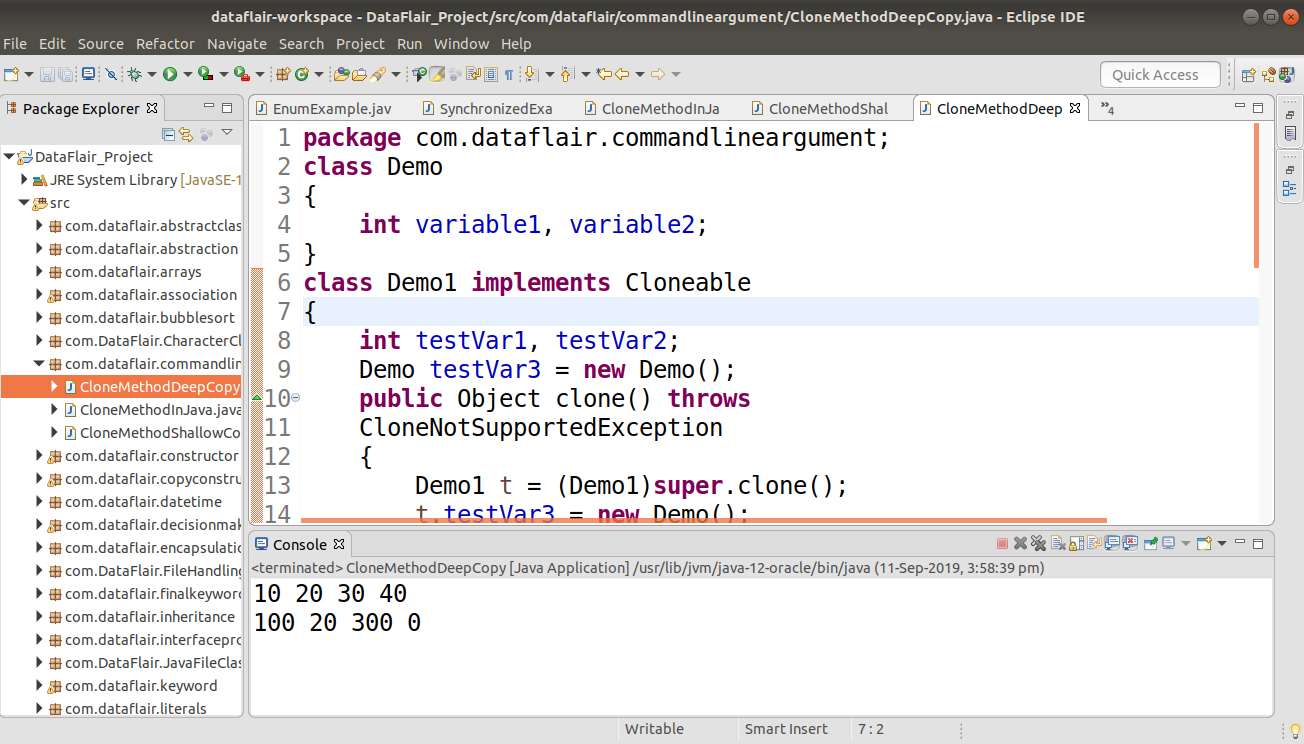
Advantages of the Clone Method in Java
- If we want to use the assignment operator to assign an object reference to another reference, then it will indicate to the same address as the old object, and a new copy will not be created.
Because of the changes, any changes in the reference variable will be reflected in the actual object. - In the copy constructor, we have to copy the data explicitly, or we can say we have to reassign all the fields of the constructor. But by using the clone method, a new copy is created by the method itself. To avoid unnecessary processing, we used object cloning.
So, this was all about the tutorial, Command Line Arguments in Java, and the Clone Method in Java. Hope you like our explanation
Conclusion
Hence, in this tutorial on Command Line Arguments in Java and the Clone Method in Java, we have a complete understanding of Command Line Arguments in Java and the clone() method in Java. Moreover, we saw creating a copy using the clone() method with syntax and examples. In addition, we discussed the usage of the Clone method as Shallow Copy and Deep Copy. At last, we saw the advantages of the Clone Method. Furthermore, if you have any queries about Command Line Arguments and the Clone method, you can ask in the comments section.
Did you know we work 24x7 to provide you best tutorials
Please encourage us - write a review on Google





