
Password Attack Tools in Kali Linux
We offer you a brighter future with industry-ready online courses - Start Now!!
In the world of cybersecurity, one of the most critical aspects is the protection of sensitive records. However, regardless of the supply of robust safety features, weak passwords remain a first-rate vulnerability.
It’s crucial to discover password attack equipment and their position in assessing password electricity to understand the importance of strong passwords and the threats they encounter.
In this weblog, we can delve into the sector of password assault tools, specifically those in Kali Linux, and discover their functions, use, and ethical considerations.
Overview:
Password attack gear is designed to check the security of passwords by simulating diverse assault strategies. This equipment allows security experts and moral hackers to assess the energy of passwords used within a community or system. This equipment can identify vulnerable passwords and weaknesses by utilizing various algorithms and methodologies, thus highlighting potential risks that malicious actors could exploit.
Password Attack Tools in Kali Linux:
1. John the Ripper:
A) Uses: John the Ripper is a widely-used password-cracking device that detects weak passwords and hashes.
B) Details: It helps diverse password-cracking strategies consisting of brute pressure, dictionary assaults, and hybrid assaults.
C) Features: GPU acceleration, multi-threading, and aid for more than one hash sort make it a powerful device.
D) Basic Commands and Codes:
The primary command for using John the Ripper is as follows:
$ john --format=md5 hashes.txt
- Command: –format=md5
- Purpose: Specify the hash type as MD5.
- File: hashes.txt
- Purpose: Represents the file containing the hashed passwords to be cracked.

2. Hydra:
A) Uses: Hydra is a versatile tool for online password assaults, commonly used to crack network offerings.
B) Details: It supports numerous protocols, which include HTTP, FTP, SSH, and Telnet, permitting penetration testers to test more than one service.
C) Features: Brute pressure and dictionary assault modes, multi-threading, and the ability to renew interrupted assaults.
D) Basic Commands and Codes:
The simple command for using Hydra is as follows:
$ hydra -l admin -P passwords.txt ftp://target_ip
The command includes several elements:
-l admin: Specifies the username to be tested.
-P passwords.txt: Represents the file containing the list of passwords.
-ftp://target_ip: Indicates the target IP address and FTP service.
Combining these elements, the command executes a targeted attack using a list of potential passwords.

3. Medusa:
A) Uses: Medusa is a fast and parallelized password-cracking tool for community service testing.
B) Details: It supports an extensive range of protocols and offerings, together with SSH, FTP, Telnet, and more.
C) Features: Multiple attack modes, parallelized authentication tries, and customizable credentials listing.
D) Basic Commands and Codes:
The primary command for using Medusa is as follows:
$ medusa -u admin -P passwords.txt -h target_ip -M ftp
- -u admin: Specifies the username to be tested.
- -P passwords.txt: Represents the file containing the list of passwords to be tried.
- -h target_ip: Indicates the target IP address.
- –M ftp: Specifies the service (FTP) to be attacked.

4. THC-Hydra:
A) Uses: THC-Hydra is a versatile and robust password assault tool for cracking far-off authentication offerings.
B) Details: It supports numerous protocols and offerings, along with SSH, FTP, Telnet, HTTP, and more significant.
C) Features: Brute pressure, dictionary, hybrid assault modes, parallelization, and consultation resumption abilities.
D) Basic Commands and
Codes:
The basic command for using THC-Hydra is as follows:
$ hydra -l admin -P passwords.txt ssh://target_ip
The command includes:
-l admin: Specifies the username to test.
–P passwords.txt: File with passwords to try.
ftp://target_ip: Target IP and FTP service.
It carries out a targeted attack on the system using potential passwords.

5. Aircrack-ng:
A) Uses: Aircrack-ng is designed for auditing and cracking Wi-Fi community passwords.
B) Details: It helps WEP and WPA/WPA2-PSK encryption and can capture packets to perform offline attacks.
C) Features: Packet sniffing, brute force attacks, WPA/WPA2 cracking, and optimized algorithms for velocity.
D) Basic Commands and Codes:
The basic command for using Aircrack-ng is as follows:
$ aircrack-ng -b 00:11:22:33:44:56 capture.cap
- The command: -b 00:11:22:33:44:56 specifies the target BSSID (MAC address).
- The file capture.cap represents the captured packet file to be analyzed.

6. Hashcat:
A) Uses: Hashcat is a powerful password restoration and cracking device capable of dealing with many hashes.
B) Details: It helps diverse attack modes, including brute force, dictionary, rule-based, and mask attacks.
C) Features: GPU acceleration, dispensed cracking, and assistance for several hash types and algorithms.
D) Basic Commands and Codes:
The simple command for the usage of Hashcat is as follows:
$ hashcat -m 0 -a 3 hash.txt wordlist.txt
Command components:
-m 0 specifies the hash type.
-a 3 represents brute force attack mode.
hash.txt contains the hashes to crack.
wordlist.txt is the dictionary file.
Breaking it down provides clarity on each component’s purpose.

7. Metasploit:
a) Uses: Metasploit is a popular penetration testing framework that includes password assault modules for various offerings.
B) Details: It supports multiple attack vectors and exploits, making it versatile for trying out vulnerabilities and cracking passwords.
C) Features: Exploit modules, put up-exploitation gear, and a tremendous database of recognized vulnerabilities.
D) Basic Commands and Codes:
– Open Metasploit console:
$ msfconsole
– Search for password attack modules:
msf> search type:post type:exploit password
– Load a specific password attack module:
msf> use auxiliary/scanner/ssh/ssh_login
– Set the target and credentials:
msf auxiliary(ssh_login) > set RHOSTS target_ip
    msf auxiliary(ssh_login) > set USERNAME username
    msf auxiliary(ssh_login) > set PASSWORD_FILE passwords.txt
– Run the attack:
msf auxiliary(ssh_login) > run

8. Crowbar:
A) Uses: Crowbar is a brute-forcing device designed for cracking passwords in various network protocols.
B) Details: It supports protocols like SSH, RDP, VNC, Telnet, and others, making it useful for community penetration.
C) Features: Multi-threading, customizable password lists, and a dictionary and brute force attack guide.
D) Basic Commands and Codes:
The primary command for the usage of Crowbar is as follows:
$ crowbar -b protocol -s target_ip -u username -C passwords.txt
Command components:
-b protocol: Specifies the target protocol (e.g., ssh, rdp, vnc).
-s target_ip: Represents the IP address of the target system.
-u username: Specifies the username to test.
-C passwords.txt: Indicates the file containing the password list.
9. CeWL:
A) Uses: CeWL is a custom wordlist generator used for password cracking through growing wordlists from a target internet site.
B) Details: It analyzes a website’s content material and extracts unique phrases to generate a custom-designed wordlist.
C) Features: Wordlist customization, inclusion/exclusion of particular phrases, and depth stage configuration.
D) Basic Commands and Codes:
The simple command for the usage of CeWL is as follows:
$ cewl -d depth_level -w wordlist.txt target_website
Command components:
-d depth_level: Specifies the depth level of crawling (e.g., 2, 3).
-w wordlist.txt: Represents the output file for the generated wordlist.
target_website: Indicates the URL of the target website.

10. Patator:
A) Uses: Patator is a flexible brute-forcing device that helps multiple password-cracking protocols.
B) Details: It can carry out dictionary assaults, brute pressure assaults, and other password-guessing techniques.
C) Features: Multi-threading, customizable assault configurations, and support for numerous protocols (e.g., FTP, SSH, Telnet).
D) Basic Commands and Codes:
The primary command for using Patator is as follows:
$ patator MODULE -t target_ip PASSWORD_FILE=wordlist.txt -x ignore:code:401
Command components:
MODULE: Specifies the protocol module (e.g., ftp_login, ssh_login).
-t target_ip: Represents the IP address of the target system.
PASSWORD_FILE=wordlist.txt: Indicates the file containing the password list.
–x ignore:code:401: Excludes attempts with a 401 (unauthorized) response code.

11. BurpSuite:
A) Uses: Burp Suite is a comprehensive net application security trying-out tool with password assault skills.
B) Details: It provides diverse modules for trying internet packages, such as password cracking through brute force and dictionary assaults.
C) Features: Proxy intercepting, request/reaction analysis, customizable assault parameters, and session management.
D) Basic Commands and Codes:
Launch Burp Suite:
$ java -jar burpsuite.jar
Configure target and intercept traffic:
Set browser proxy to localhost:8080.
Navigate to a target application.
Configure password attack module:
Open the “Intruder” tab in Burp Suite.
Configure attack type (e.g., Sniper, Cluster Bomb).
Set target URL, payload positions, and wordlists.
Run the attack and analyze the results.

12. Fern WiFi Cracker:
A) Uses: Fern WiFi Cracker is a GUI-based device used for auditing and cracking Wi-Fi community passwords.
B) Details: It supports WEP and WPA/WPA2-PSK encryption and offers multiple assault modes for password recovery.
C) Features: WPS attack, WPA/WPA2 handshake capture, customizable assault parameters, and reporting functionality.
D) Basic Commands and Codes:
Launch Fern WiFi Cracker:
$ fern-wifi-cracker
Select the target network and capture the handshake:
Choose a wireless interface.
Scan for available networks.
Capture WPA/WPA2 handshake.
Configure and run password attack:
Select the target network.
Choose attack mode (e.g., Dictionary Attack, WPS Attack).
Set wordlist, attack duration, and other options.
Initiate the attack and view cracked passwords.
13. RainbowCrack:
A) Uses: RainbowCrack is a specialized tool for cracking password hashes using precomputed rainbow tables.
B) Details: It utilizes precomputed tables to boost up the cracking technique by doing away with the need for real-time hash calculations.
C) Features: Support for diverse hash algorithms, customizable rainbow table generation, and time-memory change-off.
D) Basic Commands and Codes:
– Generate rainbow tables:
$ rtgen hash_algorithm plaintext_charset rainbow_table_file
Crack password hashes:
$ rcrack rainbow_table_file password_hashes_file
- Specify hash_algorithm: The hash algorithm used in the rainbow table.
- Specify plaintext_charset: Charset used for generating the rainbow table.
- Specify rainbow_table_file: Output file name for the generated rainbow table.
- Specify password_hashes_file: File containing the password hashes to crack.
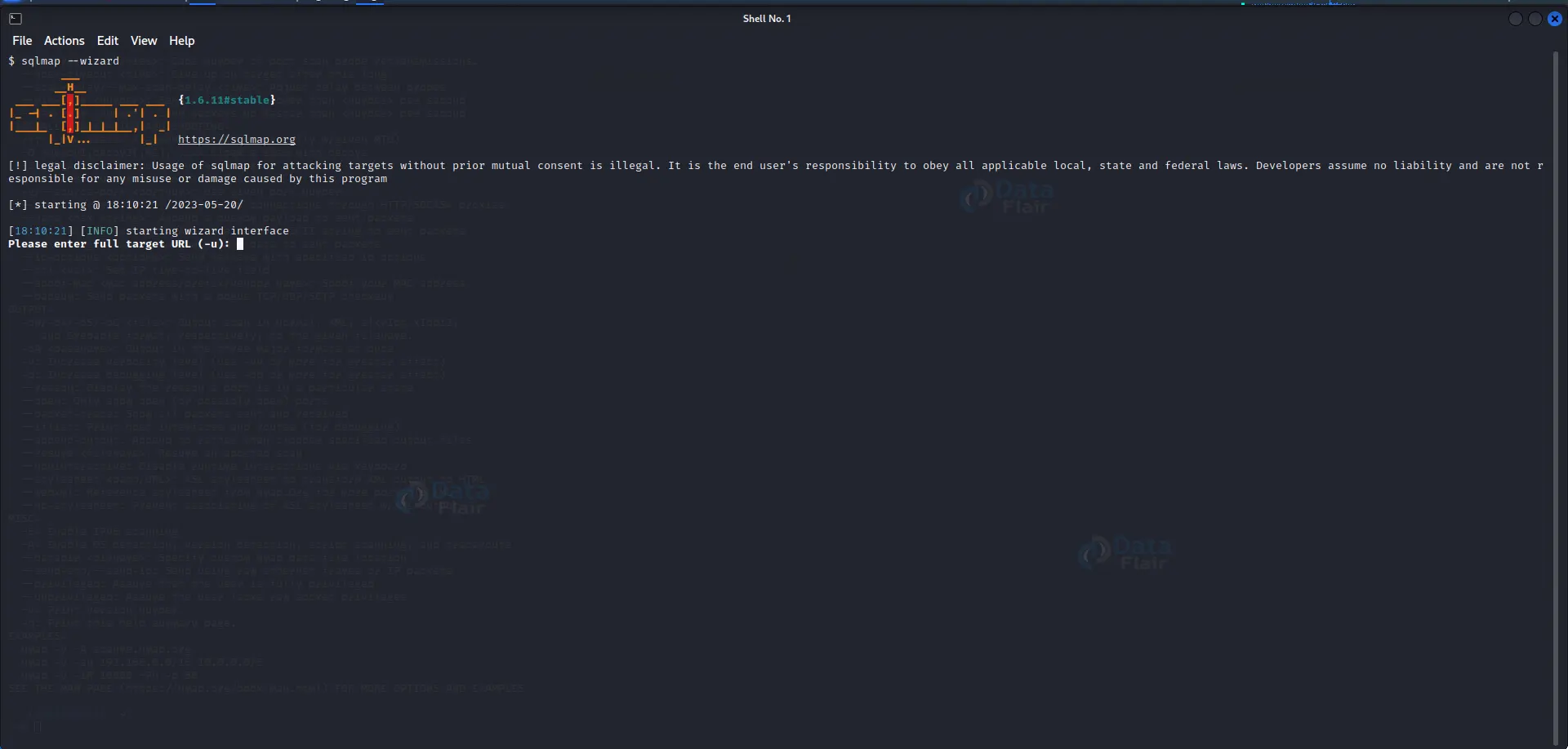
14. SQLMap:
A) Uses: SQLMap is a powerful computerized device for detecting and exploiting SQL injection vulnerabilities, including password retrieval.
B) Details: It plays deep database analysis, routinely detects injection points, and exploits them to retrieve passwords.
C) Features: Automatic vulnerability detection, clever SQL injection techniques, and password hash extraction.
D) Basic Commands and Codes:
Discover injection points:
$ sqlmap -u target_url --forms --dbs
Retrieve password hashes:
$ sqlmap -u target_url -D database_name -T table_name --columns --dump
- Specify target_url: URL of the vulnerable web application.
- Specify database_name: Name of the target database.
- Specify table_name: Name of the table containing password hashes.
15. THC-SSL-DOS:
A) Uses: THC-SSL-DOS is a tool designed to carry out denial-of-provider assaults in opposition to SSL/TLS offerings.
B) Details: It exploits SSL/TLS renegotiation vulnerabilities and floods the goal server, causing provider disruptions.
C) Features: SSL/TLS renegotiation
Assault, customizable attack parameters, and support for various SSL/TLS versions.
D) Basic Commands and Codes:
– Perform SSL/TLS renegotiation attack:
$ thc-ssl-dos target_ip target_port
– Specify target_ip: IP address of the target server.
– Specify target_port: Port number of the SSL/TLS service.
Steps to Use Password Attack Tools in Kali Linux:
1. Identify the goal: Determine the community or device you want to assess for password vulnerabilities. Ensure that you have proper authorization and consent to perform those assessments.
2. Gather necessary information: Collect applicable details of IP addresses, usernames, and carrier protocols for the goal gadget or community.
3. Select the perfect password attack tool: Based on the goal carrier or protocol, choose a tool from the available password assault tools in Kali Linux. Refer to each tool’s primary commands and codes to recognize their utilization.
4. Configure the attack parameters: Set up the assault mode, dictionary file, usernames, and other required alternatives within the selected password attack device. Ensure that you comply with legal and ethical pointers, the handiest attacking structures you have permission to check.
5. Initiate the assault: Execute the command or script to start the password assault process. Monitor the development of the attack and modify parameters as wanted.
6. Analyze outcomes: Review the output generated through the password assault device. Identify weak passwords, booming password cracks, and other applicable data obtained through the attack.
Ethical and Legal Considerations:
While password assault equipment is priceless for assessing protection, it’s crucial to adhere to moral and felony hints. Consider the following points:
1. Authorization and Consent: Ensure you have proper authorization and consent from the machine proprietor or responsible parties before undertaking any password attacks. Unauthorized admission to or attacking structures without permission is illegal and unethical.
2. Legal Compliance: Familiarize yourself with the prison policies and rules concerning password attacks for your jurisdiction. Understand the limits and barriers of conducting such exams to avoid legal complications.
3. Responsible Use: Use password attack gear solely to evaluate and strengthen the security of systems with explicit permission. Avoid using these tools maliciously or for private advantage.
4. Confidentiality: Handle sensitive statistics received throughout the password attack process carefully. Respect consumer privacy and ensure that the information is treated securely and responsibly.
5. Professional Code of Conduct: Adhere to the professional code of behavior for ethical hacking and cybersecurity. Maintain integrity, honesty, and professionalism in all activities associated with password attack attempts.
Conclusion
Password attack equipment offers safety professionals and ethical hackers crucial means to assess the electricity of passwords inside a network or machine. With my knowledge of this equipment’s talents, features, and correct usage, you can still proactively become aware of and deal with password vulnerabilities, strengthening your usual cybersecurity. Remember to always method password assaults ethically, adhere to legal considerations, and use this equipment responsibly to protect touchy data.
Your opinion matters
Please write your valuable feedback about DataFlair on Google





