
Exploitation Tools in Kali Linux
Placement-ready Online Courses: Your Passport to Excellence - Start Now
In cybersecurity, exploitation gear is vital in identifying vulnerabilities and weaknesses inside laptop structures. These gear are designed to check the security measures applied by means agencies and offer precious insights for remediation.
Kali Linux, a popular running machine for penetration testing, consists of an extensive range of powerful exploitation equipment that aids security experts in figuring out and addressing capability safety dangers.
In this weblog, we can delve into the exploitation tools available in Kali Linux. We will discover their uses, information, features, and basic commands alongside relevant syntaxes and examples.
Additionally, we can discuss the stairs involved in using those tools, highlighting the significance of ethical and felony issues throughout the procedure.
Kali Linux Exploitation Tools
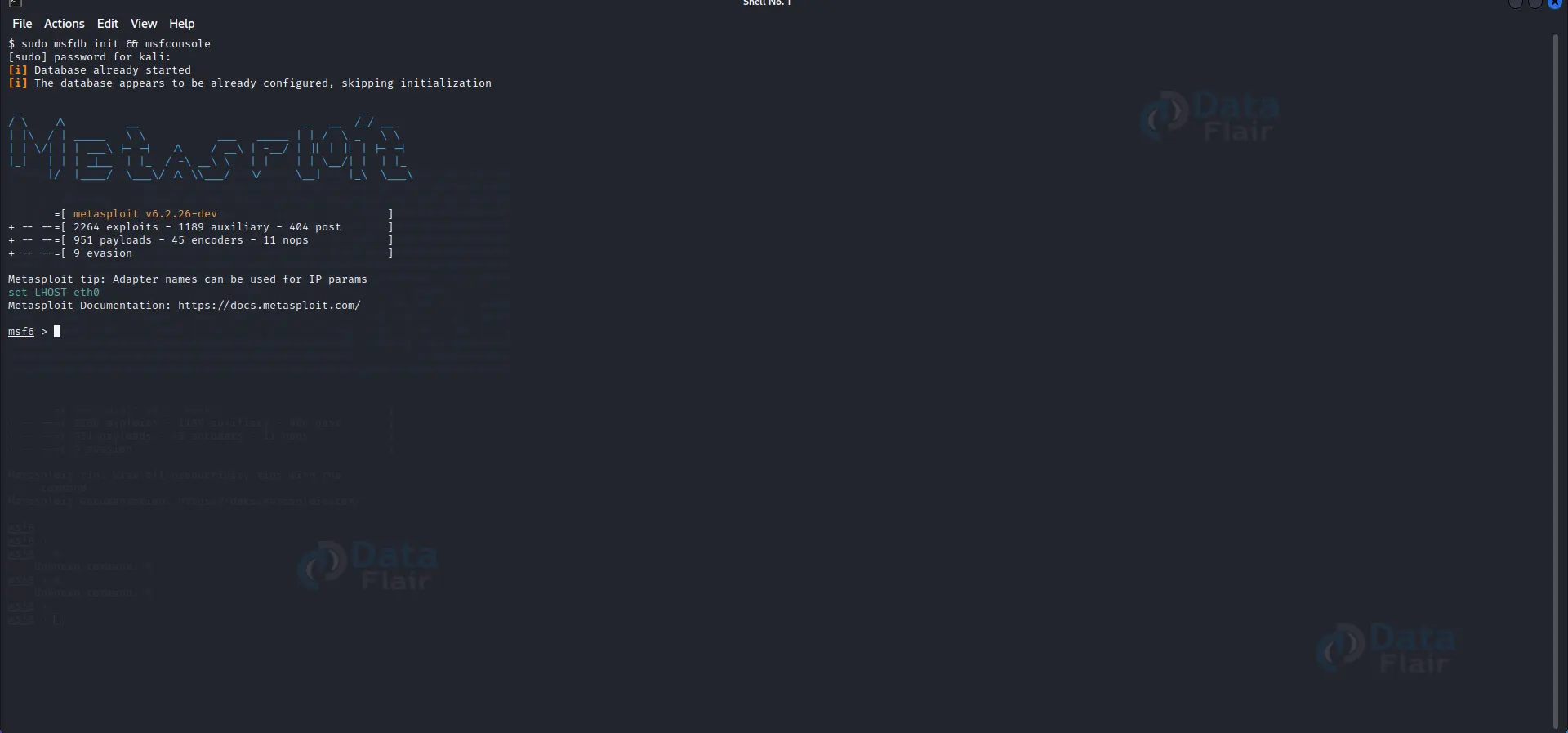
1. Metasploit Framework:
a) Uses: The Metasploit Framework is a versatile tool for developing and executing exploit code against target systems. It allows for verifying vulnerabilities, controlling security exams, and validating penetration testing consequences.
b) Details: Metasploit presents a complete collection of exploits, payloads, and auxiliary modules, making it a pass-to-device for penetration testers. It helps various structures and offers a powerful command-line interface.
c) Features: Some extraordinary features of Metasploit encompass put-up-exploitation modules, social engineering skills, and giant make-the-most development skills.
d) Basic Commands and Codes:
msfconsole: Launches the Metasploit Framework console.
use [exploit]: Select a specific exploit module.
set [option] [value]: Sets a particular opportunity for the selected exploit.
exploit: Executes the exploit against the target.
Example:
msfconsole
 use exploit/windows/smb/ms17_010_eternalblue
 set RHOSTS 192.168.1.10
 Exploit
2. Nmap:
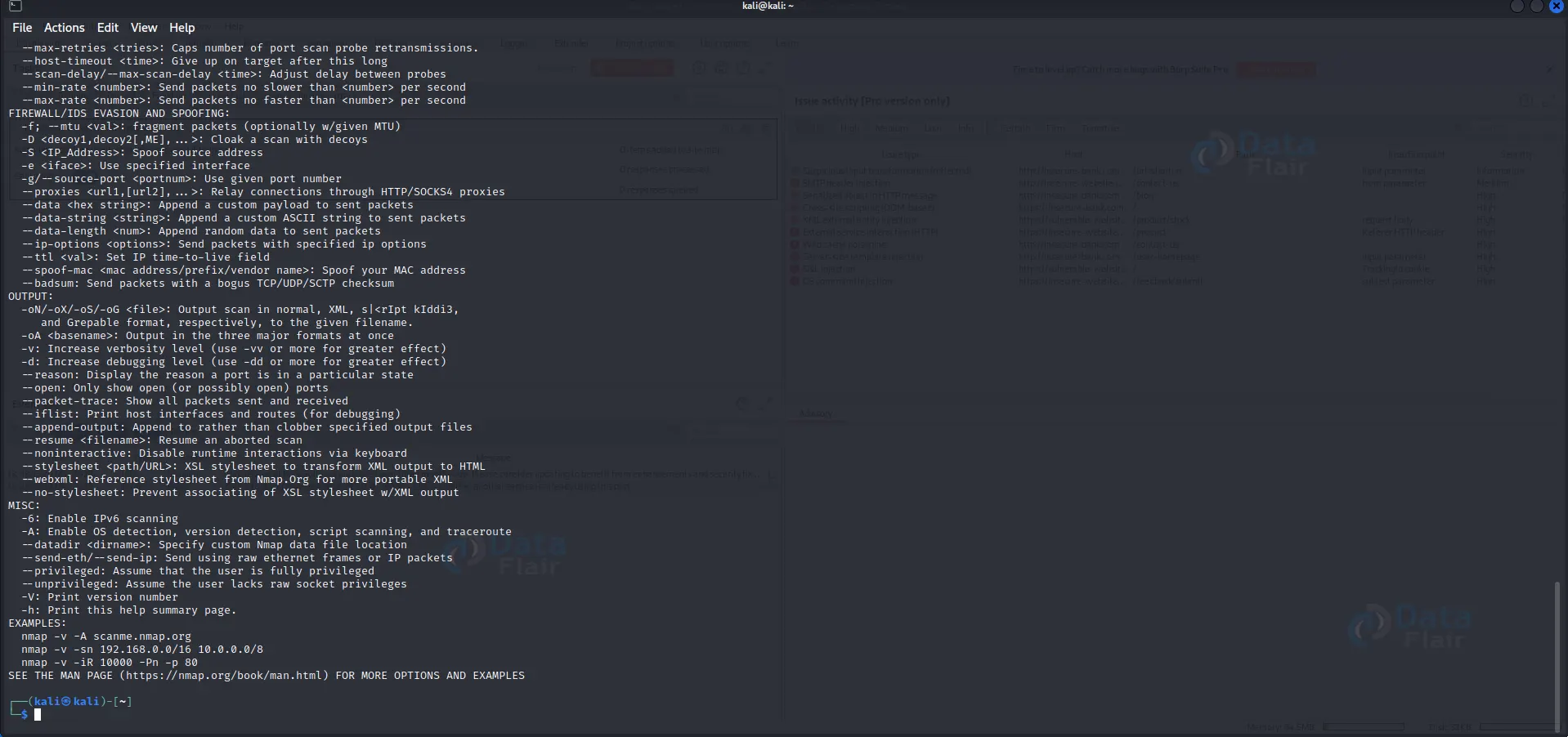
a) Uses: Nmap is an influential community scanning tool that aids in the discovery and enumeration of community hosts, offerings, and vulnerabilities.
B) Details: It utilizes numerous scanning techniques, such as TCP SYN, UDP, and advanced scripting, to acquire valuable facts about goal structures.
C) Features: Nmap offers bendy output alternatives, carrier version detection, OS fingerprinting, and scripting abilities.
D) Basic Commands and Codes:
Nmap [target]: Performs a basic port scan on the target.
nmap -A [target]: Performs an aggressive scan, including service and OS detection.
nmap -sV [target]: Conducts a service version scan.
nmap -p [ports] [target]: Scans specific ports on the target.
Example:
nmap 192.168.1.10
   nmap -A 192.168.1.10
   nmap -sV 192.168.1.10
   nmap -p 80,443 192.168.1.10
3. Wireshark:
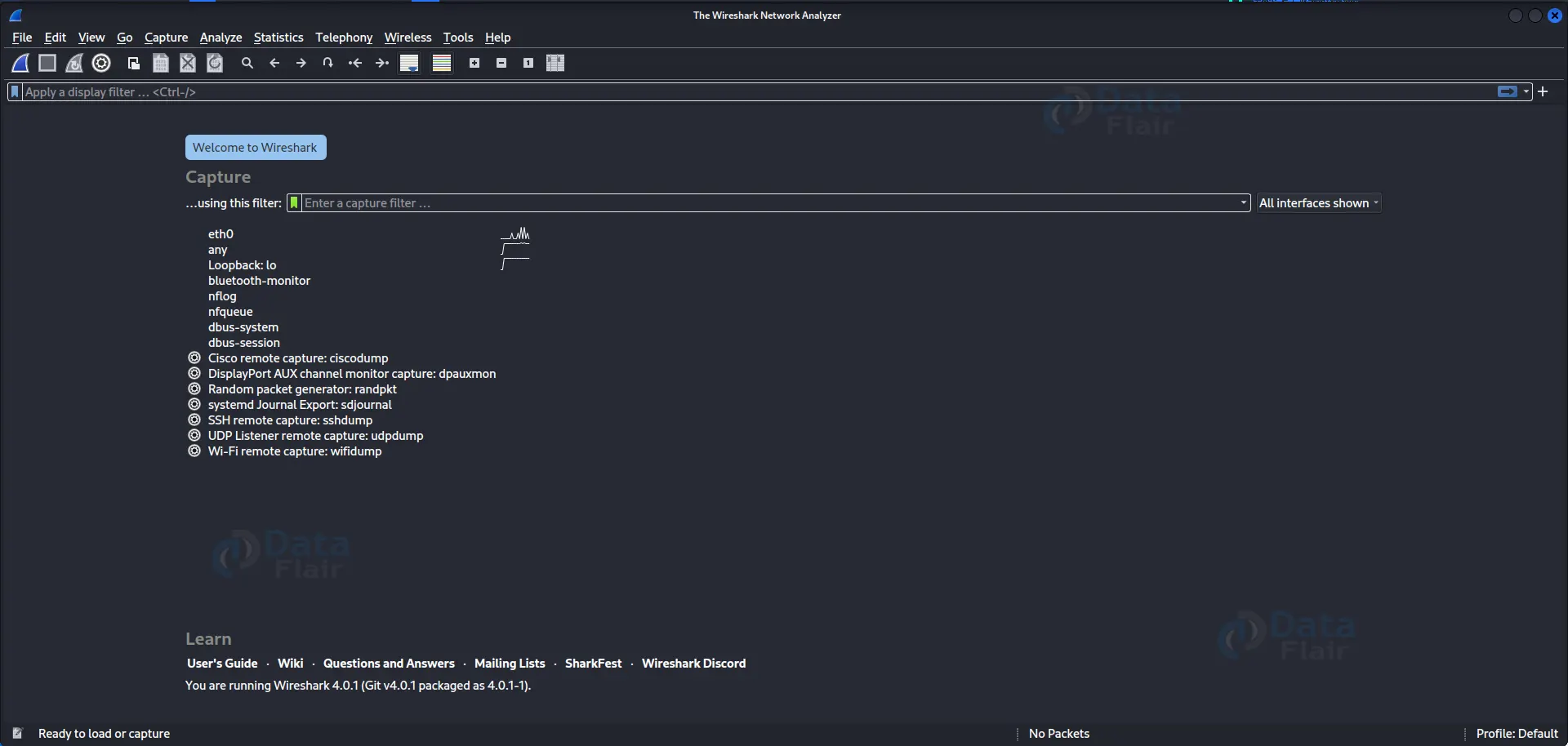
a) Uses: Wireshark is a powerful community protocol analyzer used to seize and analyze community traffic. It enables perceiving protection vulnerabilities, troubleshooting network issues, and conducting network forensics.
B) Details: Wireshark supports protocols and offers advanced filtering and analysis skills.
C) Features: It affords actual-time site visitor monitoring, protocol dissecting, and customizable show filters.
D) Basic Commands and Codes:
wireshark: Launches the Wireshark GUI.
tshark: Starts Wireshark in command-line mode.
wireshark -I [interface]: Captures packets on a specific network interface.
wireshark -r [file]: Opens a capture file for analysis.
Example:
wireshark
tshark
wireshark -i eth0
wireshark -r capture.pcap
4. Hydra:
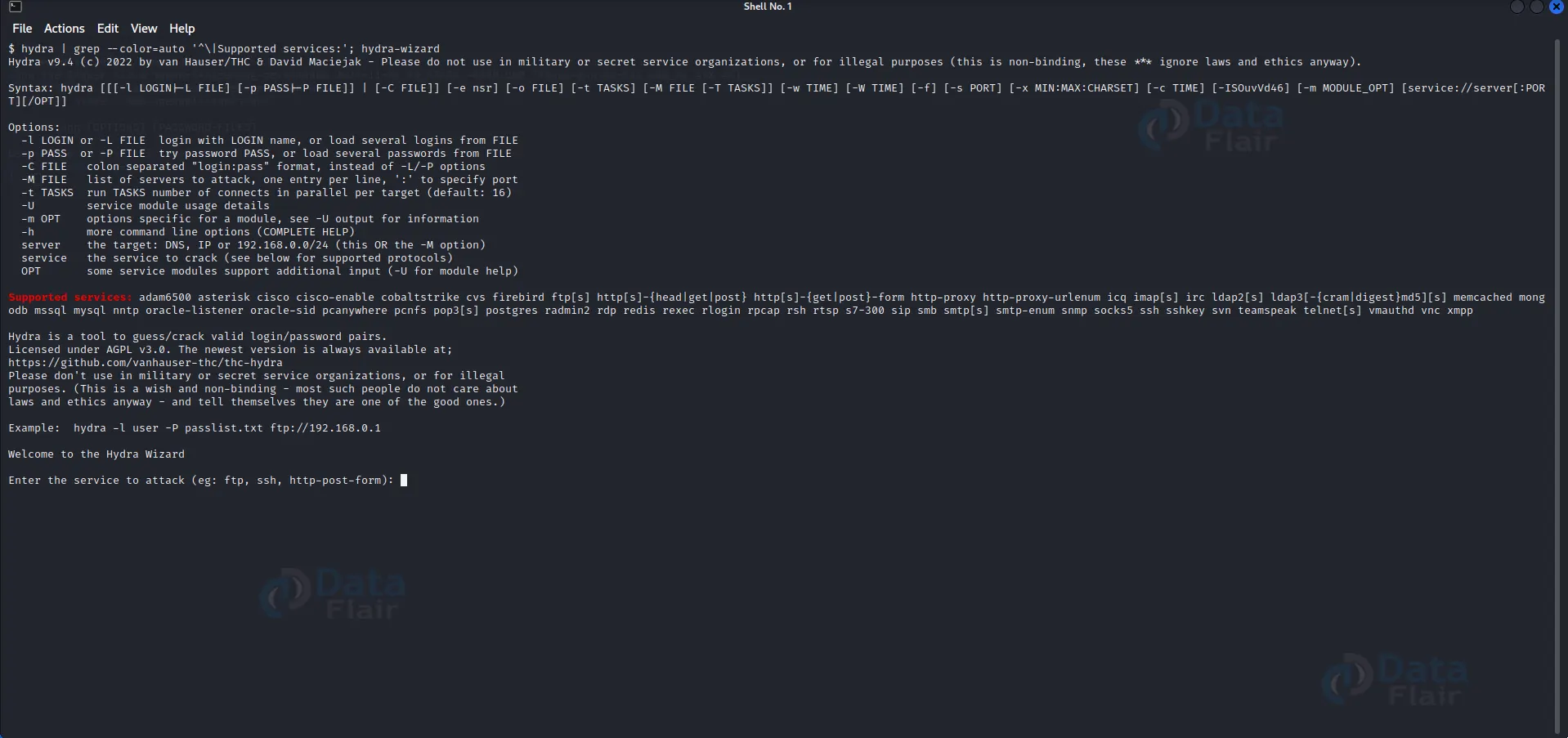
a) Uses: Hydra is a powerful online password-cracking device that performs brute-pressure assaults on various offerings.
B) Details: It supports multiple protocols and authentication kinds, making it a powerful tool for password auditing.
C) Features: Hydra gives parallelized attacks, customizable password lists, and various attack modes.
D) Basic Commands and Codes:
hydra -l [username] -P [password_list] [target] [service]: Performs a brute-force attack on the target service.
hydra -L [usernames_file] -P [password_list] [target] [service]: Performs a brute-force attack using a list of usernames.
hydra -C [login_credentials_file] [target] [service]: Performs a brute-force attack using a file containing login credentials.
Example:
hydra -l admin -P passwords.txt 192.168.1.10 ftp
hydra -L users.txt -P passwords.txt 192.168.1.10 ssh
hydra -C credentials.txt 192.168.1.10 http-post-form "/login.php:user=^USER^&pass=^PASS^:Invalid credentials"
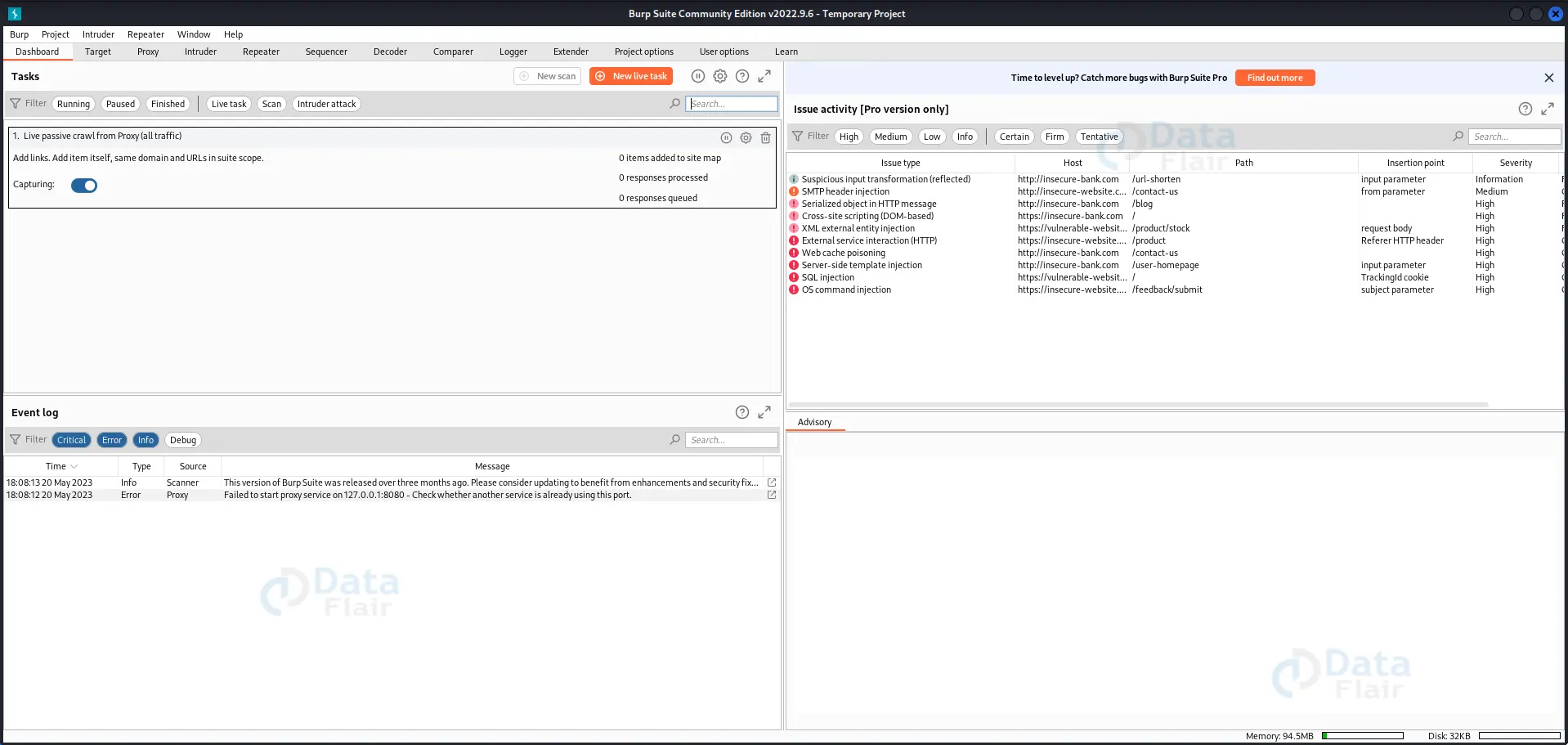
5. Burp Suite:
a) Uses: Burp Suite is a comprehensive web application safety checking out device used for identifying vulnerabilities and acting security tests.
B) Details: It combines diverse tools, such as a proxy, scanner, and intruder, to investigate internet applications and their underlying infrastructure.
C) Features: Burp Suite offers superior scanning capabilities, session management, and exact reporting.
D) Basic Commands and Codes:
Launch Burp Suite from the applications menu in Kali Linux.
Configure the proxy settings inside the browser to course visitors through Burp Suite.
Use the diverse modules within Burp Suite, including Proxy, Scanner, Intruder, and Repeater, to perform one-of-a-kind testing tasks.
Example: Launch Burp Suite and configure the proxy settings to intercept net visitors and examine it for vulnerabilities.
6. Sqlmap:
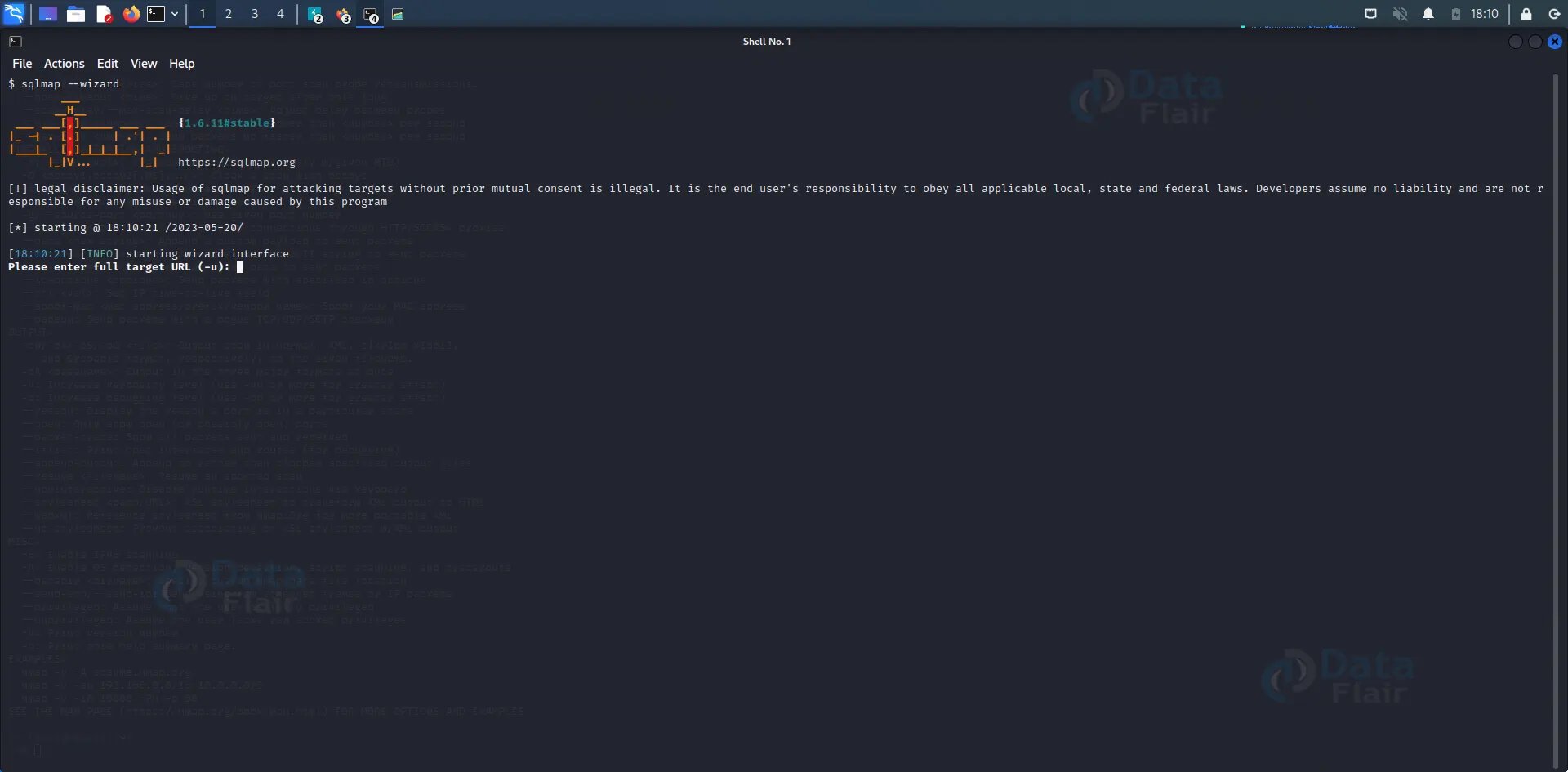
a) Uses: Sqlmap is a popular device used for the automated detection and exploitation of SQL injection vulnerabilities in web programs.
B) Details: It supports numerous database management systems and provides several options to check and exploit SQL injection vulnerabilities.
C) Features: Sqlmap offers time-primarily based and Boolean-based blind SQL injection techniques, fingerprinting, and dumping database contents.
D) Basic Commands and Codes:
sqlmap -u [URL]: Performs a basic SQL injection scan on the target URL.
sqlmap -u [URL] –dbs: Enumerates the databases available on the target.
sqlmap -u [URL] -D [database] –tables: Retrieves the tables within a specific database.
sqlmap -u [URL] -D [database] -T [table] –dump: Dumps the contents of a specific table.
Example:
sqlmap -u "http://example.com/index.php?id=1"
sqlmap -u "http://example.com/index.php?id=1" --dbs
sqlmap -u "http://example.com/index.php?id=1" -D users --tables
sqlmap -u "http://example.com/index.php?id=1" -D users -T passwords --dump
7. BeEF:
a) Uses: BeEF (Browser Exploitation Framework) is a penetration-checking tool to assess web browsers’ safety and vulnerabilities.
B) Details: BeEF focuses on client-aspect attacks, allowing testers to exploit vulnerabilities in browsers and gather treasured records.
C) Features: It gives an intuitive web interface, numerous modules for different browser exploitation strategies, and the capability to control infected browsers remotely.
D) Basic Commands and Codes:
Open the BeEF interface by launching the web browser and getting access to the local BeEF server.
Use the various modules inside BeEF to launch precise attacks, which include XSS, phishing, and social engineering.
Example: Launch BeEF, begin the neighborhood server, and use the integrated modules to perform browser-based total assaults and gather information.
8. Dirb:
a) Uses: Dirb is a web content scanner that discovers hidden directories and files on net servers.
B) Details: It uses a wordlist to brute-force directories and provides insights into ability misconfigurations or hidden sources.
C) Features: Dirb supports multi-threading, customizable wordlists, and HTTP proxy help.
D) Basic Commands and Codes:
dirb [URL]: Scans the target URL for directories and files.
dirb -o [output_file] [URL]: Saves the scan results to a specified file.
dirb -X [extensions_file] [URL]: Scans for specific file extensions.
Example:
dirb http://example.com
 dirb -o results.txt http://example.com
 dirb -X extensions.txt http://example.com
9. John the Ripper:
a) Uses: John the Ripper is a popular password-cracking tool for finding weak passwords via various cracking strategies, dictionary attacks, and brute force.
B) Details: It helps various hash types and provides flexibility in customization and configuration.
C) Features: John the Ripper gives GPU acceleration, rule-based password technology, and dispensed computing capabilities.
D) Basic Commands and Codes:
john [hash_file]: Performs a primary password-cracking attempt on the specified hash file.
john –wordlist=[wordlist_file] [hash_file]: Performs a dictionary attack using a specific wordlist.
john –format=[hash_format] –show [hash_file]: Shows the cracked passwords from a hash file.
Example:
john hash.txt
 john --wordlist=wordlist.txt hash.txt
 john --format=md5 --show hash.txt
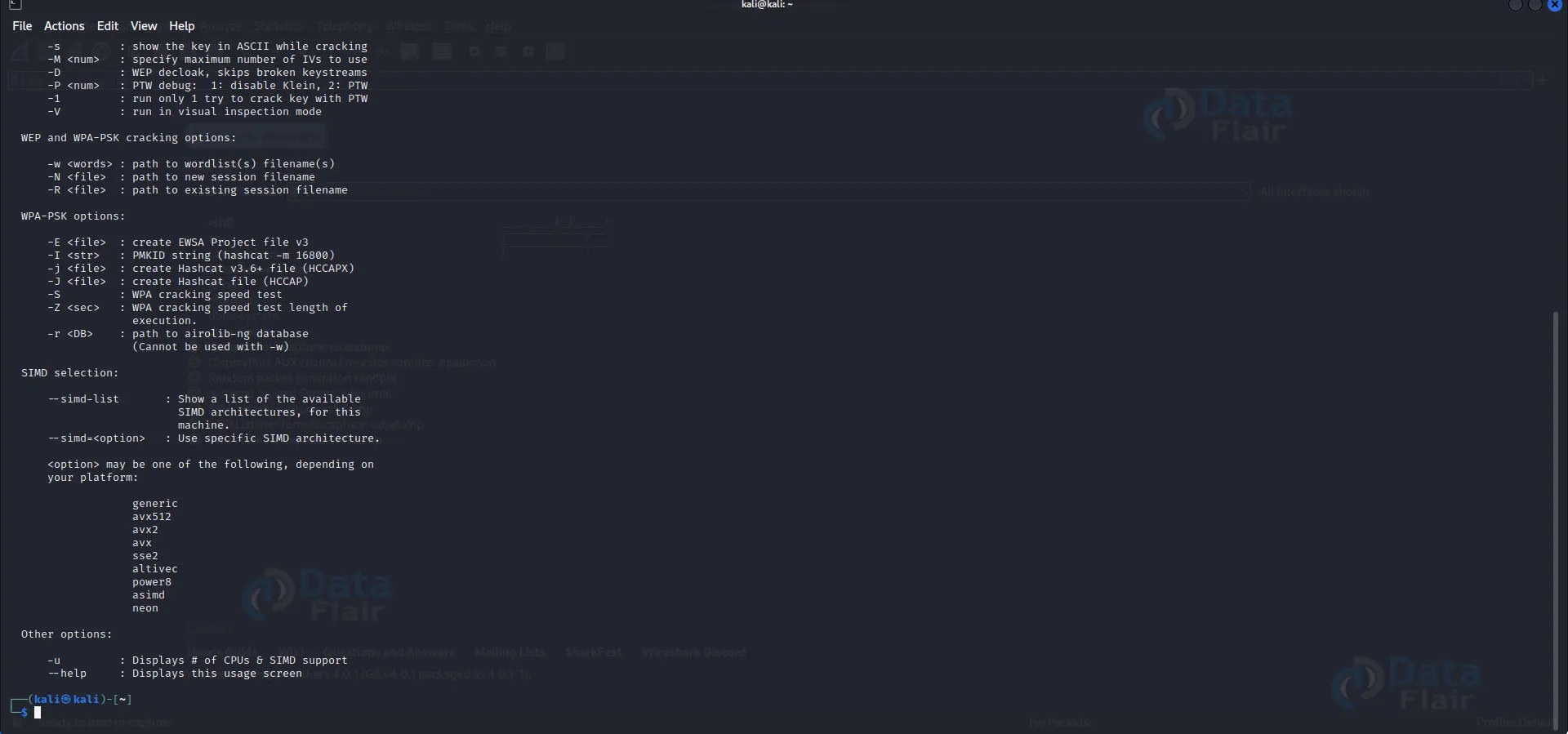
10. Aircrack-ng:
a) Uses: Aircrack-ng is a suite of Wi-Fi community evaluation tools for capturing, studying, and cracking Wi-Fi passwords.
B) Details: It helps numerous Wi-Fi adapters and presents functionalities like packet seize, dictionary attacks, and WPA/WEP key recovery.
C) Features: Aircrack-ng gives WEP and WPA/WPA2-PSK key cracking, de-authentication attacks, and superior packet injection.
D) Basic Commands and Codes:
airodump-ng [interface]: Captures Wi-Fi packets on the specified interface.
aircrack-ng -w [wordlist] -b [BSSID] [capture_file]: Performs a dictionary attack to crack the WPA/WPA2 key.
aireplay-ng -0 [number] -a [BSSID] [interface]: Launches a de-authentication attack on a specific Wi-Fi network.
Example:
airodump-ng wlan0
  aircrack-ng -w wordlist.txt -b 00:11:22:33:44:55 capture.cap
  aireplay-ng -0 10 -a 00:11:22:33:44:55 wlan0
11. Nessus:
a) Uses: Nessus is a widely used vulnerability scanning device that identifies vulnerabilities, misconfigurations, and potential security threats in networks and systems.
B) Details: It plays complete scans, offers particular reviews, and aids in remedying safety weaknesses.
C) Features: Nessus helps with various vulnerability assessments, affords compliance auditing, and gives integrations with different security tools.
D) Basic Commands and Codes:
Launch Nessus by using having access to it through a web browser.
Configure the experiment settings, goal IP addresses, port tiers, and scanning rules.
Initiate the experiment and analyze the effects generated via Nessus.
Example: Launch Nessus, create a new test on particular IP addresses, and analyze the test effects for vulnerabilities and misconfigurations.
12. Maltego:
a) Uses: Maltego is a powerful open-source intelligence (OSINT) tool for records mining and visualization. It assists in the mapping and evaluation of relationships and connections between entities.
B) Details: Maltego gathers statistics from numerous sources and provides them in a graphical layout, permitting analysts to pick out patterns and find hidden statistics.
C) Features: Maltego helps more than one transformation, entity mapping, and integration with outside records assets.
D) Basic Commands and Codes:
Launch Maltego and create a brand-new graph.
Add entities to the graph and configure transforms to acquire records.
Analyze the graph to discover connections and relationships among entities.
Example: Launch Maltego, create a new graph, add domain names and IP addresses as entities, and perform transforms to gather facts on associated electronic mail addresses and social media profiles.
13. SET (Social-Engineer Toolkit):
a) Uses: SET is a device designed for social engineering attacks, allowing penetration testers to evaluate the human element of safety.
B) Details: It presents several attack vectors, such as phishing, credential harvesting, and creating malicious websites, to exploit consumer behavior and vulnerabilities.
C) Features: SET offers integrated templates for famous assaults, integrates with Metasploit, and provides reporting abilities.
D) Basic Commands and Codes:
Launch SET by executing the “setoolkit” command in Kali Linux.
Select the preferred assault vector from the menu.
Configure the attack settings, which include the payload, e-mail template, or website cloning.
Execute the attack and reveal the results.
Example: Launch SET, select the phishing assault vector, pick the email template, specify the target e-mail cope with, and execute the phishing campaign to collect credentials.
14. Nikto:
a) Uses: Nikto is an internet server vulnerability scanner identifying capability protection dangers and misconfigurations in web packages.
B) Details: It performs complete scans and exams for outdated software program variations and highlights commonplace safety vulnerabilities.
C) Features: Nikto helps with SSL scanning, multiple goal scanning, and custom-designed plugins.
D) Basic Commands and Codes:
nikto -h [target]: Performs a basic scan on the specified target.
nikto -h [target] -p [port]: Scans a specific port on the target.
nikto -h [target] -ssl: Performs an SSL-enabled scan.
Example:
nikto -h example.com
  nikto -h example.com -p 8080
  nikto -h example.com -ssl
15. THC-Hydra:
a) Uses: THC-Hydra is an influential community login cracker used for online password attacks towards numerous protocols, together with SSH, FTP, and HTTP.
B) Details: It helps parallelized attacks and gives an intensive variety of authentication techniques and alternatives.
C) Features: THC-Hydra offers some assault modes, customizable login sequences, and the potential to outline particular goals.
D) Basic Commands and Codes:
hydra -l [username] -P [password_list] [target] [protocol]: Performs a brute-force attack on the specified target and protocol.
hydra -L [usernames_file] -P [password_list] [target] [protocol]: Performs a brute-force attack using a file containing a list of usernames.
hydra -C [login_credentials_file] [target] [protocol]: Performs a brute-force attack using a file containing login credentials.
Example:
hydra -l admin -P passwords.txt 192.168.1.10 ssh
   hydra -L users.txt -P passwords.txt 192.168.1.10 ftp
   hydra -C credentials.txt 192.168.1.10 http
Steps to Use Exploitation Tools in Kali Linux:
Using exploitation gear in Kali Linux involves a scientific approach to discovering targets, determining vulnerabilities, and executing appropriate attacks. Here are the general steps to comply with:
1. Reconnaissance:
Identify your goal: Determine the scope of your evaluation and discover the structures or networks you want to test.
Gather facts: Conduct passive surveillance using tools like Nmap, Shodan, or Maltego to collect information about the target, together with open ports, offerings, and capacity vulnerabilities.
2. Scanning and Enumeration:
Scan for open ports and offerings: Use tools like Nmap to perform port scanning and identify the services going for walks on those ports.
Enumerate the goal: Utilize equipment like Enum4linux, SNMPWalk, or LDAPsearch to gather additional records about the purpose, including user bills, shares, or directory structures.
3. Vulnerability Assessment:
Identify vulnerabilities: Utilize tools like Nessus, OpenVAS, or Nikto to perform vulnerability scans and identify capacity weaknesses in the target’s systems or programs.
Analyze scan effects: Review the generated reports to prioritize vulnerabilities primarily based on severity and exploitability.
4. Exploitation:
Select the appropriate exploitation tool: Based on the identified vulnerabilities, pick the relevant exploitation tools like Metasploit, Sqlmap, or Burp Suite.
Configure the device: Set up the parameters, which include goal IP, port, or payload, in keeping with the specific device’s requirements.
Execute the assault: Run the selected tool and comply with the commands to exploit the recognized vulnerabilities.
Monitor the effects: Pay interest to the device’s output or log documents to song the progress and success of the exploitation strive.
5. Post-Exploitation:
Maintain get entry. If the exploitation is a hit, take steps to gain access to the compromised device, create backdoors, or establish continual connections.
Privilege escalation: Look for possibilities to expand privileges and benefit better-degree get entry to the target device or network.
Exploit harvested statistics: Use the received facts to make the most of the goal or behavior extra checks, along with lateral motion or facts exfiltration.
It’s critical to note that exploitation tools must usually be achieved inside moral and prison boundaries. Let’s discover the ethical and criminal considerations subsequent.
Ethical and Legal Considerations:
Ethics and legality play a crucial function in the use of exploitation tools. It’s essential to understand and adhere to the subsequent considerations:
a) Authorized Use:
- Only use exploitation equipment on systems or networks for which you have acquired express permission from the proprietor or authorized entity.
- Ensure you appear in exams in the scope described by the authorized birthday party, following their pointers and regulations.
b) Consent and Disclosure:
- Obtain informed consent from the target system or community’s proprietor or responsible birthday party before accomplishing any tests.
- Discuss the purpose, strategies, and capability risks of assessing the legal birthday celebration.
- Maintain the proper documentation of consent, agreements, and any conversation associated with the assessment.
c) Compliance with Laws and Regulations:
- Understand and follow local, regional, and international legal guidelines, rules, and frameworks concerning cybersecurity, privacy, and information safety.
- Ensure your tests do not violate any legal barriers, including unauthorized admission, fact manipulation, or disruption of offerings.
d) Professionalism and Confidentiality:
- Conduct assessments expertly and accountable, respecting the privacy and confidentiality of the statistics obtained.
- Handle any sensitive or confidential facts carefully, adhering to proper records and protection practices.
- Do not reveal or percentage any touchy information acquired at some assessment stage with outright authorization.
e) Continuous Education and Accountability:
- Stay current with legal guidelines, regulations, and ethical frameworks relevant to cybersecurity and penetration testing.
- Engage in non-stop getting-to-know and professional development to enhance your abilities and know-how in the area.
- Take responsibility for your moves and be chargeable for the moral and felony implications of your exams.
By adhering to these ethical and felony considerations, you could ensure that using exploitation gear remains accountable, professional, and aligned with moral hacking and cybersecurity principles.
Conclusion
Exploitation equipment in Kali Linux offers powerful talents for identifying vulnerabilities, assessing security dangers, and trying out the effectiveness of shielding measures. However, applying these gear responsibly is important, adhering to moral and prison considerations.
In this data flair blog, we explored diverse exploitation tools available in Kali Linux, which includes Metasploit, Burp Suite, Sqlmap, Aircrack-ng, and more. Each device gives precise capabilities and functionalities to help penetration testers and protection experts in their assessments.
We also mentioned the steps in using exploitation gear, surveillance, scanning, vulnerability evaluation, exploitation, and put-up-exploitation sports. A systematic method guarantees an intensive review of the target structures or networks.
Lastly, we emphasized the significance of moral and criminal concerns while using exploitation equipment. Obtaining proper authorization and consent and complying with laws and rules are essential to ensure the responsible and ethical use of the equipment.
Moral hacking and penetration checking are effective equipment for improving cybersecurity. Responsible and ethical use of exploitation gear contributes to a more secure, outstanding, steady virtual landscape.
We work very hard to provide you quality material
Could you take 15 seconds and share your happy experience on Google





