
White Space in CSS
Full Stack Web Development Courses with Real-time projects Start Now!!
CSS white space is an essential aspect of web design that allows designers to control the spacing between elements on a web page. In this article, we will explore how CSS white space can be used, as well as some best practices for using it effectively.
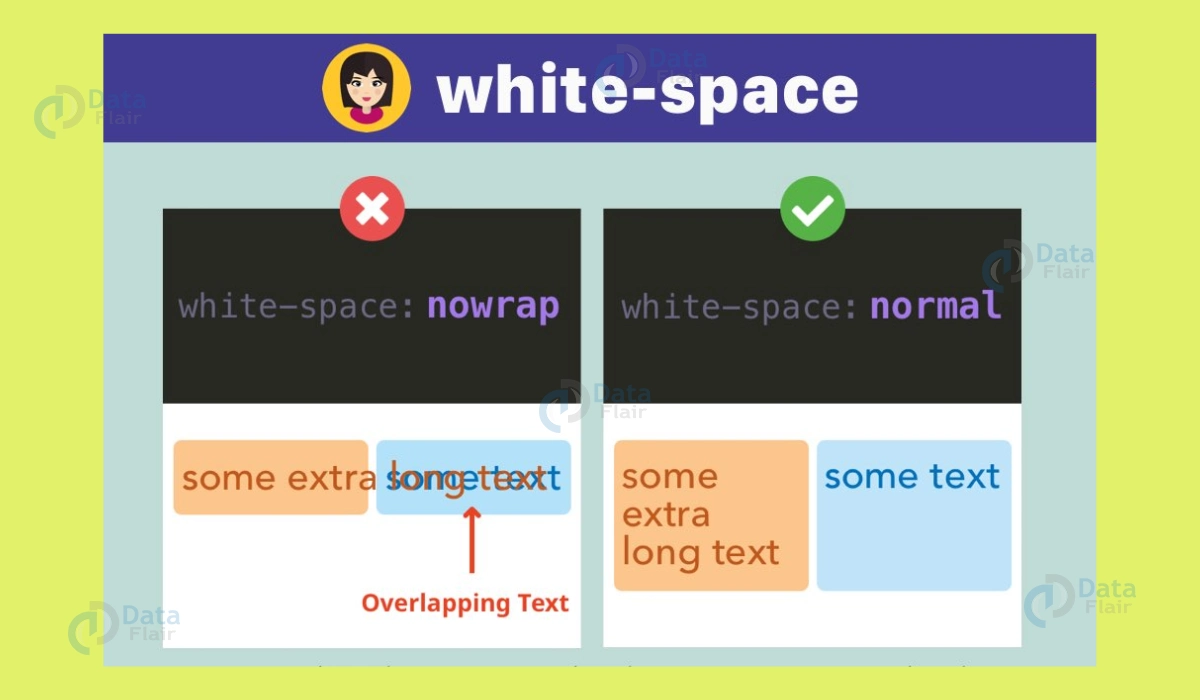
Introduction to White Space in CSS
White space, also known as negative space, refers to the empty areas between elements on a web page. There are many different types of spacing on a page, including the space between lines of text, the space between images and text, and even the space around the edges of the page. The use of white space in web design can significantly improve a website’s overall aesthetic and usability.
Using CSS White Space for Spacing
One of the most basic uses of white space is to control the spacing between elements on a web page. This can be achieved by using CSS margins and padding. Margins are the space outside an element, while padding is the space inside an element. By adjusting these values, designers can create consistent spacing between elements on a web page.
For example, if you wanted to create a consistent amount of space between all the elements on your webpage, you could use the following
CSS:
* {
margin: 20px;
padding: 20px;
}
This would add 20px of margin and 20px of padding to all elements on the page. This can be refined using the CSS class or ID to target specific elements.
.myclass {
margin: 20px;
padding: 20px;
}
Using CSS White Space for Grouping
Another important use of white space is to group related elements. By using white space to separate different sections of a web page, designers can help users quickly identify and understand the different sections of a webpage.
For example, if you wanted to create a section for a blog post, you could use the following CSS:
.blog-post {
margin: 20px 0;
}
This would add a margin of 20px above and below the .blog-post class, creating a clear separation between the blog post and the rest of the content on the page.
Using White Space in CSS for Visual Hierarchy
White space can also create a visual hierarchy on a web page. By adjusting the white space between elements, designers can make certain elements stand out and draw the user’s attention.
For example, if you wanted to make a heading stand out more, you could use the following
CSS:
h1 {
margin-bottom: 40px;
}
This would add a margin of 40px below the h1 heading, separating it from the rest of the content and making it more prominent.
Best Practices for Using White Space in CSS
<html>
<head>
<style>
p.a {
white-space: nowrap;
}
p.b {
white-space: normal;
}
p.c {
white-space: pre;
}
</style>
</head>
<body>
<h1>The white-space Property from DataFlair</h1>
<h2>white-space: nowrap:</h2>
<p class="a">
This is some text. This is some text. This is some text.
This is some text. This is some text. This is some text.
This is some text. This is some text. This is some text.
This is some text. This is some text. This is some text.
</p>
<h2>white-space: normal:</h2>
<p class="b">
This is some text. This is some text. This is some text.
This is some text. This is some text. This is some text.
This is some text. This is some text. This is some text.
This is some text. This is some text. This is some text.
</p>
<h2>white-space: pre:</h2>
<p class="c">
This is some text. This is some text. This is some text.
This is some text. This is some text. This is some text.
This is some text. This is some text. This is some text.
This is some text. This is some text. This is some text.
</p>
</body>
</html>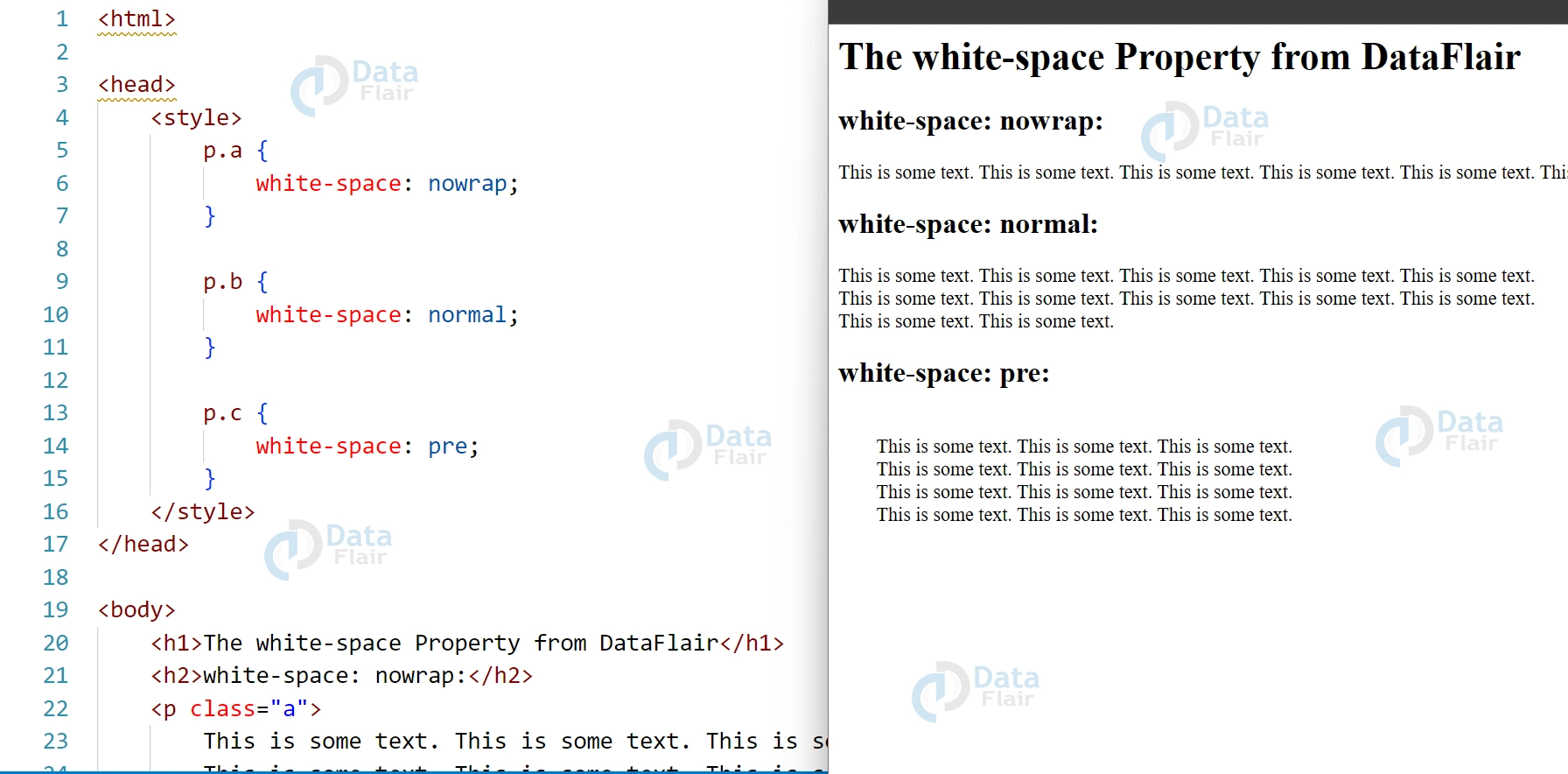
When using white space in web design, it’s essential to keep a few best practices in mind:
1. Use white space consistently:
Consistency is critical when using white space. Designers can create a clean and organized layout using the same white space between elements.
2. Don’t overuse white space:
While white space is essential, too much can leave a web page uninviting. It’s essential to balance using enough white space to create a clean layout and not so much that the web page feels empty.
3. Use white space to guide the user’s eye:
By creating a visual hierarchy, designers can guide the user’s eye to the most critical elements on a web page.
4. Keep in mind the size of the screen:
When designing for different screen sizes, it’s essential to keep in mind the amount of white space that will be visible. There may be less space on smaller screens, so designers may need to use less white space.
5. Experiment with different amounts of white space:
Finding the right balance of white space for a website can take some experimentation. Try out different amounts of white space and see how it affects the overall aesthetic and usability of the website.
Collapsing of White Spaces in CSS
In CSS, white space refers to any space, tab, or line break characters that appear in HTML code or between HTML elements. The way that white space is handled by the browser can have a significant impact on the layout and design of a web page.
By default, browsers collapse white space in HTML documents. This means that any white space characters between HTML elements are ignored, and the resulting space between the elements is determined by other layout properties, such as margins and padding.
The white-space property in CSS allows developers to control how white space is handled in HTML documents. There are several values for this property:
1. normal – This is the default value and collapses consecutive white space characters into a single space. Line breaks are also collapsed, and the resulting space between elements is determined by other layout properties.
2. pre – This value preserves all white space characters in HTML documents, including consecutive spaces and line breaks. The resulting space between elements is determined by the white space characters themselves.
3. nowrap – This value collapses consecutive white space characters into a single space but prevents line breaks. The resulting space between elements is determined by other layout properties.
4. pre-wrap – This value preserves all white space characters in HTML documents, including consecutive spaces and line breaks, but allows line breaks to occur within a block of text. The resulting space between elements is determined by the white space characters themselves.
5. pre-line – This value collapses consecutive white space characters into a single space and allows line breaks to occur within a block of text. The resulting space between elements is determined by other layout properties.
In addition to the white-space property, the CSS text-overflow property can also be used to control how text overflows its container. This property can be used to hide overflowing text or add ellipsis to the end of the text.
In summary, collapsing of white space in CSS can have a significant impact on the layout and design of a web page. By using the white-space property in CSS, developers can control how white space is handled in HTML documents and ensure that the resulting space between elements is consistent with their design.
Browser Compatibility
The CSS white-space property is generally well supported across modern web browsers, including Google Chrome, Mozilla Firefox, Apple Safari, Microsoft Edge, and Opera. However, older versions of these browsers and some less popular web browsers may not fully support certain values of the white-space property or may interpret them differently.
One of the most common issues with browser compatibility in CSS white-space is related to the use of the pre value. The pre value preserves all white space characters in HTML documents, including consecutive spaces and line breaks. While this value is supported by most modern browsers, some older versions of Internet Explorer may interpret it differently or not fully support it, leading to inconsistent layout and design across different browsers.
Another issue with browser compatibility in CSS white-space is related to the use of the nowrap value. The nowrap value collapses consecutive white space characters into a single space but prevents line breaks. While this value is also generally well supported across modern browsers, some older versions of Safari may not fully support it or may interpret it differently.
To ensure browser compatibility in CSS white-space, it is important to test the layout and design of a web page across different browsers and their various versions. This can be done using tools such as BrowserStack or CrossBrowserTesting. These allow developers to test their web pages across multiple browsers and operating systems.
Conclusion
CSS white space is an essential aspect of web design. It allows designers to control the spacing between elements on a web page. By using white space to create a clean, organized layout, group related elements together, and create a visual hierarchy, designers can improve the overall user experience. By following the best practices and experimenting with different amounts of white space, designers can find the perfect balance for their websites.
Your 15 seconds will encourage us to work even harder
Please share your happy experience on Google





