
Selectors in CSS
Full Stack Web Development Courses with Real-time projects Start Now!!
In this tutorial, we will learn about selectors in CSS. Let’s start!!
What are selectors in CSS?
CSS selectors are an important aspect of the CSS language, as they allow developers to select specific HTML elements and apply styles to them. Selectors are used to targeting elements within an HTML document so that the styles defined in the CSS will be applied to those specific elements.
There are several types of selectors available in CSS, each with its own unique functionality. Some of the most common selectors include element selectors, class selectors, and ID selectors. These selectors allow developers to target elements based on their tag name, class attribute, or id attribute respectively.
Additionally, there are more advanced selectors such as descendant selectors, child selectors, and attribute selectors that allow developers to target elements based on their relationship to other elements, or their attribute values. Understanding how to use selectors is key to being able to effectively use CSS to style and layout web pages.
In practice, different selectors may be combined, which results in targeting very specific elements in HTML; the approach proves extremely useful when working on large-scale projects that require strict adherence to common patterns and styles.
Since selectors can be flexible and powerful for employing the CSS codes, it is clear that this tool is essential when we think about front-end developments so that the unnecessary duplication of the style will not be applied to other places.
Types of CSS Selectors
There are several different types of selectors, including:
1. CSS Element Selector:
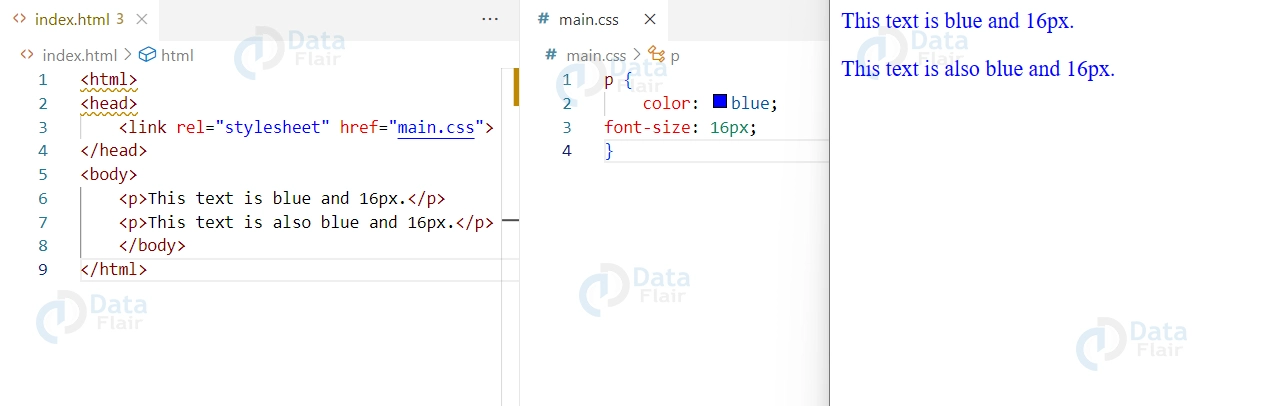
This selector selects elements based on their tag name. For example, the selector “p” would select all “p” elements on a webpage.
Example:
HTML Code
<!DOCTYPE html>
<html>
<head>
<style>
p {
    color: blue;
    font-size: 16px;
}
</style>
</head>
<body>
<p>This text is blue and 16px.</p>
<p>This text is also blue and 16px.</p>
</body>
</html>
CSS Code
p {
color: blue;
font-size: 16px;
}Output:
2. CSS Class Selector:
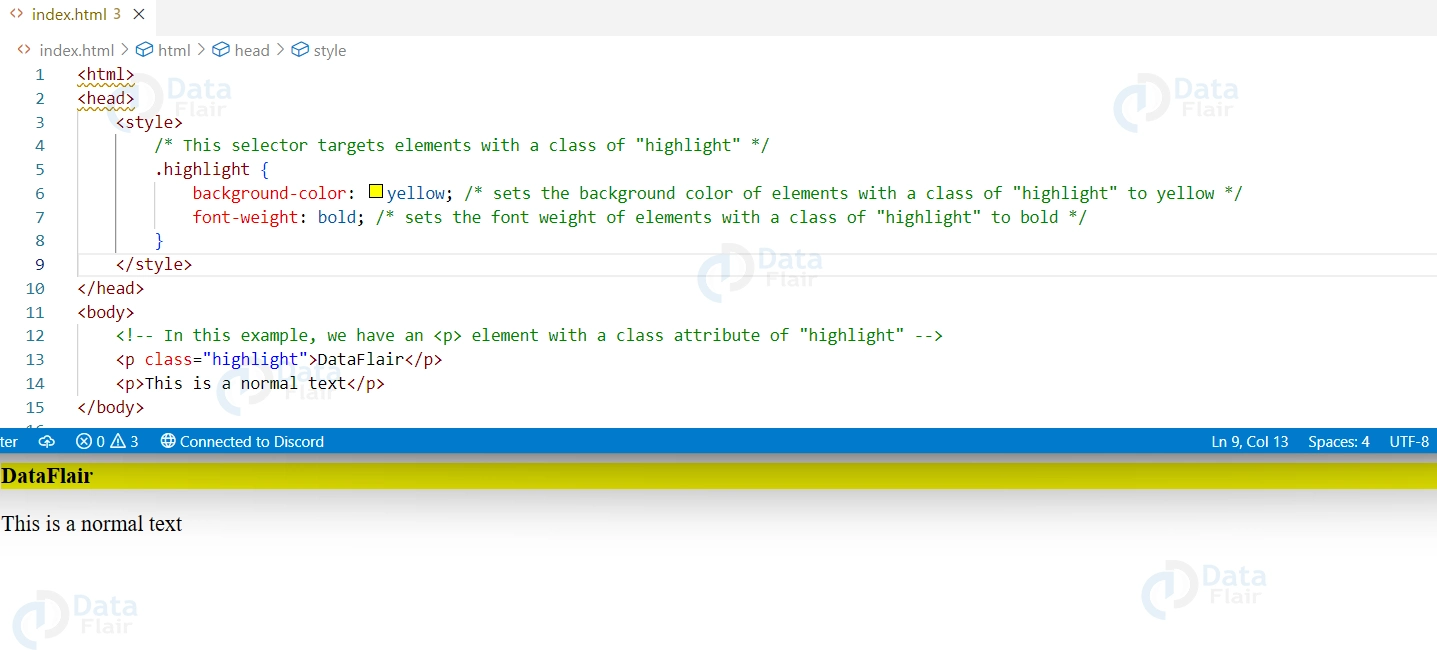
This selector selects elements based on their class attribute. For example, the selector “.example” would select all elements with the class “example”.
Example:
CSS Code
<html>
<head>
    <style>
        /* This selector targets elements with a class of "highlight" */
        .highlight {
            background-color: yellow; /* sets the background color of elements with a class of "highlight" to yellow */
            font-weight: bold; /* sets the font weight of elements with a class of "highlight" to bold */
        }
    </style>
</head>
<body>
    <!-- In this example, we have an <p> element with a class attribute of "highlight" -->
    <p class="highlight">DataFlair</p>
    <p>This is a normal text</p>
</body>
</html>
Output
3. CSS ID Selector:
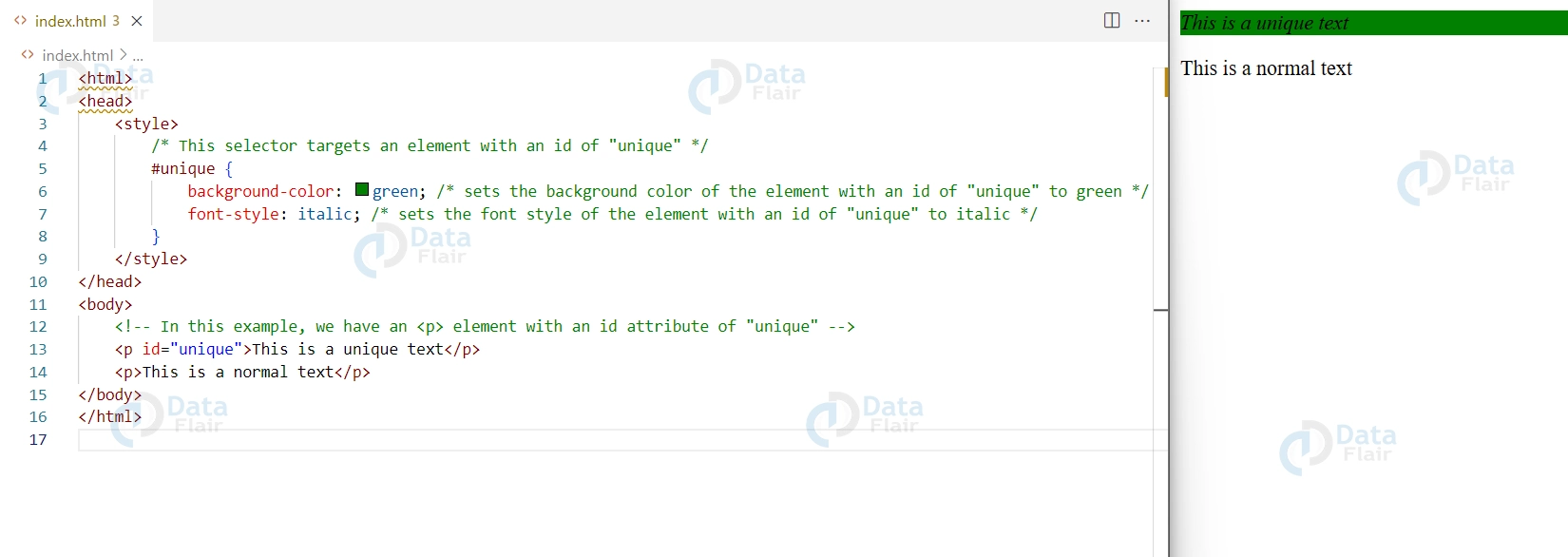
This selector selects elements based on their id attribute. For example, the selector “#example” would select the element with the id “example”.
Example:
<html>
<head>
    <style>
        /* This selector targets an element with an id of "unique" */
        #unique {
            background-color: green; /* sets the background color of the element with an id of "unique" to green */
            font-style: italic; /* sets the font style of the element with an id of "unique" to italic */
        }
    </style>
</head>
<body>
    <!-- In this example, we have an <p> element with an id attribute of "unique" -->
    <p id="unique">This is a unique text</p>
    <p>This is a normal text</p>
</body>
</html>
Output:
4. CSS Descendant Selector:
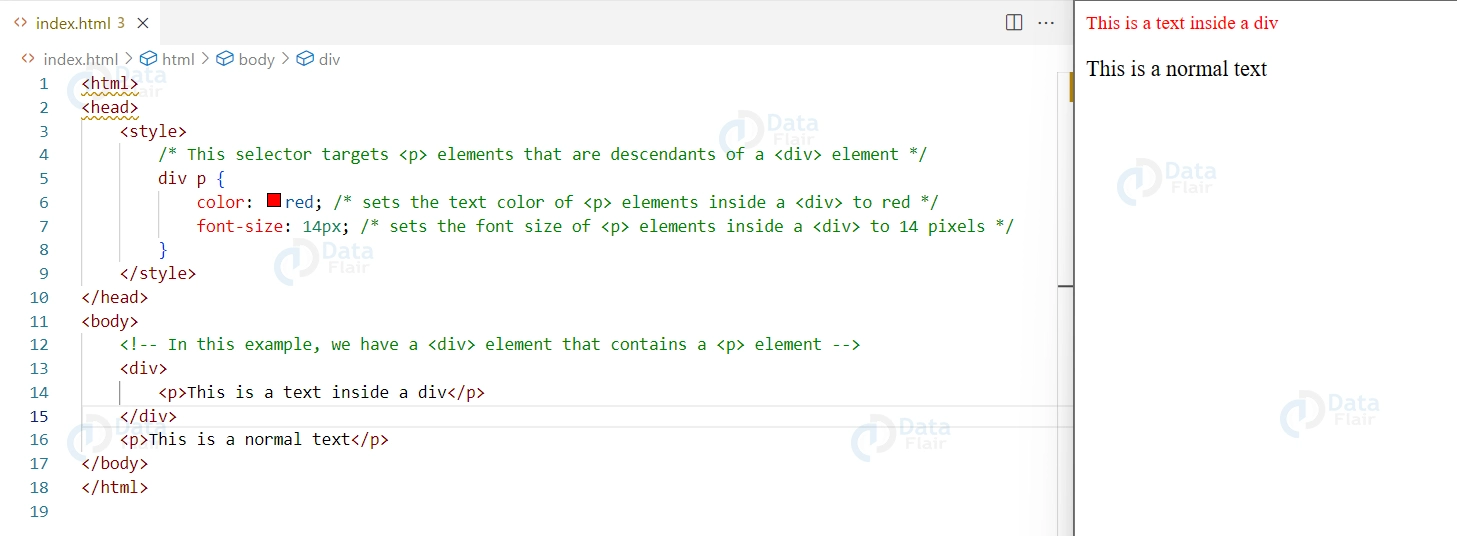
This selector selects elements that are descendants of a specific element. For example, the selector “div p” would select all “p” elements that are inside a “div” element.
Example:
<html>
<head>
    <style>
        /* This selector targets <p> elements that are descendants of a <div> element */
        div p {
            color: red; /* sets the text color of <p> elements inside a <div> to red */
            font-size: 14px; /* sets the font size of <p> elements inside a <div> to 14 pixels */
        }
    </style>
</head>
<body>
    <!-- In this example, we have a <div> element that contains a <p> element -->
    <div>
        <p>This is a text inside a div</p>
    </div>
    <p>This is a normal text</p>
</body>
</html>
Output:
5. CSS Child Selector:
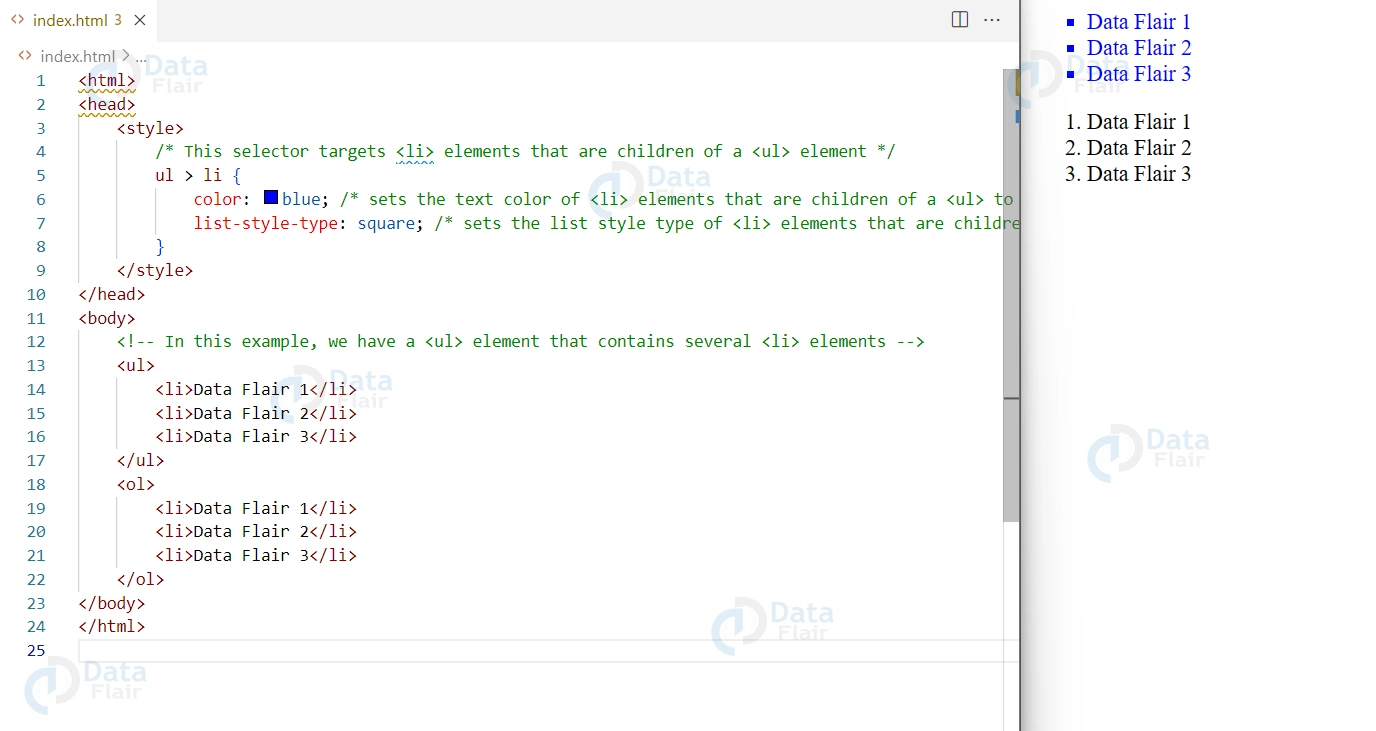
This selector selects elements that are immediate children of a specific element. For example, the selector “div > p” would select all “p” elements that are direct children of a “div” element.
Example:
<html>
<head>
    <style>
        /* This selector targets <li> elements that are children of a <ul> element */
        ul > li {
            color: blue; /* sets the text color of <li> elements that are children of a <ul> to blue */
            list-style-type: square; /* sets the list style type of <li> elements that are children of a <ul> to square */
        }
    </style>
</head>
<body>
    <!-- In this example, we have a <ul> element that contains several <li> elements -->
    <ul>
        <li>Data Flair 1</li>
        <li>Data Flair 2</li>
        <li>Data Flair 3</li>
    </ul>
    <ol>
        <li>Data Flair 1</li>
        <li>Data Flair 2</li>
        <li>Data Flair 3</li>
    </ol>
</body>
</html>
Output:
6. CSS Adjacent Sibling Selector:
This selector selects elements that are immediately preceded by a specific element. For example, the selector “h1 + p” would select the first “p” element that immediately follows an “h1” element.
7. CSS General Sibling Selector:
This selector selects elements that have a specific element as a sibling. For example, the selector “h1 ~ p” would select all “p” elements that have an “h1” element as a sibling.
8. CSS Attribute Selector:
This selector selects elements based on their attribute values. For example, the selector “[href=’example.com’]” would select all elements with an href attribute of “example.com”.
9. CSS Pseudo Selectors:
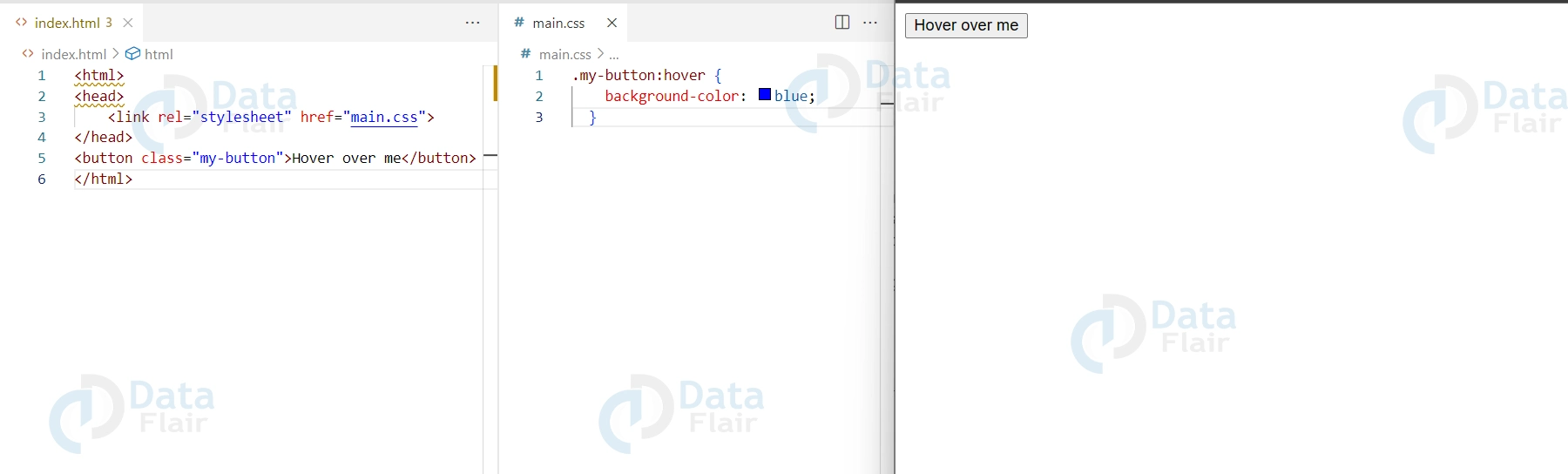
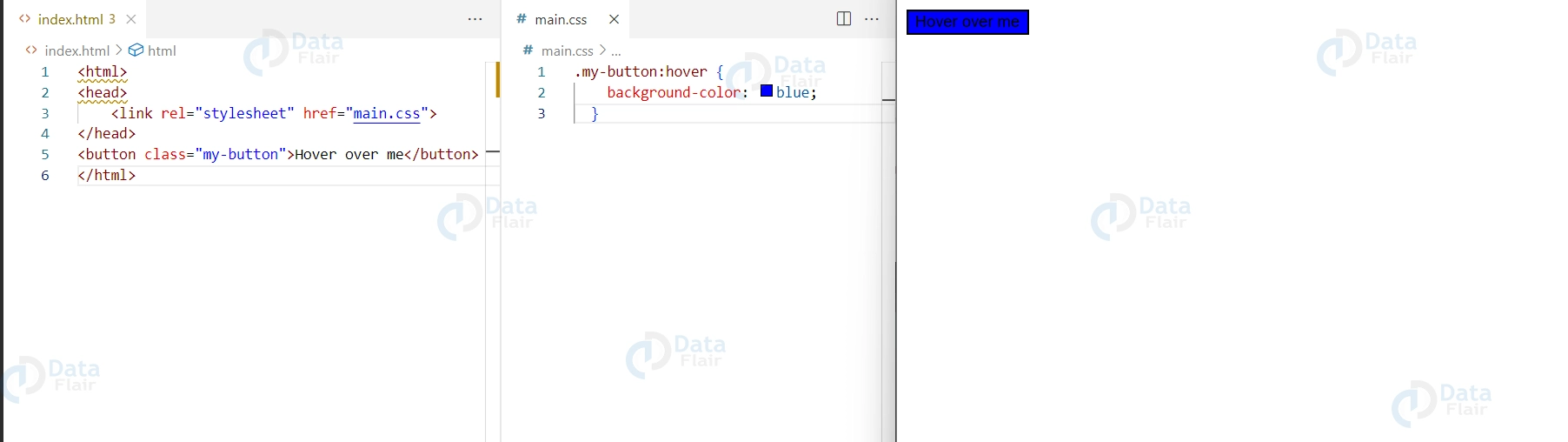
pseudo-selectors are used to select elements based on their state or position within the document, rather than their tag name or class. They are used in conjunction with regular CSS selectors, and are denoted by a colon (:) followed by the pseudo-selector name.
Here is an example of using the hover pseudo-selector to change the background color of a button when the user hovers over it:
HTML Code
<button class="my-button">Hover over me</button>
CSS Code
.my-button:hover {
background-color: blue;
 }
Conclusion
We can conclude by saying that, CSS selectors are a powerful tool for selecting specific HTML elements and applying styles to them. There are several different types of selectors available in CSS, including element selectors, class selectors, ID selectors, descendant selectors, child selectors, adjacent sibling selectors, and attribute selectors.
Developers can use selectors to create unique and visually pleasing designs, making web pages more engaging and interactive. However, it is important to keep in mind that the more specific the selector is, the more efficient the code will be. Also, too many selectors can increase the complexity of the code and make it harder to maintain. Therefore, it’s important to keep the selectors simple, readable, and maintainable.
Your opinion matters
Please write your valuable feedback about DataFlair on Google





