
Refs in React
Expert-led Courses: Transform Your Career – Enroll Now
Refs in React provide a way to access and manipulate the DOM elements or components directly. Refs are a powerful feature of React, allowing developers to interact with elements that are outside of the normal React data flow. In this article, we will go through everything you need to know about using refs in React.
What are refs in React?
Refs in React are a way to access and manipulate the DOM elements or components directly. Refs allow you to reference a specific element, like an input field or a button, and then interact with it directly in your code.
Ways to create refs in react
There are two ways to create refs in React:
1. Using the React.createRef() method to create a ref and assign it to an instance variable:
class ExampleComponent extends React.Component {
  constructor(props) {
    super(props);
    this.myRef = React.createRef();
  }

  render() {
    return <div ref={this.myRef}>Hello World</div>;
  }
}
Output:
2. Using the ref attribute in JSX to create a callback function that takes a reference to the DOM element or component:
class ExampleComponent extends React.Component {
  constructor(props) {
    super(props);
    this.myRef = null;
    this.setRef = element => {
      this.myRef = element;
    };
  }

  render() {
    return <div ref={this.setRef}>Hello from DataFlair</div>;
  }
}
Output:
Uses of refs in React
There are several use cases for refs in React. Here are a few examples:
1. Accessing form data
Refs can be used to access the form data in a React application. For example, you can use a ref to get the value of an input field:
class MyForm extends React.Component {
  constructor(props) {
    super(props);
    this.inputRef = React.createRef();
  }

  handleSubmit = (event) => {
    event.preventDefault();
    console.log(this.inputRef.current.value);
  };

  render() {
    return (
      <form onSubmit={this.handleSubmit}>
        <label>
          Name of DataFlair's reader  :
          <input type="text" ref={this.inputRef} />
        </label>
        <button type="submit">Submit</button>
      </form>
    );
  }
}

ReactDOM.render(<MyForm />, document.getElementById("root"));
Output:

2. Animating elements
Refs can be used to animate elements in a React application. For example, you can use a ref to get the height of an element and then use that value to animate it:
class MyComponent extends React.Component {
  constructor(props) {
    super(props);
    this.myRef = React.createRef();
  }

  handleClick = () => {
    const height = this.myRef.current.offsetHeight;
    // animate the element using the height value
  }

  render() {
    return (
      <div ref={this.myRef} onClick={this.handleClick}>
        Hello World
      </div>
    );
  }
}
Output:
3. Integrating with third-party libraries
Refs can be used to integrate with third-party libraries in a React application. For example, you can use a ref to get a reference to a third-party library object and then interact with it directly:
class MyComponent extends React.Component {
  constructor(props) {
    super(props);
    this.myRef = React.createRef();
  }

  componentDidMount() {
    const thirdPartyObject = new ThirdPartyLibrary(this.myRef.current);
    // interact with the third-party object
  }

  render() {
    return <div ref={this.myRef}>Hell, from DataFlair</div>;
  }
Output:
Using Refs with Class Components
Refs can also be used with class components in React. Here’s an example of using a ref with a class component:
import React, { Component } from 'react';

class MyComponent extends Component {
  constructor(props) {
    super(props);

    this.myRef = React.createRef();
  }

  handleClick() {
    this.myRef.current.focus();
  }

  render() {
    return (
      <div>
        <input type="text" ref={this.myRef} />
        <button onClick={() => this.handleClick()}>Focus input</button>
      </div>
    );
  }
}
Output:

In the above example, we create a ref in the component’s constructor using React.createRef(), and then attach it to an input element using the ref attribute. We also define a handleClick method that calls focus() on the input element’s ref.
When the Focus input button is clicked, the handleClick method is called, which focuses the input element.
Using Refs with Functional Components
Refs can also be used with functional components in React. Here’s an example of using a ref with a functional component using the useRef hook:
import React, { useRef } from 'react';

function MyComponent() {
  const myRef = useRef(null);

  const handleClick = () => {
    myRef.current.focus();
  };

  return (
    <div>
      <input type="text" ref={myRef} />
      <button onClick={handleClick}>Focus input</button>
    </div>
  );
}
Output:
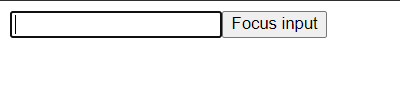
In this example, we use the useRef hook to create a ref and attach it to an input element using the ref attribute.
Limitations of Refs in React
While refs can be a useful tool in certain situations, there are also some limitations and potential drawbacks to be aware of when using them in React:
1. Refs can make code harder to understand and maintain:
When overused or used inappropriately, refs can make code more complex and harder to follow. This can lead to difficulties in debugging and maintaining the code over time.
2. Refs can create a tight coupling between components:
When a component is coupled to its child components through the use of refs, it can make it harder to reuse the component in different contexts.
3. Refs are not recommended for managing component state:
While it is possible to use refs to manage component state, this is not recommended as it can make the code more error-prone and harder to reason about. It is generally better to manage component state using React’s built-in state management tools.
4. Refs can be difficult to use with functional components:
While it is possible to use refs with functional components using the useRef hook
5. Refs can create performance issues:
Since refs can cause a component to be re-rendered even if its props have not changed, they can potentially create performance issues if used excessively or inappropriately.
When to use react refs?
Accessing DOM elements: Refs can be used to get a reference to a DOM element, so that it can be manipulated directly. For example, if you need to focus an input field or scroll a container, you can use refs to access the DOM element and call its methods.
Animating elements: Refs can be used to animate elements, such as when building complex animations that require fine-grained control over the underlying DOM. For example, you can use a ref to access the DOM element and apply CSS transitions or animations to it.
When not to use refs in react?
State management: Refs should not be used to manage state in a React component. State should be managed using useState or useReducer hooks, which provide a clear and predictable way to update the state of a component.
Conditional rendering: Refs should not be used to conditionally render components. Conditional rendering should be done using if statements or ternary operators, which provide a clear and concise way to render components based on a condition.
Conclusion
This was all about react refs, ways to create it, its limitations and uses.
Your 15 seconds will encourage us to work even harder
Please share your happy experience on Google





