
How to Make an Educational Video?
Job-ready Online Courses: Dive into Knowledge. Learn More!
Making instructional videos may be a fun way to share your knowledge with the world or a terrific teaching tool. Due to their popularity and general availability, educational videos are a fantastic way to impart knowledge to others (youtube.com has over 2.29 billion viewers).
An instructive film that uses both sight and sound will appeal to auditory and visual learners alike. Educational films are a potent and engaging method to spread knowledge, whether you’re trying to reach a classroom of young children or a global audience. Let’s learn how to make an educational video.
1. First thing while making an educational video is to keep these steps in mind
- Select a topic for your speech.
- Write the entire text in simple terms.
- Select one of the templates for educational films on Wideo.
- Change the text’s color and size, and add any photos you think are pertinent.
- Practice
- Be original
A fantastic animated educational video template is available from the video for you to use and customize in a couple of minutes. It’s a fantastic video presentation tool for teachers and students alike, offering them a means of expressing their thoughts in a unique and interesting manner.
2. Know what an educational video is
An educational video is one that aims to inform viewers about a certain subject or range of subjects. However, how does that differ from a how-to video? How does it vary from a training or how-to video? Although educational, instructional, how-to, and training videos are frequently more concerned with imparting a particular skill or set of skills.
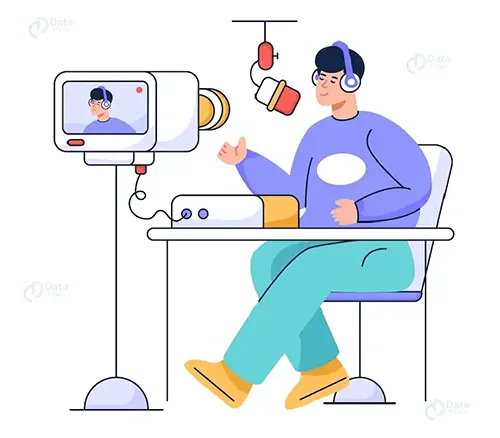
3. Determine the filming equipment you’ll need.
Before you begin, think about the materials you’ll need to produce your film to make sure everything goes as smoothly as possible.
Be mindful of the lights. In order to give your educational video a bright vibe, try recording in an area with strong natural lighting during the daylight or bring your own lights to your filming spot.
Find a reliable microphone. Your educational video’s message will be heard clearly and loudly if the microphone is good.
Think about the objectives of your video. Are you creating this movie to be viewed in a classroom or at a business workshop?
If so, you might wish to spend extra money on a better camcorder for more expert recording. But if you’re just shooting this movie for pleasure, you might feel more at ease using a piece of gear you already own, like a tablet or smartphone.
4. Learn how to use a video editing program.
a. Put your content in order
A vast content library quickly becomes disorganized. Make sure the names of all of your image, audio, and video files are obvious. Making distinct folders for each project or even each photography session is a fantastic idea.
b. Make a video plan
Make a clear plan for the look and sound of your video before you begin editing. Think about what your audience would like to see. Additionally, you must modify your video to fit your intended platform; for instance, Instagram videos should be brief and simple to view on a mobile phone screen.
c. Make a crude cut
Make a rough cut of your video using video editing software, such as Adobe Premiere Rush. Place all of your content pieces on the timeline after adding them to your project. To make a draft video, arrange and edit your footage. At this point, keep an eye on everything to make sure that everything appears to be in proportion.
d. Streamline your video
The excitement begins right here. Start editing your video by adding titles and transitions, cutting and trimming the content for pacing, and adding audio and visual effects. Learn the fundamentals of basic video editing through experimentation, and you might be surprised by the outcomes.
5. Think about making a storyboard
A storyboard enables you to picture every shot before filming if your instructional video contains camera footage. In the long term, it will save you time.
Stick figures and quick sketches work just fine for live video. To broadly illustrate what you intend to convey with the narrative in a screencast or screen recording, you can utilize a sequence of straightforward screenshots.
You probably don’t need a storyboard if your video won’t use camera video or if the camera video has already been captured and you’re just putting it together.

6. Make a voiceover recording
The time has come to record your voice-over with your script in hand. The voice recording tool of TechSmith Camtasia is integrated and simple to use, making it a great choice.
By transcribing your voice in real-time as you record, Audiate elevates voice-over recording and editing to a completely new level. Then, you may really modify the audio in the same way that you would edit the text in a document.
Therefore, you can see what you said and where you said it directly on your screen rather than trying to decipher what you said from a waveform.
7. Make the video
Start by organizing your desktop on your computer if your video will feature any screen recordings. Giving your pupils access to all of your files may not be necessary to let them see more of your personality.
Then launch any software programs you need to demonstrate, such as Microsoft PowerPoint, a browser, etc.
8. Use a template to edit your video
Even while it can seem frightening, this is actually not. Video editing is really simple with Camtasia. You can accomplish this if you can drag and drop. And it becomes even simpler if you use a template.
By offering a structure, templates aid in standardizing and streamlining the editing process. The template can be modified as needed, but it provides a starting point that is far closer to the final outcome than editing without one.
Additionally, templates might assist remove some of the guesswork from the process if you’re just starting out with generating films.
9. Correctly resize your videos
The general consensus is that educational videos should be briefer the better. It’s more accurate to suggest that your videos should be the appropriate length for the subject matter, even though it is a fair general rule.
We might be accustomed to longer in-person class sessions, therefore it might be tempting to extend the same with video. Your films should be simple to understand, though, in order to fully capitalize on the benefits of this kind of learning.
Depending on the topic, that could take two or twenty minutes.
Consider the cognitive load on your students, the level of complexity of the lesson material, and the instructional objectives of the video.
10. Upload your video to your computer
You should upload the movie to your computer for editing after you’ve captured the required material.
Make sure you save your raw footage as a separate document so that you can edit it and make changes in the future.

11. Post your video
Use the YouTube website’s “YouTube for Creators” page. This website will assist you in improving your YouTube channel, your ability to produce videos, and your understanding of your audience.
Conclusion
It takes constant try, error, and invention to learn how to make a high-quality instructional film. The trick is to try, and this article integrated with instructions is what’s best for students, So start putting your plans into action, get some recording equipment, and enjoy being realistic.
Your 15 seconds will encourage us to work even harder
Please share your happy experience on Google





