
CSS Margin
Full Stack Web Development Courses with Real-time projects Start Now!!
In this tutorial, we will learn about margin in CSS and its properties. Let’s start!!
What is margin in CSS?
In CSS, a margin is a space that surrounds an HTML element. The margin value determines how much room there is around the HTML element. When establishing where an adjacent element on a web page should be placed, the browser utilizes a margin as a starting point. These are helpful for neatly organizing our HTML components by leaving some space around them. Margins make ensuring that no other element occupies the designated space surrounding an element.
The margin property determines an element’s margins and serves as a shorthand for the following properties:
- margin
- margin-top
- margin-right
- margin-bottom
- margin-left
CSS Margin Property
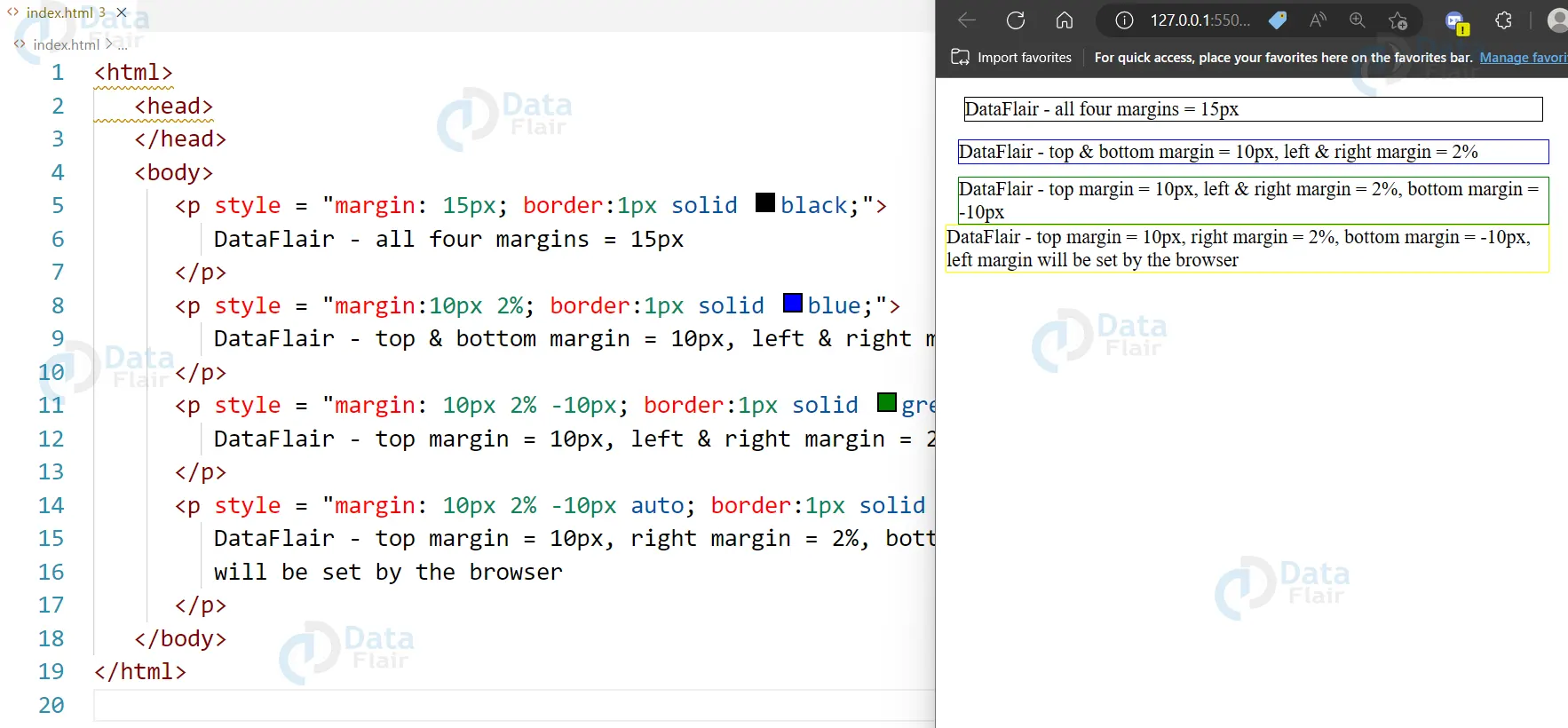
All four margin properties can be specified in one declaration using the margin property. Setting a margin around a paragraph is as easy as following this syntax.
Example:
<html>
   <head>
   </head>
   <body>
      <p style = "margin: 15px; border:1px solid black;">
         DataFlair - all four margins = 15px
      </p>
      <p style = "margin:10px 2%; border:1px solid blue;">
         DataFlair - top & bottom margin = 10px, left & right margin = 2%
      </p>
      <p style = "margin: 10px 2% -10px; border:1px solid green;">
         DataFlair - top margin = 10px, left & right margin = 2%, bottom margin = -10px
      </p>
      <p style = "margin: 10px 2% -10px auto; border:1px solid yellow;">
         DataFlair - top margin = 10px, right margin = 2%, bottom margin = -10px, left margin
         will be set by the browser
      </p>
   </body>
</html>
Output:
CSS margin-bottom Property
Example:
<html>
   <head>
   </head>
   <body>
      <p style = "margin-bottom: 15px; border:1px solid black;">
         DataFlair with a specified bottom margin
      </p>
      <p style = "margin-bottom: 5%; border:1px solid black;">
         DataFlair with a specified bottom margin in percent
      </p>
   </body>
</html>
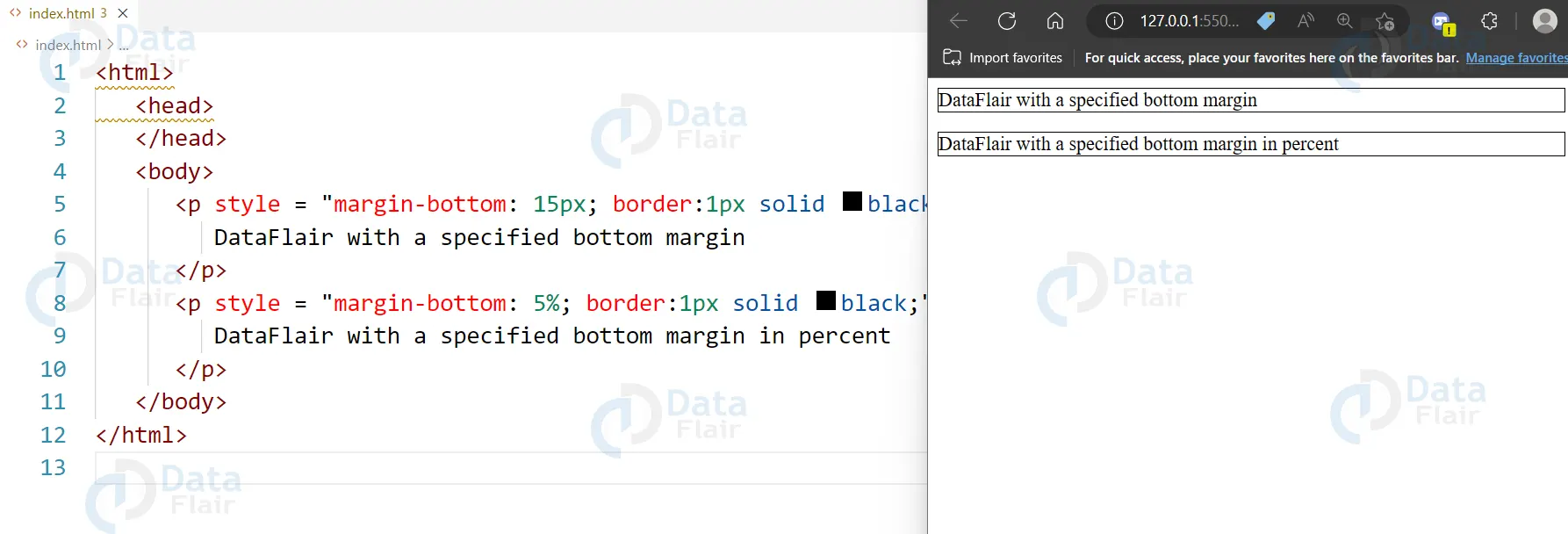
Output:
CSS margin-top Property
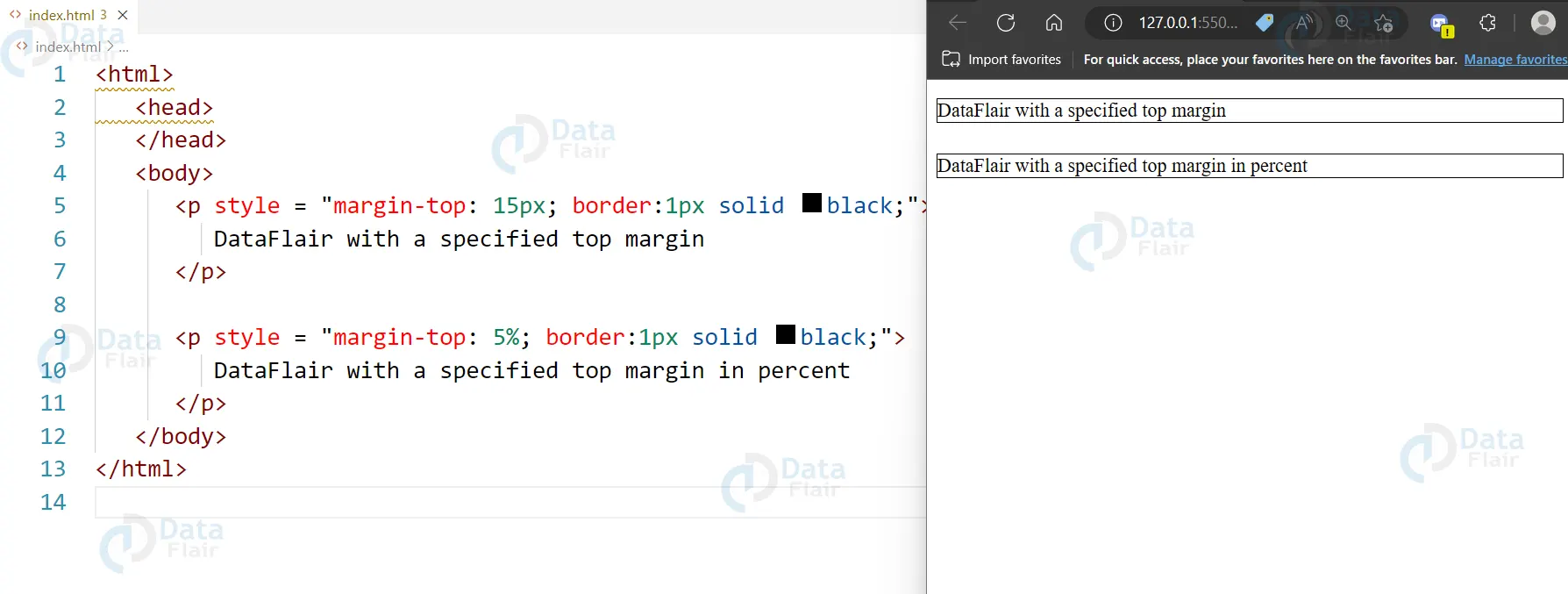
An element’s top margin can be set using the margin-top CSS property. The top margin area sets the margin area for the element. The margin-top property’s default value is zero.
Example:
<html>
   <head>
   </head>

   <body>
      <p style = "margin-top: 15px; border:1px solid black;">
         DataFlair with a specified top margin
      </p>

      <p style = "margin-top: 5%; border:1px solid black;">
         DataFlair with a specified top margin in percent
      </p>
   </body>
</html>
Output:
CSS margin-left Property
You can control an element’s left margin with the margin-left attribute. Its value can be length, %, or auto.
Example:
<html>
   <head>
   </head>
   <body>
      <p style = "margin-left: 15px; border:1px solid black;">
         DataFlair with a specified left margin
      </p>
      <p style = "margin-left: 5%; border:1px solid black;">
         DataFlair with a specified top margin in percent
      </p>
   </body>
</html>
Output:

CSS margin-right Property
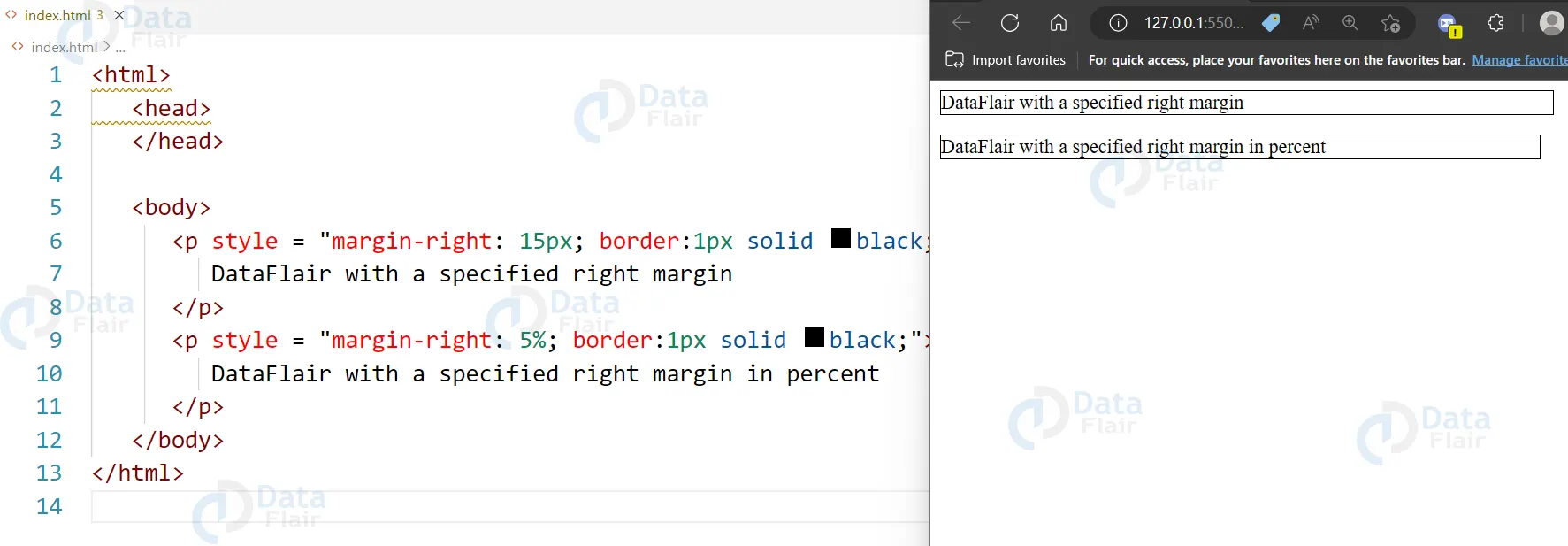
You can control an element’s right margin with the margin-right attribute. Its value can be length, %, or auto.
Example:
<html>
   <head>
   </head>

   <body>
      <p style = "margin-right: 15px; border:1px solid black;">
         DataFlair with a specified right margin
      </p>
      <p style = "margin-right: 5%; border:1px solid black;">
         DataFlair with a specified right margin in percent
      </p>
   </body>
</html>
Output:
CSS Margin Collapse
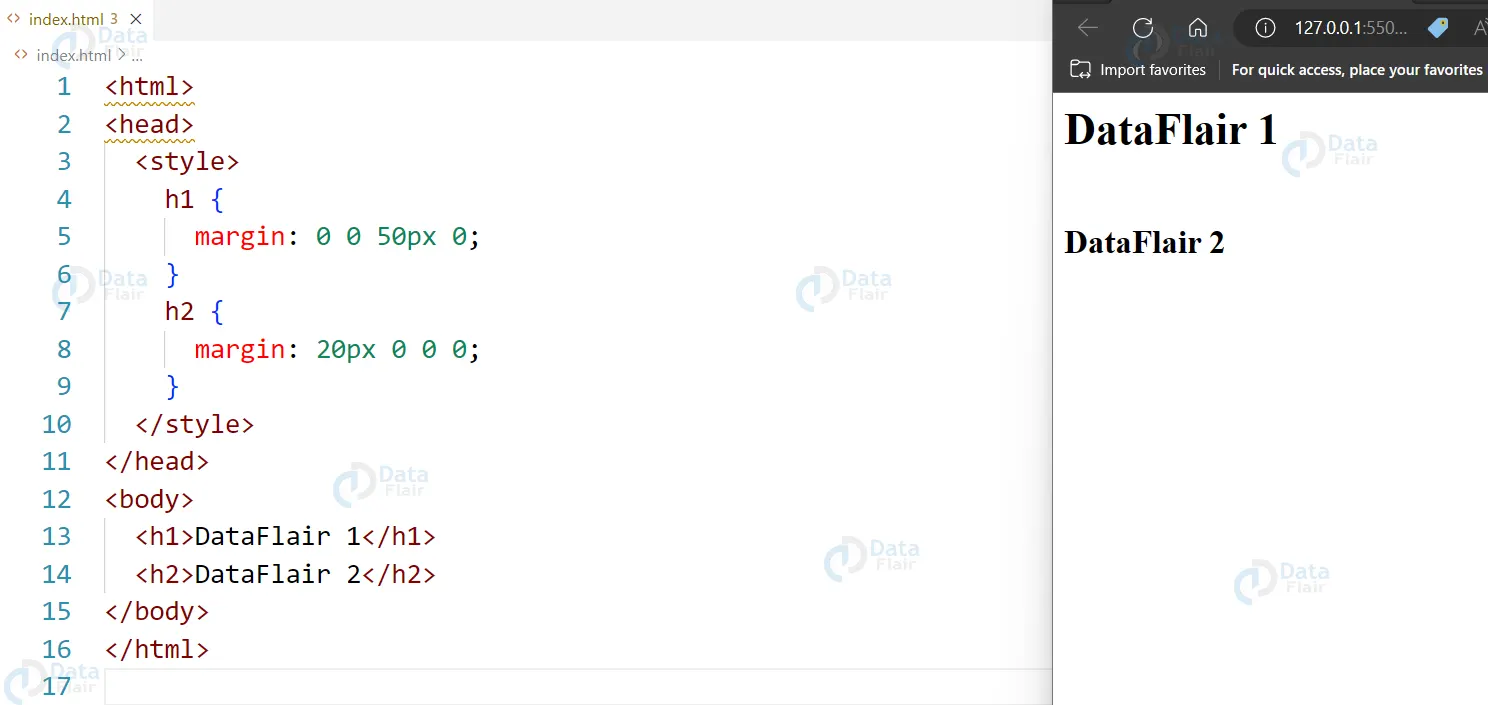
Elements’ top and bottom margins can occasionally be combined into a single margin that is the larger of the two margins.
On the left and right edges, this does not occur. It occurs just at the top and bottom margins.
Example:
<html>
<head>
  <style>
    h1 {
      margin: 0 0 50px 0;
    }
    h2 {
      margin: 20px 0 0 0;
    }
  </style>
</head>
<body>
  <h1>DataFlair 1</h1>
  <h2>DataFlair 2</h2>
</body>
</html>
Output:
Value properties in CSS
1. “Inherit” value property:
This value property is used to inherit the value of a specific property from its parent element.
2. “Auto” value property:
This value property is used to set the value of a property to its default value, which is determined by the browser.
3. “Initial” value property:
This value property is used to set a property to its default value as specified in the CSS specification. It overrides any inherited or previous value of the property.
4. “Unset” value property:
This value property is used to unset a property, which means it will either take on the value of its parent element or its default value, depending on whether the property is inherited or not.
5. “None” value property:
This value property is used to set a property to have no effect, typically used to override previous values or to reset a property to its default value.
6. “CurrentColor” value property:
This value property is used to set the color of a property to the current color value. It’s mainly used to inherit the color value of the parent element.
7. “Normal” value property:
This value property is used to set a property to its default value as specified in the CSS specification. It is typically used to reset a property that has been set to a non-default value.
8. “Replace” value property:
This value property is used to set the value of a property to replace an element with the value. It is used for properties such as “content”.
9. “OptimizeSpeed” value property:
This value property is used to set the value of a property to optimize for speed. It is used for properties such as “will-change” and “transform” to indicate that the browser should try to optimize the performance of the element.
10. “OptimizeQuality” value property:
This value property is used to set the value of a property to optimize for quality. It is used for properties such as “image-rendering” to indicate that the browser should try to improve the visual quality of the element.
The proper usage of margins is also important in designing layouts since it can help define a suitable amount of space around a particular item. This not only enhances the style and looks of the content but also makes it more convenient to the user by directing him/her to areas of interactivity.
Margins can help keep the content in a certain area away from other content and can be useful in making sure that the design is responsive to the screen area being used to display the layout.
Conclusion:
According to user-defined parameters, margins are provided through the CSS margin property. In this article, the margin property in CSS is used and demonstrated in operation. In CSS, margins can be applied to individual sides using the margin property, and to several sides at once using the margin shorthand property.
Your 15 seconds will encourage us to work even harder
Please share your happy experience on Google





