
Border in CSS
Full Stack Web Development Courses with Real-time projects Start Now!!
CSS border is a property used to add a border around HTML elements. The border property is a shorthand property, which allows you to set the width, style, and color of an element’s border all at once. It can be applied to all HTML elements, including text, images, and tables. The border width can be set in pixels, ems, or percentages, and the style can be set to solid, dotted, dashed, double, groove, ridge, inset, or outset. The color of the border can be set using a color name, hex code, or RGB value. Additionally, the border-radius property can be used to create rounded corners on the border.
Therefore borders are very helpful in improving much of the visual hierarchy and design of a web page. For example, the use of borders is highly advisable since they make it easier to separate various sectors or entities within the space, thus enhancing readability.
Designers need to be very attentive selecting border styles and colors since they can dictate and generate emphasis and interactivity on areas of a page that are required. Moreover, border properties can be integrated with other CSS styles like box-shadow and background images to create rich and interesting visual effects and designs.
Some properties of CSS Border
The main properties of CSS border are:
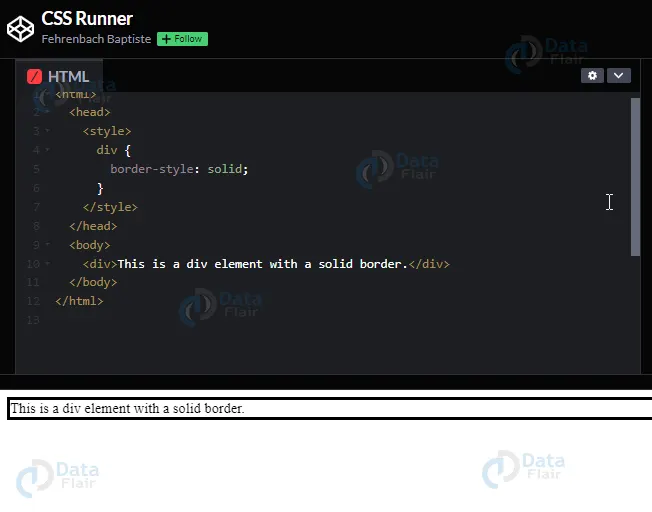
1. border-style: specifies the style of the border, such as solid, dotted, or dashed.
Example:
<html>
  <head>
    <style>
      div {
        border-style: solid;
      }
    </style>
  </head>
  <body>
    <div>This is a div element with a solid border.</div>
  </body>
</html>
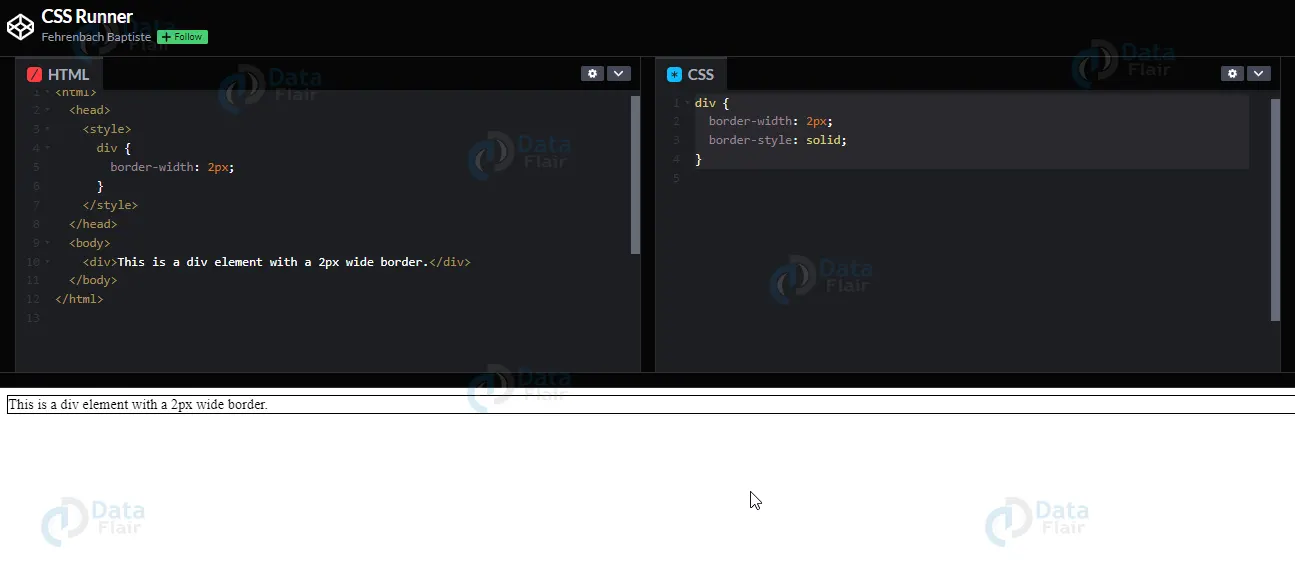
2. border-width: specifies the width of the border.
Example:
<html>
  <head>
    <style>
      div {
        border-width: 2px;
      }
    </style>
  </head>
  <body>
    <div>This is a div element with a 2px wide border.</div>
  </body>
</html>
style.css
div {
  border-width: 2px;
  border-style: solid;
}
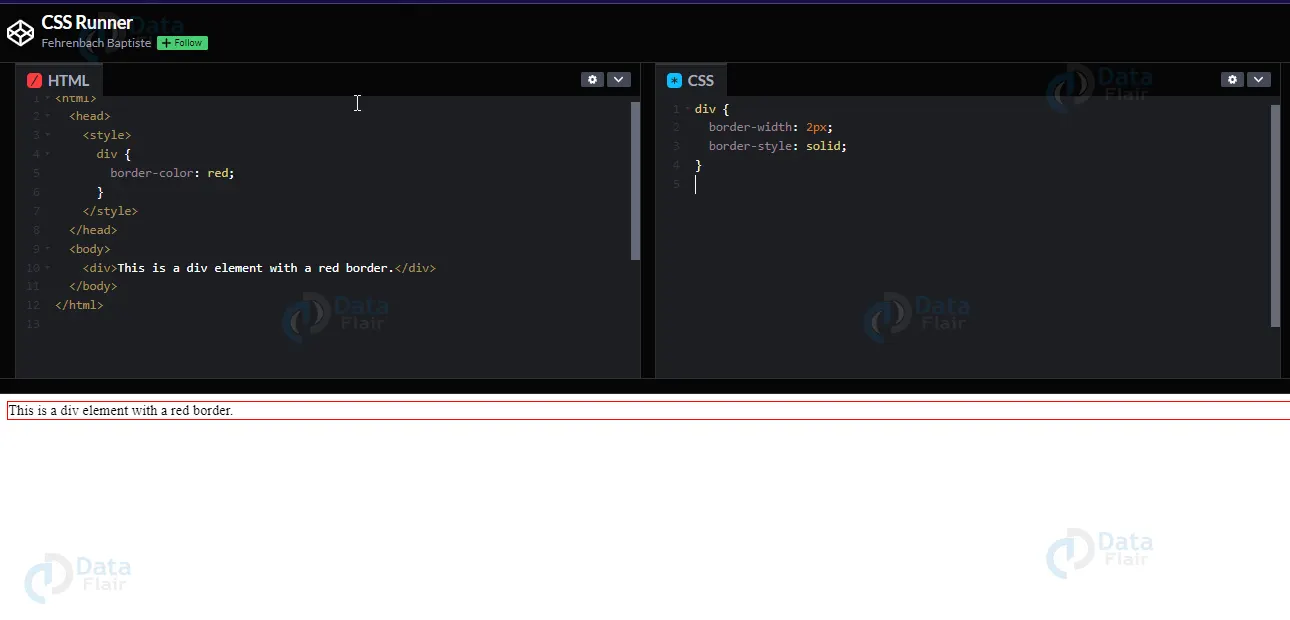
3. border-color: specifies the color of the border.
Example:
<html>
  <head>
    <style>
      div {
        border-color: red;
      }
    </style>
  </head>
  <body>
    <div>This is a div element with a red border.</div>
  </body>
</html>
style.css
div {
  border-width: 2px;
  border-style: solid;
4. border-top: sets the style, width and color of the top border.
Example:
<html>
  <head>
    <style>
      div {
        border-top: 2px solid red;
      }
    </style>
  </head>
  <body>
    <div>This is a div element with a 2px wide, solid red top border.</div>
  </body>
</html>

5. border-right: sets the style, width and color of the right border.
Example:
<html>
  <head>
    <style>
      div {
        border-top: 2px solid red;
      }
    </style>
  </head>
  <body>
    <div>This is a div element with a 2px wide, solid red right border.</div>
  </body>
</html>

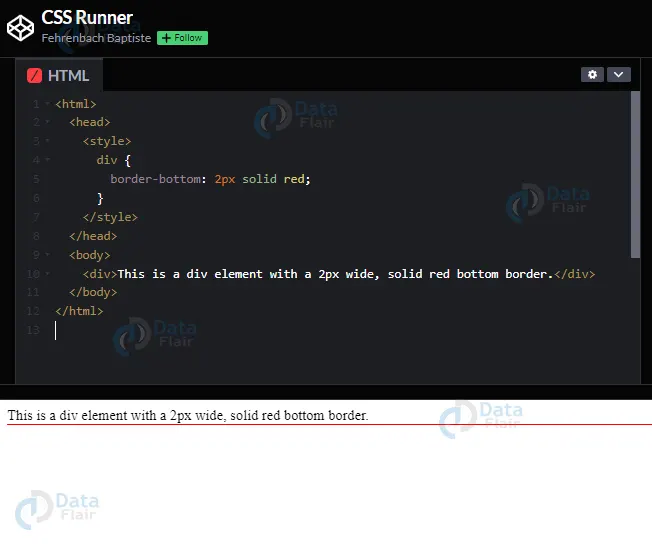
6. border-bottom: sets the style, width and color of the bottom border.
Example:
<html>
  <head>
    <style>
      div {
        border-bottom: 2px solid red;
      }
    </style>
  </head>
  <body>
    <div>This is a div element with a 2px wide, solid red bottom border.</div>
  </body>
</html>
7. border-left: sets the style, width and color of the left border.
Example:
<html>
  <head>
    <h1>Welcome to DataFlair</h1>
    <style>
      div {
        border-left: 2px solid red;
      }
    </style>
  </head>
  <body>
    <div>This is a div element with a 2px wide, solid red left border.</div>
  </body>
</html>

8. border-radius: sets the roundness of the border.
Example:
<html>
  <head>
    <style>
      div {
        border-radius: 10px;
      }
    </style>
  </head>
  <body>
    <div>This is a div element with 10px round corner border.</div>
  </body>
</html>

9. border-image: sets the image for the border.
Example:
<html>
  <head>
    <style>
      div {
        border-image: url("border.png") 30 30 stretch;
      }
    </style>
  </head>
  <body>
    <div>This is a div element with an image border taken from "border.png" and 30px of width and height.</div>
  </body>
</html>
CSS Border Styles
1. solid: Creates a solid border with a single color and thickness.
2. dotted: Creates a border with small dots separated by the background color.
3. dashed: Creates a border with short dashes separated by the background color.
4. double: Creates a border with two parallel solid lines.
5. groove: Creates a 3D border that appears to be carved into the page, with darker colors on the top and left sides.
6. ridge: Creates a 3D border that appears to be raised from the page, with lighter colors on the top and left sides.
7. inset: Creates a 3D border that appears to be pushed into the page, with darker colors on the bottom and right sides.
8. outset: Creates a 3D border that appears to be popping out of the page, with lighter colors on the bottom and right sides.
9. none: Creates no border at all, which can be useful for overriding inherited border styles.
10. hidden: Creates a border that is invisible, but still takes up space. This can be useful for creating hidden elements that still affect layout.
11. dotted dashed: Creates a border with alternating dots and dashes.
12. solid double: Creates a border with a solid line on the inside and outside, and two parallel lines in the middle.
13. groove ridge: Creates a 3D border that alternates between a groove and a ridge, giving a zigzag appearance.
14. ridge groove: Creates a 3D border that alternates between a ridge and a groove, giving a zigzag appearance.
15. ridge outset: Creates a 3D border that appears to be popping out of the page, with lighter colors on the top and left sides and darker colors on the bottom and right sides.
16. inset outset: Creates a 3D border that appears to be pushed into the page on the top and left sides, and popping out on the bottom and right sides.
17. hidden double: Creates a border that is invisible, but still takes up space, and also adds a second border that is visible.
18. dashed dotted: Creates a border with alternating dashes and dots.
Conclusion
So we can say that CSS border property can be applied to all HTML elements, including text, images, and tables. The border width can be set in pixels, ems, or percentages, and the style can be set to solid, dotted, dashed, double, groove, ridge, inset, or outset.
If you are Happy with DataFlair, do not forget to make us happy with your positive feedback on Google





