
How to Build Web Forms with Flask WTF?
We offer you a brighter future with industry-ready online courses - Start Now!!
In this article, we will learn about Flask WTF. Let’s start!!
What is Flask WTF?
A vital component of contemporary web applications is web forms. Web forms are the main method users engage with online services, ranging from straightforward login forms to intricate, multi-step workflows. However, creating and verifying online forms may be time-consuming and difficult, especially if you’re working with a basic web framework like Flask.
A Flask add-on called Flask WTF offers a simple interface for creating and verifying online forms. Developers may quickly and easily design strong and user-friendly online forms using Flask-WTF. WTF stands for WT Forms, which aims to give users an interactive user interface. The WTF is a flask built-in module that offers an alternate method for creating forms in Flask web apps.
Flask-WTF is based on the WTForms library, a sophisticated and adaptable Python toolkit for building and verifying web forms. Flask-WTF is a powerful tool that provides security capabilities to defend against frequent web form attacks like CSRF. It also offers a connection with WTForms that streamlines the creation and presentation of web forms.
Flask-WTF can assist you in quickly creating reliable and user-friendly web forms, regardless of whether you are an experienced Flask developer or are just getting started with web development. If you’re looking for an easy way to implement secure web forms in your Flask application, Flask-WTF is an excellent option to consider. You should have a solid understanding of Flask-functionality WTFs and how to use them to create robust web apps by the time you finish reading this tutorial.
In this article, we’ll examine Flask WTF features and demonstrate how to use it to create robust and secure web applications. We’ll talk about things like building forms, checking user input, and showing error messages. Additionally, we’ll go through Flask-WTF best practices, including how to avoid CSRF attacks and how to manage form submission in a Flask view function.
Why is Flask-WTF useful?
A few reasons why Flask is a good tool for building web forms are:
1. Simplifies form handling: By offering a simple interface for building and presenting forms, Flask-WTF makes the process of developing and validating web forms easier. Developers don’t have to worry about the nitty-gritty of low-level form management; they can concentrate on making user-friendly forms.
2. Integration with WTForms: The foundation of Flask-WTF is the WTForms library, a flexible and potent Python toolkit for building and verifying online forms. It is simple to utilize WTForms with Flask thanks to Flask-connection WTFs with WTForms.
3. Easy to customize: With many options for altering form fields, validation, and rendering, Flask-WTF is simple to configure. This enables you to design forms that blend in with the overall style of your web application.
4. Security Features: Security features in Flask-WTF guard against typical web form threats like CSRF (Cross-Site Request Forgery). Developers don’t need to be concerned about developing these security features independently. They are already included in the Flask-WTF extension.
5. Large Community: There is a sizable and vibrant community of developers working on Flask-WTF who contribute to the project, offer support, and produce helpful extensions. This group ensures Flask-WTF is a dependable and up-to-date utility for creating online forms in Flask.
Installing Flask-WTF
Flask-WTF installation is simple to complete and just requires a few simple steps:
1. If you haven’t already, you’ll need to install Flask first. Pip, the Python package manager, can be used to accomplish this:
pip install flask
2. After installing Flask, you can also use pip to install Flask-WTF:
pip install flask-wtf
3. That’s it! Now that Flask-WTF has been installed, your Flask application is ready to use it.
It’s important to remember that Flask-WTF depends on the WTForms library, therefore installing Flask-WTF also installs that library for you.
You may now begin creating online forms in Flask by installing Flask-WTF. We’ll examine how to use Flask-WTF to develop a straightforward form in the following section.
Creating a Simple Form using Flask-WTF
How to write the code for a straightforward form using Flask:
1. Add the required libraries in the Python file:
from flask import Flask, request, render_template
from flask_ngrok import run_with_ngrok
To build a web application, use the Flask library. To handle HTTP requests, use request and to generate an HTML template, use render template. The Flask app is made available from a public URL by building a tunnel with the flask ngrok package.
2. Enable the use of ngrok and create a Flask app object:
app = Flask(__name__)
run_with_ngrok(app)
The __name__ option is used to specify the name of the web application’s module when creating a new Flask web application. The Flask application is made accessible from a public URL by running with ngrok.
3. Set up a path for the form to appear:
@app.route('/')
def index():
    return render_template('form.html')
A new route is made using the @app.route decorator. The route is now set to “/,” which is the root URL. When a user accesses this URL, the index function is run. The form.html template is rendered using a render template.
4. Establish a process for handling form submissions:
@app.route('/submit', methods=['POST'])
def submit():
    name = request.form['name']
    email = request.form['email']
    return f'Thanks for submitting the form, {name}! We will send an email to {email}.'
This route is configured to go to the URL ‘/submit,’ which is where the form will be submitted. The methods option is set to “POST” to indicate that a POST request will be used to submit the form’s data. When a form is submitted, the submit function is used. The values of the form inputs are retrieved from the request.form object and utilise it to build the response message.
5. The HTML code for the form should be added to the form.html file that you create in the same directory as your notebook:
<!DOCTYPE html>
<html>
  <head>
    <title>Simple Form</title>
  </head>
  <body>
    <h1>Simple Form</h1>
    <form action="/submit" method="post">
      <label for="name">Name:</label>
      <input type="text" name="name" id="name"><br><br>
      <label for="email">Email:</label>
      <input type="email" name="email" id="email"><br><br>
      <input type="submit" value="Submit">
    </form>
  </body>
</html>
The design and functionality of the form are specified by this HTML code. When a user clicks the submit button, the action property of the <form> element is set to “/submit,” indicating that the form data will be sent to the /submit URL.
6. Run the Flask app:
app.run()
This command launches the Flask application and uses ngrok to make it reachable from a public URL. The output ought to contain a URL that you can use to open the form in your web browser.
Output:
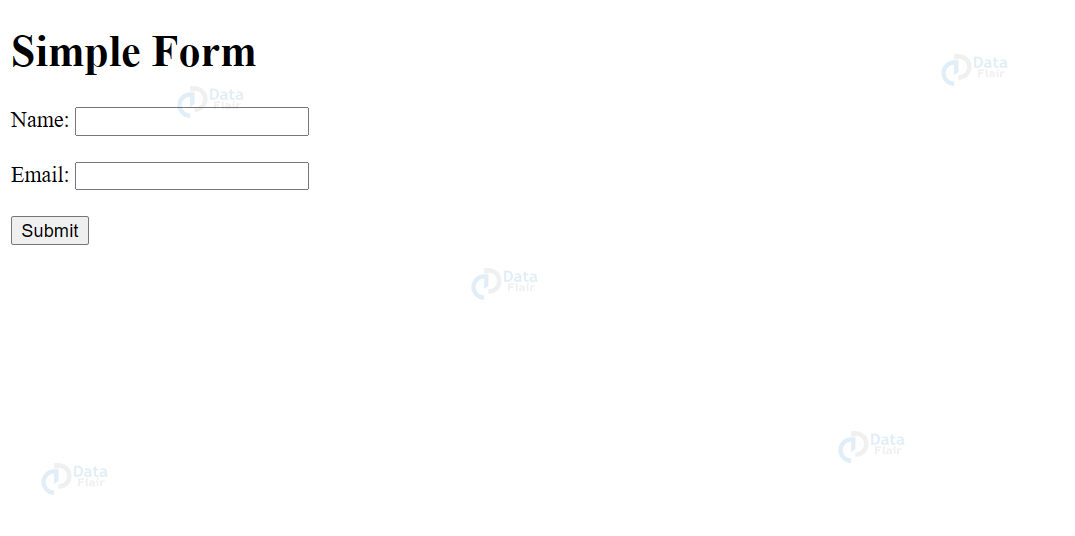
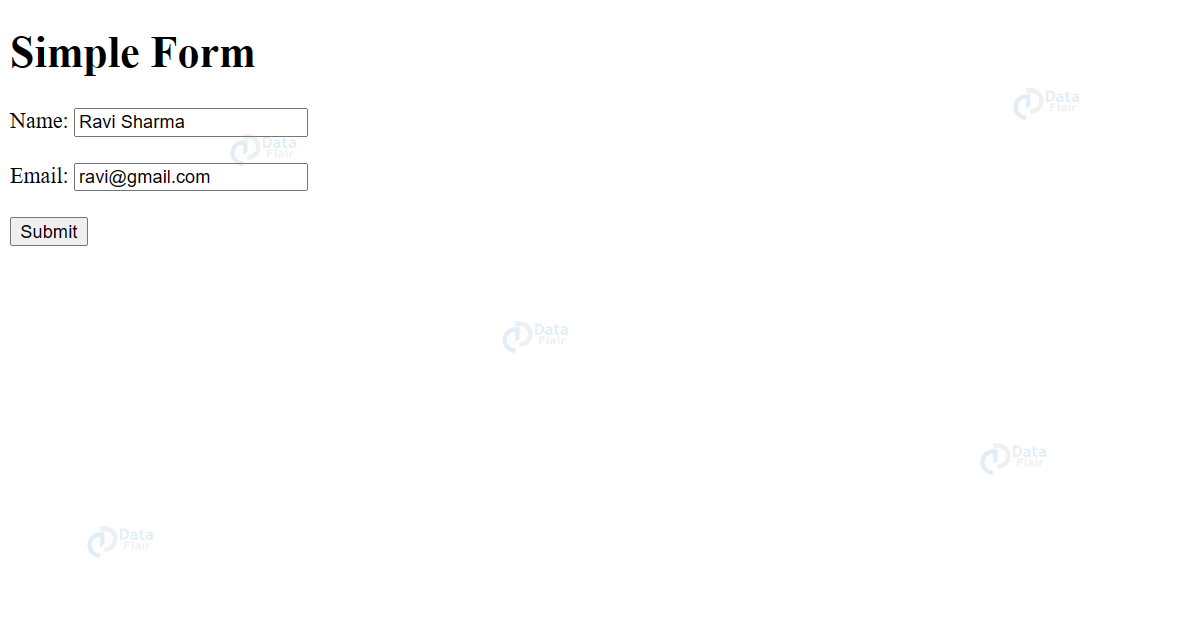
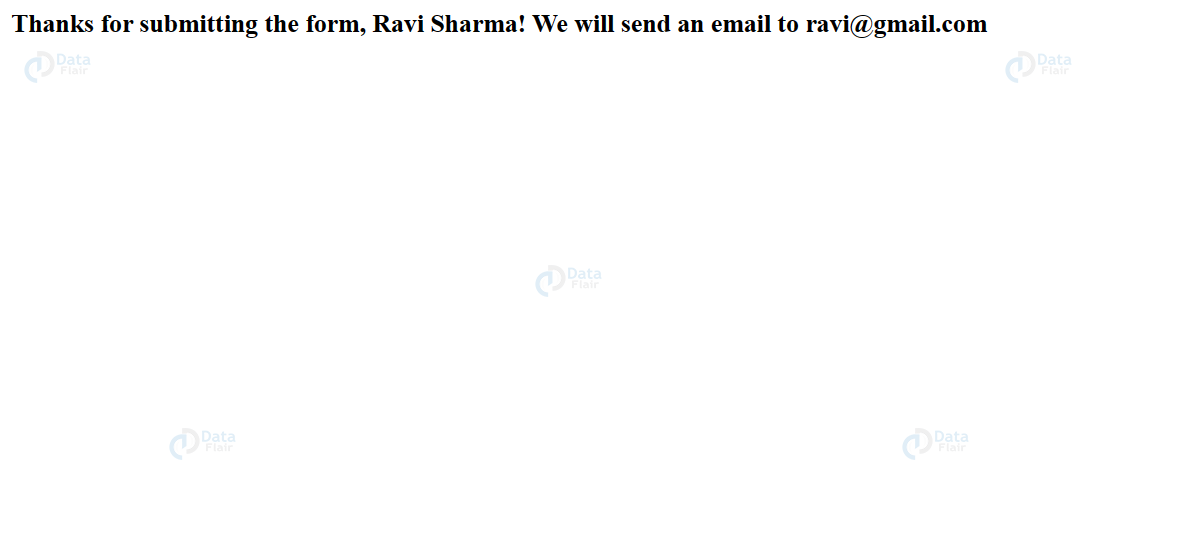
The result of the aforementioned Flask code would be a web form where users could enter their name and email address and send that data to the server via an HTTP POST request. The Flask application would receive the data once the user submits the form and print a message to the console confirming that the data was received.
By launching a web browser and going to the address http://localhost:5000/, you will be able to access the form if everything is configured properly and the code is free of problems. After entering your name and email address and pressing the “Submit” button, a message letting you know that the information was received should appear in the console.
Validating Form Data
Flask-WTF also has built-in support for verifying form data, which is a significant feature. When users submit a form, Flask-WTF instantly validates the information in accordance with the specifications laid out in the form class. This can involve verifying email addresses, making sure that required fields are not empty, and ensuring that passwords adhere to specified standards. I
f the user’s input is invalid, Flask-WTF can additionally display validation error messages to them. This decreases the possibility of data errors or inconsistencies. It makes it much simpler for developers to make sure their web applications are gathering accurate and consistent data from users. Developers can focus on more crucial elements of their web applications by using Flask-WTF to handle form validation.
Here’s a straightforward illustration of how Flask-WTF could be used to verify a straightforward contact form:
from flask import Flask, render_template, request, redirect, url_for
from flask_wtf import FlaskForm
from wtforms import StringField, TextAreaField, SubmitField
from wtforms.validators import DataRequired, Email

app = Flask(__name__)
app.config['SECRET_KEY'] = 'supersecretkey'

class ContactForm(FlaskForm):
    name = StringField('Name', validators=[DataRequired()])
    email = StringField('Email', validators=[DataRequired(), Email()])
    message = TextAreaField('Message', validators=[DataRequired()])
    submit = SubmitField('Send')

@app.route('/', methods=['GET', 'POST'])
def contact():
    form = ContactForm()
    if form.validate_on_submit():
        # Do something with the form data, such as send an email
        return redirect(url_for('success'))
    return render_template('contact.html', form=form)

@app.route('/success')
def success():
    return 'Thanks for contacting us!'

if __name__ == '__main__':
    app.run()
We define a ContactForm class in this example that has three fields: name, email, and message. There is a validator for each field that makes sure the email address is correct and that it is not empty. There is a submit button as well.
We make an instance of the form and feed it to the template in the contact() function. Form.validate on submit() validates that the form data is valid in accordance with the guidelines specified in the form class before the user submits the form. If the data is accurate, we might use it to send an email or for another purpose, and we’ll direct the user to a success page. We just render the form again with any visible validation error messages if the data is invalid.
Protection Against CSRF Attacks
The built-in defence against Cross-Site Request Forgery (CSRF) attacks is one of Flask-core WTF’s features. Attackers can take advantage of this security flaw to deceive users into taking activities on a website that they did not plan to take. A CSRF token is a method that Flask-WTF uses to defend against these kinds of attacks.
When a form is submitted, Flask-WTF creates a special token and inserts it into the form’s data. The token is checked on the server after submission to make sure it matches the intended value. The server will refuse the request if the token is absent or invalid, thwarting the attack.
Conclusion
To sum up, Flask-WTF is a strong utility that makes it easier to create and manage web forms in Flask. Flask-WTF enables developers to easily create dependable and powerful online applications by offering a clear and simple interface for creating forms as well as built-in validation and security measures.
The fundamentals of utilizing Flask-WTF were addressed in this article, along with instructions on how to install the library, make and verify forms, and execute applications in VS Code and Jupyter Notebook. There is still a lot to learn. Therefore, we advise users to study the documentation for Flask and Flask-WTF for additional details.
Flask-WTF is definitely worth looking into if you’re searching for a quicker and more efficient approach to managing online forms with Flask. It can help you construct strong and secure online apps in less time, and with less fuss, thanks to its user-friendly API and rich feature set.
Did you like our efforts? If Yes, please give DataFlair 5 Stars on Google





