
CSS ID vs Class – Uncover the Difference
Full Stack Web Development Courses with Real-time projects Start Now!!
HTML IDs and Classes are used to select and style specific elements within an HTML document. Understanding their use and implementation is crucial in creating well-structured, maintainable websites.
HTML IDs:
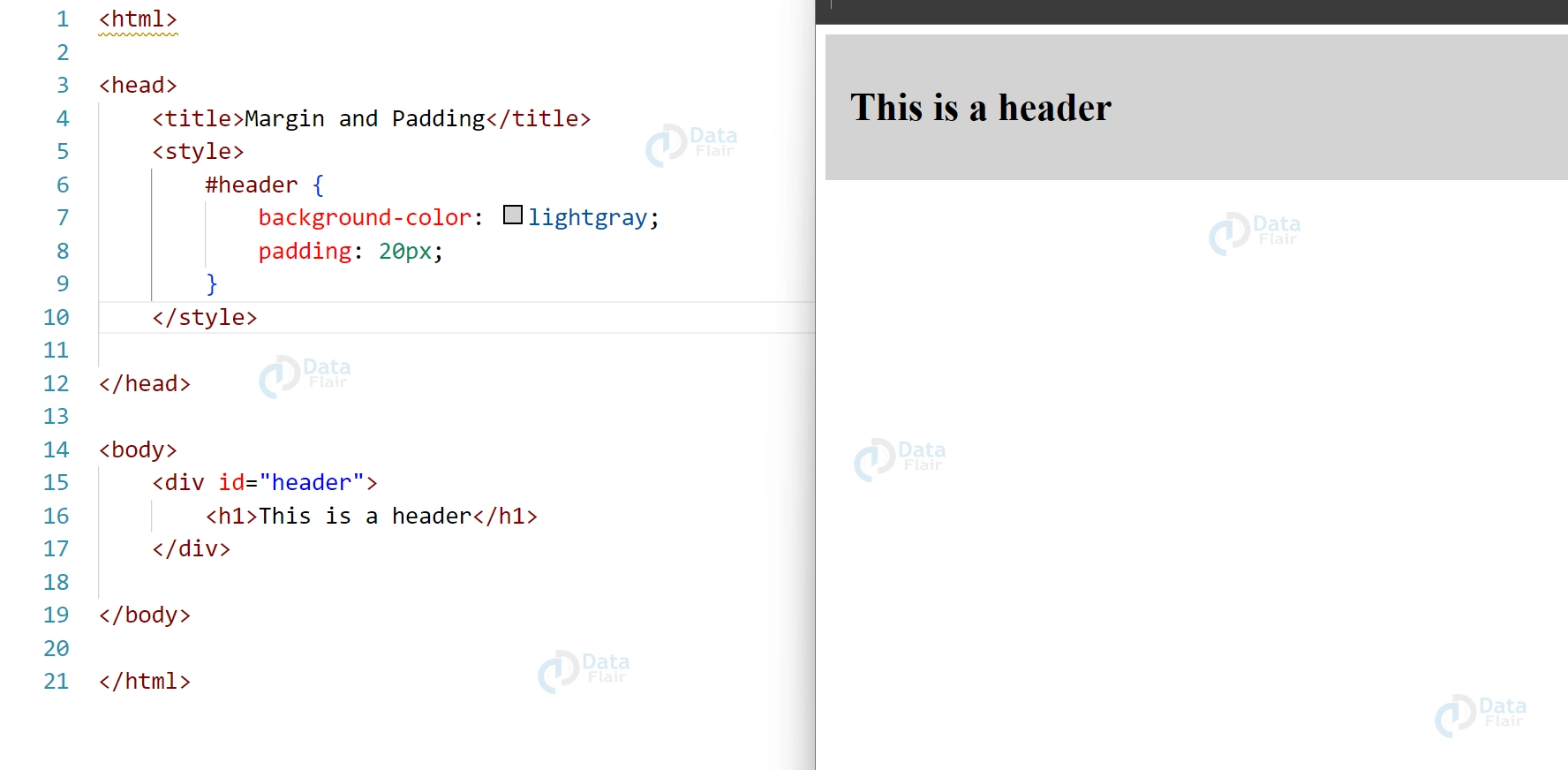
ID’s are unique to each element on a page and can be used to select a specific element to apply styles. These are defined using the id attribute and are preceded by a “#” in CSS selectors.
There can only be one element on a page a Specific ID.
<div id="header">
    <h1>This is a header</h1>
  </div>

  <style>
    #header {
      background-color: lightgray;
      padding: 20px;
    }
  </style>
HTML Classes:
Classes, on the other hand, can be used to select multiple elements and apply styles to them. These are defined using the class attribute and are preceded by a “.” in CSS selectors.
A page can include many components with the same class.
<p class="highlight">This is a highlight paragraph.</p>
<p class="highlight">This is another highlight paragraph.</p>

<style>
  .highlight {
    background-color: yellow;
    padding: 10px;
  }
</style>

Tips for using HTML IDs and Classes:
1. Use IDs for unique elements: IDs should be used when you want to select a specific, unique element on a page and apply styles to it.
2. Limit the use of IDs: Overuse of IDs can result in overly specific selectors and make it difficult to maintain your styles in the future.
3. Use Classes for reusable styles: Classes are great for selecting multiple elements and applying the same styles to them. This is useful when you want to apply the same styles to multiple elements on a page.
4. Name Classes and IDs meaningfully: Naming your IDs and Classes meaningfully makes it easier to understand the purpose of the selectors and styles in your code.
5. Be consistent: Be consistent with your naming conventions, whether it’s camelCase, snake_case or kebab-case.
6. Don’t use Classes and IDs as JavaScript selectors: It’s best practice to use data attributes or classes specifically for JavaScript purposes, rather than relying on the same classes for styling and JavaScript.
7. Use Classes for state-based styling: Classes are great for applying styles to elements based on the state of the element. For example, you can use a class to highlight an active menu item.
HTML ID vs Class:
| HTML IDs | HTML Classes |
| Unique to each element on a page | Can be used to select multiple elements |
| Defined using the “id” attribute | Defined using the “class” attribute |
| Preceded by a “#” in CSS selectors | Preceded by a “.” in CSS selectors |
| There can only be one element on a page a Specific ID. | Multiple elements on a page can have the same class |
| Used to select a specific, unique element on a page | Used to select multiple elements and apply styles to them |
Which Should You Choose between ID and Class in CSS?
HTML ID and HTML class are both attributes used to identify and target specific elements in an HTML document, but they have different purposes and uses.
An HTML ID attribute is used to uniquely identify a specific element within an HTML document. Each element can have only one ID, and that ID must be unique within the entire document. ID is typically used when you need to identify a specific element to style it or manipulate it with JavaScript.
On the other hand, an HTML class attribute is used to group elements that share a common set of styles or behaviors. You can assign the same class to multiple elements, and elements can have multiple classes. Classes are commonly used to style similar elements or to target them with JavaScript.
You should choose HTML ID when you need to uniquely identify a specific element in your HTML document, and HTML class when you need to group elements that share common styles or behaviors. It’s worth noting that it’s generally best practice to use classes over IDs for styling purposes, as it allows for more flexible and reusable code.
There are similarities as well as differences between both IDs and classes in the development of web projects, and the differential is relative to the requirements of the project in question. For instance, if there is part of a web page that is somehow different from the rest and it should be treated as such when styling the page or for the actions to be taken by the browser, it is useful to use an ID. However, if there is a tendency for several elements to have similar styles, assigning them a class does it more efficiently, and thus, is less redundant.
Furthermore, one has to know about the specificity hierarchy in CSS. Specificity of selectors is higher with IDS than with classes; that is why, the styles given via IDS will override the same styles given via classes if there are both. This makes classes more general for styling purposes in a class while IDs are for more unique styling where use of an ID is required.
Conclusion
HTML IDs and Classes are two important tools for selecting and styling elements in an HTML document. Understanding their differences and appropriate uses is key to creating well-structured, maintainable websites.
You give me 15 seconds I promise you best tutorials
Please share your happy experience on Google





