
Internal CSS – All You Need to Know
Full Stack Web Development Courses with Real-time projects Start Now!!
Internal CSS refers to the use of cascading style sheets (CSS) within an HTML document, rather than linking to an external CSS file. Internal CSS allows for quick and easy styling of individual web pages, without the need to make changes to an external file that affects the entire website.
How to use Internal CSS
To use internal CSS, the CSS code is placed within the head section of an HTML document, using the <style> tag. The CSS code is then applied to specific elements within the body of the HTML document, using selectors and declarations.
Selectors are used to specifying which HTML elements the CSS styles will be applied to. For example, a p selector will apply the CSS styles to all <p> elements within the HTML document. Declarations are used to specify the styles that will be applied to the selected elements. For example, a declaration of color: red; will change the color of the text within the selected elements to red.
Uses of Internal CSS
1. It is a useful tool for styling individual web pages without the need to make changes to an external CSS file that affects the entire website.
Here is an example of internal CSS being used to change the background color and font of a webpage:
<html>
  <head>
    <style>
      body {
        background-color: cyan;
        font-family: Arial, sans-serif;
      }
      h1 {
        color: white;
      }
    </style>
  </head>
  <body>
    <h1>Welcome to DataFlair</h1>
    <p>This is an example of internal CSS.</p>
  </body>
</html>
Output
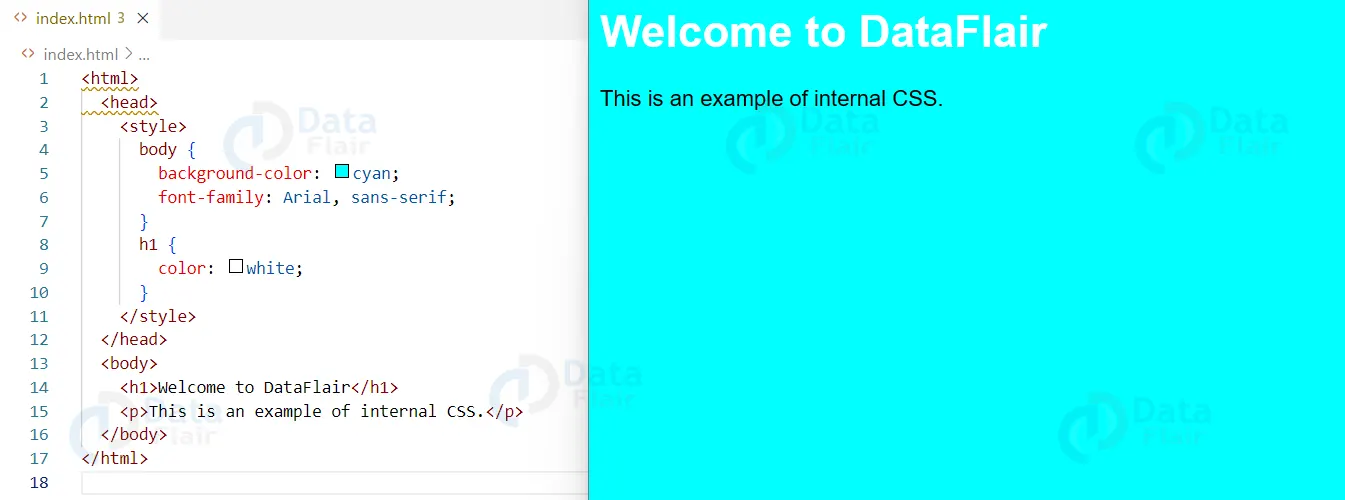
In this example, the CSS code is placed within the <style> tags in the head section of the HTML document. The body selector is used to apply the background color and font to the entire webpage. The h1 selector is used to change the color of the text within the <h1> element.
As a result, when the webpage is loaded in a browser, the background color of the webpage will be light blue and the font will be Arial. The text within the <h1> element will be dark blue.
2. Internal CSS also allows for the use of inline styles, which can be applied directly to individual HTML elements. For example, you can change the color of a single paragraph using the style attribute:
<p style="color: red;">This is a red paragraph</p>
Output
Features of Internal CSS
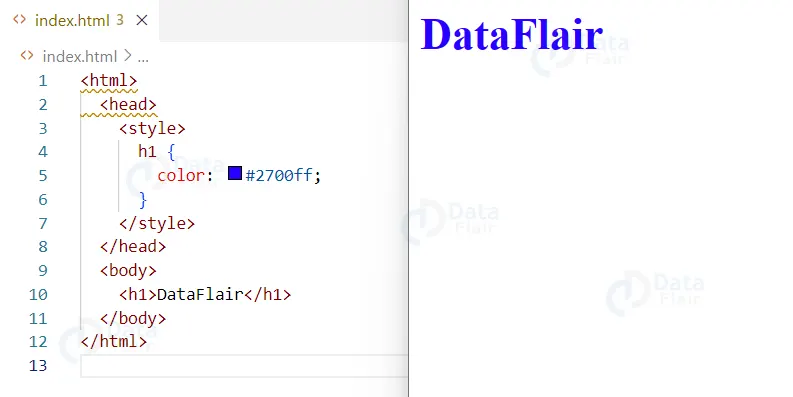
1. Easy to use: Internal CSS is easy to implement and understand, as it is placed directly within the HTML document. This allows for quick and easy styling of individual web pages, without the need to make changes to an external file that affects the entire website.
Example:
<html>
  <head>
    <style>
      h1 {
        color: #2700ff;
      }
    </style>
  </head>
  <body>
    <h1>DataFlair</h1>
  </body>
</html>
Output
2 . Inline styles: Internal CSS allows for the use of inline styles, which can be applied directly to individual HTML elements. This can be useful for making small adjustments to specific elements, without the need to create a new class or id in the CSS.
Example
<p style="color: red;">This is a red paragraph</p>
Output

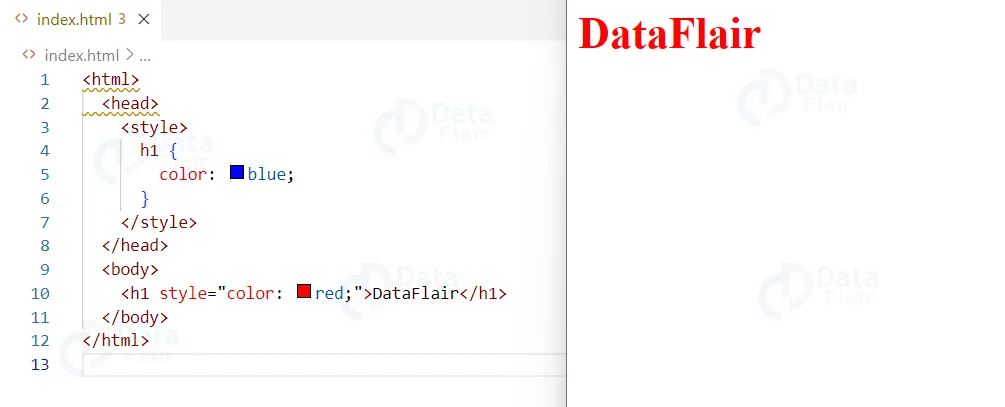
3. Specificity: Internal CSS styles have higher specificity than external CSS styles. This means that if there is a conflict between internal and external styles, the internal styles will take precedence.
Example
<html>
  <head>
    <style>
      h1 {
        color: blue;
      }
    </style>
  </head>
  <body>
    <h1 style="color: red;">DataFlair</h1>
  </body>
</html>
Output

The use of internal CSS has the advantage of enabling changes to be made easily affecting a certain HTML page without making modifications on other HTML pages that are not affected. This kind of selected styling is most beneficial at the development stage or in cases when the styles should be changed from time to time, for example in the creation of prototypes.
However, internal CSS may be less effective than external CSS in particular when it comes to maintaining consistency in a large website. When using external CSS, modifications made to a single CSS file are applied to all the web pages and this saves time besides reducing duplication.
Conclusion
In this article by DataFlair, we can conclude by saying that Internal CSS refers to the use of CSS styles within an HTML document, rather than in a separate file. This allows for specific styling to be applied to a single HTML document, rather than across an entire website. It can be useful for small, simple websites or for creating unique styles for a single page. However, for larger websites with multiple pages, it is generally more efficient to use external CSS styles in a separate file, as this allows for easy maintenance and reusability of styles across multiple pages.
We work very hard to provide you quality material
Could you take 15 seconds and share your happy experience on Google





