


Full Stack Web Development Courses with Real-time projects Start Now!!
CSS (Cascading Style Sheets) is a language used to describe the presentation of a document written in a markup language. One of the main features of CSS is the ability to control the background of elements on a web page. CSS background properties allow developers to set the background color, background image, and other styling options for elements on a web page. In this tutorial, we will learn more about Background Properties in CSS.
Background Properties in CSS
There are several background properties in CSS, including
1. background color:
It sets the background color of an element. Accepts any valid CSS color value (e.g. red, #ff0000, rgb(255, 0, 0)).
Example
<html>
<head>
 <style>
 div {
background-color: gray;
  }
</style>
</head>
<body>
    <div>Welcome to DataFlair</div>
</body>
</html>
Output

2. background-image:
It sets an image as the background of an element. Accepts any valid CSS image value (e.g. url(image.jpg), linear-gradient(…)).
Example
/* CSS */
div {
    background-image: url(image.jpg);
    background-repeat: no-repeat;
    background-position: center;
}
/* HTML */
<div>This div has an image as its background</div>
Output
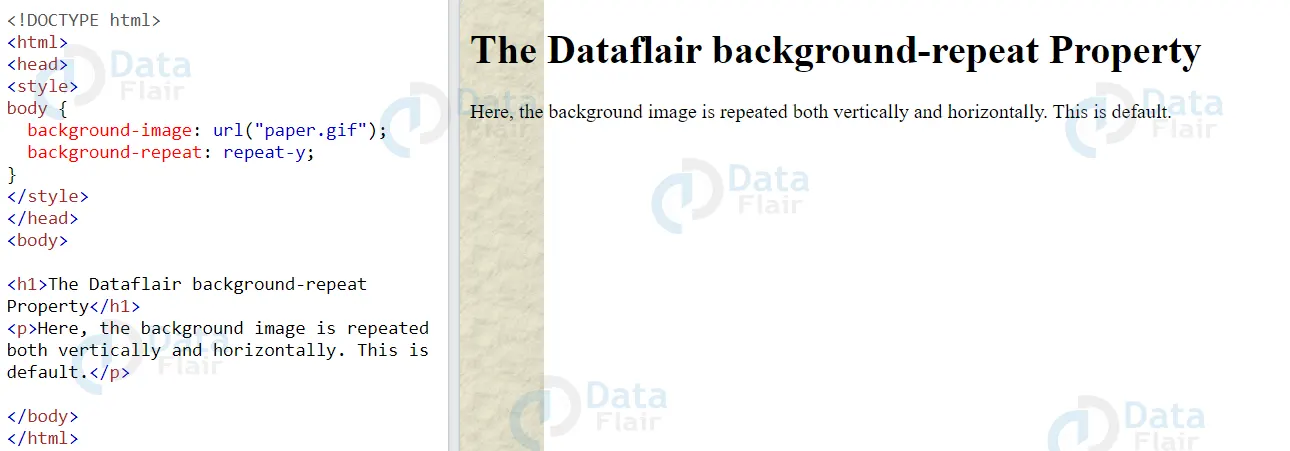

3. background-repeat:
It sets how the background image should be repeated. Can be set to repeat-x, repeat-y, no-repeat, or repeat (the default value).
Example
/* CSS */
div {
    background-image: url(image.jpg);
    background-repeat: repeat-x;
    width: 300px;
    height: 100px;
}
/* HTML */
<div>This DataFlair div has a repeating background image in the x-axis</div>
Output

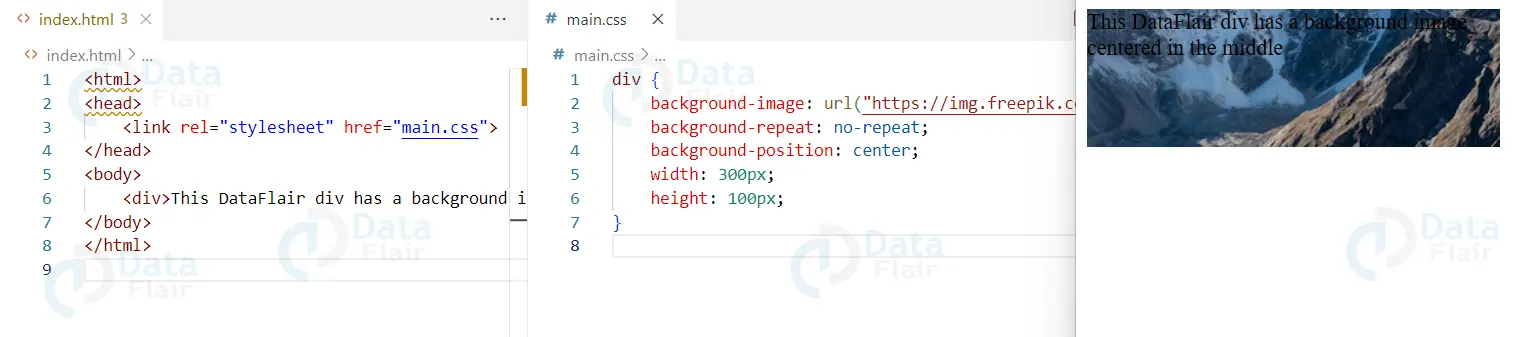
4. background-position:
It sets the position of the background image. Can be set to any valid CSS length value (e.g. center, top left, 10px 20px).
Example
/* CSS */
div {
    background-image: url(image.jpg);
    background-repeat: no-repeat;
    background-position: center;
    width: 300px;
    height: 100px;
}
/* HTML */
<div>This DataFlair div has a background image centered in the middle</div>
Output

5. background-attachment:
It sets whether the background image scrolls with the element or is fix in place. Can be set to scroll (the default) or fix.
Example
/* CSS */
body {
    background-image: url(image.jpg);
    background-repeat: no-repeat;
    background-position: center;
    background-attachment: fixed;
    width: 100%;
    height: 100vh;
}
/* HTML */
<body>
<div>This DataFlair div has a background image that is fixed in place</div>
</body>
Output

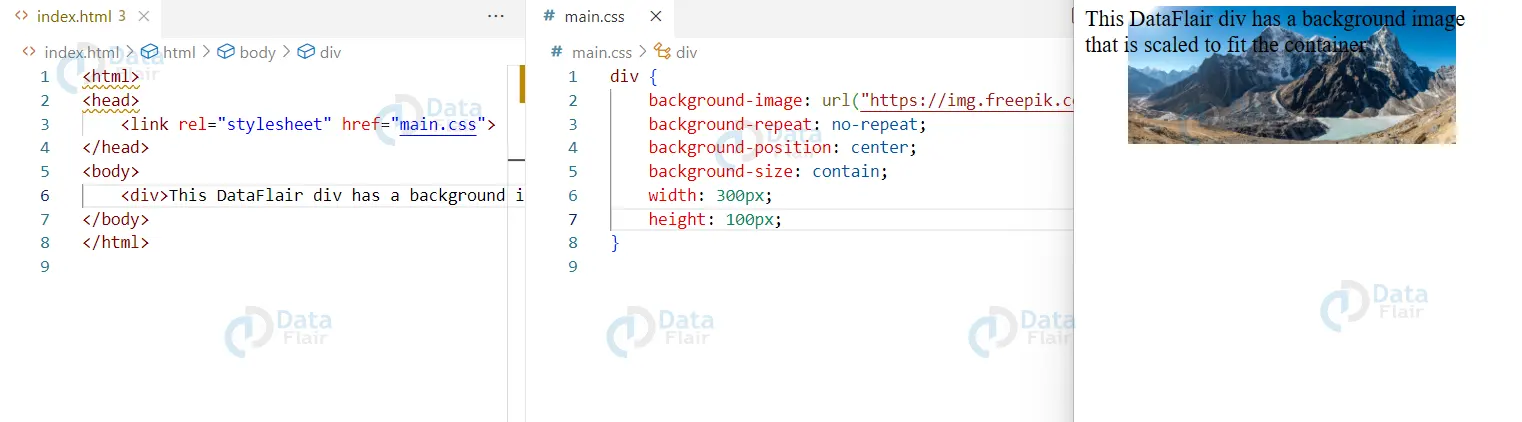
6. background-size:
It sets the size of the background image. Can be set to any valid CSS length value or one of the keywords covered or contain.
Example
/* CSS */
div {
    background-image: url(image.jpg);
    background-repeat: no-repeat;
    background-position: center;
    background-size: contain;
    width: 300px;
    height: 100px;
}
/* HTML */
<div>This DataFlair div has a background image that is scaled to fit the container</div>
7. Using a shorthand property
/* CSS */
div {
    background: blue url(image.jpg) no-repeat center;
}
/* HTML */
<div>This DataFlair div has a blue background with an image in the center that doesn't repeat</div>
Output

8. Background-repeat property:
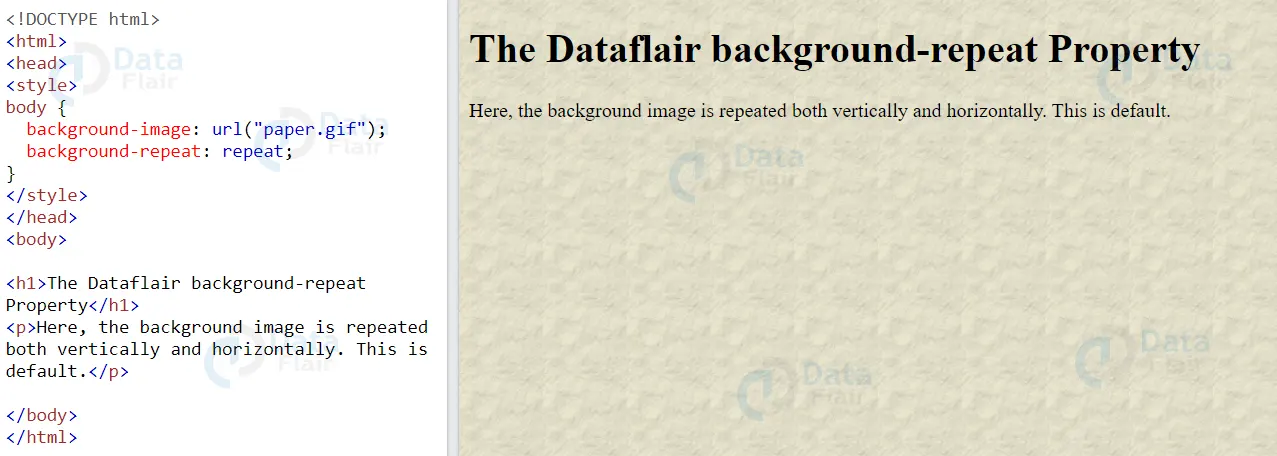
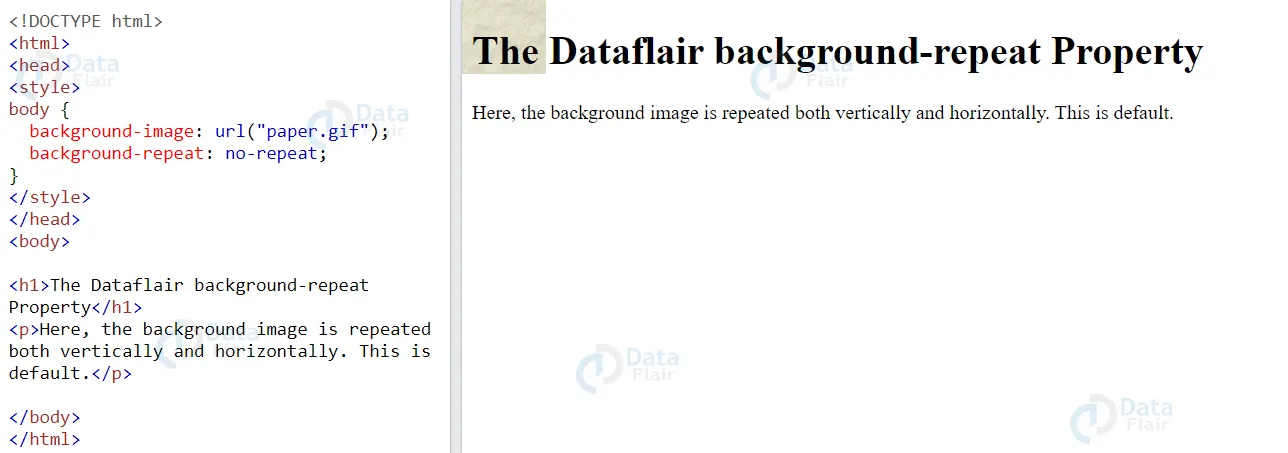
CSS background-repeat property is useful to specify how a background image should repeat.
The property can take on the following values:
- repeat: The image repeats both horizontally and vertically. This is the default value.
- repeat-x: The image repeats only horizontally.
- repeat-y: The image repeats only vertically.
- no-repeat: The image does not repeat and only show once.
An example of using the background-repeat property to repeat an image only horizontally is:
.my-div {
  background-image: url('path/to/image.jpg');
  background-repeat: repeat-x;
}
An example of using the background-repeat property to repeat an image only vertically is:
.my-div {
  background-image: url('path/to/image.jpg');
  background-repeat: repeat-y;
}
Cascaded style sheet background properties provide solutions that if known and properly understood would greatly improve the outlook of a web page. For instance, background-size property enables one to design for different screens since it can dynamically resize images depending on the screen size. Likewise, appropriate utilization of the background-attachment property results in the development of visually appealing effects such as parallax scrolling.
Conclusion
We can conclude by saying that, CSS background properties provide a lot of flexibility in terms of setting background styles for elements on a web page. Overall, by understanding and effectively using CSS background properties, web developers can create visually appealing and polished websites.