


Full Stack Web Development Courses with Real-time projects Start Now!!
CSS is an part of modern web development. By learning CSS, you will be able to style and layout websites in a visually appealing and engaging manner for users. We’ll go over the fundamentals of CSS and show you how to get started writing your own CSS code in this guide.
Prerequisites to Learn CSS
Basic computer literacy, basic software installed, basic knowledge of file management, and HTML fundamentals are required to learn CSS.
Why Learn CSS?
Here are some of the reasons why learning CSS is essential:
1. CSS is a necessary component of front-end web development. It is required if you want to create websites or web applications.
2. CSS enables you to customize the look and feel of websites in ways that HTML cannot. You can use CSS to create a one-of-a-kind and memorable user experience.
3. CSS knowledge is required for many job opportunities in web development. Learning CSS is essential if you want to work in web development.
Setting Up CSS
It is relatively easy to set up a basic HTML and CSS project. You only need a text editor and a web browser. To begin, consider the following:
1. In your preferred text editor, create a new file called “index.html” (e.g., Visual Studio Code, Sublime Text, Atom).
2. Add an HTML document’s basic structure:
<!DOCTYPE html>
<html>
<head>
<title>My Website</title>
</head>
<body>
<h1>Welcome to my website</h1>
<p>This is my first website.</p>
</body>
</html>
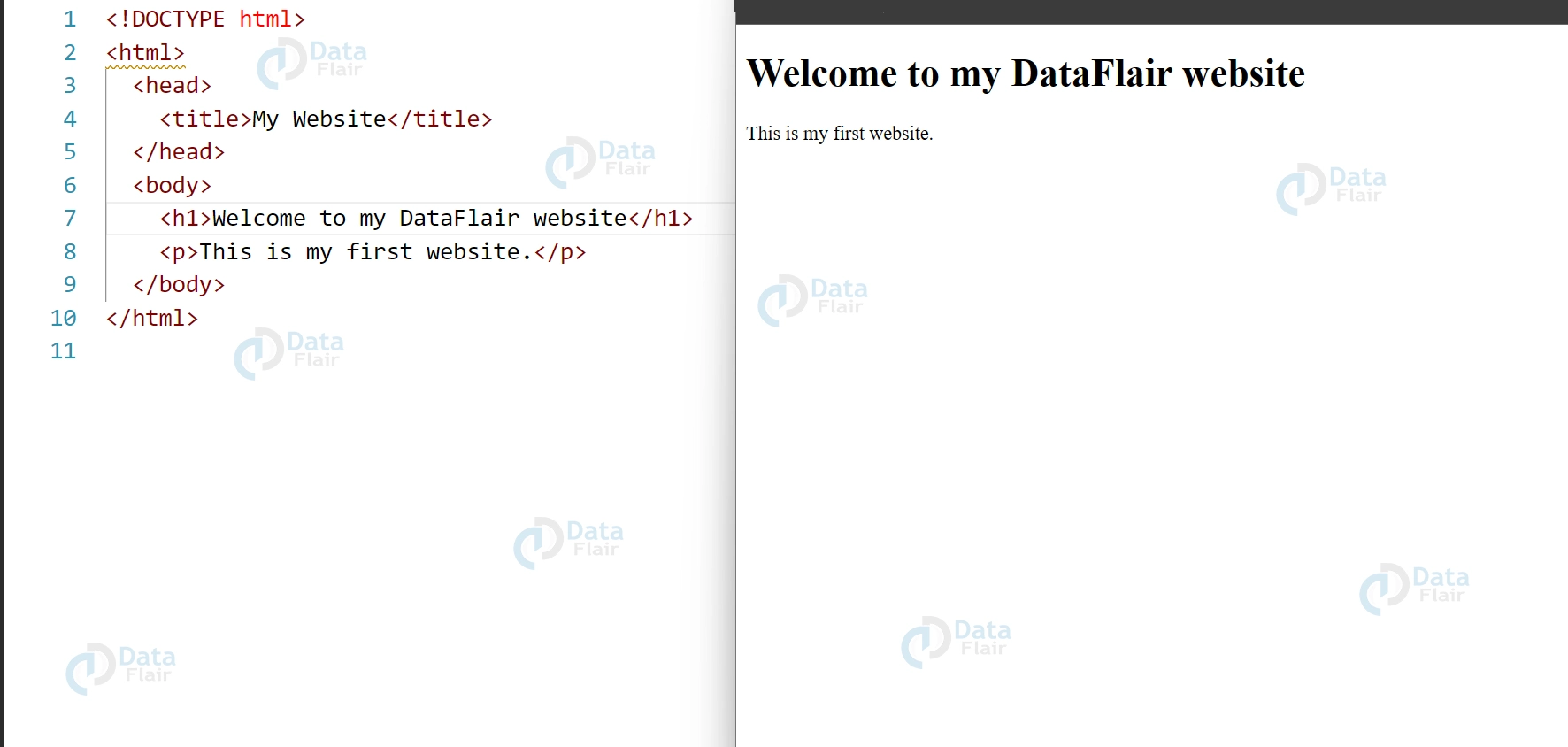
3. Open the file in your web browser after saving it. A blank webpage with the text “Welcome to my website” and “This is my first website” should appear.
First CSS Code
After you’ve created your HTML document, it’s time to write your first CSS code. Follow below steps for the same:
1. Create a new file called “style.css” in the same folder as your “index.html” file.
2. In your “main.css” file, paste the following code:
body {
background-color: #f2f2f2;
font-family: Arial, sans-serif;
color: #333;
}
3. After saving the file, return to your “index.html” file. Include a link to your CSS file in the document’s head section:
<!DOCTYPE html>
<html>
<head>
<title>My Website</title>
<link rel="stylesheet" href="main.css">
</head>
<body>
<h1>Welcome to my website</h1>
<p>This is my first website.</p>
</body>
</html>
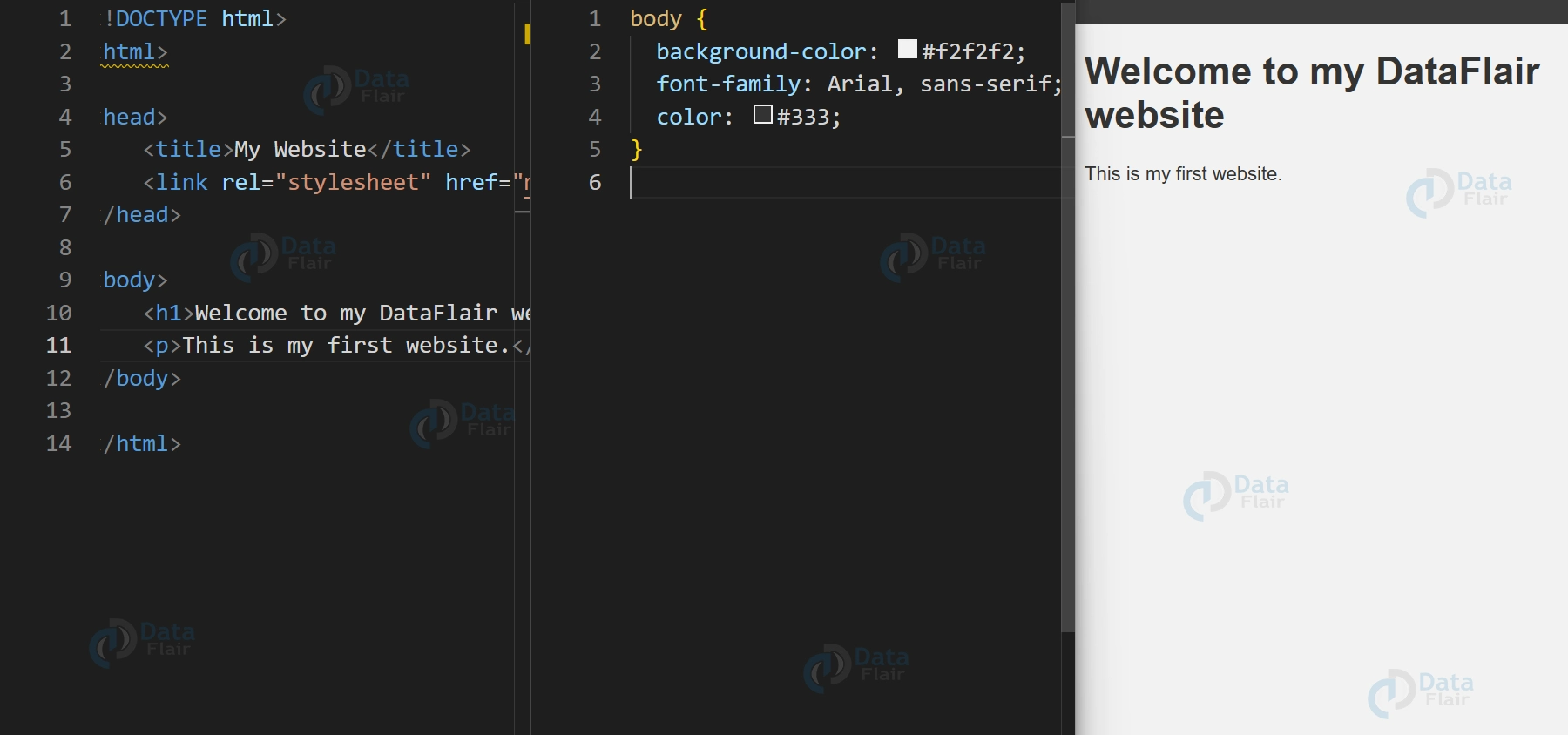
4. Save the file and restart your browser. The page’s background colour has been changed to light grey, and the font family and text colour have been updated.
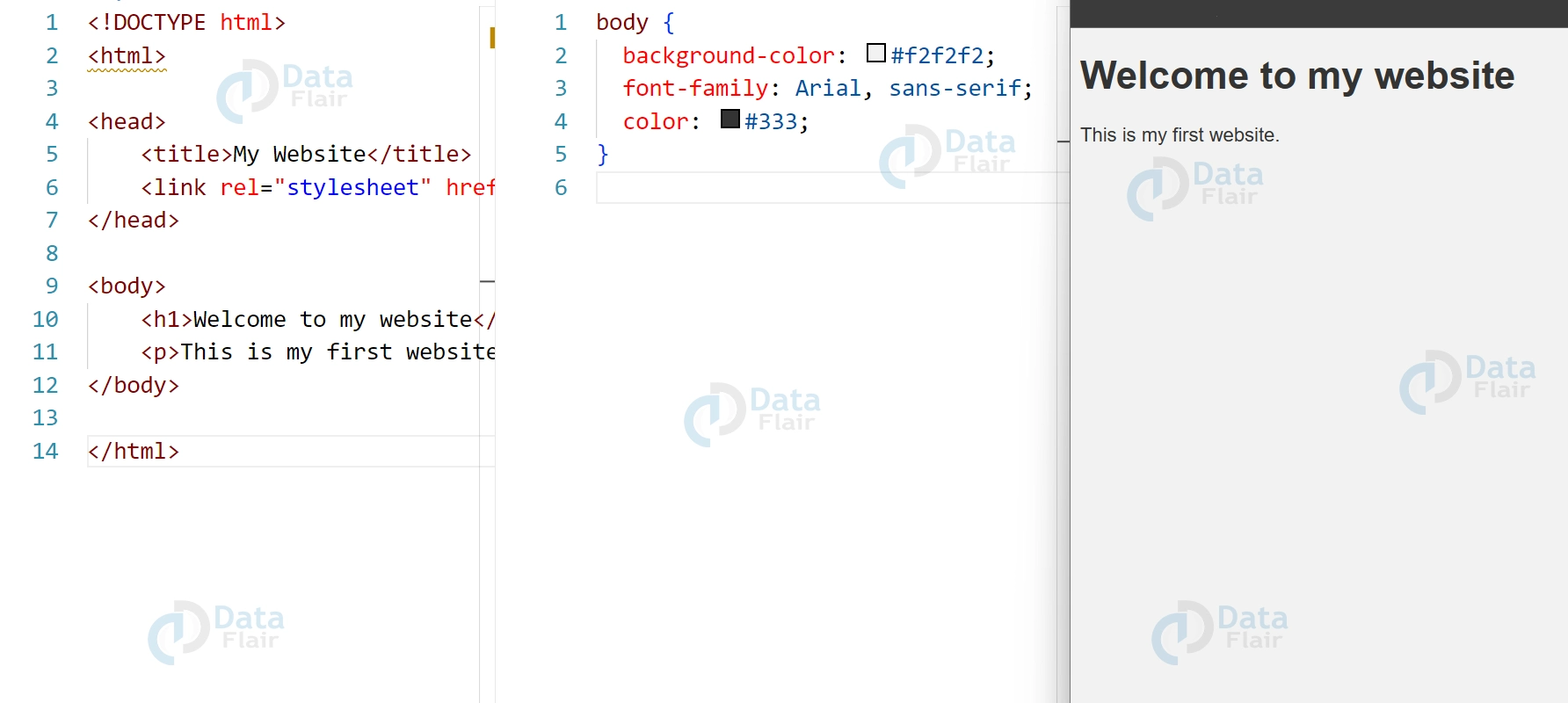
The body selector was used in the preceding code to target the entire webpage. The following CSS properties were used: background-color, font-family, and colour. The background-color property changes the webpage’s background colour to a light grey colour (#f2f2f2), the font-family property changes the font family of the text to Arial or any sans-serif font, and the colour property changes the text colour to a dark grey colour (#333).
How CSS Works?
Now that you’ve written your first CSS code, let’s dig deeper into how CSS works and how to create more complex styles.
1. CSS Selectors
Selectors are used in CSS to target specific HTML elements and style them. Here are a few examples of common selectors:
- Element selector: selects all instances of a particular HTML element (e.g. h1, p, div).
- A class selector is a type of selector that targets all instances of an HTML element with a specific class name (e.g. .my-class).
- ID selector: a selector that targets a specific HTML element with a specific ID name (for example, #my-id).
2. CSS Properties
CSS properties define the visual appearance of HTML elements. Here are a few examples of common CSS properties:
- background-color: specifies the colour of an HTML element’s background.
- colour: specifies the colour of text within an HTML element.
- font-size: controls the size of text within an HTML element.
- padding: the amount of space between an HTML element’s content and its border.
- margin: specifies the amount of space between one HTML element and another.
Here are some more complex CSS code examples:
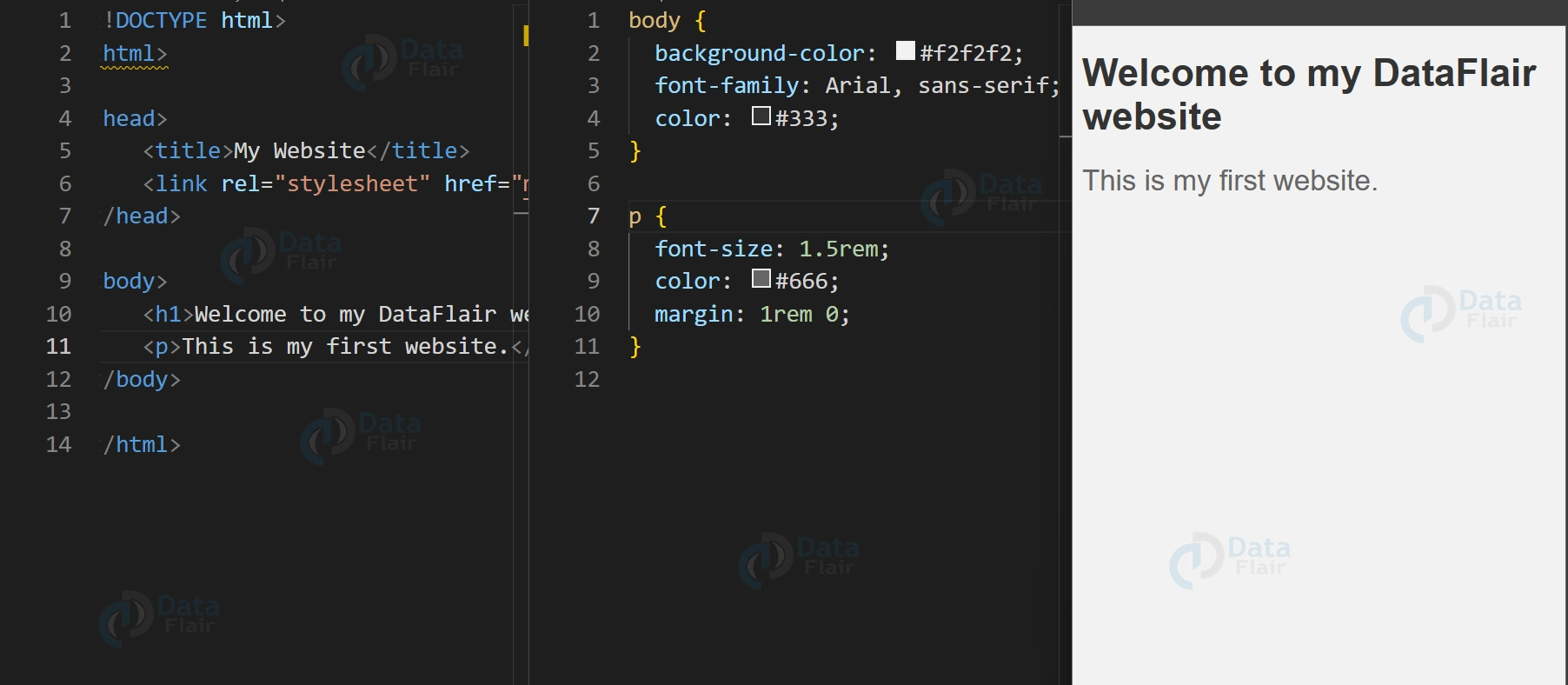
/* targets all instances of the h1 element */
h1 {
font-size: 2rem;
color: #333;
}
/* targets all instances of the p element with the class "intro" */
p.intro {
font-size: 1.5rem;
color: #666;
margin: 1rem 0;
}
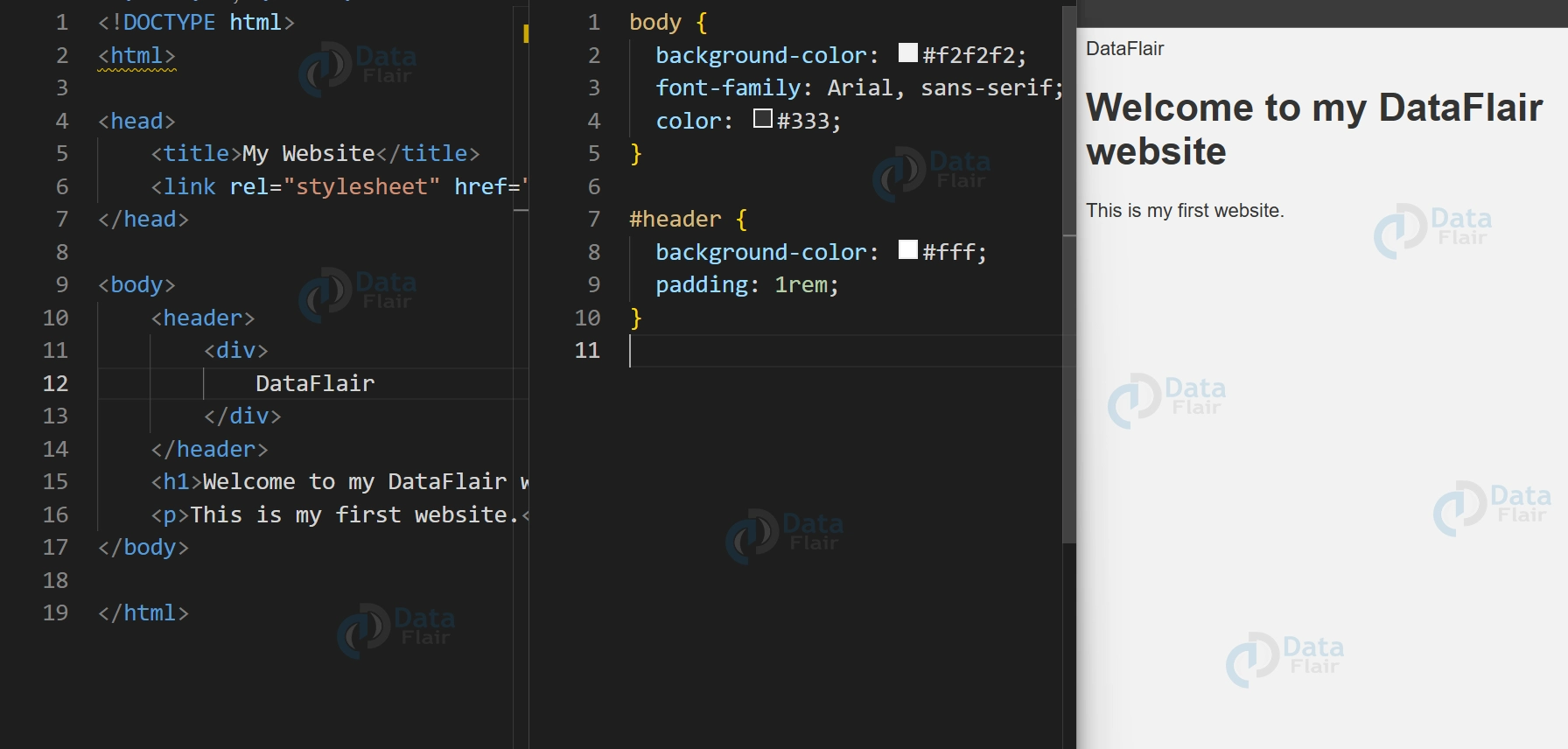
/* targets the HTML element with the ID "header" */
#header {
background-color: #fff;
padding: 1rem;
}
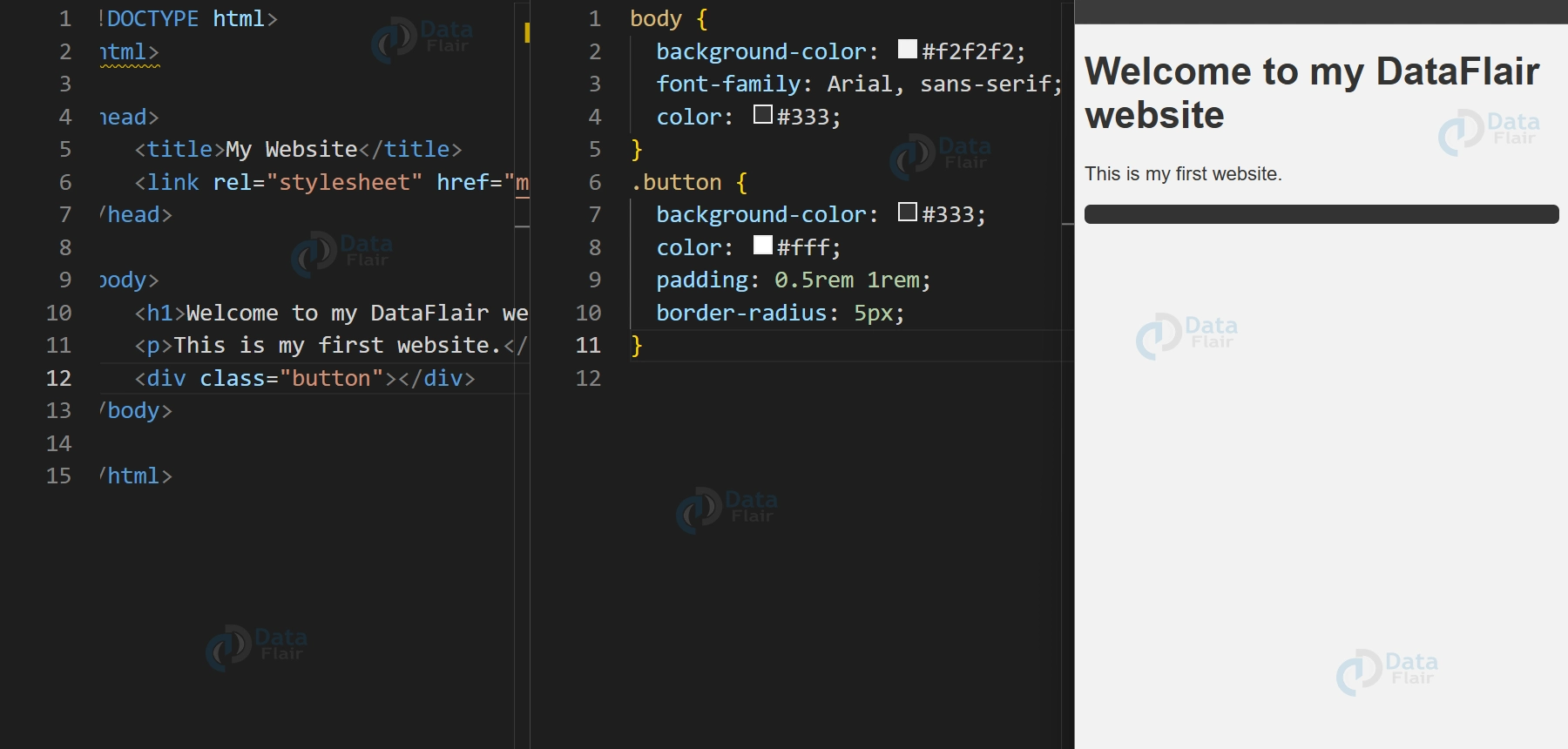
/* targets all instances of the HTML element with the class "button" */
.button {
background-color: #333;
color: #fff;
padding: 0.5rem 1rem;
border-radius: 5px;
}
To style HTML elements, we used various selectors and properties in the code above. For example, we applied a font size of 2rem and a text colour of dark grey to all instances of the h1 element. We also applied the class intro to all instances of the p element and used a font size of 1.5rem, a text colour of light grey, and a margin of 1rem at the top and bottom of the element.
CSS Applications
CSS is used in the following critical applications, which are discussed and listed below:
1. F ast Page Loading:
If we use CSS, we don’t have to mention the HTML element’s attributes every time. We must specify one CSS rule for an element and apply it to all instances of that element. As a result, short codes imply fast download times.
2. Simple Upkeep: To make a global change, we must change the style. Every element on all web pages will be automatically updated.
3. Superior HTML Styles: Because HTML has fewer extended attribute arrays than CSS, we can provide a much better view to our HTML page than HTML attributes.
4. Save time by specifying CSS once and reusing the same sheet across multiple HTML pages. We can define a style for each HTML tag and apply it to as many web pages as we want.
5. Content can be upgraded for one or more device types using the cascading style sheet. Different versions of the website could be made available for various handheld devices such as cell phones and PDAs, as well as for printing.
6. Global Requirements: HTML attributes are no longer recommended for use with CSS, and they are being phased out. As a result, it is preferable to start using CSS in every HTML page to ensure compatibility with future browsers.
CSS is not just for looks, it is a matter of functionality and ergonomics. Essentially, CSS enables developers to have clean and easily manageable code since it differentiates between the content and the design. This is also important for easier updates and proper general formatting across multiple pages or even the entire website.
Additionally, CSS offers much freedom when it comes to design; this is useful in creating designs that are compatible with all the devices, including desktops and mobile phones.
Conclusion
We covered the fundamentals of CSS and demonstrated how to get started writing your own CSS code in this guide. Then we discussed the importance of CSS and how it can assist you in creating visually appealing websites and web applications. We also demonstrated how to make a basic HTML and CSS project and introduced you to some common CSS selectors and properties.
Remember that practice is essential as you continue to learn CSS. Experiment with various layouts and styles, and don’t be afraid to make mistakes. With enough practice and time, you’ll be a CSS expert in no time!