

Get Job-ready: Java Course with 45+ Real-time Projects! - Learn Java
After the Java StringBuffer, you must be curious about StringTokenizer. According to Oracle, StringTokenizer in Java is a class that allows an application to break a string into tokens.
With the help of different StringTokenizer constructors and methods, we can break a string into tokens.
So, what are you waiting for? Let’s start with the introduction.
What is StringTokenizer in Java?
The StringTokenizer class is used for creating tokens in Java. It allows an application to break or split into small parts. Each split string part is called a token.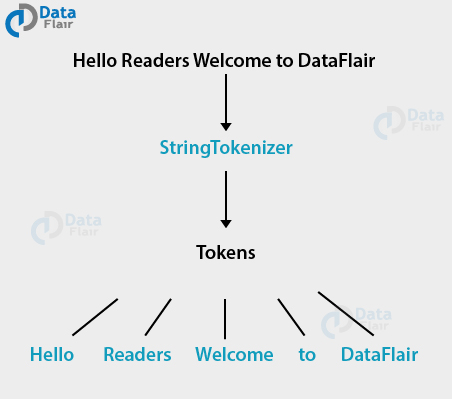
A StringTokenizer in Java is an object that keeps the string in the present position as it is to be tokenized. By taking a substring of the string, a token can return that is utilized to make the StringTokenizer protest.
Wait, do you know String vs StringBuffer vs StringBuilder in Java?
StringTokenizer Constructors
Some constructors are defined to create a token of the string. The StringTokenizer constructors are the built-in constructors. These constructors separate the string based on various conditions. Let’s know the different StringTokenizer constructors.
There are 3 types of Constructors available in Java StringTokenizer, let’s discuss them with their examples-
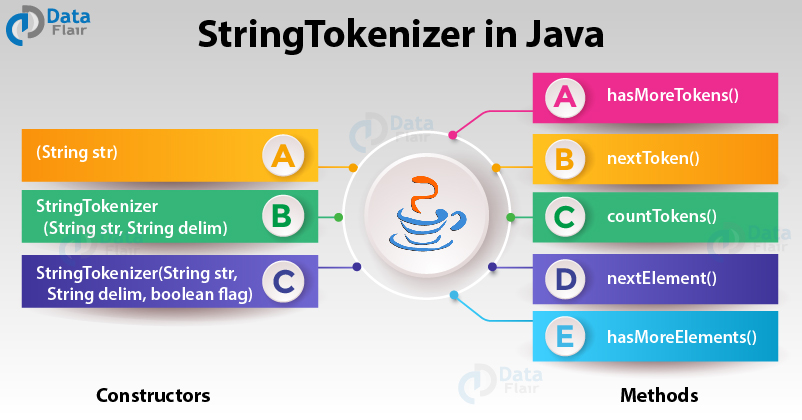
1. (String str)
str is a string to be tokenized, and it considers default delimiters like newline, space, tab, carriage return and form feed which can be further tokenized.
2. StringTokenizer(String str, String delim)
delim is a set of delimiters that are used to tokenize the given string.
3. StringTokenizer(String str, String delim, boolean flag)
Since the first two parameters have the same meaning. The flag serves the following purpose. If the flag is false, delimiter characters serve to separate tokens, and if the flag is true, delimiter characters are considered to be tokens.
Example of string tokenizer in Java
package com.DataFlair.StringTokenizer;
import java.util.*;
public class StringTokenizerDemo {
  public static void main(String args[])
  {
    System.out.println("StringTokenizer Constructor 1 - ");
    StringTokenizer st1 =
        new StringTokenizer("Hello Readers, Welcome to DataFlair", " ");
    while (st1.hasMoreTokens())
      System.out.println(st1.nextToken());
    System.out.println("StringTokenizer Constructor 2 - ");
    StringTokenizer st2 =
        new StringTokenizer("JAVA : Code : String", " :");
    while (st2.hasMoreTokens())
      System.out.println(st2.nextToken());
    System.out.println("StringTokenizer Constructor 3 - ");
    StringTokenizer st3 =
        new StringTokenizer("JAVA Code String", " : ",  true);
    while (st3.hasMoreTokens())
      System.out.println(st3.nextToken());
  }
}
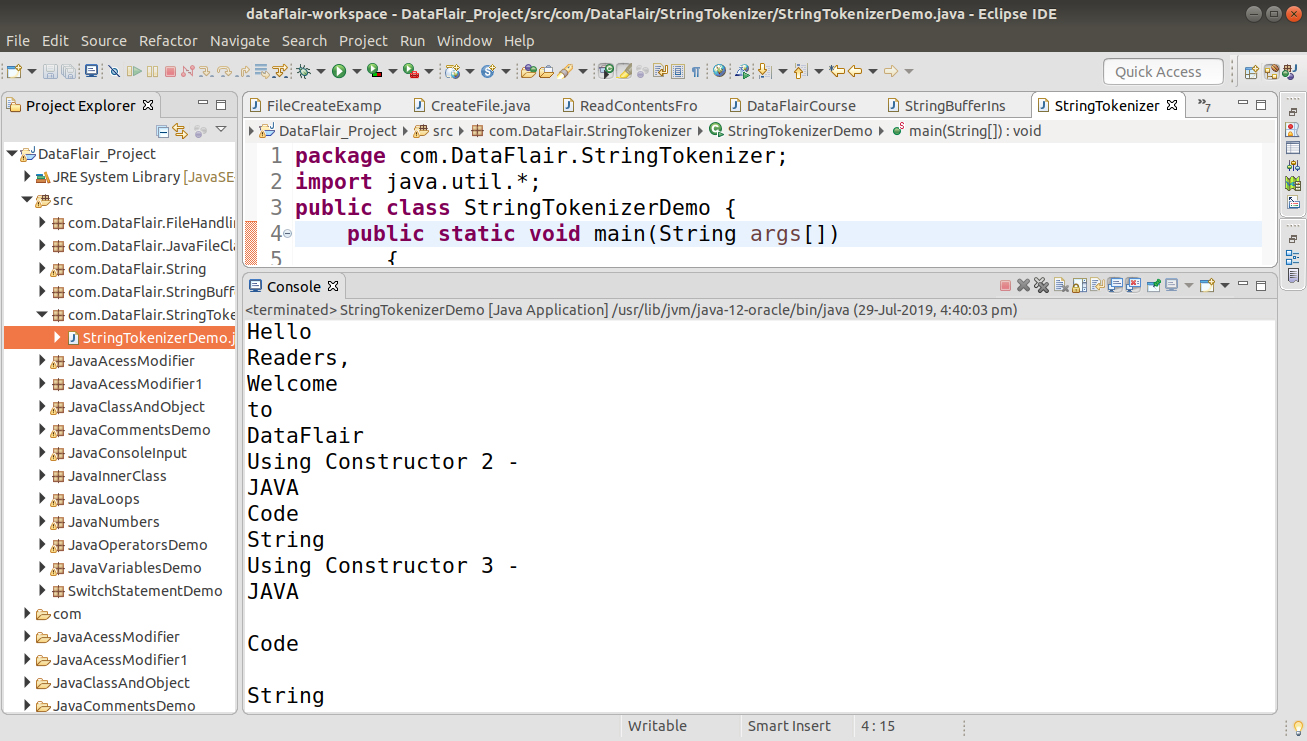
Output
StringTokenizer Methods in Java
The following are 5 types of Methods available in Java StringTokenizer:
1. hasMoreTokens() in Java
The method java.util.StringTokenizer.hasmoreTokens() plays a role in testing if tokens are present for the StringTokenizer’s string.
Basically, those characters that are considered to be delimiters by the StringTokenizer object are changed to characters in the string delimiter. Then the next token to the current position in the string is returned.
Syntax of hasMoreTokens() in Java
public boolean hasMoreTokens()
Returns: True if and only if the next token to the current position in the string exists, else false.
2. nextToken() in Java
The method java.util.StringTokenizer.nextToken() returns the next token from the given StringTokenizer.
Syntax of nextToken() in Java
public String nextToken()
- Return: The next token from the given StringTokenizer if present.
- Throws: NoSuchElementException – if no more tokens are left.
3. countTokens() in Java
This method java.util.StringTokenizer.countTokens() returns the total number of tokens that are present.
Hence, the number further uses the nextToken() method before it gives an exception and uses it.
Syntax of countTokens() in Java
public int countTokens()
Return: The number of tokens remaining in the string using the current delimiter set.
Example of countTokens() in Java
package com.DataFlair.StringTokenizer;
import java.util.*;
public class StringTokenizerMethods {
   public static void main(String args[])
     {
         String mydelim = " : ";
         String mystr = "JAVA : Code : String : Tokenizer : Dataflair";
         StringTokenizer flair3 =
                           new StringTokenizer(mystr, mydelim);
         int count = flair3.countTokens();
         for (int i = 0; i <count; i++)
             System.out.println("token at [" + i + "] : "
                                + flair3.nextToken());
         StringTokenizer string1 = null;
    while (flair3.hasMoreTokens())
             System.out.println(string1.nextToken());
     }
  }
Output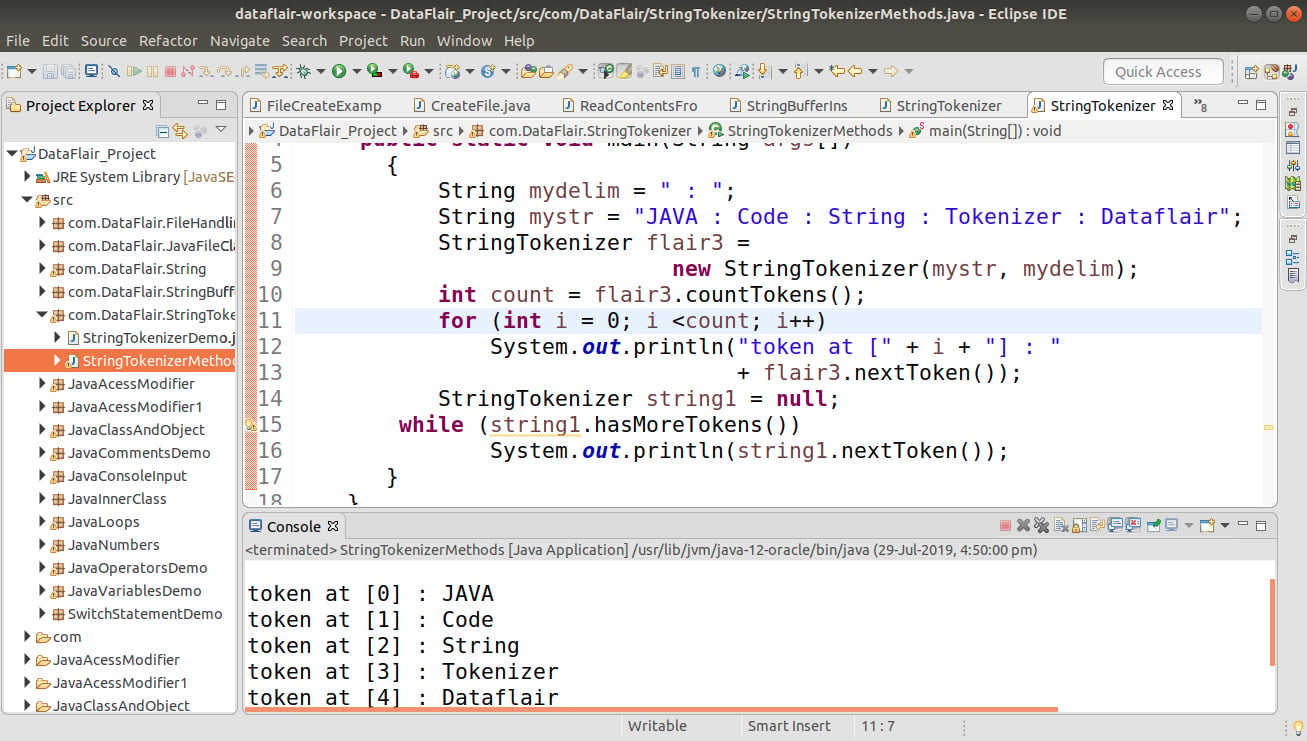
4. nextElement() in Java
This method returns an Object rather than a String and java.util.StringTokenizer.nextElements() works similarly to nextToken, exists so that this class can implement the Enumeration interface.
Let’s talk about Interface in Java
Syntax of nextElement() in Java
public Object nextElement()
Return: The next token from the given StringTokenizer.
Throws: NoSuchElementException – if there are no more tokens left.
5. hasMoreElements() in Java
Next, in this method java.util.StringTokenizer.hasMoreElements() returns the same value as hasMoreToken.
Syntax of hasMoreElements() in Java
public boolean hasMoreElements()
Return: True if tokens are present in the string, else false.
Example of hasMoreElements() in Java
package com.DataFlair.StringTokenizer;
import java.util.*;
public class StringTokenizerMethod
{
   public static void main(String args[])
   {
       String mydelim = " : ";
       String mystr = "JAVA : Code : String : Tokenizer : Flair";
       StringTokenizer stringName =
                     new StringTokenizer(mystr, mydelim);
       int count = stringName.countTokens();
       System.out.println("Number of tokens : " + count);
       while (stringName.hasMoreElements())
           System.out.println(stringName.nextElement());
   }
}
Output-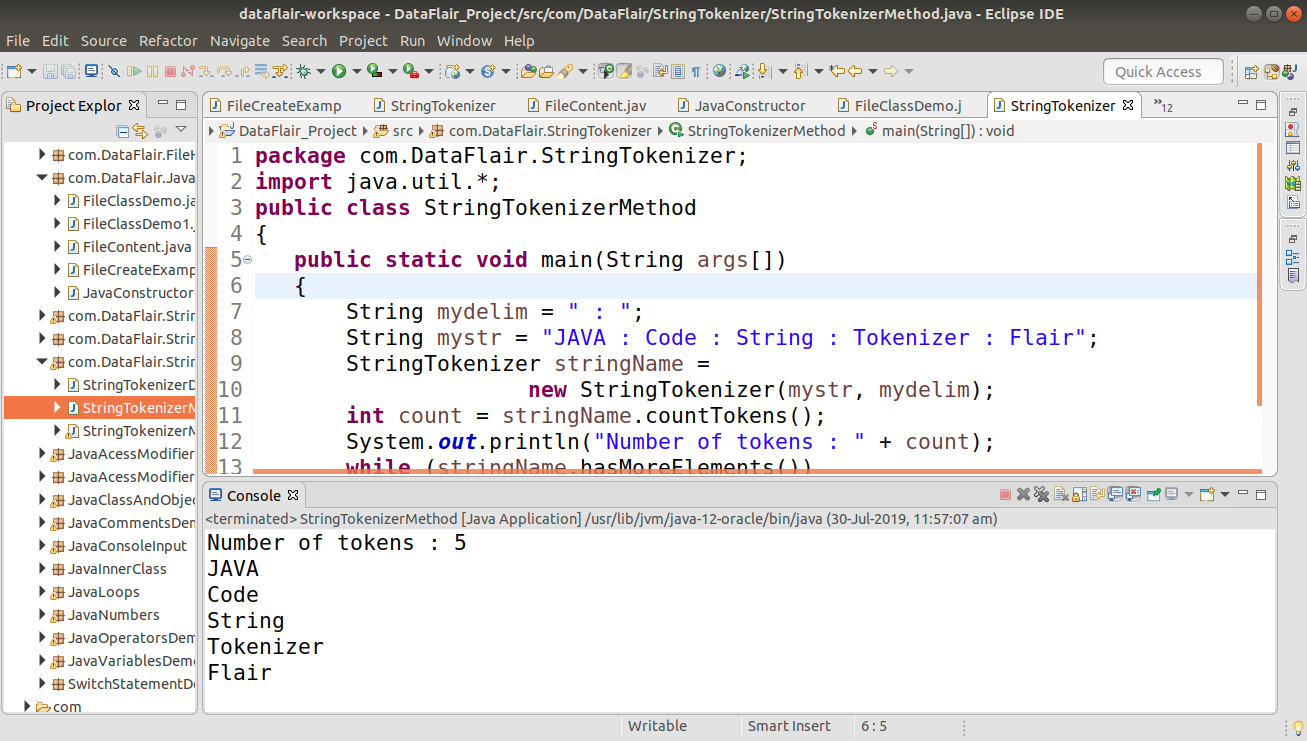
StringTokenizer vs. String.split()
While StringTokenizer is a legacy class and its use is discouraged in new code, it’s still helpful to understand its functionality. However, for most modern Java programming, the String.split() method is the preferred approach for splitting strings into tokens. It offers several advantages over StringTokenizer:
1. More flexibility: String.split() allows you to specify a regular expression as the delimiter, providing more control over how the string is divided. This can be useful for handling complex delimiters or patterns within the string.
2. Immutable behavior: String.split() creates a new array of tokens from the original string, leaving the original string unmodified. However, this immutability can improve code readability and avoid unintended side effects.
3. Concise: String.split() is generally more concise and easier to use compared to StringTokenizer’s constructors and methods.
Summary
Now we have found another way of dividing the string, other than the split method of the string, by exploring the constructors and various methods to split the strings.
So, now you know why we use StringTokenizer. However, there are various constructors and methods for breaking the string into tokens. Hope you understood everything with examples.
If you face any query or doubt. Feel free to ask in the comment section.
Do you know about Java Comparator Interface?