


Placement-ready Courses: Enroll Now, Thank us Later!
In cybersecurity, pressure checking out is crucial in comparing the resilience and performance of diverse systems and applications. By subjecting them to intense simulated loads, strain testing equipment helps them become aware of vulnerabilities, bottlenecks, and potential failure factors. Among the many alternatives available, Kali Linux stands proud as an effective platform for stress trying out.
In this blog, we will explore the pinnacle stress testing gear in Kali Linux, its programs, features, and primary utilization instructions. We can even discuss ethical and criminal concerns for specific accountable and lawful use.
Kali Linux Overview:
Kali Linux, a widespread Linux distribution, is broadly identified for its comprehensive set of protective gear. It encompasses many strains of trying out tools, each designed to deal with unique aspects of the gadget’s overall performance and protection. These pieces of equipment are flexible and can be utilized for each offensive and defensive function.
Stress Testing Tools in Kali Linux:
| Stress Test Tools | Best For | Capability | The type of testing tool can perform |
| Metasploit | Stress Testing Tool | Simulate assaults, look at vulnerabilities, and examine machine responses. | Stress Testing and Vulnerabilities |
| LoadTracer | Performance testing of Web Applications. | Works with any browser and any technology. | Stress Testing, Load Testing, Endurance Testing. |
| JMeter | Performance testing of Web Applications. | It works for Web applications, Servers, Groups of servers, and networks. | Performance Testing. |
| BurpSuite | web software protection testing | Burp Suite helps identify vulnerabilities and weaknesses in internet programs. | Web software protection testing, including pressure trying out. |
| Locust | It provides functionality to check the simultaneous number the system can handle. | It can perform load testing on multiple distributed machines. | Load Testing |
1. Metasploit:

1. Uses: Metasploit is a practical framework for penetration testing and pressure trying out.
2. Details: It affords widespread exploits, payloads, and auxiliary modules.
3. Features: Metasploit enables you to simulate assaults, look at vulnerabilities, and examine machine responses.
4. Basic Commands and Codes:
a. msfconsole: Launches the Metasploit framework.
b. use <exploit/module>: Selects an exploit or module.
c. set <option> <value>: Sets the value for specific options.
d. Example: `use exploit/windows/smb/ms17_010_eternalblue`
2. BurpSuite:
1. Uses: Burp Suite is vital for web software protection testing, including pressure trying out.
2. Details: It includes web vulnerability scanning, spidering, and proxying.
3. Features: Burp Suite helps identify vulnerabilities and weaknesses in internet programs.
4. Basic Commands and Codes:
a. java -jar burpsuite.jar: Launches Burp Suite.
b. Example: http://localhost:8080 – Set the target URL.

3. Nmap:
1. Uses: Nmap is a versatile device for community scanning, enumeration, and stress checking.
2. Details: It detects hosts, services, and open ports and scans vulnerability.
3. Features: Nmap offers diverse scanning techniques and massive scripting abilities.
4. Basic Commands and Codes:
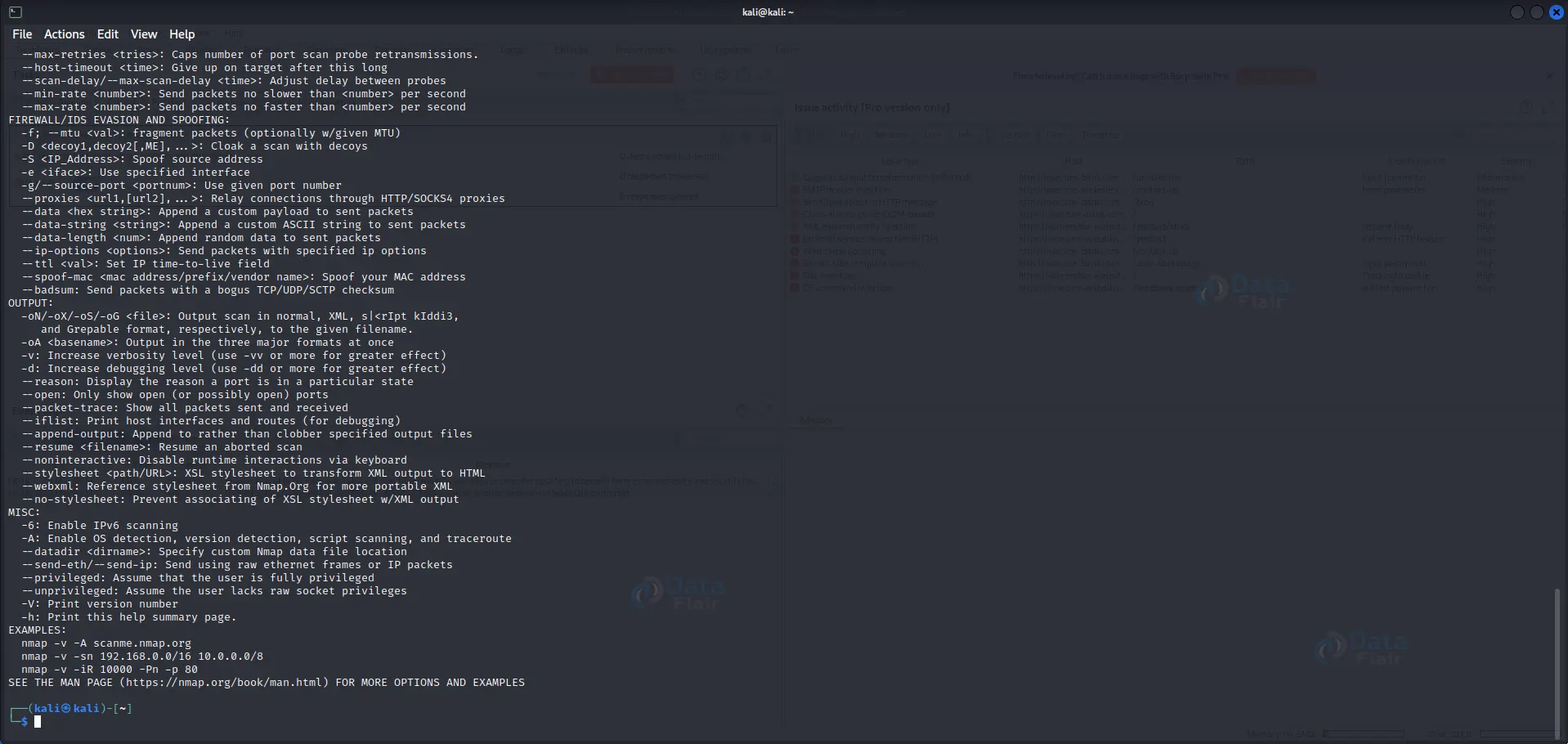
a. nmap <target>: Scans the target host or network.
b. nmap -p <port> <target>: Scans a specific port on the target.
c. Example: nmap 192.168.1.0/24 – Scans the entire subnet.
4. THC Hydra:
1. Uses: THC Hydra is an effective online password-cracking device beneficial for stress-testing login mechanisms.
2. Details: It helps numerous protocols, including HTTP, FTP, SSH, etc.
3. Features: THC Hydra gives multi-threaded brute-forcing and the capability to customize attack parameters.
4. Basic Commands and Codes:
a. hydra -l <username> -P <password_list> <target> <protocol>: Performs brute-force attack.
b. Example: hydra -l admin -P passwords.txt 192.168.1.1 http-post-form “/login.php:user=^USER^&pass=^PASS^:Invalid”
5. OWASP ZAP:
1. Uses: OWASP ZAP (Zed Attack Proxy) is an extensively used web software security testing tool that may be leveraged for pressure testing.
2. Details: It gives diverse scanning and fuzzing abilities to become aware of vulnerabilities in network applications.
3. Features: OWASP ZAP gives an intuitive interface, active and passive scanning modes, and practical scripting skills.
4. Basic Commands and Codes:
a. Launch OWASP ZAP GUI from the menu or run `zap.sh` or `zap.bat` from the command line.
6. SlowHTTPTest:
1. Uses: SlowHTTPTest is a tool specially designed for testing the robustness of net servers in opposition to Slow HTTP DoS attacks.
2. Details: It simulates sluggish HTTP connections to crush the target server’s aid allocation.
3. Features: SlowHTTPTest permits you to configure various parameters to control the attack intensity and duration.
4. Basic Commands and Codes:
a. slowhttptest -c <connections> -i <delay> -r <rate> -t <method> -u <URL>: Launches the SlowHTTPTest with specified options.
b. Example: slowhttptest -c 1000 -i 10 -r 200 -t GET -u http://example.com
7. Apache JMeter:
1. Uses: Apache JMeter is a flexible Java-primarily based device for load trying out, which includes stress checking out web packages.
2. Details: It offers a user-pleasant GUI and supports diverse protocols, which include HTTP, FTP, and JDBC.
3. Features: Apache JMeter provides multi-threading skills, allotted testing, and end-result analysis.
4. Basic Commands and Codes:
a. Launch Apache JMeter by executing `jmeter.sh` or `jmeter.bat` from the command line.
b. Use the GUI interface to configure test plans, samplers, and listeners.
8. Siege:
1. Uses: Siege is a command-line-primarily based tool for pressure checking out web servers via simulating concurrent user pastime.
2. Details: It lets you check the performance and scalability of net programs under heavy loads.
3. Features: Siege helps multiple URLs, random information technology, and customizable request rates.
4. Basic Commands and Codes:
a. siege -c <concurrent_users> -r <request_rate> <URL>: Starts the stress test with the specified parameters.
b. Example: siege -c 100 -r 10 http://example.com
9. Bees with Machine Guns:
1. Uses: Bees with Machine Guns is a unique stress-trying-out device that leverages the strength of Amazon Web Services (AWS) to simulate high masses on internet programs.
2. Details: It creates several AWS instances (bees) to generate concurrent requests and stress the target application.
3. Features: Bees with Machine Guns is scalable and clean and presents real-time load-testing statistics.
4. Basic Commands and Codes:
a. Install and configure AWS credentials.
b. Execute bees up -s <number_of_instances>: Spawns the specified number of bees.
c. Example: bees up -s 10 – Creates 10 AWS instances (bees).
10. Yersinia:
1. Uses: Yersinia is a community device designed to exploit vulnerabilities in Layer 2 protocols and perform strain testing on network infrastructure.
2. Details: It specializes in diverse protocols like STP, VLAN, and DHCP to simulate network-based total attacks.
3. Features: Yersinia helps a couple of attack techniques, together with Denial of Service (DoS) assaults on network devices.
4. Basic Commands and Codes:
a. yersinia: Launches the Yersinia tool.
b. Use the interactive console to select specific attack modules and configure options.
11. Hydra:

1. Uses: Hydra is a versatile password-cracking device that can also be used for strain-checking out login structures and network services.
2. Details: It helps various protocols consisting of HTTP, FTP, SSH, Telnet, and more.
3. Features: Hydra allows for parallelized brute-pressure attacks with customizable options and wordlists.
4. Basic Commands and Codes:
a. hydra -l <username> -P <password_list> <target> <protocol>: Performs brute-force attacks on the target.
b. Example: hydra -l admin -P passwords.txt 192.168.1.1 http-post-form “/login.php:user=^USER^&pass=^PASS^:Invalid”
12. Hping3:

1. Uses: Hping3 is a powerful network tool for pressure testing, packet manipulation, and network scanning.
2. Details: It allows for crafting custom packets, sending floods, and acting on network diagnostics.
3. Features: Hping3 presents many alternatives for manipulating packet attributes and performing superior pressure checking.
4. Basic Commands and Codes:
a. hping3 <target> -p <port> -S: Sends TCP SYN packets to the target port.
b. hping3 <target> -c <count> -d <data_size> -S: Sends a specified number of TCP SYN packets with custom data size.
c. Example: hping3 192.168.1.1 -p 80 -S
13. Wireshark:

1. Uses: Wireshark is a network protocol analyzer that may be used to seize, examine, and stress-check community traffic.
2. Details: It supports many protocols and presents in-depth packet inspection talents.
3. Features: Wireshark gives live packet capture, protocol interpreting, and superior filtering options.
4. Basic Commands and Codes:
a. wireshark: Launches the Wireshark graphical interface.
b. Use the interface to select the desired network interface and apply filters for capturing and analyzing packets.
14. SNMP Stress:

1. Uses: SNMP Stress is a tool for pressure testing Simple Network Management Protocol (SNMP) implementations.
2. Details: It sends many SNMP requests to a tool to degree its overall performance and stability.
3. Features: SNMP Stress allows you to customize SNMP requests, control the check intensity, and monitor reaction times.
4. Basic Commands and Codes:
a. snmpstress -c <community_string> -i <interval> -t <timeout> -n <num_requests> <target>: Initiates the SNMP stress test.
b. Example: sempstress -c public -i 1 -t 2 -n 100 192.168.1.1
Steps to Use Stress Testing Tools in Kali Linux:
1. Identify the Target: Determine the device, application, or community you need to strain. Take a look at it.
2. Select the Appropriate Tool: Choose the stress-trying-out tool that aligns with your precise requirements.
3. Configure the Tool: Set the essential alternatives, which include target IP, port, and trying out parameters.
4. Execute the Stress Test: Initiate the pressure, take a look at and screen the system’s reaction and overall performance.
5. Analyze Results: Evaluate the output and discover vulnerabilities or weaknesses.
Ethical and Legal Considerations:
While stress trying out is a valid and valuable practice, it is vital to behave responsibly in those activities and inside felony obstacles.
Here are a few moral and felony issues to hold in thoughts:
1. Obtain Proper Authorization: Always seek permission from the proprietor before accomplishing any strain exams.
2. Respect Privacy and Confidentiality: Avoid gaining access to or amassing touchy records during testing.
3. Understand Local Laws: Familiarize yourself with the legal guidelines and policies for pressure checking out for your jurisdiction.
4. Responsible Disclosure: Report any discovered vulnerabilities to the ideal events immediately and responsibly.
5. Use Test Environments: Perform stress testing in controlled environments and avoid affecting manufacturing systems.
Conclusion
Stress checking out is essential to assessing the resilience and overall performance of diverse systems and packages. In cybersecurity, stress trying out gear in Kali Linux provides various abilities for each offensive and defensive function. By knowing the uses, information, features, and simple commands of those gear, you may decorate your capacity to perceive vulnerabilities and ensure the security of your structures.
However, it is essential to behaviour strain checking out ethically and legally, adhering to accountable practices. With the proper technique and equipment, stress trying out will become an influential best friend in safeguarding opposition to potential threats.