


Job-ready Online Courses: Dive into Knowledge. Learn More!
After learning the basics of modeling in SAP HANA, we will move on to learn the concept of creating the business data models in the SAP HANA Studio Modeler. In this SAP HANA tutorial, we will learn about the information modeler and how to use it to create information views. We will learn about each information view in detail in the later tutorials.
What is SAP HANA Information Modeler?
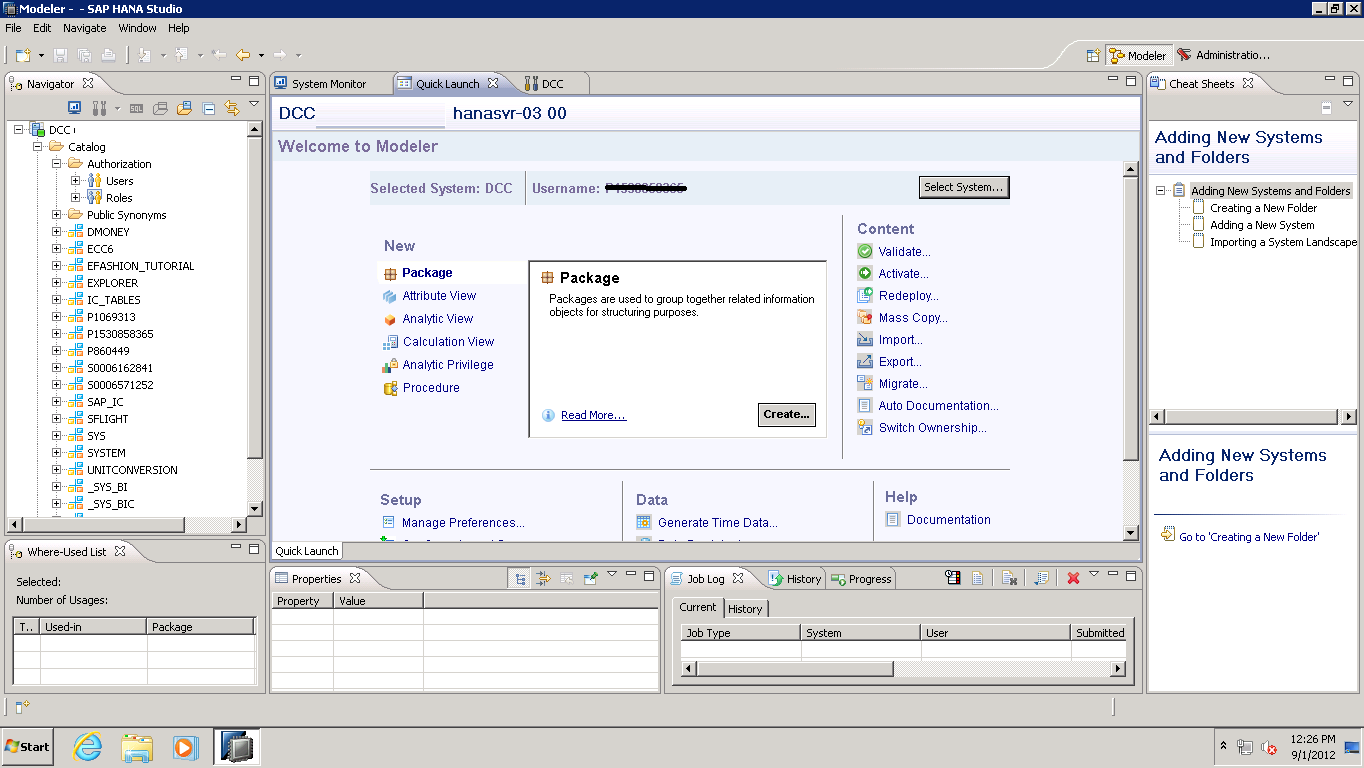
Information Modeler of SAP HANA is a platform that lets you design information views or models on top of SAP HANA database using tables in it. Such models serve business logic and operation. They are created directly on top of the HANA database layer.
The information modeler provides the interface and tools to select attributes and measures from the database tables. Thus, using the information modeler, a user can create multiple information views using the physical tables of transactional data that stores in the databases of SAP HANA.
The information views are a logical representation of the data which we can further publish or consume for analytical purposes. Information modeling implements on the SAP HANA Modeler perspective of SAP HANA Studio.
Features of SAP HANA Information Modeler
Here are some important features of information modeler.
1. Users can create information views only of the data in columnar orientation or columnar tables in the database. We read the columnar storage tables vertically, and data gets compresses in it. This makes data processing (read/write operation) much quicker than the traditional row-based data tables.
2. A user can create multiple views using the data in the databases. The database offers more than one type of perspective on the data.
3. Analytical tools utilize information views like SAP Lumira or web-based (HTML or Java) reporting tools.
4. We can also utilize information views in MS Excel connected for reporting in SAP HANA.
5. The SAP HANA Information Modeler is the powerhouse of SAP HANA as it allows users to use SAP HANA to its complete potential.
Prerequisites for Creating Information Views
Let us discuss some prerequisites to create information views in SAP HANA Modeler.
- Only an authorized user can log in to the SAP HANA system and work on the information modeler to create views. You can either create a new user and schema or work with an old one.
- We create information views from the content folder. A user must have a user object privilege known as “REPOSITORY_REST”. It is only if users have this privilege can they access the content folder. Along with this, Package Privilege is also necessary to modify objects.
- A system privilege called “CREATE SCHEMA” is necessary for users to create schemas. We create tables and views within a schema.
- We also require Privileges to SYS_REPO.
Information Modeling Views
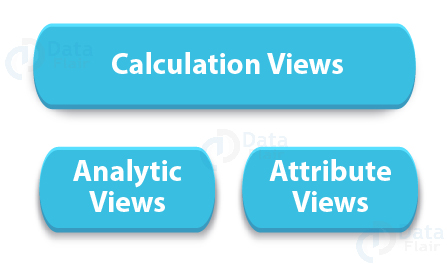
There are three Information Modeling Views:
i. Attribute View
Attribute view uses attributes, or the non-measurable, non-quantifiable data to design views and models according to the business logic. Thus, the data used in attribute view is referred to as ‘Master data’ as it is used as reference information in other views (analytic and calculation).
The tables in attribute view do not contain any facts or measure. Entries like quantity sold, sales amount, profit incurred, transaction amount, etc. includes. We will analyze all these measures by different characteristics such as year, quarter, month, vendors, sales departments, product groups etc.
These characteristics are thus called dimensions which we create in the attribute view.
ii. Analytic View
We can create star schemas, having a fact table or central transaction and multiple dimension tables linked to it via primary keys in the analytic view. The measures in only the central transaction table which we can group or join with multiple dimension tables as per the logic’s requirement.
The analytic view is the next layer or level of the model after the attribute view.
iii. Calculation View
Calculation view is a complex model which uses both attribute and analytic view elements in it to create complete business logic. Thus, it is the next level of modeling for more advanced transformations and logic if we are executing complex operations like combining two data sets.
As we know, what came as a limitation in analytic view is that measure that we can only use from the transaction table. So, if we have transaction data from two tables, such as Sales and Finance, and we want to combine both in one data set, then we can only perform it in the calculation view.
Different Engines in SAP HANA
SAP HANA hosts different types of processing engines that process and execute the models created in SAP HANA Information Modeler. Each engine performs a specific function for a particular view in information modeling, which we will discuss in detail here.
- Join Engine – The join engine is used every time when an attribute view is created or used, or a join condition is applied in a native SQL command. If a calculation applies in an attribute view, the join engine along with calculation engine works to create that attribute view.
- OLAP Engine – The OLAP engine is for the creation of analytical views. It is used only when attributes are used in the analytical view and no calculation is done. If operations like calculations, counters, restricted measures are used then other engines like a calculation engine is used along with the OLAP engine.
- Calculation Engine – The calculation engine is for calculation along with using in other views like analytical and attribute view whenever they apply calculation. The calculation engine might also need other engines to work with it such as OLAP and join engine.
Summary
Thus, this was our overview of the SAP HANA information modeler. In the coming tutorials, we will learn how to create the three information views; attribute view, analytical view and calculation view using SAP HANA Information Modeler tool.
If you have any queries or feedback, you can enter in the comment section.