


Master Python with 70+ Hands-on Projects and Get Job-ready - Learn Python
Today, we will see the Python Ternary Operator. Moreover, we will discuss the example and syntax of the Ternary Operator in Python.
Also, we will learn about and nested Python Ternary Operators. At last, we will discuss ways for implementing Ternary operators in Python.
So, let’s start with the Python Ternary Operator.
What is a Python Ternary Operator?
Ternary operators in Python are conditional expressions. These are operators that test a condition and, based on that, evaluate a value.
Benefits of ternary operators in Python:
- Concise: It makes long if- else code into small lines which makes the code smaller and easy to understand.
- Efficient: It checks the part which is only important , avoiding wastage of time.
- Works in Functional Code: It can be used in lambda functions, list comprehensions, and dictionaries where a normal if-else cannot be used.
Use the ternary operator only when the outcome is short and clear. If either branch runs many actions, move back to a regular if-else for clarity. Clean formatting keeps code beginner-friendly and maintains Python’s guiding rule: readability counts.
1. Python if-else code
Let’s write code to compare two integers.
>>> a,b=2,3
>>> if a>b:
        print("a")
else:
        print("b")
Output
2. Equivalent code with the Ternary operator in python
So let’s try doing the same with ternary operators:
>>> a,b=2,3
>>> print("a" if a>b else "b")
Output
Voila! Done in one line. Python first evaluates the condition. If true, it evaluates the first expression; otherwise, it evaluates the second.
There is a lazy evaluation. It also evaluates the conditions left to right.
The syntax for Python Ternary Operator
Now, let’s learn a little about the syntax for Python Ternary Operator.
[on_true] if [expression] else [on_false]
In C++, it looks like this:
max=(a>b)?a:b
But this isn’t quite Pythonic, so Guido, Python’s BDFL (a status from which he has resigned permanently), rejected it.
Another reason for the veto is that we already have many uses for the colon(:).
One more example of Python ternary Operators:
>>> from random import random
>>> a,b=random(),random()
>>> res="a" if a>b else "b"
>>> res
Output
>>> a,b
Output
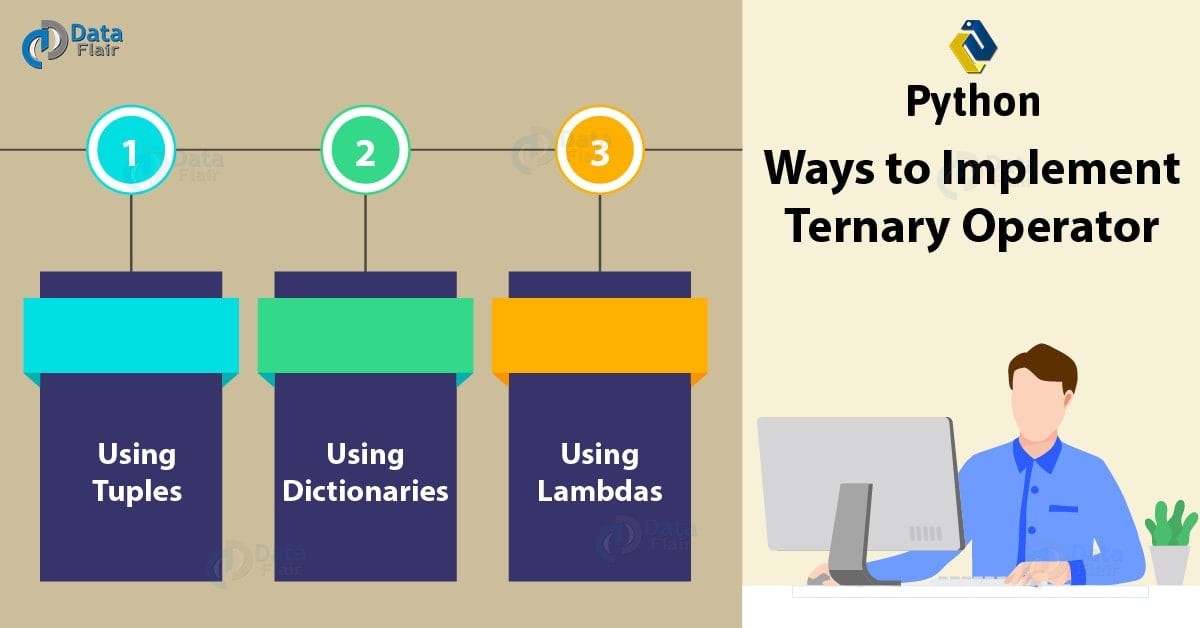
Ways to Implement the Ternary Operator in Python
Below, we are discussing different ways of implementing the Python Ternary Operator:
Ways to Implement Ternary Operator
1. Using Python Tuples
We can use tuples to specify what to do if the condition is True/False.
>>> a,b=random(),random()
>>> (b,a)[a>b]
Output
This is equivalent to:
>>> (b,a)[True]
But we’re confused which this is- a or b. Let’s try tweaking this.
>>> (f"b:{b}",f"a:{a}")[a>b]
Output
That’s more like it. Looking at the code, you’ll reckon the first argument in the tuple corresponds to a Boolean value of False; the second- True. This is because of False=0 and True=1. The condition resides within the [ ].
Note that this method evaluates both elements of the tuple, and hence is less efficient. This happens because it must first build the tuple before it can look for an index.
>>> condition=True
>>> 2 if condition else 1/0    #Follows the normal if-else logic tree
Output
>>> (1/0,2)[condition]
Output
File “<pyshell#48>”, line 1, in <module>
(1/0,2)[condition]
ZeroDivisionError: division by zero
2. Using Python Dictionaries
Likewise, we can make this happen using dictionaries with the same logic.
>>> a,b=random(),random()
>>> {False:f"b:{b}",True:f"a:{a}"}[a>b]
Output
Since we specify what to do when here, we can interchange the positions of key-value pairs.
>>> {True:f"a:{a}",False:f"b:{b}"}[a>b]
Output
3. Using a Lambda function in Python
We can also make use of Python Lambda Functions to act as a ternary operator.
>>> (lambda :f"b:{b}",lambda :f"a:{a}")[a>b]()
Output
Nested Python Ternary Operator
Let’s try chaining these operators, shall we?
>>> a=random()
>>> "Less than zero" if a<0 else "Between 0 and 1" if a>=0 and a<=1 else "Greater than one"
Output
>>> a
Output
Here, we check for the value of a. If it falls shorter than 0, we print “Less than zero”; if between 0 and 1, we print “Between 0 and 1”. Else, we print “Greater than one”. Notice how we nested them.
Before Ternary Operators in Python
Before this was a thing with Python, this is what we did (we used a common idiom):
>>> a,b=2,3
>>> a<b and a or b
Output
So how does this work? Let’s see.
- a is 2 and b is 3
- It checks if a<b
- If true, it gives us True and a or b
- This gives us a or b
- It checks a
- If false, it gives us False or b
- This gives us b
This method, however, doesn’t work for a=0. This is because that would be True and 0 or b, which is True and False or b, which is False or b, which is b. Oops!
Now why don’t you try formulating an expression for a>b and try explaining it to yourself?
It could also be beneficial to use the and/or logic when one of our expressions is the same as the condition:
>>> def sayhello(): print('Hello')
>>> sayhello() if sayhello() else 'Bye'
Output
Hello
True
>>> sayhello() or 'Bye'
Output
True
Python Interview Questions on Ternary Operator
1. Does Python have a Ternary operator?
2. How do you use a Python Ternary operator?
3. Explain Python ternary operator with example?
4. What is Python ternary operator symbol?
5. Are Python ternary operators readable?
Conclusion
Phew! That’s all. In this Python Ternary Operator blog, we tried our best to bring you everything there is to know about the ternary operator in Python. Moreover, we discussed implementing Ternary Operators in Python.
If you’d like us to write about something that has to do with Python (and we haven’t already), please let us know in the comments below. We are excited to hear from you!