

Master Python with 70+ Hands-on Projects and Get Job-ready - Learn Python
Over the last few days, we opened ourselves up to three subclasses of the class ‘dict’, and the function namedtuple().
In this Python Collections Module tutorial, we will study Python Counter, Python DefaultDict, Python OrderedDict, and Python NamedTuple with their subtypes, syntax, and examples.
So, let’s start Python Collection Modules.
Python Collections Module – Introduction
What is the Python Collections Module?
The ‘collections’ module in Python that implements special container datatypes. These provide alternatives to Python’s general-purpose built-in containers.
As we said, all three of these are subclasses of the Python class ‘dict’.
>>> from collections import Counter,defaultdict,OrderedDict,namedtuple
>>> issubclass(Counter,dict) and issubclass(defaultdict,dict) and issubclass(OrderedDict,dict)
Output
>>> type(namedtuple)
Output
To use any of its functionality, we must first import it.
>>> import collections
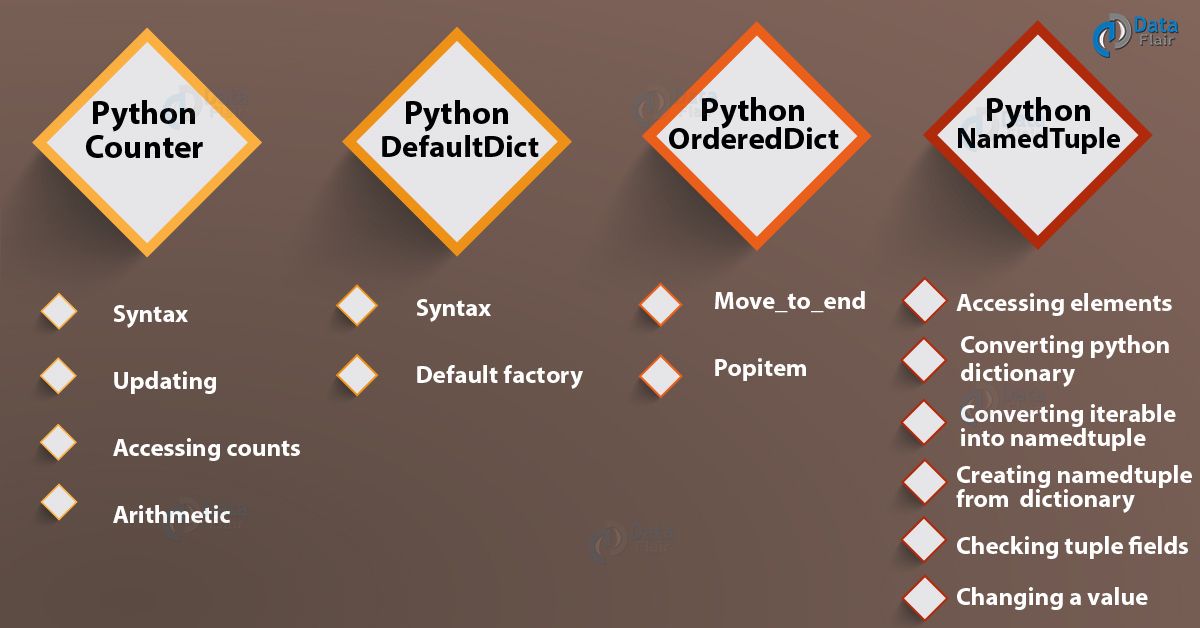
Python Collections Module
Let’s see all the collections of Python
Python Collections Counter
Python counter is a container that keeps count of the number of occurrences of any value in the container. It counts hashable objects.
Features of the collection counter in Python:
- Missing Keys: It is not like a standard dictionary that raises a keyerror; counter returns 0 for any missing elements.
- Negative count: The count can be of any value, anything from zero to negative.
- Initialization: You can initialize the count from a list or string, a dictionary, or a keyword argument.
Let’s take an example.
1. Python Counter – Syntax
To define a Python counter, we use the Counter() factory function. To it, we can pass a container like Python list or a tuple, or even a string or a dictionary. We may also use keyword arguments.
>>> from collections import Counter
>>> c=Counter({'a':3,'b':2,'c':1})
>>> c
Output
>>> c=Counter('Hello')
>>> c
Output
>>> c=Counter(a=3,b=2,c=1)
>>> c
Output
2. Updating a Python Counter
To declare an empty counter in Python and then populate it, we use the update() method.
>>> c=Counter()
>>> c.update('bfg')
>>> c
Output
3. Accessing Counts in Python
To get the count of a value, we pass it as an index to the counter we defined.
>>> c['f']
Output
>>> c['h']
As you can see, it does not raise a KeyError.
What are Python Errors and How to Handle Python Errors?
The elements() method returns a Python iterator for the values in the container.
>>> for i in c.elements():
                print(f"{i}: {c[i]}")
Output
b: 1f: 1
g: 1
We can also call the most_common() method to get the n most common values. These are the ones with the highest frequencies.
>>> c=Counter('hello')
>>> c
Output
>>> c.most_common(2)
Output
4. Python Counter Arithmetic
We can also perform arithmetic on Python counters.
>>> c1=Counter('hello')
>>> c2=Counter('help')
>>> c1+c2
Output
>>> c1&c2
Output
Python DefaultDict
Python DefaultDict collection lets us provide a default value for keys. We define it using the defaultdict() factory function, which takes another function as an argument. This function returns a default value for it.
1. Python DefaultDict – Syntax
To define Python defaultdict, we use the factory function defaultdict().
>>> from collections import defaultdict
>>> d=defaultdict(lambda :35)
>>> d['Ayushi']=95
>>> d['Bree']=89
>>> d['Leo']=90.5
>>> d['Adam']
Output
Here, we did not initialize ‘Adam’. So, it took 35, because that’s what our function returns to defaultdict(). We can also check the default value with the __missing__() method.
>>> d.__missing__('Adam')
Output
2. Using a Type as a Default Factory
We can tell the interpreter what type of values we’re going to work with. We do this by passing it as an argument to defaultdict().
>>> d=defaultdict(list)
>>> for i,j in [('a',(1,2)),('b',(3,4)),('c',(5,6))]:
                d[i].append(j)
>>> d
Output
Python OrderedDict
Python OrderedDict remembers the order in which the key-value pairs were added. Let’s take the Python ordereddict example.
>>> from collections import OrderedDict
>>> o=OrderedDict()
>>> o['a']=3
>>> o['c']=1
>>> o['b']=4
>>> o
Output
1. Move_to_end() methods in Python
We’ll take a look at two methods in Python, orderedDict. The first we discuss is move_to_end(). It lets us move a key-value pair either to the end or to the front.
>>> o.move_to_end('c')
>>> o
Output
>>> o.move_to_end('c',last=False)
>>> o
Output
2. Popitem() methods in Python
This method lets us pop a key-value pair out of the container, and then displays it.
>>> o.popitem()
Output
>>> o.popitem(last=False)
Output
>>> o
Output
Python NamedTuple
Finally, in the Python collections module we discuss Python NamedTuple. This is a container that lets us access elements using names/labels.
>>> from collections import namedtuple
>>> colors=namedtuple('colors','r g b')
>>> red=colors(r=255,g=0,b=0)
1. Accessing Elements
To access these elements, we use the dot Python operator.
>>> red.r
Output
>>> red.g
>>> red.b
Or, we could just use indices.
>>> red[0]
Output
We can also use the getattr() function.
>>> getattr(red,'r')
Output
Python namedtuple is immutable. So, you can’t reassign a value directly.
>>> red.r=3
Traceback (most recent call last):
File "<pyshell#95>", line 1, in <module>
red.r=3
Output
2. Converting into a Python Dictionary
To convert a namedtuple into a Python dictionary, we use the _asdict() method.
>>> red._asdict()
Output
3. Converting an Iterable into a namedtuple
The _make() method lets us create a namedtuple from a Python list and the format we specified.
>>> colors._make(['1','2','3'])
Output
4. Creating a namedtuple from the dictionary
To use a dictionary to make a Python namedtuple, we use this code:
>>> colors(**{'r':255,'g':0,'b':0})
Output
5. Checking What Fields Belong to the Tuple
For this, we have the _fields attribute.
>>> red._fields
Output
6. Changing a Value
Like we said, Python namedtuples are immutable. But to change a value, we can use the _replace() method.
>>> red._replace(g=3)
Output
So, this was all about Python’s Collections Module Tutorial. Hope you like our explanation.
Python Interview Questions on Collection Modules
- What is the collection module in Python?
- What are collection types in Python?
- How do you use a collection counter in Python?
- What are the collection data types in Python?
- Is a string a collection in Python?
Conclusion
Now that we’ve discussed all four Python collections modules- Counter, defaultdict, OrderedDict, and namedtuple with their syntax, methods, and examples of Python collections modules.