


Get Job-ready: Java Course with 45+ Real-time Projects! - Learn Java
While taking input from users to create an interactive program, more often than ever, the user will give input in the form of Strings. Strings represent the way we humans interact with each other; thus, it is very important for the programmer to code their program in such a way that the user is able to express themselves in the form of Strings. Let us take a look at how to take String Input in Java.
Ways to take string input in Java
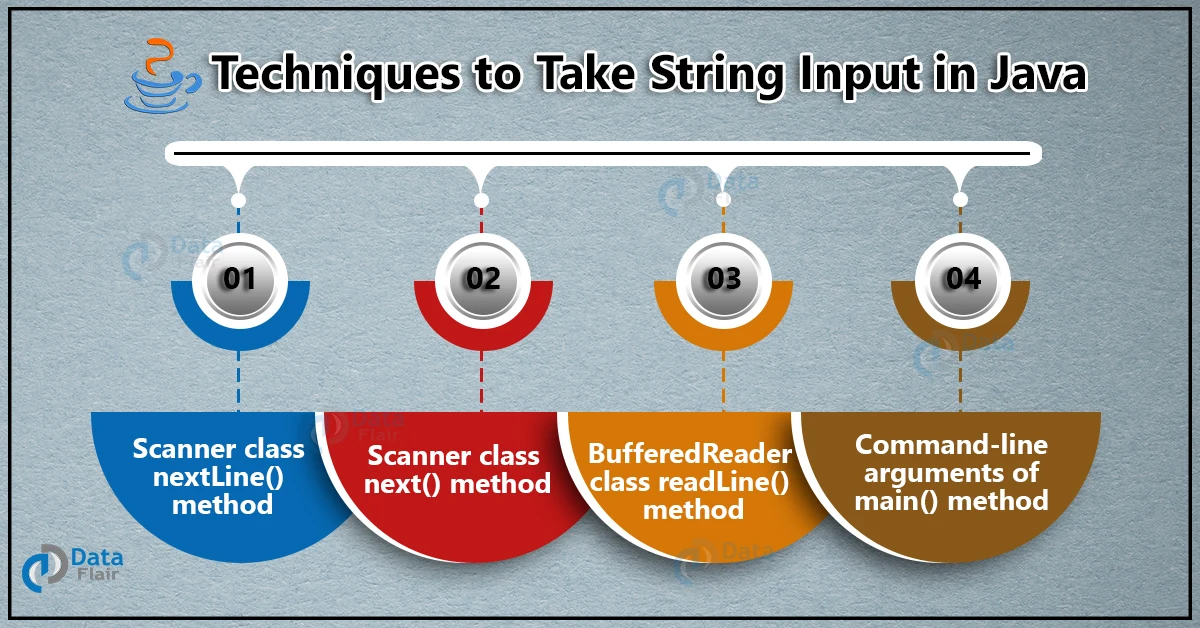
Java provides various classes and methods to facilitate String input. They are as follows:
- Using BufferedReader class readLine() method.
- Using Scanner class nextLine() method.
- Through the Scanner class next() method.
- Using Command-line arguments of the main() method.
Let us discuss each of these methods individually.
Using the Java BufferedReader class, the readLine() method
The BufferedReader class is the most native way to take input from users. It is part of the java.io package. However, the BufferedReader class contains a method called readLine() which facilitates user input in the form of Strings.
The signature of the readLine() method is given by:
public String readLine() throws IOException
The readLine() method returns the string from the input buffer after removing the terminating character.
At first, we need to call the BufferedReader class object, which is wrapped around the System input, then using that object, we need to call the readLine method, which will facilitate the string user input.
The Syntax of readLine() method:
BufferedReader br= new BufferedReader(new InputStreamReader(System.in));
String str= br.ReadLine();
Code to understand BufferedReader Input:
package com.DataFlair.StringInput;
import java.io.BufferedReader;
import java.io.IOException;
import java.io.InputStreamReader;
public class BufferedReaderInput
{
    public static void main(String[] args) throws IOException
    {
        BufferedReader reader = new BufferedReader(new InputStreamReader(System.in));
        System.out.println("Enter anything: ");
        String str = reader.readLine();
        System.out.println("You have Entered: ");
        System.out.println(str);
    }
}
The output of the above code:
Enter a StringDataFlair String Input Tutorial
The String input using Scanner class is: DataFlair String Input Tutorial
There is another implementation of the BufferedReader class, which allows the user to give input until a specified character is entered.
Code to take Input using BufferedReader until the User enters any specified character:
package com.DataFlair.StringInput;
import java.io.BufferedReader;
import java.io.IOException;
import java.io.InputStreamReader;
public class BufferedReaderInput2
{
    public static void main(String[ ] args) throws IOException
    {
        BufferedReader br = new BufferedReader(new InputStreamReader(System.in));
        String str = "";
        System.out.println("Enter the Strings and when you want to stop entering the Strings, type ‘.’");
        while(!str.equals("."))
        {
            System.out.println("Enter a String: ");
            str = br.readLine();
            System.out.println("The String input is: "+str);
            if(str.contentEquals("."))
                System.out.println("FullStop!!!");
        }
        br.close();
    }
}
The output of the above code is:
Enter the Strings and when you want to stop entering the Strings, type ‘.’Enter a String:
DataFlair
The String input is: DataFlair
Enter a String:
Java Tutorial
The String input is: Java Tutorial
Enter a String:
Console Input
The String input is: Console Input
Enter a String:
.
The String input is: .
FullStop!!!
Using the Scanner class nextLine() method
The Scanner class, also known as the utility scanner, is the more widely used class for taking user input. It is part of the java.util package. Also, the Scanner class contains the nextLine() method, which allows user input in the form of a string.
The signature of the nextLine() method is given by:
public String nextLine()
The method returns the entered string from the input buffer. If the method is unable to find any string input, it throws a NoSuchElementException. Although if we close the scanner object and then try to take input, it throws an IllegalStateException.
First, we need to create a Scanner class object that wraps around the system input. After that, using the object, we call the nextLine() method to take String input.
The Syntax of the nextLine() method in Java:
Scanner sc = new Scanner(System.in);
String str = sc.nextLine();
Code to understand the Java Scanner Class Input using nextLine():
package com.DataFlair.StringInput;
import java.util.*;
public class ScannerClassInput
{
    public static void main(String args[])
    {
        Scanner sc = new Scanner(System.in);
        System.out.println("Enter a String");
        String str = sc.nextLine();
        System.out.println("The String input using Scanner class is: " +str);
    }
}
The output of the above code:
Enter a StringDataFlair String Input Tutorial
The String input using Scanner class is: DataFlair String Input Tutorial
Using the Scanner Class next() method
The Scanner class also has another method that facilitates string input. The next() method lets the programmer take user input in the form of a string, but only accepts the string until the first space is encountered. Therefore, this method can be useful when the programmer needs to ensure that the user does not enter more than one word as input.
The signature of the next() method is given by:
public String next()
The next method basically returns the next token that it encounters, i.e., until an empty character is encountered. If there is no next token, it throws a NoSuchElementException. However, if we close the Scanner class object and then call the method, it throws an IllegalStateException.
Code to understand Scanner Class Input using next():
package com.DataFlair.StringInput;
import java.util.*;
public class ScannerClassInput
{
    public static void main(String args[])
    {
        Scanner sc = new Scanner(System.in);
        System.out.println("Enter a String");
        String str = sc.next();
        System.out.println("The String input using Scanner class is: " +str);
    }
}
The output of the above code:
Enter a StringDataFlair String Input Tutorial
The String input using Scanner class is: DataFlair
We can see that only the first word is accepted by the next() method. This is useful in various scenarios where only one word needs to be taken as input.
Using the command-line arguments of the main() method
We can take string input using command-line arguments, i.e, through the main() method’s arguments. They are generally represented with the args[] variable.
The arguments that are passed when the program is running are referred to as command-line arguments. Therefore, they make the program adaptable without affecting the program.
Command line arguments in Java are used when a user wants to feed the data to the program that can have a variable length of arguments. It bundles the argument into an array of string types.
Code to understand String input using command-line arguments:
package com.DataFlair.StringInput;
public class CommandLineInput
{
    public static void main(String args[])
    {
        int i = 0;
        for (i = 0; i < args.length; i++)
        {
          String str = args[i];
          System.out.print(str+" ");
        }
    }
}
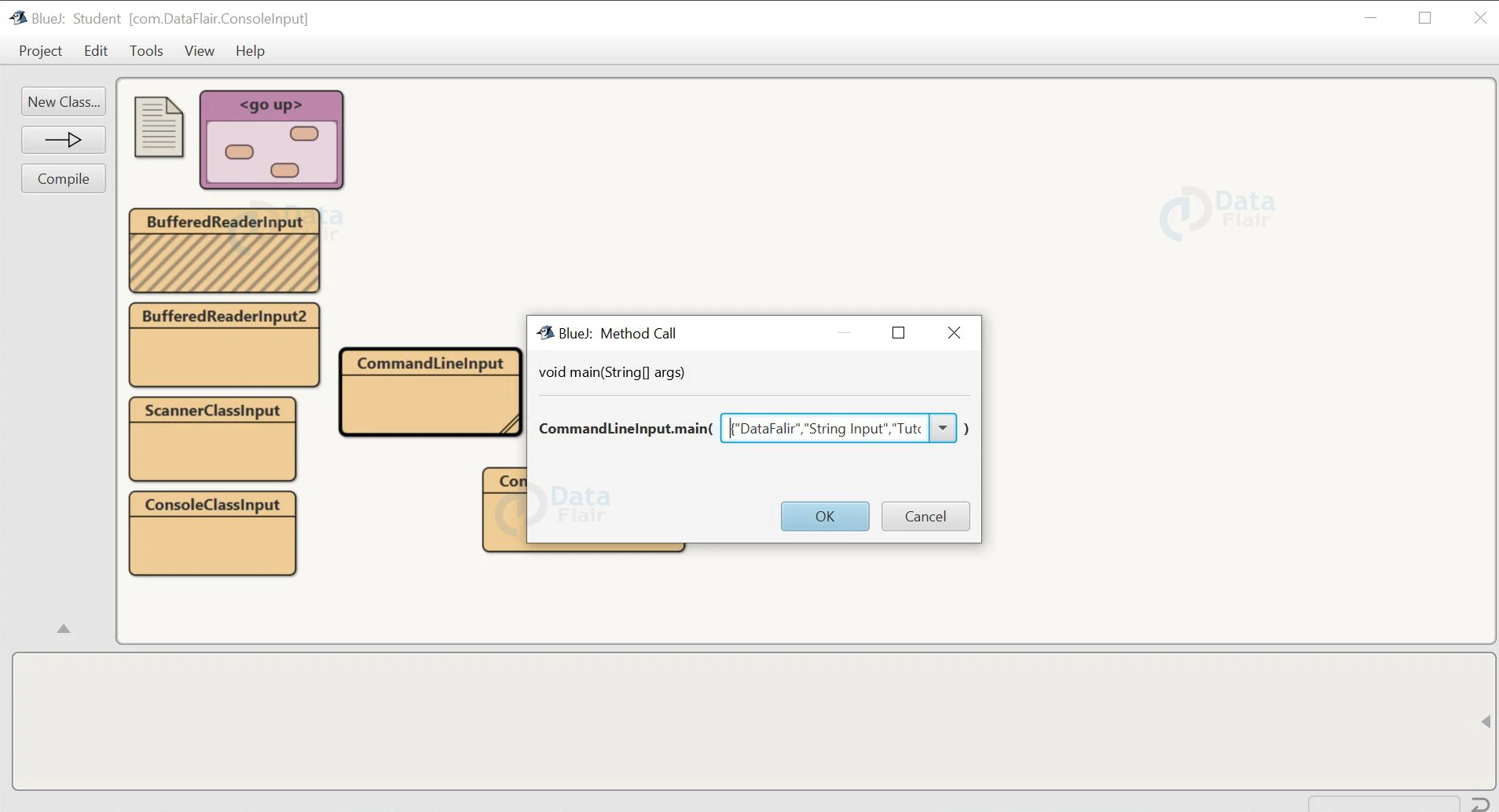
The output of the above code:
Conclusion
So, we can see that there are various techniques to take string input in Java. In this article, we saw how to take user input using the readLine() method of the BufferedReader class, the nextLine() method of the Scanner class, the next () method of the Scanner class, and using command line arguments. However, they are all very important methods and can be used in various ways to take input from the user.