


Interactive Online Courses: Elevate Skills & Succeed Enroll Now!
For students in middle and high school, AVID, or Achievement Via Individual Determination, is an elective course. Taking notes, asking questions, and interacting with other AVID students help prepare them for college.
A tidy 4-inch binder is one of the most crucial items you’ll need for AVID. You will utilize it each and every day for all of your subjects, not just AVID. You will discover how to set up and maintain an AVID binder in this article.
Any binder’s main function is to organize
Students can store their work in an eBinder, reflect on their learning, and then recall their knowledge for sharing or studying. By allowing students to take charge of their education, binders support student agencies.
1. Pick a binder
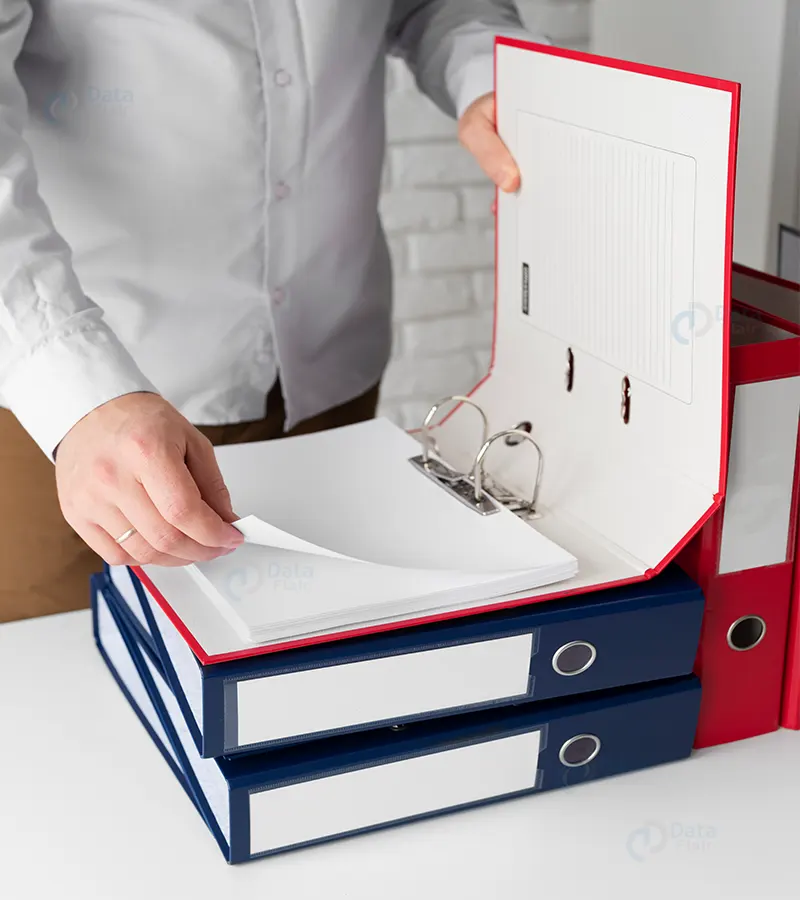
You will need a 4-inch binder to take AVID classes. Unless your AVID instructor specifies a certain hue, color doesn’t matter. Your AVID instructor will regularly want to check your binder to ensure that everything is there and that it is well arranged and complete. Some AVID instructors may provide you with a checklist to utilize.

2. Gather information
While gathering information in writing during class is crucial, you should also gather multimedia during class, such as s, videos, and vocal samples, to use in your reflection later. Unsurprisingly, an eBinder is the only space where all of these objects may cohabit.
3. Items that must be included in a binder include
- Colored tab subject dividers to distinguish each academic class, including AVID
- A pencil pouch that can hold supplies (three-hole punched, if possible)
- More than two pens, two pencils, one or more highlighters, filler paper, and a planner

4. Add in the notebooks
For AVID, you will require at least one particular notebook. include the notebooks If you choose to include your class notebooks in your AVID binder, be sure to place them behind the appropriate divider (i.e., Math notebook behind “Math” divider or “Hour 3”). If you also made the decision to use an AVID notebook, place it in front of all the dividers or behind your AVID divider.
5. Concentrated notes for AVID binders
Any note-taking technique with focused notes has them. The method consists of five steps:
- Note using a live lesson or textbook in which there is a crucial question
- Underlining, highlighting, chunking, editing, sorting, organizing main ideas, etc. are all examples of processing or revising notes.
- Connection Notes and Question-Asking (Adding Questions)
- Putting together your notes’ most crucial information in a summary or reflection. Reflections would include what you discovered and how you intend to apply that knowledge.
- Applying Knowledge: Frequently reviewing your notes for reviews
6. Include your calendar
Don’t limit yourself to one calendar if your project has too many moving pieces to keep track of; StudioBinder lets you create many calendars for the same project.
Put your planner if one is provided by your school, beneath your AVID notebook (if you have one) and above the divisions in your binder. Always utilize your planner to keep track of all of your tasks, exams, and other events. Every so often, your instructor could conduct a “planner check” to make sure you are using your planner.
7. Apply page protectors
Another material your AVID teacher might not expect you to have is page protectors. However, they are helpful for supplies, tutorial request forms, and even essential notes, and voila, you’ve set up your binder.
Conclusion
These are the steps you should follow in order to set up an AVID binder.