


Full Stack Web Development Courses with Real-time projects Start Now!!
External CSS is a method of styling web pages by linking a separate CSS file to the HTML document. This allows for easier maintenance and organization of styles, as well as the ability to reuse styles across multiple pages.
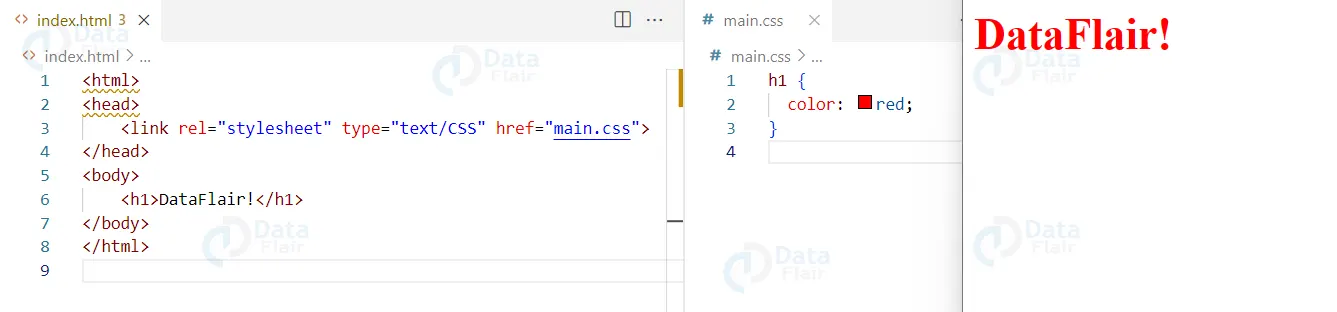
Here is an example of linking an external CSS file to an HTML document:
<html>
<head>
    <link rel="stylesheet" type="text/CSS" href="styles.css">
</head>
<body>
    <h1>DataFlair!</h1>
</body>
</html>
The “styles.css” file might contain the following styles:
h1 {
    color: red;
}
Output:
Noteworthy Features of External CSS
1. Separation of presentation and content:
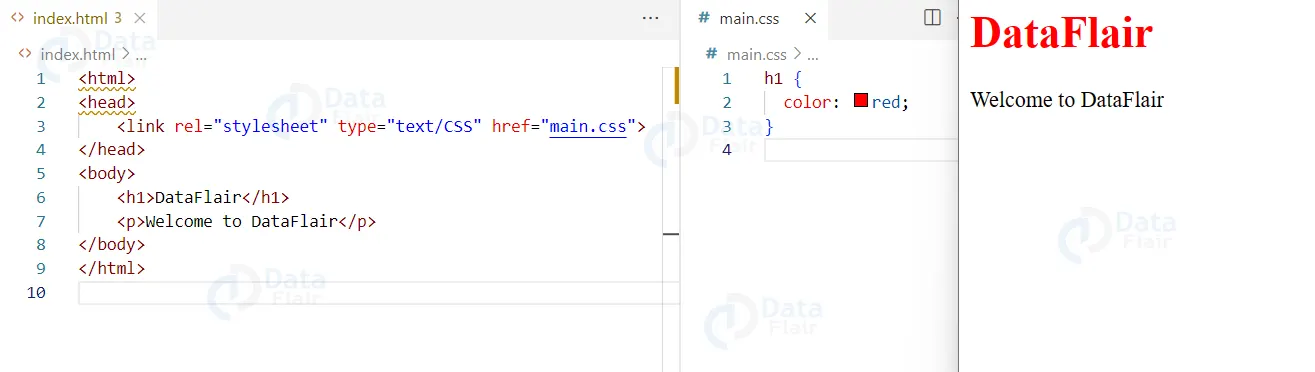
By keeping the CSS in a separate file, the HTML can focus on structure and content, while the CSS focuses on styling. Here is an example of this separation:
HTML
<html>
<head>
    <link rel="stylesheet" type="text/css" href="styles.css">
</head>
<body>
    <h1>DataFlair</h1>
    <p>Welcome to DataFlair</p>
</body>
</html>
CSS
h1 {
    color: red;
}
Output
2. Reusability:
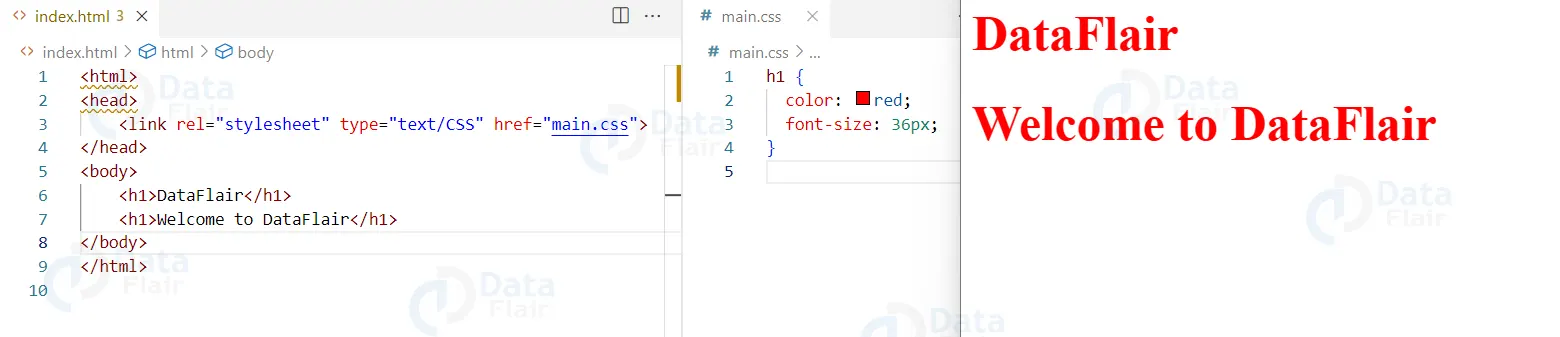
Styles can be reused across multiple pages, making it easy to maintain consistency throughout a website. Here is an example of reusing styles across multiple pages:
HTML
<html>
<head>
    <link rel="stylesheet" type="text/css" href="styles.css">
</head>
<body>
    <h1>DataFlair</h1>
    <h1>Welcome to DataFlair</h1>
</body>
</html>
CSS
h1 {
    color: red;
    font-size: 36px;
}
Output
3. Easy maintenance:
Changes to styles can be made in one central location, rather than having to update multiple pages individually. Here is an example of how easy it is to make global changes to a website:
HTML
<html>
<head>
    <link rel="stylesheet" type="text/css" href="styles.css">
</head>
<body>
    <h1>DataFlair</h1>
    <p>Welcome to DataFlair.</p>
</body>
</html>
CSS
h1 {
    color: cyan;
    font-size: 36px;
}
p {
    font-family: Arial;
}
Output

External CSS also supplements the collaboration of the teams in web development projects. The ability to put the style definitions in a separate file is highly useful because two different developers are able to work on different portions of a website at the same time without adversely affecting one another’s work. Such division of labor is beneficial to system development as it lessens difficulties in merging several branches of codes in the system, which would usually cause conflict in the version control system.
Uses of External CSS
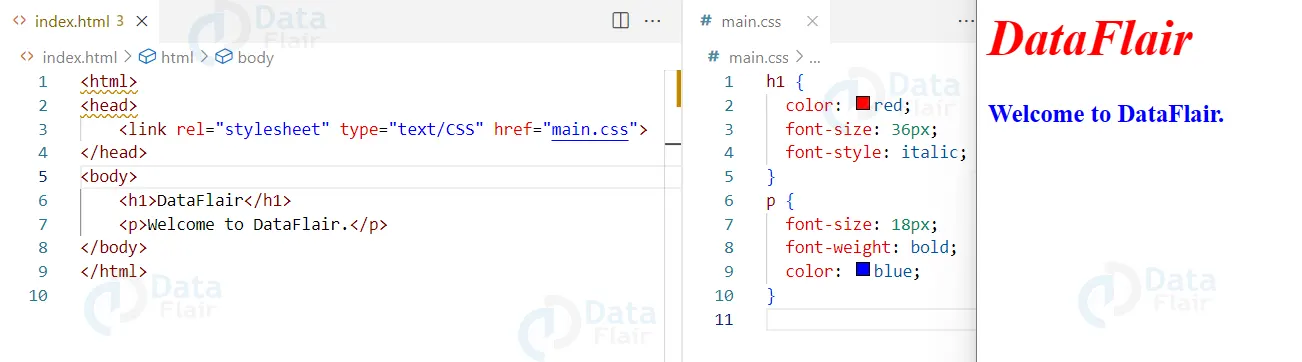
1. Styling text:
Changing font size, font style, color, and more. Here is an example of styling text:
HTML
<html>
<head>
    <link rel="stylesheet" type="text/css" href="styles.css">
</head>
<body>
    <h1>DataFlair</h1>
    <p>Welcome to DataFlair</p>
</body>
</html>
CSS
h1 {
    color: red;
    font-size: 36px;
    font-style: italic;
}
p {
    font-size: 18px;
    font-weight: bold;
    color: blue;
}
Output
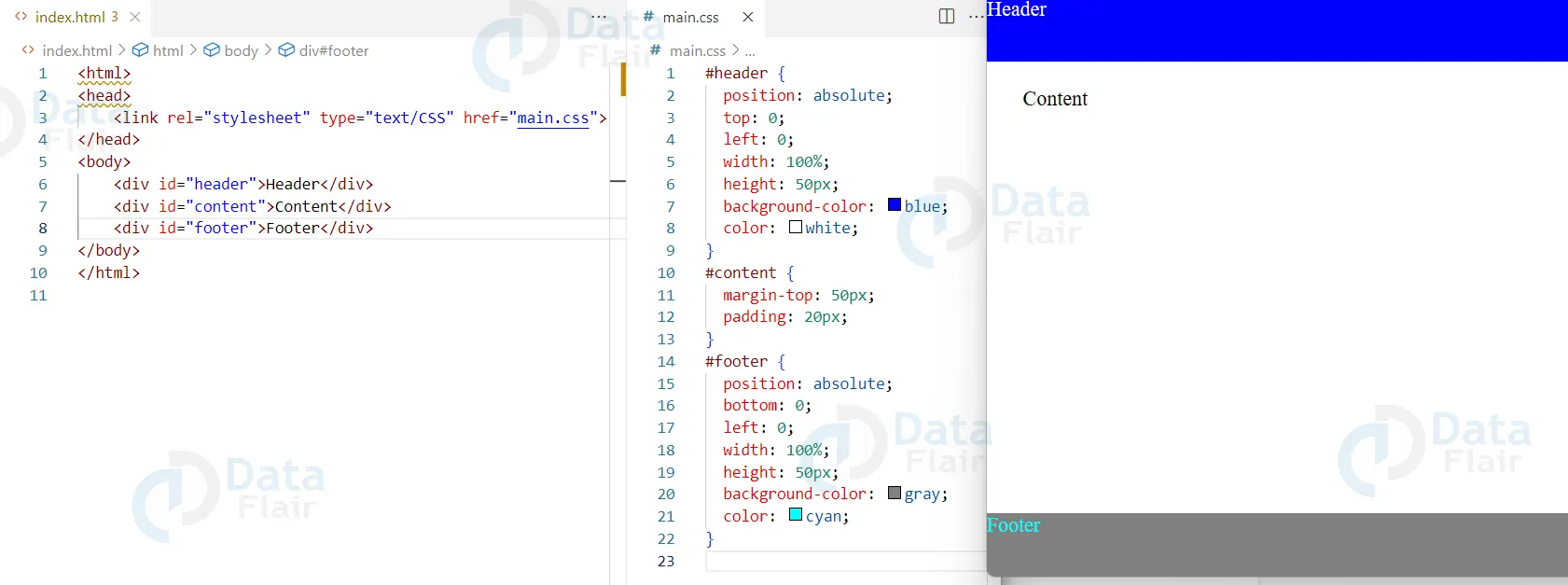
2. Changing layout:
Using CSS to position and size elements on a page. Here is an example of changing layout:
HTML
<html>
<head>
    <link rel="stylesheet" type="text/css" href="styles.css">
</head>
<body>
    <div id="header">Header</div>
    <div id="content">Content</div>
    <div id="footer">Footer</div>
</body>
</html>
CSS
#header {
    position: absolute;
    top: 0;
    left: 0;
    width: 100%;
    height: 50px;
    background-color: blue;
    color: white;
}
#content {
    margin-top: 50px;
    padding: 20px;
}
#footer {
    position: absolute;
    bottom: 0;
    left: 0;
    width: 100%;
    height: 50px;
    background-color: gray;
    color: cyan;
}
Output
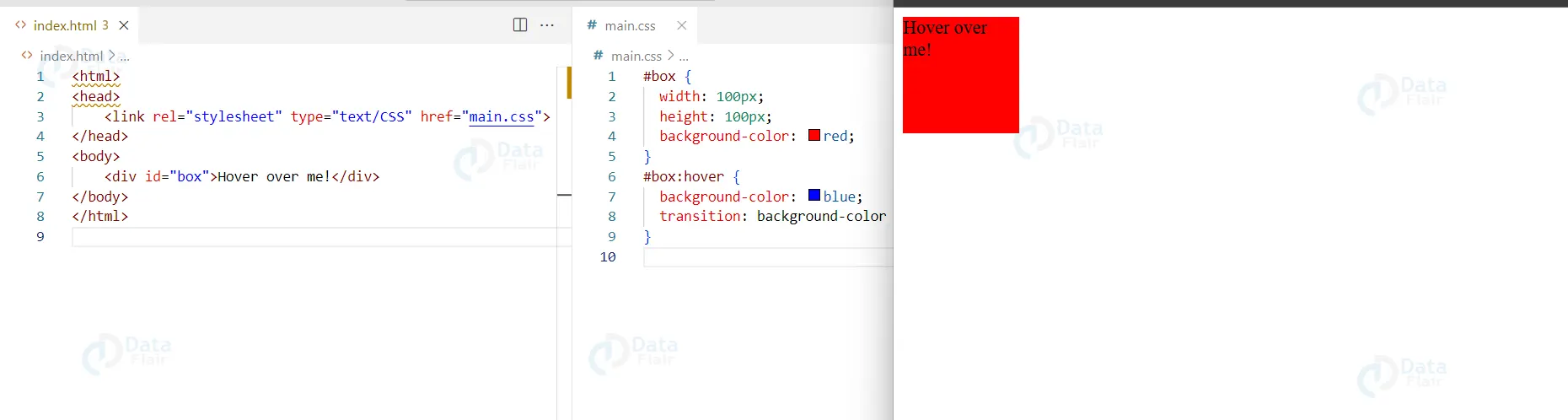
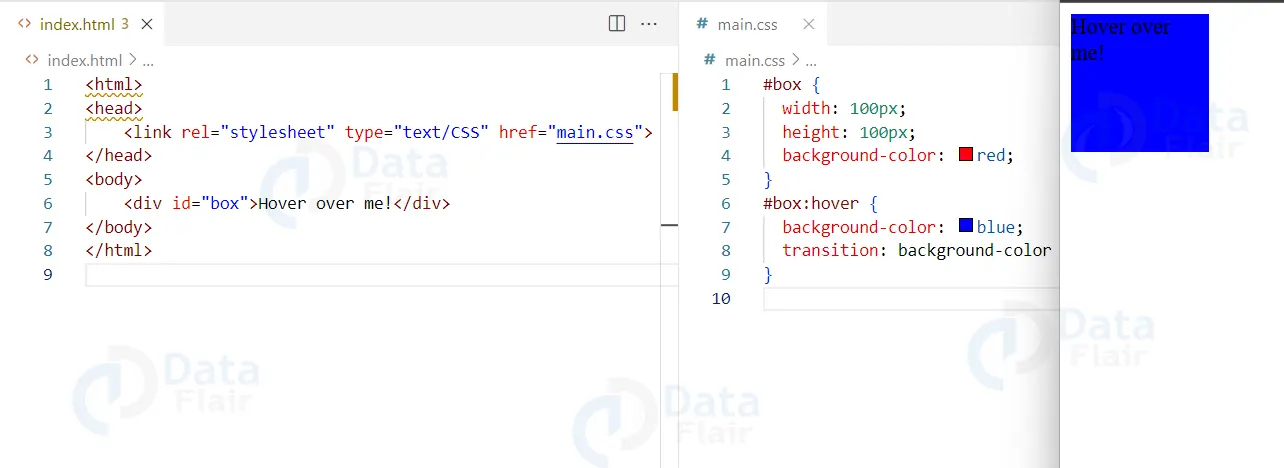
3. Adding effects:
CSS can be used to create hover effects, animations, and more. Here is an example of adding effects:
HTML
<html>
<head>
    <link rel="stylesheet" type="text/css" href="styles.css">
</head>
<body>
    <div id="box">Hover over me!</div>
</body>
</html>
CSS
/* styles.css */
#box {
    width: 100px;
    height: 100px;
    background-color: red;
}
#box:hover {
    background-color: blue;
    transition: background-color 1s;
}
Output
Conclusion
W can say that an external CSS file is a separate file that contains only CSS code. It is linked to an HTML document using the “link” tag in the “head” section of the HTML document. Using an external CSS file allows for the separation of presentation and structure in a website, making it easier to maintain and update the visual design of the site. It also allows for the same styles to be reused across multiple pages, reducing code duplication and making the site more efficient to load. Overall, using an external CSS is considered the best practice for web development.