


Interactive Online Courses: Elevate Skills & Succeed Enroll Now!
ExpressJS is a Node.js web application framework that is used to build applications, APIs, and backends. One of the features of ExpressJS is the ability to use templates to generate dynamic HTML pages. Templates allow developers to create reusable components that can be used to generate HTML pages dynamically based on user input or data retrieved from a database. In this article, we’ll go over what templates are, why they’re useful, different template engines and how to use them in an ExpressJS application.
What are templates?
Templates are files that contain HTML markup for dynamic content. The placeholders are replaced with actual data at runtime, which allows developers to generate dynamic HTML pages based on user input or data retrieved from a database. Templates are used to create reusable components that can be used across multiple pages of an application.
Templates can be created using different template engines such as Pug, Handlebars, EJS, and Mustache. Each template engine has its own syntax and features, but they all serve the same purpose of generating dynamic HTML pages.
Why use templates in ExpressJS?
Templates in ExpressJS provide several benefits to developers. Here are some reasons why templates are useful in ExpressJS:
1. Separation of concerns: Templates allow developers to separate the HTML markup from the application logic. This makes it easier to maintain and modify the application code.
2. Reusability: Templates can be created as reusable components that can be used across multiple pages of an application. This reduces the amount of code that needs to be written and makes the application more efficient.
3. Dynamic content: Templates allow developers to generate dynamic HTML pages based on user input or data retrieved from a database. This makes the application more interactive and engaging for users.
4. Better organization: Templates allow developers to organize the HTML markup in a structured way. This makes it easier to navigate and modify the application code.
Some popular template engines:
1. Pug:
Pug is a template engine that is based on the indentation of code. It is a simple, concise, and powerful tool for creating HTML documents. Pug is known for its expressiveness and readability, which makes it easy for developers to understand and use.
How to use Pug with Express.js?
Using Pug with Express.js is very easy. First, you need to install Pug using npm, which is the package manager for Node.js. You can do this by running the following command in your terminal:
Pug Installation
npm install pug

Once you have installed Pug, you need to set it as the default view engine in Express.js. You can do this by adding the following code to your Express.js application:
const express = require('express');
const app = express();

app.set('view engine', 'pug');
This code sets Pug as the default view engine for your Express.js application. Now, whenever you render a view in your application, Express.js will automatically use Pug to render it.
Creating a Pug template:
To create a Pug template, you need to create a file with the .pug extension. In this file, you can write HTML code using Pug’s syntax. For example, let’s create a simple Pug template that renders a title and a paragraph:
html
  head
    title My Pug Template
  body
    h1 Welcome to DataFlair’s Pug template
Output
In this example, we have created a simple HTML document using Pug’s syntax. The indentation represents the structure of the HTML document, and the tags are written in a concise way.
2. Handlebars:
Handlebars is a simple and powerful template engine that is based on the Mustache template system. It allows developers to create dynamic web pages by rendering data from the server to the client-side. Handlebars is known for its simplicity, flexibility, and the ability to use partials and helpers.
How to use Handlebars with Express.js?
Using Handlebars with Express.js is very easy. First, you need to install Handlebars using npm, which is the package manager for Node.js. You can do this by running the following command in your terminal:
Installation
npm install handlebars

Once you have installed Handlebars, you need to set it as the default view engine in Express.js. You can do this by adding the following code to your Express.js application:
const express = require('express');
const app = express();
const handlebars = require('handlebars');

app.engine('handlebars', handlebars());
app.set('view engine', 'handlebars');
This code sets Handlebars as the default view engine for your Express.js application. Now, whenever you render a view in your application, Express.js will automatically use Handlebars to render it.
Creating a Handlebars template:
To create a Handlebars template, you need to create a file with the .handlebars or .hbs extension. In this file, you can write HTML code using Handlebars’ syntax. For example, let’s create a simple Handlebars template that renders a title and a paragraph:
<html>
  <head>
    <title>{{title}}</title>
  </head>
  <body>
    <h1>{{heading}}</h1>
    <p>{{content}}</p>
  </body>
</html>
Output
Welcome to DataFlair’s HandleBar template
In this example, we have created a simple HTML document using Handlebars’ syntax. The double curly braces {{}} are used to denote dynamic content, which will be rendered by the Handlebars engine.
3. EJS:
EJS is a templating engine that allows developers to generate dynamic HTML pages by embedding JavaScript code into HTML templates. It is similar to other templating engines like Handlebars and Pug, but it offers some unique features. One of the main advantages of EJS is that it allows developers to write JavaScript code directly in the template, which gives them more control over the output.
How to use EJS with Express.js?
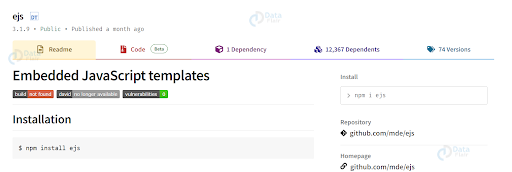
Using EJS with Express.js is very easy. First, you need to install EJS using npm, which is the package manager for Node.js. You can do this by running the following command in your terminal:
Installation
npm install ejs
Once you have installed EJS, you need to set it as the default view engine in Express.js. You can do this by adding the following code to your Express.js application:
const express = require('express');
const app = express();
const ejs = require('ejs');

app.engine('ejs', ejs.renderFile);
app.set('view engine', 'ejs');
This code sets EJS as the default view engine for your Express.js application. Now, whenever you render a view in your application, Express.js will automatically use EJS to render it.
Creating an EJS template:
To create an EJS template, you need to create a file with the .ejs extension. In this file, you can write HTML code using EJS’s syntax. For example, let’s create a simple EJS template that renders a title and a paragraph:
<html>
  <head>
    <title><%= title %></title>
  </head>
  <body>
    <h1><%= heading %></h1>
    <p><%= content %></p>
  </body>
</html>
Output
Welcome to DataFlair’s ejs template
In this example, we have created a simple HTML document using EJS’s syntax. The <% %> tags are used to denote dynamic content, which will be rendered by the EJS engine.
Conclusion
Templates are an essential part of building web applications with ExpressJS. They allow developers to generate dynamic HTML pages based on user input or data retrieved from a database. ExpressJS provides several template engines such as Pug, Handlebars, and EJS that can be used to generate dynamic HTML pages. By using templates, developers can create reusable components that make the application more efficient and easier to maintain.