


Full Stack Web Development Courses with Real-time projects Start Now!!
In order to design HTML and XML, this specification provides user interface-related attributes and values (including XHTML). The user interface-related features from earlier CSS levels’ properties and values are included and expanded. Basic consumer experience components are styled in a document using a variety of attributes and values.
A language called CSS is used to describe how structured documents—like HTML and XML—are rendered on screens, in print, etc.
People’s interactions with information systems are outlined in the User Interface (UI) standard. Interface (UI) is the layperson’s word for the collection of screens, pages, buttons, forms, as well as other graphic cues that are employed to communicate with the device. Every website and app has a user experience.
Many user interface capabilities, such as resizing items, outlines, and box sizes, are provided via CSS.
You can transform any component into one of numerous common user interface elements using the user interface attribute.
Here is a list of some typical CSS user interface properties:
- Box-sizing: It makes it easier for users to clearly fix objects on an area.
- Resize: It is employed to resize items that are on an area.
- Appearance: It makes it easier for users to create pieces for user interfaces.
- Icon: It serves as the icon for the area.
- Nav-up: When hitting the up arrow on the keyboard, nav-up is utilised to advance up.
- Nav-left: While hitting the left arrow key on the keypad, the nav-left command is used to navigate left.
- Nav-down: When the down arrow on the keypad is pressed, the nav-down command is used to go down.
- Nav-right: When hitting the right cursor keys on the keypad, it is utilized to move to the right.
- Outline-offset: It is employed to define the distance between an element’s border or edge and its outline.
There are several CSS User Interface Properties that can greatly help in designing more responsive and adaptable layouts. Hence, developers are able to cater for usability and flexibility across different formats and devices on the internet. This flexibility is especially important in the modern world where users visit the website using a variety of devices/ gadgets like smart phones, tablets, laptops and PCs.
Also, CSS User Interface properties play an important role when it comes to getting the face value of a given website. Well-adopted properties such as box-sizing, resize, and outline-offset are important as they enhance a clean and well-structured layout that is easy to manage and appealing to the eyes. A good interface design ensures visitors stay for a longer time in a site, and the end result is that they are likely to explore site depths with interest.
Resize
The user can change the size of a box using the resize property. Inline and block elements with visible overflow are exempt from this feature. The overflow setting in this property must be either “scroll,” “auto,” or “hidden.”
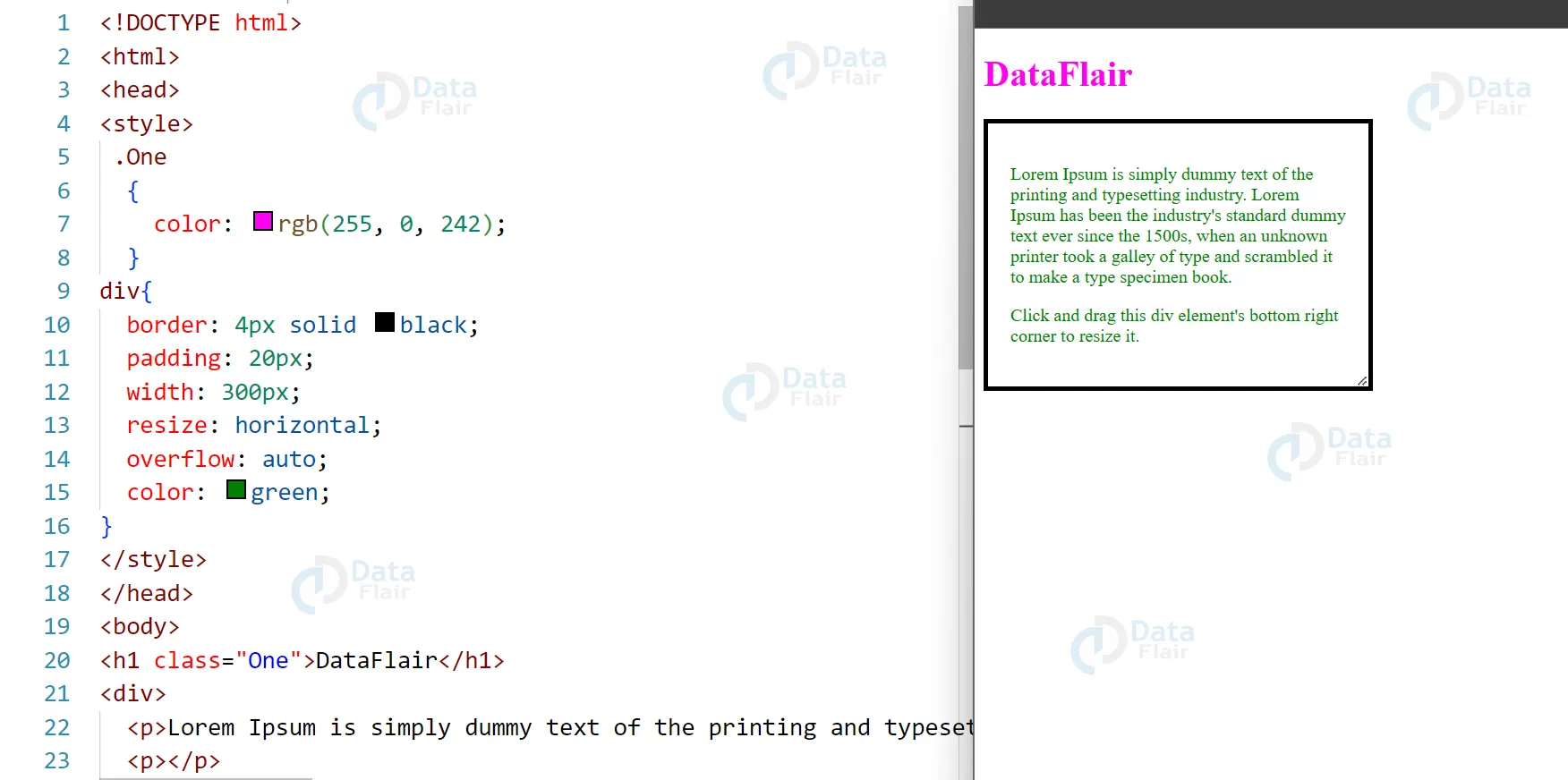
a. Horizontal: The element’s width can be changed using the horizontal property.
<!DOCTYPE html>
<html>
<head>
<style>
.One
{
color: rgb(255, 0, 242);
}
div{
border: 4px solid black;
padding: 20px;
width: 300px;
resize: horizontal;
overflow: auto;
color: green;
}
</style>
</head>
<body>
<h1 class="One">DataFlair</h1>
<div>
<p>Lorem Ipsum is simply dummy text of the printing and typesetting industry. Lorem Ipsum has been the industry's standard dummy text ever since the 1500s, when an unknown printer took a galley of type and scrambled it to make a type specimen book. </p>
<p></p>
<p>Click and drag this div element's bottom right corner to resize it.</p>
</div>
</body>
</html>
Output:
b. Vertical: The element’s height can be changed using this property.
<!DOCTYPE html>
<html>
<head>
<style>
div {
border: 4px solid black;
padding: 20px;
width: 300px;
resize: vertical;
overflow: auto;
color: green;
}
.One
{
color:rgb(255, 0, 242);
}
</style>
</head>
<body>
<h1 class="One">DataFlair</h1>
<div>
<p>Lorem Ipsum is simply dummy text of the printing and typesetting industry. Lorem Ipsum has been the industry's standard dummy text ever since the 1500s, when an unknown printer took a galley of type and scrambled it to make a type specimen book. </p>
<p>Click and drag this div element's bottom right corner to resize it.</p>
</div>
</body>
</html>
Output:

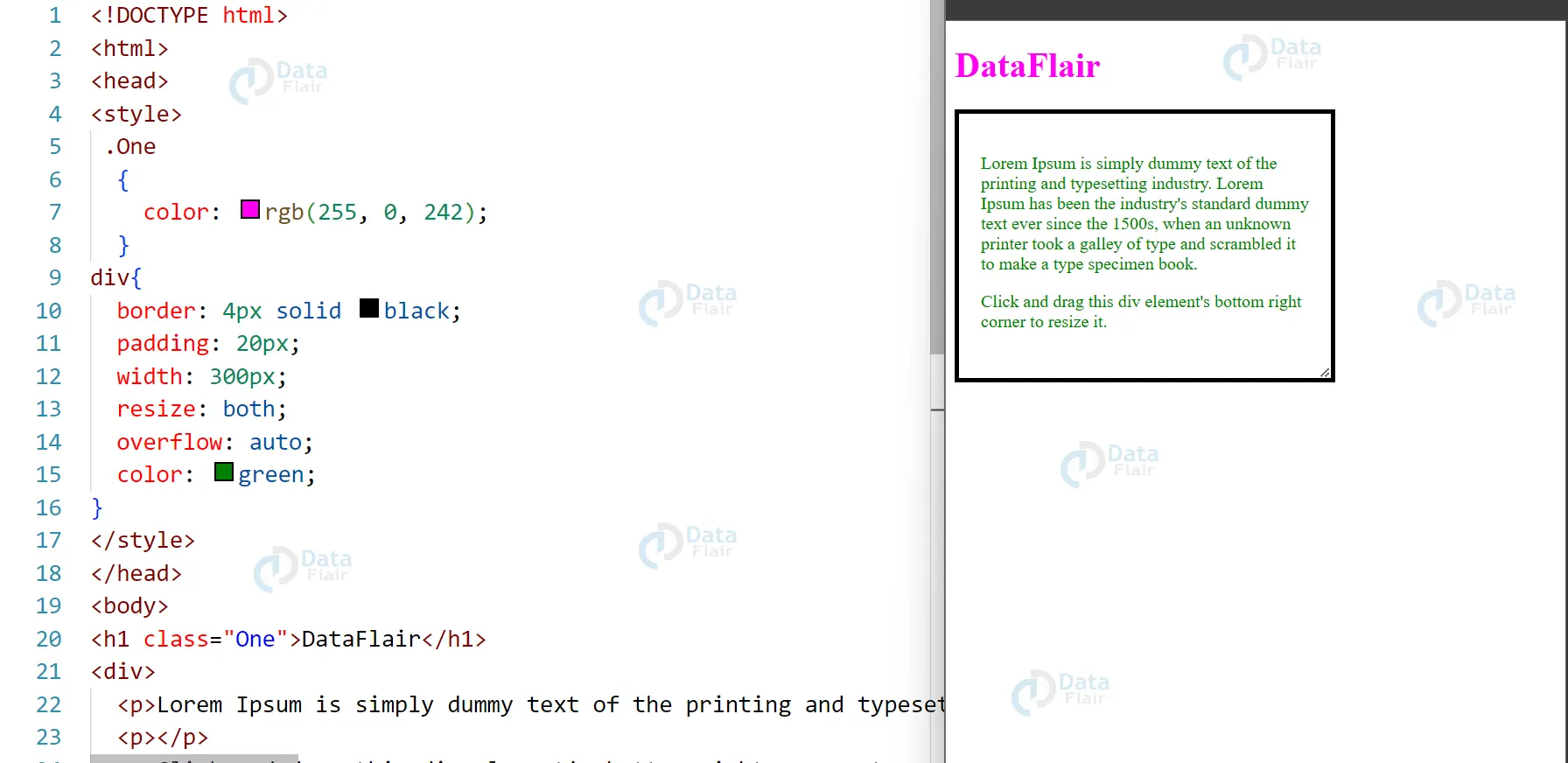
c. Both: The element’s height and width can be changed with this property.
<!DOCTYPE html>
<html>
<head>
<style>
 .One
  {
    color: rgb(255, 0, 242);
  }
div{
  border: 4px solid black;
  padding: 20px;
  width: 300px;
  resize: both;
  overflow: auto;
  color: green;
}
</style>
</head>
<body>
<h1 class="One">DataFlair</h1>
<div>
  <p>Lorem Ipsum is simply dummy text of the printing and typesetting industry. Lorem Ipsum has been the industry's standard dummy text ever since the 1500s, when an unknown printer took a galley of type and scrambled it to make a type specimen book. </p>
  <p></p>
  <p>Click and drag this div element's bottom right corner to resize it.</p>
</div>
</body>
</html>
Output
Outline-offset
This Stylesheet attribute controls the distance with an outline and an element’s edge or border. Transparent space separates the element from its outline.
<!DOCTYPE html>
<html>
<head>
<title>user interface property</title>
<style>
div.ex1 {
margin: auto;
padding: 8px;
color: black;
width: 600px;
border: 1px solid black;
background-color: aqua;
outline: 4px solid black;
outline-offset: 15px;
}
</style>
</head>
<body style = "text-align: center;">
<h1 style = "color: rgb(255,0,242);">DataFlair</h1>
<br>
<div class="ex1">CSS User Interface</div>
</body>
</html>
Output:

The outline-offset property accepts values in pixels, ems, rems, and percentages. Negative values are also allowed, which will cause the outline to overlap with the element’s border or content.
It’s worth noting that the outline property and the border property are not the same. The border property is a part of the element’s box model and affects its layout, while the outline property is purely visual and doesn’t affect the layout. The outline-offset property is also purely visual and doesn’t affect the layout.
Conclusion
The supported browsers for the outline-offset property are Internet Explorer 15.0, Apple Safari 3.1, Google Chrome 4.0, Firefox 3.5, and Opera 10.5. A user experience (UI) is the area where interactions between people and machines take place in the automotive engineering field of human-computer interaction. This connection allows efficient machine operation and control for the user while providing feedback for informed decision making.