


Full Stack Web Development Courses with Real-time projects Start Now!!
As a web developer, you want to create visually appealing websites that attract users and make them stay on your website. One of the ways to achieve this is by using CSS outline. In this guide, we will delve into what CSS outline is, how it works, and how to use it in your website designs.
What is CSS Outline?
CSS outline is a property that lets you add an outline around an HTML element. It is a visual indicator that helps users to identify the active or focused element on a webpage. For example, when you click on a text box, it becomes active, and you can see a thin border around it. This border is known as the outline.
CSS Outline Properties
CSS Outline has three properties:
1. outline-style:
This property specifies the style of the outline. It can have the following values:
- none: This value removes the outline from the element.
- dotted: This value creates a dotted outline around the element.
- dashed: This value creates a dashed outline around the element.
- solid: This value creates a solid outline around the element.
- double: This value creates a double outline around the element.
- groove: This value creates a 3D grooved outline around the element.
- ridge: This value creates a 3D ridged outline around the element.
- inset: This value creates a 3D inset outline around the element.
- outset: This value creates a 3D outset outline around the element.
2. outline-width:
This property specifies the width of the outline. It can have a value in pixels, em, rem, or any other valid CSS unit.
3. outline-color:
This property specifies the color of the outline. It can have a value in any valid CSS color format.
CSS outline when mastered can improve usability by a large extent as it helps to highlight most of the interactive features. This is particularly significant in case of form elements like, inputs, buttons, and links. By expanding only information related to an item of the page and providing a clear structure, users do not get confused as to which element they are operating on and make the general usage of the website more effective.
CSS Outline Example
Let’s see an example of how to use CSS outline in HTML code.
<!DOCTYPE html>
<html>
  <head>
    <title>CSS Outline Example</title>
    <style>
      input:focus {
        outline: 2px dotted blue;
      }
    </style>
  </head>
  <body>
    <h2>Sign Up</h2>
    <form>
      <label for="username">Username:</label>
      <input type="text" id="username" name="username"><br><br>
      <label for="password">Password:</label>
      <input type="password" id="password" name="password"><br><br>
      <input type="submit" value="Submit">
    </form>
  </body>
</html>
Output:
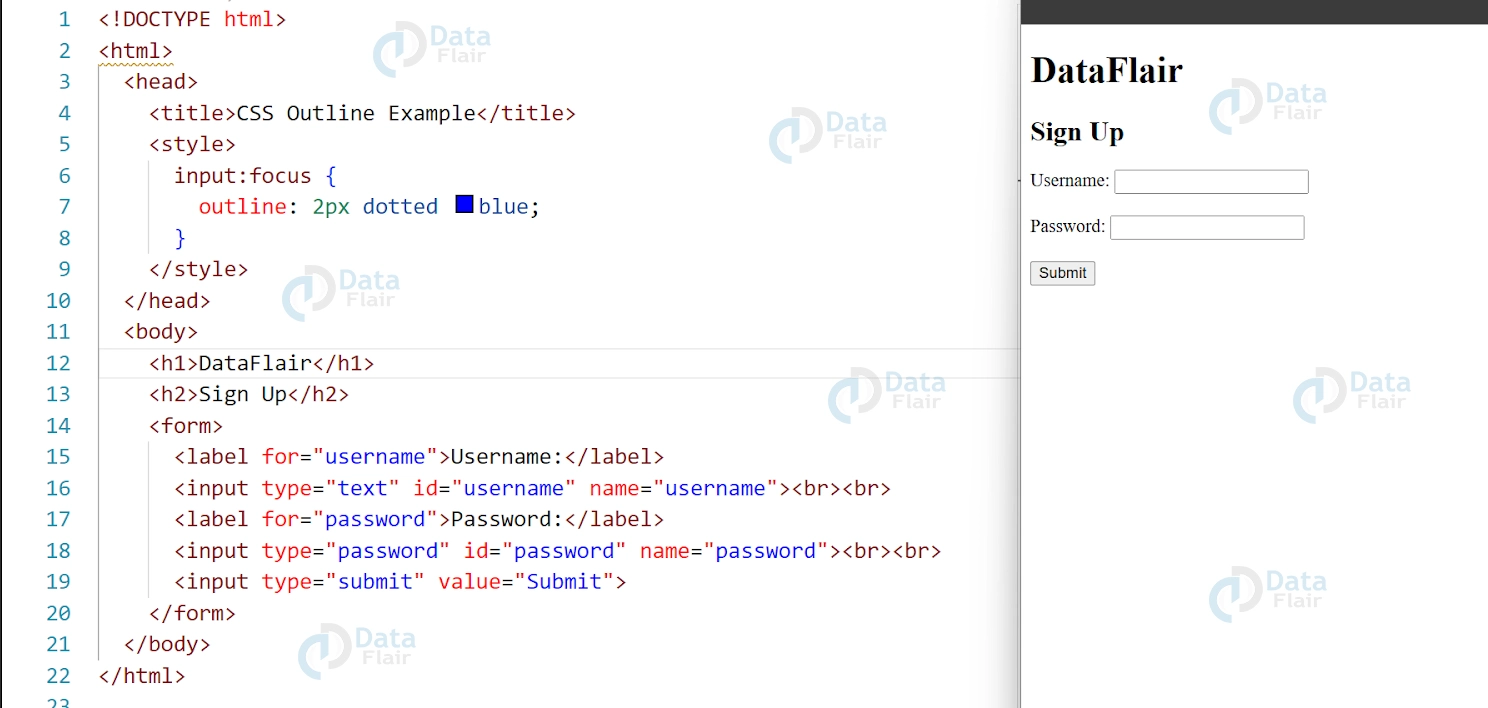
In the above example, we have added an outline to the text boxes using the :focus pseudo-class. When a user clicks on a text box, the outline becomes visible around it. The outline has a width of 2 pixels, is dotted, and its color is blue.
Comparison between CSS Outline vs Border
CSS outline is often confused with CSS border, but they are two different properties. The difference between border and outline in CSS is that border creates a visible boundary around an element, while outline is used to highlight the active or focused element.
CSS Outline for Accessibility
CSS Outline is not only helpful for visual design but also for accessibility. For users who navigate a website using the keyboard, the outline can help them identify which element they are currently focused on. Without an outline, keyboard users may have difficulty determining where they are on the page, leading to frustration and confusion.
Best Practices for Using CSS Outline
Here are some best practices for using CSS Outline in your website designs:
- Keep the outline width and style consistent across the website to avoid confusion for users.
- Use contrasting colors for the outline to make it more visible for users with visual impairments.
- Don’t remove the outline unless you have a good reason, as it is an important accessibility feature.
- Use CSS outline in conjunction with CSS border to create a more visually appealing design while maintaining accessibility.
CSS Outline Browser Compatibility
CSS Outline is supported by modern browsers like Chrome, Firefox, Safari, and Edge, but not by older browsers like Internet Explorer 8 and earlier.
To ensure maximum compatibility, it is recommended to use a fallback for older browsers. For example, you can use CSS border instead of outline for older browsers, like this:
input:focus {
  border: 2px dotted blue;
  outline: none;
}
This code sets a border of 2 pixels dotted blue for older browsers, and removes the outline property, which is not supported in older browsers.
Conclusion
In this article by DataFlair, we can say that CSS Outline is a powerful property that can enhance both the visual appeal and accessibility of your website. Using CSS outline and adhering to best practices and browser compatibility can enhance the user experience for all users, irrespective of their abilities or preferences.