


Job-ready Online Courses: Dive into Knowledge. Learn More!
In modern-day interconnected global, Wi-Fi networks have become vital to our lives. However, the security of those networks is regularly compromised because of vulnerabilities in encryption protocols.
Aircrack-ng is an effective device that allows protection specialists and ethical hackers to evaluate the security of Wi-Fi networks by analyzing their vulnerabilities. In this weblog, we can discover the skills of Aircrack-ng and how to apply them efficiently on Kali Linux.
What Is Aircrack-ng on Kali Linux?
A set of tools called Aircrack-ng is intended for assessing wireless network safety. Its principal goal is to file, watch over, and take a look at information packets sent over Wi-Fi networks. It can perform de-authentication attacks, check the competencies of network injection, and crack WEP and WPA/WPA2-PSK keys. Penetration testing, community auditing, and moral hacking all make large use of Aircrack-ng.
Installing Aircrack-ng on Linux:
Installing Aircrack-ng on Linux is a truthful system. Follow the steps underneath to set up Aircrack-ng on your Linux device:
Step 1 Open the terminal to your Linux distribution.
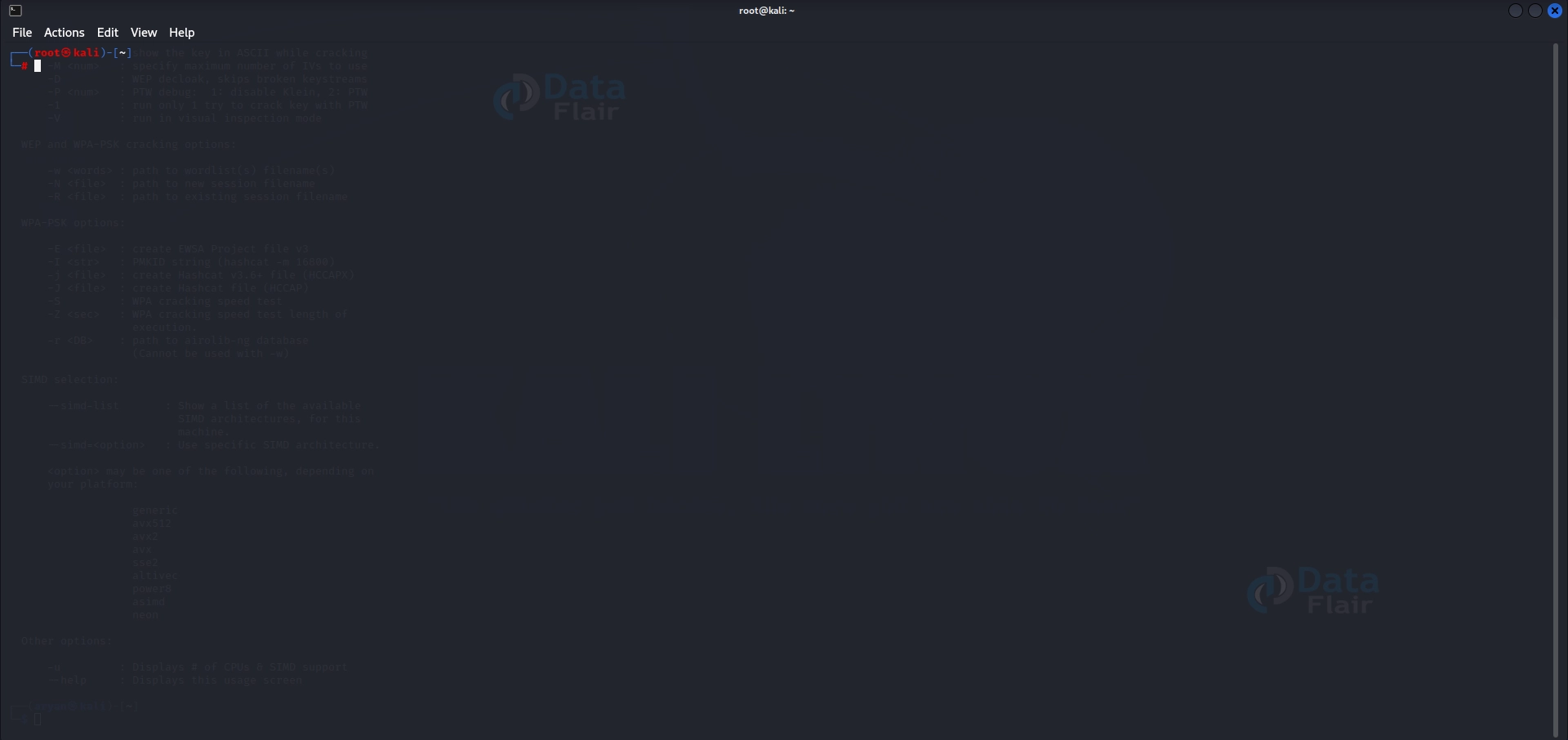
Step 2 Update the package lists to ensure you have the present-day software versions. Enter the subsequent command and offer your password while brought about:
sudo apt update
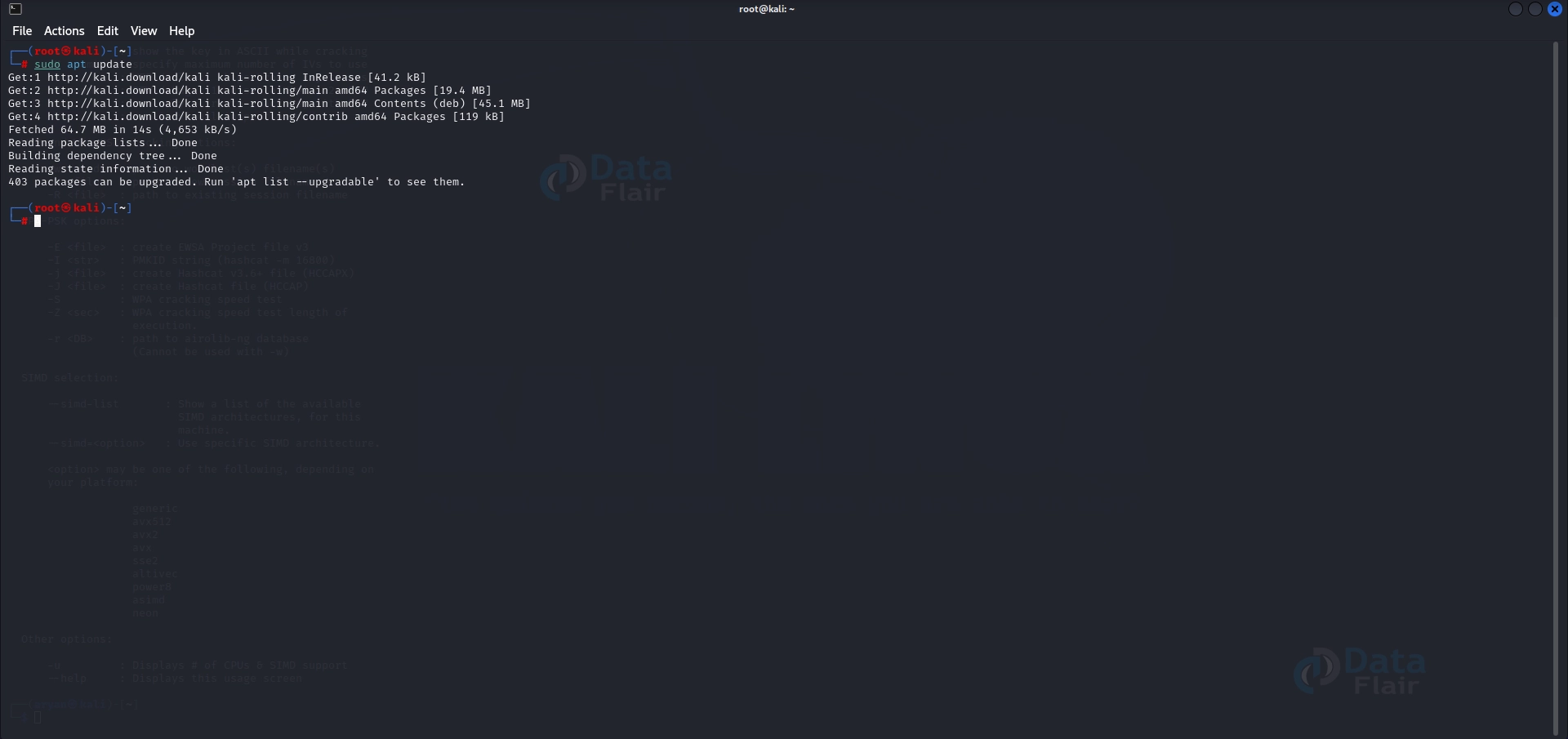
Step 3 Once the package lists are updated, you can proceed to put in Aircrack-ng. Enter the subsequent command and press Enter:
sudo apt install aircrack-ng

This command will initiate the installation and download important packages from reliable repositories.
Step 4 You will be prompted to affirm the installation by typing ‘Y’ and urgent Enter during the setup. Provide your affirmation to proceed.
Step 5 The setup method may additionally take some moments, relying on your net speed and machine assets. Once the installation is complete, you will see a message indicating the hit installation of Aircrack-ng.
To verify that Aircrack-ng is set up successfully, you could open a terminal and input the following command:
aircrack-ng --version
This command will show the version of Aircrack-ng hooked up on your device. If you see the model number, it way that Aircrack-ng is set up and prepared to apply.
Now, you are equipped to explore the numerous functionalities of Aircrack-ng and carry out wireless community protection checks using this powerful equipment.
Working with Aircrack-ng:
Aircrack-ng presents numerous powerful commands that can help you carry out diverse responsibilities associated with Wi-Fi network safety.
Here are six critical commands and their usage:
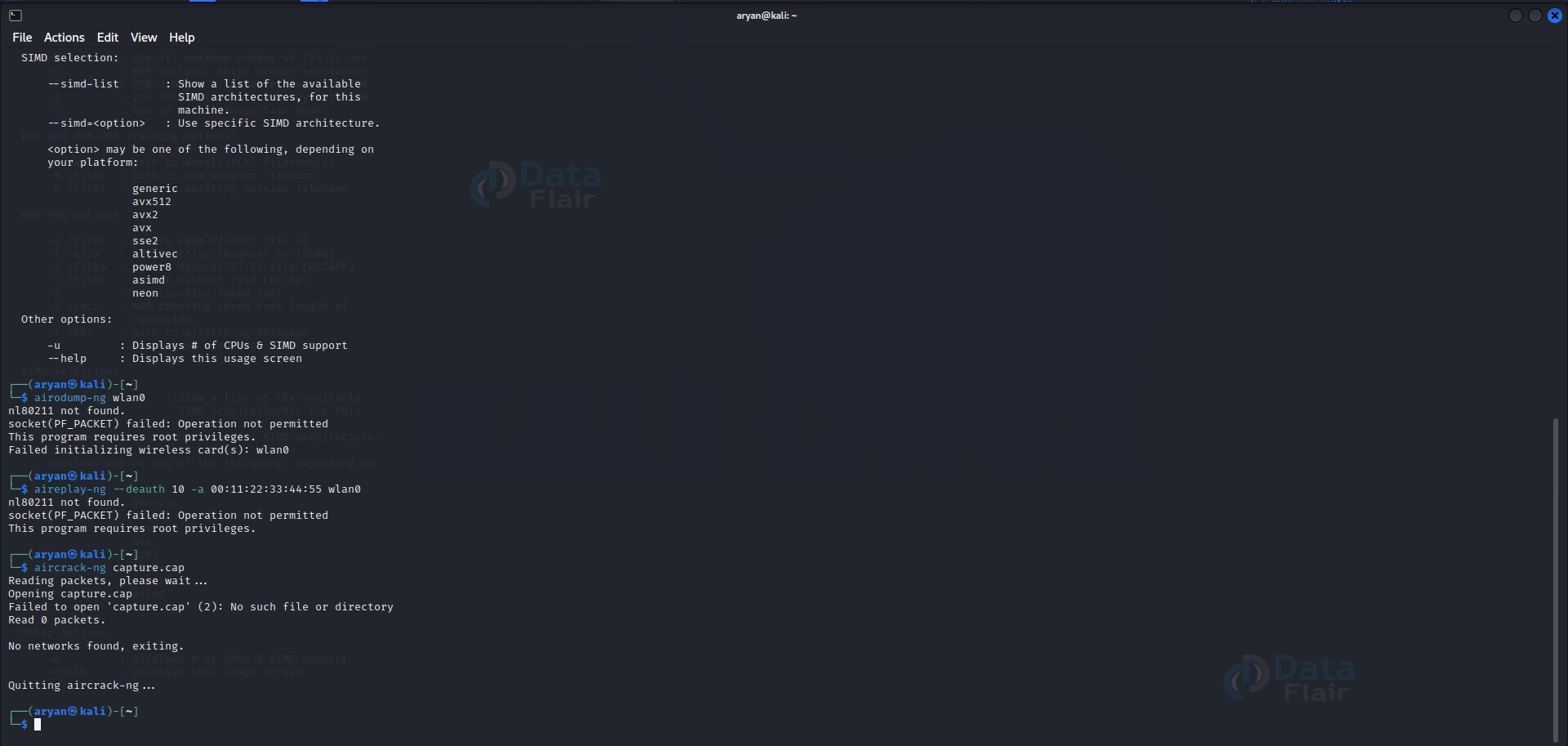
a) Command: airodump-ng
Usage: airodump-ng <interface>
Description: Captures packets from a wi-fi community and saves them for analysis.
Example:
airodump-ng wlan0

b) Command: aireplay-ng
Usage: aireplay-ng <options> <interface>
Description: Injects packets right into a Wi-Fi community for trying out its vulnerabilities.
Example:
aireplay-ng --deauth 10 -a 00:11:22:33:44:55 wlan0

c) Command: aircrack-ng
Usage: aircrack-ng <capture_file>
Description: Cracks WEP and WPA/WPA2-PSK keys from captured packets.
Example:
aircrack-ng capture.cap
d) Command: aireplay-ng -0
Usage: aireplay-ng -0 <number of deauth packets> <interface> -a <access point BSSID>
Description: Performs a de-authentication attack on a selected wireless community, forcing customers to reconnect and probably revealing their passwords.
Example:
aireplay-ng -0 100 -a 00:11:22:33:44:55 wlan0

e) Command: airodump-ng –channel
Usage: airodump-ng –channel <channel number> <interface>
Description: Captures packets from a selected channel on a wireless network.
Example:
airodump-ng --channel 6 wlan0

f) Command: airodump-ng –bssid
Usage: airodump-ng –bssid <access point BSSID> <interface>
Description: Captures packets from a specific access point on a wireless community.
Example:
airodump-ng --bssid 00:11:22:33:44:55 wlan0

Components of Aircrack-ng:
a) Airodump-ng:
Description: Airodump-ng is a packet seize device used to seize and analyze records packets transmitted over Wi-Fi networks.
Key Feature: It presents real-time records approximately nearby entry to points, customers, and their respective parameters.
B) Aireplay-ng:
Description: Aireplay-ng is a packet injection tool used for injecting, replaying, and forging Wi-Fi frames.
Key Feature: It can perform de-authentication attacks, generate ARP request packets, and perform different Wi-Fi attacks.
C) Airdecap-ng:
Description: Airdecap-ng is used to decrypt WEP or WPA/WPA2-encrypted seized documents.
Key Feature: It allows you to extract the decrypted packets from encrypted seize files for similar evaluation.
D) Airbase-ng:
Description: Airbase-ng is a device used to create digital get entry to factors and take a look at the security of Wi-Fi customers.
Key Feature: It can simulate distinct access factors, including WEP and WPA/WPA2-blanketed ones, for trying-out purposes.
E) Airgraph-ng:
Description: Airgraph-ng is a device used to visualize captured information in a graphical layout.
Key Feature: It generates graphs based on captured records, which include packet counts, signal strengths, and information prices, for simpler evaluation.
F) Airtun-ng:
Description: Airtun-ng is a tool used to create digital community tunnels over Wi-Fi interfaces.
Key Feature: It allows you to create encrypted tunnels among devices to steady record transmission over Wi-Fi networks.
G) Airserv-ng:
Description: Airserv-ng is a device that provides far-flung get-entry to Wi-Fi interfaces.
Key Feature: It enables far-flung manipulation and monitoring of Wi-Fi interfaces on remote structures, facilitating wireless community exams.
H) Airodump-ng-oui-update:
Description: Airodump-ng-oui-replace is a device used to replace the OUI (Organizationally Unique Identifier) file.
Key Feature: It keeps the OUI file up to date, which facilitates becoming aware of the manufacturers of Wi-Fi devices primarily based on their MAC addresses.
Aircrack-ng Uses:
Aircrack-ng is a flexible tool that provides several programs in wireless network security.
Here are some common uses of Aircrack-ng:
Fake Authentication:
Aircrack-ng can carry out fake authentication to get the right of entry to a wireless network without knowing the real key, allowing for additional analysis and evaluation.
Basic WEP Cracking:
Aircrack-ng is widely recognized for its functionality to crack WEP encryption via capturing sufficient packets and applying numerous cracking techniques.
Injection Test:
Aircrack-ng can check the injection functionality of a community interface by injecting packets right into a Wi-Fi community, ensuring the network’s resilience against unauthorized sports.
Deauthentication Attack:
Aircrack-ng can force clients to disconnect from a Wi-Fi network, which can result in capturing the WPA handshake and subsequently cracking the encryption key.
WPA/WPA2 Handshake Capturing:
Aircrack-ng can seize the four-way handshake in WPA/WPA2-included networks, allowing offline cracking attempts using dictionaries or brute-force techniques.
These various uses make Aircrack-ng an essential tool for safety specialists and ethical hackers while assessing the safety of wireless networks. However, it’s important to ensure that Aircrack-ng is used responsibly and in compliance with moral and criminal issues.
Aircrack-ng Modes:
Aircrack-ng offers unique modes that cater to various eventualities and attack vectors in Wi-Fi community protection:
Access Point Mode:
Description: In this mode, Aircrack-ng goals a specific get admission to factor to analyze its protection or launch attacks.
Key Feature: It lets in focused tests on character access points, allowing precise checking and vulnerability identification.
WPA Wordlist Mode:
Description: This mode is mainly designed for cracking WPA/WPA2-PSK keys using a wordlist.
Key Feature: It automates trying one-of-a-kind passwords from a wordlist towards a captured WPA handshake, aiding in password recovery.
These modes in Aircrack-ng offer flexibility and versatility in conducting wireless network exams, allowing security specialists and ethical hackers to tailor their methods primarily based on particular security necessities and goals.
Airgraph-ng Usage Graphs:
CAPR Graph:
The CAPR graph generated by using Airgraph-ng shows the number of captured packets over time. It visually represents packet seize pastime, allowing users to pick out peak interest intervals and styles in network visitors.
CPG Graph:
The CPG (Cracked Packets Graph) graph produced through Airgraph-ng illustrates the quantity of cracked WEP and WPA keys over the years. This graph enables monitoring of the progress of key cracking operations and provides insights into the effectiveness of various cracking techniques.
Airgraph-ng’s usage graphs are worthwhile for visualizing and studying records captured during Wi-Fi community tests. These graphs decorate the know-how of network behavior, facilitate sample popularity, and provide resources for making knowledgeable choices regarding community security strategies.
Airgraph-ng Usage Examples:
a) wpaclean Usage Example:
- Command: wpaclean <capture_file>
- Description: Cleans and filters a WPA/WPA2 capture document.
- Example:
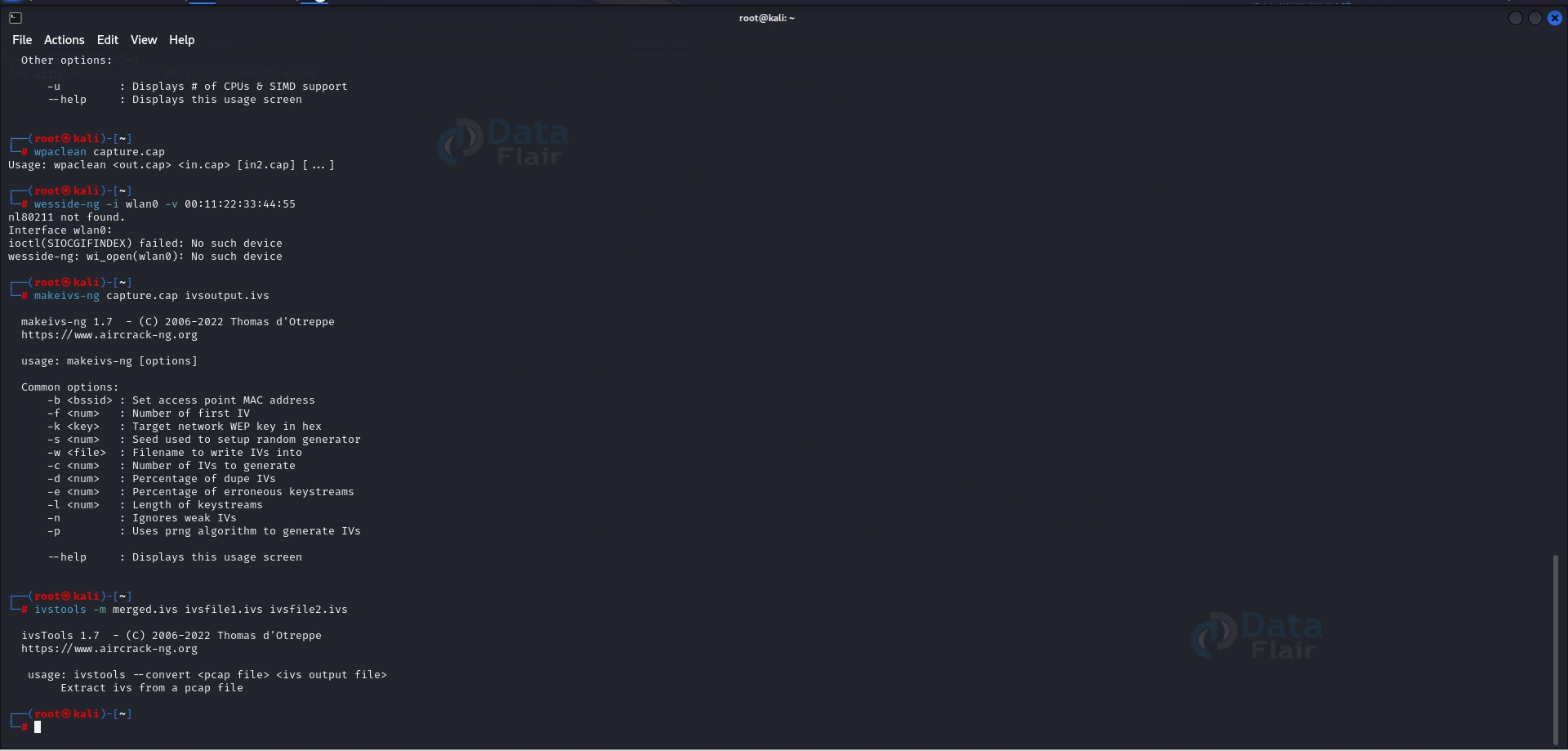
wpaclean capture.cap

b) wesside-ng Usage Example:
- Command: wesside-ng -i <interface> -v <BSSID>
- Description: Performs the Wesside-ng attack on a specific community to seize the WPA handshake.
- Example:
wesside-ng -i wlan0 -v 00:11:22:33:44:55

c) makeivs-ng Usage Example:
- Command: makeivs-ng <capture_file> <output_file>
- Description: Converts captured packets into IVS format for further evaluation.
- Example:
makeivs-ng capture.cap ivsoutput.ivs

d) ivstools Usage Examples:
- Command: ivstools <options> <input_file>
- Description: Various tools for running with IVS documents, along with merging, splitting, and filtering.
- Example:
ivstools -m merged.ivs ivsfile1.ivs ivsfile2.ivs
e) easyside-ng Usage Example:
- Command: easyside-ng <options> <interface>
- Description: A script-based device that automates the WPA/WPA2 handshake-taking pictures system.
- Example:
easyside-ng -i wlan0
f) besside-ng Usage Example:
- Command: besside-ng <options> <interface>
- Description: Automatically identifies and captures WPA/WPA2 handshakes from close by networks.
- Example:
besside-ng -i wlan0

g) airolib-ng Usage Examples:
- Command: airolib-ng <options> <database_file>
- Description: Manages and manipulates precomputed PMK (Pairwise Master Key) databases for WPA/WPA2.
- Example:
airolib-ng -r database.db capture.cap

h) airodump-ng Usage Examples:
- Command: airodump-ng –bssid <BSSID> –channel <channel> –write <output_file> <interface>
- Description: Captures packets from a specific get right of entry to factor on a selected channel and saves them to a file.
- Example:
airodump-ng --bssid 00:11:22:33:44:55 --channel 6 --write output wlan0

Competitive Positioning:
In the Wi-Fi community protection assessment field, there is numerous gear to be had aside from Aircrack-ng.
Let’s discover some of the aggressive gear and their key functions:
Wireshark:
Description: Wireshark is a broadly used community protocol analyzer that allows for deep inspection of community visitors.
Key Features:
- Captures and analyzes network packets in actual time.
- Supports a huge variety of protocols, such as Wi-Fi protocols.
- Provides targeted packet-level statistics and may dissect encrypted protocols.
- Offers a user-pleasant graphical interface with powerful filtering and analysis talents.
Reaver:
Description: Reaver is a device mainly designed for cracking WPS (Wi-Fi Protected Setup) enabled networks.
Key Features:
- Targets the vulnerability in WPS implementations to retrieve the network’s WPA/WPA2 passphrase.
- Supports online brute-force assaults toward the WPS PIN.
- Automates capturing and cracking the WPS PIN to gain access to the community.
Fern Wi-Fi Cracker:
Description: Fern Wi-Fi Cracker is a Wi-Fi penetration checking-out device that mixes diverse gear and strategies for network evaluation.
Key Features:
- Provides a person-friendly graphical interface for performing Wi-Fi attacks.
- Supports WEP, WPA, and WPA2 encryption cracking.
- Offers capabilities like automatic WEP key restoration, WPS attacks, and brute-pressure assaults.
- Several different community assessment gears include MAC coping with spoofing and packet sniffing.
Kismet:
Description: Kismet is a versatile wireless network detector, sniffer, and intrusion detection system.
Key Features:
- Detects and identifies Wi-Fi networks and their related gadgets.
- Captures and analyzes Wi-Fi network site visitors.
- Provides intrusion detection competencies, identifying unauthorized get right of entry to points or suspicious network hobby.
- Supports diverse Wi-Fi adapters and offers bendy configuration alternatives.
NetStumbler:
Description: NetStumbler is a popular Windows-primarily based device for Wi-Fi network detection and evaluation.
Key Features:
- Scans for to-be-had wireless networks and provide designated statistics about them.
- Displays signal strength, encryption type, and channel information of nearby networks.
- Assists in figuring out unauthorized or rogue get admission to points.
- Offers simple features for community troubleshooting and optimization.
Each competitive piece of equipment has strengths and features, catering to specific person possibilities and necessities. Security specialists and ethical hackers can choose the device that fits their desires for Wi-Fi network protection checks.
Ethical and Legal Considerations:
When utilizing gear like Aircrack-ng for Wi-Fi community safety checks, adhering to moral tips and legal rules is vital.
Here are important moral and felony concerns to keep in mind:
Obtain Proper Authorization:
Ethical Perspective: Always get permission from the network owner or administrator before performing any security checks or tests on their wireless network.
Legal Perspective: Unauthorized admission to Wi-Fi networks is unlawful in lots of jurisdictions. Ensure you have written consent or authorization to conduct security exams to avoid criminal outcomes.
Use the Tool Responsibly:
Ethical Perspective: Utilize Aircrack-ng and similar gear responsibly and completely to assess and enhance wireless networks’ safety.
Legal Perspective: Engaging in malicious activities or using Aircrack-ng for malicious reasons, such as unauthorized network intrusion or information theft, is unlawful and a problem for the prosecution.
Protect Privacy and Confidentiality:
Ethical Perspective: Respect the privacy and confidentiality of any facts or data obtained during protection checks. Handle the statistics securely and do not disclose or misuse them.
Legal Perspective: Violating privacy laws or breaching confidentiality agreements can bring about felony repercussions. Safeguard any touchy records acquired during the evaluation.
Exercise Caution and Diligence:
Ethical Perspective: Conduct exams cautiously, taking steps to decrease any disruption to the target community or its users. Ensure you’ve got the necessary capabilities and information to carry out checks successfully.
Legal Perspective: Negligent or reckless moves for the duration of assessments that bring about community disruptions or damages may also result in criminal liability.
Report Findings Responsibly:
Ethical Perspective: Communicate the findings of your protection tests to the community proprietor or administrator responsibly and expertly. Offer pointers for enhancing network protection.
Legal Perspective: Sharing evaluation findings with outright authorization or in a way that could purposely harm or facilitate malicious sports is illegal.
Stay Updated on Laws and Regulations:
Ethical Perspective: Know your jurisdiction’s relevant legal guidelines, rules, and tips concerning community protection checks. Adhere to these criminal frameworks to ensure moral behavior.
Legal Perspective: Compliance with nearby legal guidelines and rules is essential. Laws touching on network safety exams, records privateness, and unauthorized rights of entry might also vary throughout jurisdictions.
Prioritizing ethical conduct and criminal compliance is critical when conducting wireless network protection exams. By following those moral and felony considerations, professionals can ensure accountable and lawful use of gear like Aircrack-ng while safeguarding networks and respecting privacy.
Conclusion
Aircrack-ng, combined with Kali Linux, offers security specialists a comprehensive toolkit for assessing and improving wireless community security.
By installing Aircrack-ng and following ethical and prison concerns, users can leverage its powerful additives, including Airodump-ng and Airgraph-ng, to seize packets, analyze data, and visualize community interest. When used responsibly, Aircrack-ng facilitates the discovery of vulnerabilities and enhances network security.
Adhering to moral recommendations and felony rules guarantees privacy protection and accountable disclosure of findings. By staying updated on laws and policies, professionals can perform behavior tests ethically and legally, having a superb effect on wireless community protection.